
Customers, donors, grantors, vendors and suppliers, with duplicate review.
Xero Accountant | Xero Migration | Xero Support | Xero Training | Crypto Accounting
Specialist accounting data conversion
Move from MIP to QuickBooks Online through a controlled, fully reconciled conversion designed around your funds, grants, programmes, reporting requirements and historical data.
QBO certified
QuickBooks Online expertise
Multi-entity
Group Migration Expertise
Worldwide
Remote delivery and support
Cloud accounting experience
0
+ years
What our client Says
Posted on Google
 MR. Makuri
 eCloud Experts handled our Xero migration really well. Everything was transferred correctly, and they kept us updated throughout the process. Very helpful and easy to work with.Posted on Google
 ahmed rakinWe used eCloud Experts to migrate our accounts to Xero and the whole process was handled extremely well. They explained what needed to be done, transferred the data carefully and made sure everything was reconciled correctly before completion. The team clearly has strong Xero migration experience and was responsive whenever we had questions. I would highly recommend eCloud Experts to any business moving to Xero.Posted on Google
 Masum AhmedI contacted eCloud Experts because I needed help with crypto accounting and tax matters and wanted an accountant who actually understood cryptocurrency transactions. They were knowledgeable, patient and explained everything clearly. They helped organise the records and made a complicated situation much easier to manage. Highly recommended for anyone needing specialist crypto accounting support.Posted on Google
 Amolesh Chandra PaulEcloud Experts has been an exceptional partner in managing our accounting needs with Xero. Their deep expertise and hands-on support have made a significant difference in streamlining our financial processes. From setup to ongoing assistance, their team has been responsive, knowledgeable, and efficient. They take the time to explain everything clearly, making Xero easy to use, even for beginners. Their proactive approach ensures that our accounts are always in order, allowing us to focus on growing our business. If you're looking for reliable Xero experts, I highly recommend Ecloud Experts!Posted on Google
 Betty KellyZakir and Aman worked really hard to get us moved from Netsuite to Xero. They were fantastic, supportive and worked fast and took the complication of a migration away for us. We highly recommend them to anyone wanting to move to Xero!Posted on Google
 Charlotte PownallHighly recommended. Utterly helpful, so informative, extremely quick to respond to a meeting/queries.Posted on Google
 Tom WraggRecently had Xero Experts training with Zakir - he was excellent and thorough throughout would highly recommend.Posted on Google
 abdur rokibeCloud and their experts, notably Zakir, have been exceptional in facilitating our migration from Sage 50 to Xero. The intricate process of transferring multiple years of multi-currency data was executed with utmost precision and expertise. I wholeheartedly vouch for their servicesPosted on Google
 Laura RichardeClound and Zakir in particular have been very helpful in assisting our migration from X3 to Xero. In particular teh complicated migration of several years of multi-currency data was handled very well. I would not hesitate to recommend them.Posted on Google
 Liam HBrilliant service. Zakir helped me with compiling and submitting a crypto tax return that I was struggling to do myself. There were many transactions across various activities which can be a bit overwhelming from an accounting perspective. Zakir was able to make sense of everything and submit to HMRC on my behalf, all for a reasonable price. If I need help in the future with another return, I will be coming back to eCloud.Posted on Google
 Stephen PittZakir, was very helpful and knowledgeable. Training was structured to exactly what I needed.Posted on Google
 Nikola BennGreat basic training on Xero, very professional and knowledgable. Thank you ZakirPosted on Google
 Craig ReidWe are a small charity and a limited company by guarantee so it was really important for us to get the right accountancy software. It was recommended for us to use Xero. The Xero software training we had on Friday 4th November went really well and we would highly recommend it, and it helped to empower our understanding of all the features on Xero. The trainer is also very patient and he helps you by working at your pace. It’s a great software to start to process your accounts and it also saves loads of time. This will get you on the right track with the help of financial reports and many other great reports if you need them. Thank you again for all your time. Janette Craig and Ruth at Dennyloanhead Community HallPosted on Google
 Helen ZumanZakir was patient and knowledgeable. He helped me with my specific problems and also helped me understand Xero better. I appreciate his help!Posted on Google
 katie lyonsExtremely helpful - thanks Zakir!Posted on Google
 khyati LathigraI needed quick help with realised/unrealised gains and also some other accounting reports issues, Zakir was very much helpful! Even though he wasn't feeling well still decided to join in the meeting and help me out on every single questions I asked. I would highly recommend to anyone who is not familiarise with Xero, Zakir is definitely an expert and you will be 100% satisfy from the service he can offer.Posted on Google
 chris woodZak was very helpful when i got myself into a pickle, he managed to rectify the issue and tweaked a few other bits. I will definitely be using againPosted on Google
 Ollie SmedleyI needed a little help / assurance with my VAT set-up. Zak spent an hour checking things through and made some useful suggestions for other Xero features I could use as well.Posted on Google
 Galin LoweZak is patient and thorough, I would highly recommend his services.Posted on Google
 Michael PostleA truly value add training programme - thank you ZakirPosted on Google
 Carol SullivanThe training with Zak was spot on. Luckily I had one to one, so I was able to ask lots of questions that were relevant to our business. Very impressed & stress free!Posted on Google
 Marion BrowneVery helpful and very knowledgeable about Xero. Would definitely recommend.Posted on Google
 Norma MartinZac has helped me so much with my training in Xero, I now understand the processes and the system so much better. Also very useful tips for shortcutsPosted on Google
 Drew RetfordVery helpful for anyone new to using Xero. Highly recommend!Posted on Google
 Sam SingletonWe are currently undergoing a Sage > Xero migration and have just completed the Basic training with Zakir. A very laid back 1-2-1 session with the department going through all the basics. A really good session and look forward to doing the Advanced training in a few weeks. I would definitely recommend using them!Posted on Google
 Russell Cassleton ElliottZakir was superb, as he led me through the Xero maze very effectively, as I am a complete novice at Xero. I cannot recommend Zakir and his service more. This is the best service for a beginner like me!Posted on Google
 NazmulWe used Xero Experts for our migration from QuickBooks to Xero. They were excellent – kept me informed and were very helpful. I would highly recommend them, saved us a great deal of mine and effort. Would certainly use them againPosted on Google
 Steve VentonI had a very obscure question that Zak help me with at very short notice, late one evening. Thank you.Posted on Google
 George KainI have worked with Zak on several different Xero support and training sessions, including the Xero set up and the Payroll Set Up Service. Always very knowledgable and professional and is always available for any follow up support that is required. Highly recommend.Posted on Google
 ANIL SURMELIHappy to work with Zak. He is a complete expert on XERO. Highly recommend Xero Experts for anything you may need about Xero and migration.Posted on Google
 Sean CheungZack was amazing very helpful and problems solved!Posted on Google
 Stephen Coganused xero expert 3 times, they helped me understand xero step by step in manageable 1 hour sessions. good value for money.Posted on Google
 Will A.BlissZak helps us regularly with more complicated Xero issues we can't solve in house. He is professional and knowledgeable and we would recommend his services to anyone.Posted on Google
 Bluefish VibeZak and his team have been incredibly helpful with our migration of Xero and I would highly recommend them. Xero Experts is a great partner for our start-up company. They offer great value and support to cover our accounting needs. Our accountant Zak is always there to support us and answer all the beginner questions we have & their expertise with Xero makes everything faster and better!Posted on Google
 Hana RasselFantastic service from the team at Xero Experts. Absolutely first class - very helpful and knowledgeable support from these Xero advisorsPosted on Google
 Abu RasselIt has been an absolute pleasure working with Zak. They have supported me greatly with getting to grips with Xero. A massive thank you from me!Posted on Google
 Warkan HasanI took complete Xero training (online live) with Xero Experts. I Enjoyed the comprehensive introduction to Xero Accounting Software, a good match of what I was expecting, well explained. I feel confident having to do payroll in Xero.
Is QBO a like-for-like MIP replacement?
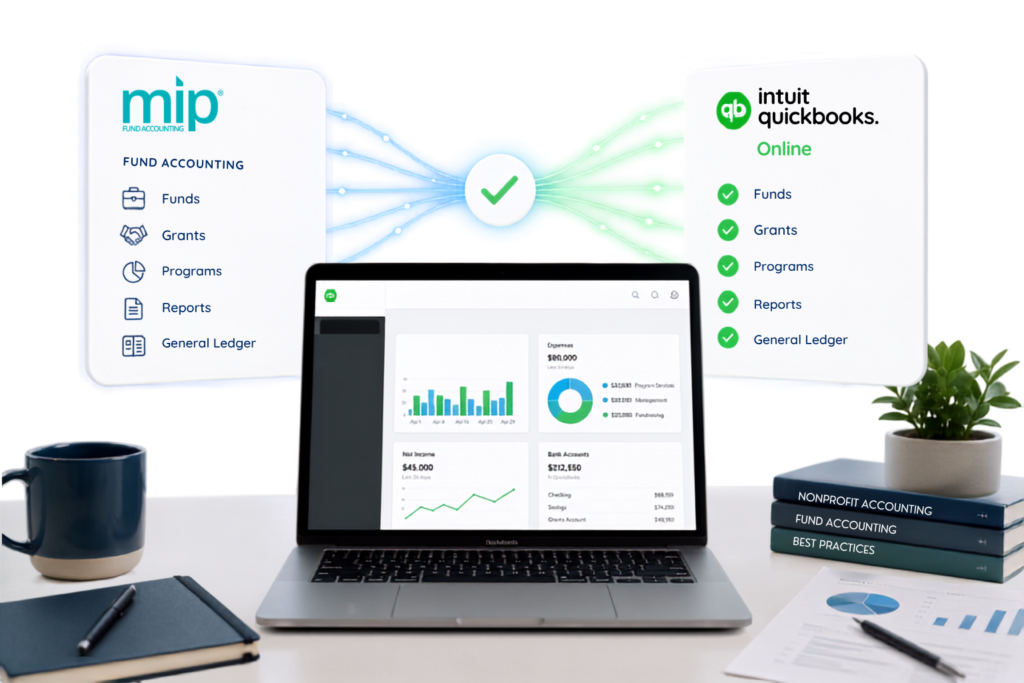
Not for every organisation or every MIP module. MIP supports detailed segmented fund accounting and grant administration. QuickBooks Online uses a different structure.
We identify any functional gaps and agree the target reporting design before live data is imported.
Designed for nonprofits and grant-funded teams
Preserve financial control while modernising your accounting
An MIP conversion is the process of extracting financial and master data, restructuring it for QuickBooks Online, importing the agreed records and validating the result against MIP control reports.
Who this service is for
This service is designed for organisations that have selected QuickBooks Online and need specialist support preserving usable history and reporting continuity.
- Nonprofit organisations
- Grant-funded organisations
- Membership organisations
- Charities and foundations
- Schools and community groups
- Government contractors
Target-system design
How MIP segments can map to QuickBooks Online
Before migration, we create a blueprint showing what each MIP segment will become and how your team will report after go-live.
|
MIP structure
|
Potential QBO destination
|
Design consideration
|
|---|---|---|
|
Natural account
|
Chart of accounts
|
Usually maps directly after rationalisation and duplicate review.
|
|
Fund or restriction
|
Class, location, account structure or external reporting layer
|
The best method depends on the number of funds and reporting detail required.
|
|
Programme or department
|
Class or location
|
Available dimensions must be prioritised; features vary by QBO plan and region.
|
|
Grant or award
|
Class, customer/project structure, custom field or connected app
|
Grant terms and compliance metadata may require a separate register or application.
|
|
Cost centre or location
|
Location or class
|
A documented hierarchy helps prevent inconsistent coding after go-live.
|
|
Interfund balances
|
Dedicated accounts and journals
|
Opening and historical balances need clear elimination and reconciliation logic.
|
Important: QuickBooks Online is not automatically a like-for-like replacement for every MIP feature. We confirm the target design, QBO subscription and any required third-party applications before importing live data.
Migration scope
What can be migrated from MIP?
The final scope depends on your MIP version, enabled modules, data quality, available exports, required history and QuickBooks Online region.
01
Chart of accounts
Accounts, codes, names, types and the approved segment mapping.
02
Contacts
03
Accounts receivable
Agreed open or historical invoices, credits, receipts and customer balances.
04
Accounts payable
Agreed open or historical bills, credits, payments and supplier balances.
05
General ledger history
Journals and transaction-level data for the agreed conversion period.
06
Funds and grants
Agreed codes mapped to QBO dimensions or an appropriate reporting application.
07
Bank and cash
Transactions, transfers and opening reconciled balances where supported.
08
Budgets
Compatible budgets or reformatted templates aligned with the target design.
09
Attachments
Assessed separately, with a structured archive where direct migration is impractical.
Separately assessed: payroll, purchase orders, requisitions, encumbrances, allocations, fixed assets, Grant Administration fields, user-defined reports, workflow approvals, attachments and jurisdiction-specific tax data.
A controlled route to go-live
Our seven-stage MIP migration process
Start in the way that suits you: complete the quote form for a tailored quotation or book a call to discuss the project first.

Request a quote or book a call
Share your MIP system and migration needs, or book a discovery call with our specialist.

Confirm scope
Confirm entities, modules, currencies, history, volumes, reports, cut-off date and QBO region.

Assess data and reports
Review accounts, segments, funds, grants, programmes, open AR/AP, banks and data quality.

Approve the mapping
Document target accounts, dimensions, gap treatment, subscription needs and acceptance criteria.

Extract and transform
Clean, standardise and restructure the agreed MIP data for controlled import.

Test and reconcile
Complete the test import, compare key controls, resolve exceptions and approve the result.

Go live and hand over
Complete the final migration, reconciliation pack, QBO setup, training and post-go-live support.
Who This Service Is For
Our MIP Fund Accounting to QuickBooks migration service is ideal for:
Nonprofit organisations
Charities
Grant-Funded Organisations
Government contractors
Foundations
NGOs
Membership organisations
Why eCloud Experts
Finance-led mapping, clear controls and practical support

Certified QBO advisers
QuickBooks Online and QuickBooks Online Advanced expertise.

Migration specialists
Experience converting data from accounting and ERP platforms into modern cloud systems.

Reconciliation evidence
Trial balance, AR, AP, bank and agreed dimension checks with documented exceptions.

Complete handover
QBO configuration, app advice, user training and post-migration support.
QuickBooks Online Migration & Integration Specialists
eCloud Experts provides QuickBooks Online migration services for businesses moving from accounting software and ERP systems worldwide. Our team helps organizations transfer financial records, customer and supplier data, invoices, bills, inventory information, and historical transactions into QuickBooks Online.
We support migrations from leading platforms including Xero, Sage, NetSuite, Acumatica, Microsoft Dynamics, Zoho Books, MYOB, SAP, FreshBooks, Wave, and many more.
Beyond data migration, we help businesses connect QuickBooks Online with ecommerce platforms, inventory systems, CRM software, payment solutions, and reporting tools to create a connected accounting environment.
Every migration follows a structured process that includes data assessment, mapping, validation, testing, and post-migration support to help ensure accurate financial reporting from day one.












Explore More QuickBooks Online Migration Services
- MYOB to QBO
- MYOB Advance to QBO
- Microsoft Dynamics 365 to QBO
- Microsoft Dynamics NAV to QBO
- MIP Fund Accounting software
- NetSuite to QBO
- Odoo to QBO
- Pandle to QBO
- Pegasus Opera 3 to QBO
- QuickBooks Desktop to QBO
- QuickBooks Enterprise to QBO
- QuickBooks Online to QBO
- Quickfile to QBO
- Quicken to QBO
- Reckon to QBO
Answers to common questions
MIP to QuickBooks Online migration FAQs
Yes. Core financial data can usually be converted, including the chart of accounts, contacts, open receivables and payables, and agreed historical transactions. The key issue is how MIP’s segmented fund-accounting structure will be represented in QBO, so we complete a mapping and feasibility review first.
Not automatically or always in the same form. MIP funds, grants, programmes and departments may be mapped to QBO classes, locations, customer/project structures, accounts, custom fields or a connected reporting application. We agree the design before importing data.
QBO can suit organisations with simpler fund-accounting and grant-reporting requirements, but it is not a like-for-like replacement for every MIP module. Complex grant administration, encumbrances, allocations and multiple reporting dimensions may require redesigned workflows or additional applications.
We can scope opening balances only, the current year plus comparatives, or multiple years of detailed history. Feasibility depends on export quality, transaction volume, QBO limits and the modules involved.
Usually, yes. We can migrate agreed open or historical invoices, bills, credits, receipts and payments where the source exports contain sufficient detail. The resulting aged reports are reconciled to their control accounts.
Attachments and audit evidence are assessed separately. QBO will not recreate the native MIP audit trail exactly. Where direct attachment migration is impractical, we can define a structured, searchable archive.
We reconcile agreed control reports including the trial balance, financial statements, AR ageing, AP ageing and bank balances. We also compare record counts and trace samples to source transactions, documenting accepted differences and exclusions.
The timetable depends on entities, years of history, transaction volume, source-data quality, fund structure and scope. We confirm an estimated schedule after reviewing your quote-form information, sample data and reports.
Pricing is based on entity count, history, volume, segments, AR/AP detail, multicurrency, module data, reporting design, data quality and training. Complete our quote form for a tailored quotation or book a discovery call to discuss the project.
Yes. Each legal entity normally requires its own QBO company. We can apply a consistent group chart, shared mapping rules and, where needed, a consolidation or multi-entity reporting solution.
Start your migration
Get a tailored MIP to QuickBooks Online migration quote
Complete our quote form with details of your MIP system, entities, history and reporting needs. If you would rather talk it through first, book a discovery call with a migration specialist.
Choose how to begin
Both routes lead to a properly scoped migration plan and quotation.