Xero Accountant | Xero Migration | Xero Support | Xero Training | Crypto Accounting

Xero to QuickBooks Online migration
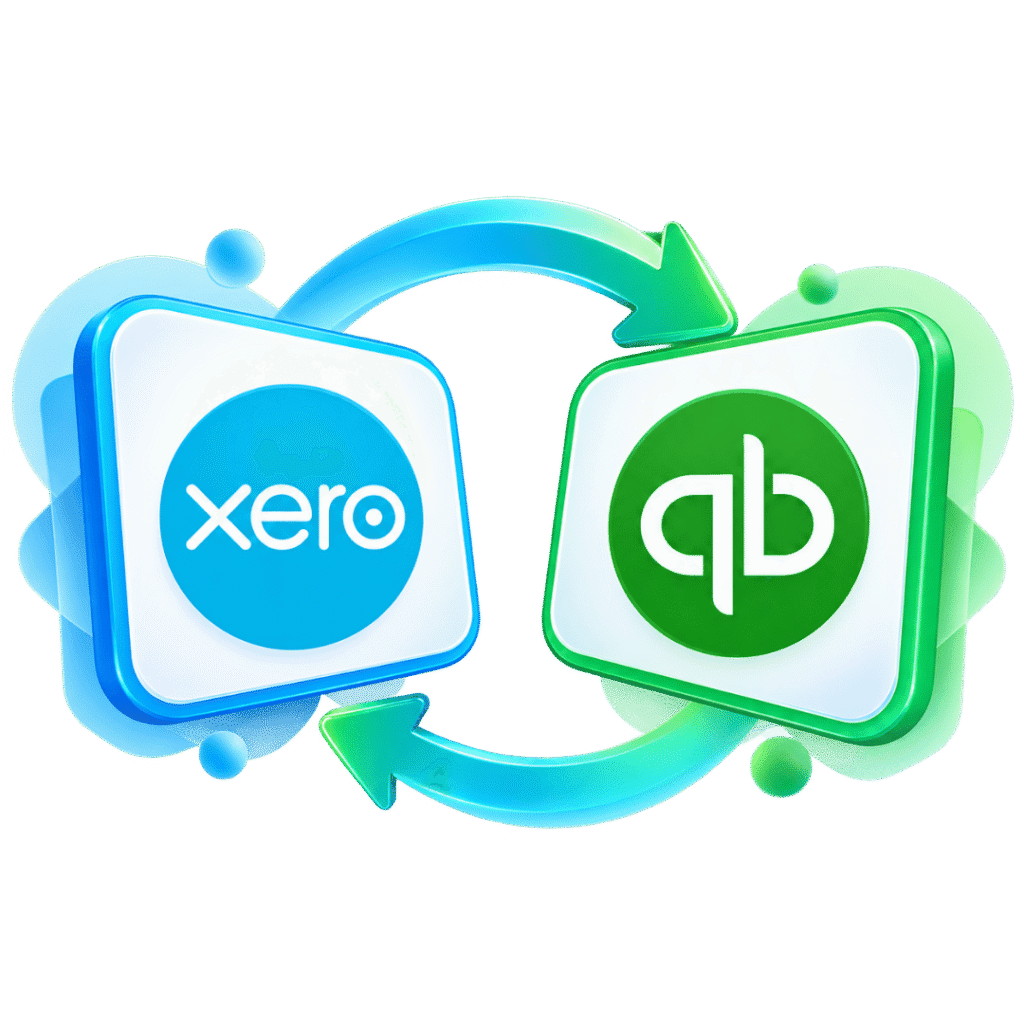
Move your accounting data from Xero to QuickBooks Online with a structured migration process designed to protect your financial history and minimise disruption. At eCloud Experts, we provide specialist Xero to QuickBooks Online migration services for businesses that need more than a simple data export and import. Our team helps you plan the migration, map your accounting data, transfer the agreed financial records and check the results before you begin working in QuickBooks Online.

Xero Gold Champion Partner

Xero Migration Specialists

AAT Licensed Accountant
Clients We Migrated into Xero




















What our client Says
Posted on Google
 MR. Makuri
 eCloud Experts handled our Xero migration really well. Everything was transferred correctly, and they kept us updated throughout the process. Very helpful and easy to work with.Posted on Google
 ahmed rakinWe used eCloud Experts to migrate our accounts to Xero and the whole process was handled extremely well. They explained what needed to be done, transferred the data carefully and made sure everything was reconciled correctly before completion. The team clearly has strong Xero migration experience and was responsive whenever we had questions. I would highly recommend eCloud Experts to any business moving to Xero.Posted on Google
 Masum AhmedI contacted eCloud Experts because I needed help with crypto accounting and tax matters and wanted an accountant who actually understood cryptocurrency transactions. They were knowledgeable, patient and explained everything clearly. They helped organise the records and made a complicated situation much easier to manage. Highly recommended for anyone needing specialist crypto accounting support.Posted on Google
 Amolesh Chandra PaulEcloud Experts has been an exceptional partner in managing our accounting needs with Xero. Their deep expertise and hands-on support have made a significant difference in streamlining our financial processes. From setup to ongoing assistance, their team has been responsive, knowledgeable, and efficient. They take the time to explain everything clearly, making Xero easy to use, even for beginners. Their proactive approach ensures that our accounts are always in order, allowing us to focus on growing our business. If you're looking for reliable Xero experts, I highly recommend Ecloud Experts!Posted on Google
 Betty KellyZakir and Aman worked really hard to get us moved from Netsuite to Xero. They were fantastic, supportive and worked fast and took the complication of a migration away for us. We highly recommend them to anyone wanting to move to Xero!Posted on Google
 Charlotte PownallHighly recommended. Utterly helpful, so informative, extremely quick to respond to a meeting/queries.Posted on Google
 Tom WraggRecently had Xero Experts training with Zakir - he was excellent and thorough throughout would highly recommend.Posted on Google
 abdur rokibeCloud and their experts, notably Zakir, have been exceptional in facilitating our migration from Sage 50 to Xero. The intricate process of transferring multiple years of multi-currency data was executed with utmost precision and expertise. I wholeheartedly vouch for their servicesPosted on Google
 Laura RichardeClound and Zakir in particular have been very helpful in assisting our migration from X3 to Xero. In particular teh complicated migration of several years of multi-currency data was handled very well. I would not hesitate to recommend them.Posted on Google
 Liam HBrilliant service. Zakir helped me with compiling and submitting a crypto tax return that I was struggling to do myself. There were many transactions across various activities which can be a bit overwhelming from an accounting perspective. Zakir was able to make sense of everything and submit to HMRC on my behalf, all for a reasonable price. If I need help in the future with another return, I will be coming back to eCloud.Posted on Google
 Stephen PittZakir, was very helpful and knowledgeable. Training was structured to exactly what I needed.Posted on Google
 Nikola BennGreat basic training on Xero, very professional and knowledgable. Thank you ZakirPosted on Google
 Craig ReidWe are a small charity and a limited company by guarantee so it was really important for us to get the right accountancy software. It was recommended for us to use Xero. The Xero software training we had on Friday 4th November went really well and we would highly recommend it, and it helped to empower our understanding of all the features on Xero. The trainer is also very patient and he helps you by working at your pace. It’s a great software to start to process your accounts and it also saves loads of time. This will get you on the right track with the help of financial reports and many other great reports if you need them. Thank you again for all your time. Janette Craig and Ruth at Dennyloanhead Community HallPosted on Google
 Helen ZumanZakir was patient and knowledgeable. He helped me with my specific problems and also helped me understand Xero better. I appreciate his help!Posted on Google
 katie lyonsExtremely helpful - thanks Zakir!Posted on Google
 khyati LathigraI needed quick help with realised/unrealised gains and also some other accounting reports issues, Zakir was very much helpful! Even though he wasn't feeling well still decided to join in the meeting and help me out on every single questions I asked. I would highly recommend to anyone who is not familiarise with Xero, Zakir is definitely an expert and you will be 100% satisfy from the service he can offer.Posted on Google
 chris woodZak was very helpful when i got myself into a pickle, he managed to rectify the issue and tweaked a few other bits. I will definitely be using againPosted on Google
 Ollie SmedleyI needed a little help / assurance with my VAT set-up. Zak spent an hour checking things through and made some useful suggestions for other Xero features I could use as well.Posted on Google
 Galin LoweZak is patient and thorough, I would highly recommend his services.Posted on Google
 Michael PostleA truly value add training programme - thank you ZakirPosted on Google
 Carol SullivanThe training with Zak was spot on. Luckily I had one to one, so I was able to ask lots of questions that were relevant to our business. Very impressed & stress free!Posted on Google
 Marion BrowneVery helpful and very knowledgeable about Xero. Would definitely recommend.Posted on Google
 Norma MartinZac has helped me so much with my training in Xero, I now understand the processes and the system so much better. Also very useful tips for shortcutsPosted on Google
 Drew RetfordVery helpful for anyone new to using Xero. Highly recommend!Posted on Google
 Sam SingletonWe are currently undergoing a Sage > Xero migration and have just completed the Basic training with Zakir. A very laid back 1-2-1 session with the department going through all the basics. A really good session and look forward to doing the Advanced training in a few weeks. I would definitely recommend using them!Posted on Google
 Russell Cassleton ElliottZakir was superb, as he led me through the Xero maze very effectively, as I am a complete novice at Xero. I cannot recommend Zakir and his service more. This is the best service for a beginner like me!Posted on Google
 NazmulWe used Xero Experts for our migration from QuickBooks to Xero. They were excellent – kept me informed and were very helpful. I would highly recommend them, saved us a great deal of mine and effort. Would certainly use them againPosted on Google
 Steve VentonI had a very obscure question that Zak help me with at very short notice, late one evening. Thank you.Posted on Google
 George KainI have worked with Zak on several different Xero support and training sessions, including the Xero set up and the Payroll Set Up Service. Always very knowledgable and professional and is always available for any follow up support that is required. Highly recommend.Posted on Google
 ANIL SURMELIHappy to work with Zak. He is a complete expert on XERO. Highly recommend Xero Experts for anything you may need about Xero and migration.Posted on Google
 Sean CheungZack was amazing very helpful and problems solved!Posted on Google
 Stephen Coganused xero expert 3 times, they helped me understand xero step by step in manageable 1 hour sessions. good value for money.Posted on Google
 Will A.BlissZak helps us regularly with more complicated Xero issues we can't solve in house. He is professional and knowledgeable and we would recommend his services to anyone.Posted on Google
 Bluefish VibeZak and his team have been incredibly helpful with our migration of Xero and I would highly recommend them. Xero Experts is a great partner for our start-up company. They offer great value and support to cover our accounting needs. Our accountant Zak is always there to support us and answer all the beginner questions we have & their expertise with Xero makes everything faster and better!Posted on Google
 Hana RasselFantastic service from the team at Xero Experts. Absolutely first class - very helpful and knowledgeable support from these Xero advisorsPosted on Google
 Abu RasselIt has been an absolute pleasure working with Zak. They have supported me greatly with getting to grips with Xero. A massive thank you from me!Posted on Google
 Warkan HasanI took complete Xero training (online live) with Xero Experts. I Enjoyed the comprehensive introduction to Xero Accounting Software, a good match of what I was expecting, well explained. I feel confident having to do payroll in Xero.
- What data should be migrated
- How much historical information you need
- Which records require special handling
- How Xero accounts should map into QuickBooks Online
- What should be checked after migration
- When your business should stop using Xero and start processing in QuickBooks Online
The result is a more controlled Xero to QBO migration with a clearly defined scope.
Migrate Xero to QuickBooks Online With Confidence
Moving from one accounting platform to another is not simply about transferring numbers.
Xero and QuickBooks Online organise certain accounting records differently. Your chart of accounts, contacts, invoices, bills, VAT information, tracking categories, bank transactions and historical balances may therefore require careful review before they are moved.
Our Xero migration experts assess your existing Xero organisation and create a clear migration plan before the conversion begins.
This helps us identify:
What Data Can Be Migrated From Xero to QuickBooks Online?
A Xero data migration to QuickBooks can include a wide range of accounting records. The exact scope depends on your current Xero setup, transaction volumes, QuickBooks Online subscription and how much financial history your business wants to retain.
Chart of Accounts
Your Xero chart of accounts can be reviewed and mapped into QuickBooks Online.
Customers and Suppliers
Customer and supplier records can be included in the migration.
Sales Invoices
Historical and outstanding sales invoices can be included according to the agreed migration period.
Purchase Bills
Supplier bills and related transactions can also form part of the migration.
Payments and Bank Transactions
Relevant receipts, payments, transfers and bank-related transactions can be migrated depending on the agreed scope.
Journals and Balances
Journal entries and accounting balances can be reviewed and transferred where appropriate.
Products and Services
Product and service records can be assessed for migration into the structure available within QuickBooks Online.
Historical Transactions
If your business needs detailed financial history, we can assess a Xero historical data migration covering one or several previous financial years.
Xero Historical Data Migration
Not every business wants to start QuickBooks Online with opening balances only. Your management team, accountant, auditors or finance department may still need access to previous transactions for reporting, comparisons and financial analysis. Our Xero to QuickBooks Online migration service can therefore be scoped around different levels of history.
Opening Balances Only
Suitable for businesses that mainly want to begin using QuickBooks Online from a specific conversion date. The focus is on establishing the correct starting financial position without recreating extensive historical transaction data.
Comparative Historical Data
Suitable where your business needs previous accounting periods available inside QuickBooks Online for management reporting and comparisons.
Full Historical Migration
Suitable where detailed Xero transaction history needs to remain available in QuickBooks Online. Before recommending this option, we review the amount and complexity of historical information to determine the most practical migration method.
Some Xero Data Requires Special Attention
A successful Xero to QuickBooks migration also means understanding what may not transfer directly between the two systems. Certain information may require additional configuration, mapping or a separate retention process.
VAT Data
VAT settings and previously filed VAT-return history may not move between Xero and QuickBooks Online in exactly the same format. We therefore review your VAT position as part of the migration planning process and agree how relevant balances and settings should be handled.
Multicurrency Data
Businesses using multiple currencies may require additional migration work. Currency settings, exchange rates and foreign-currency balances need to be considered carefully because the two accounting platforms may handle them differently.
Xero Tracking Categories
Xero tracking categories do not necessarily have a direct one-to-one equivalent in QuickBooks Online. Depending on your requirements, they may need to be mapped into classes, locations, projects or another suitable QuickBooks structure.
Payroll Records
Historical payroll information may require a separate migration or retention approach. If payroll forms part of your existing Xero environment, we review the requirement during the discovery stage.
Attachments
Receipts, invoice files and other supporting documents may not automatically migrate with accounting transactions. If attachment retention is important, this should be included when defining the migration scope.
Our Xero to QuickBooks Online Migration Process
Our QuickBooks Online migration service follows a structured process designed to reduce avoidable errors and give your finance team a clearer transition.
Discovery and Migration Scope
We begin by understanding your business, accounting requirements and reason for moving from Xero.
We review factors such as:
- Number of companies
- Required migration period
- Approximate transaction volume
- Financial year-end
- VAT requirements
- Currencies
- Tracking categories
- Integrations
- Target QuickBooks Online go-live date
This information allows us to define the appropriate Xero to QBO migration scope.
Xero Data Review
Before migration, we review the source accounting structure and identify potential data-quality problems. This can include unreconciled transactions, duplicate records, incorrect balances or unusual account structures that could affect the migration.
Data Mapping
The next stage is determining how your Xero information should appear in QuickBooks Online.
We map the relevant accounts, contacts, products, balances and other records into the appropriate target structure.
Data Migration
Once mapping is agreed, the selected accounting records are prepared and transferred into QuickBooks Online.
For larger projects, the migration may be completed in controlled stages.
Reconciliation and Validation
After the Xero data migration to QuickBooks, key balances and reports are checked.
Depending on the migration scope, this may include:
- Trial Balance
- Balance Sheet
- Profit and Loss
- Customer balances
- Supplier balances
- Bank balances
- Selected control accounts
Go-Live and Support
Once the migration has been reviewed, the QuickBooks Online organisation can be prepared for normal processing. Where required, we can also provide guidance on system setup, bank feeds, users, VAT, workflows and QuickBooks Online training.
Why Businesses Move From Xero to QuickBooks Online
Businesses choose to migrate Xero to QuickBooks Online for different operational reasons. The decision is not always about one platform being better than another. It is often about which system better fits the organisation’s current processes.
Standardising Accounting Systems
A group of companies may want all entities using QuickBooks Online to create a more consistent finance environment.
Accountant or Finance Team Preference
A new internal finance team, outsourced accountant or international finance department may already work primarily with QuickBooks.
Integration Requirements
The business may use a CRM, payment platform, ecommerce application or operational system that fits better with its chosen QuickBooks environment.
Reporting Requirements
Management may prefer a different reporting workflow or accounting structure available through QuickBooks Online.
Business Growth or Restructuring
Acquisitions, new companies, international expansion or changes to finance operations can all create a natural opportunity to change accounting systems.
Whatever the reason, the migration should be planned around your accounting requirements rather than simply moving data from one system to another.
- Multiple companies
- Several years of historical transactions
- Large transaction volumes
- Multicurrency accounting
- Complex charts of accounts
- Tracking categories
- Detailed customer and supplier histories
- Ecommerce accounting
- Group accounting structures
- Complex reporting requirements
For larger migrations, we review the source data before recommending the most suitable migration approach.
Xero to QuickBooks Migration for Complex Accounting Data
Some migrations are relatively straightforward. Others involve much larger and more complicated financial datasets.
Our Xero to QuickBooks Online migration services can be scoped for businesses dealing with:
Why Choose eCloud Experts?
Changing accounting software affects important financial information. Working with experienced Xero migration experts gives your business a clearer process for moving from Xero to QuickBooks Online.
01
Specialist Migration Experience
Our focus is not simply importing files. We review the source records, understand the target accounting structure and plan how information should move between the two platforms.
02
Clearly Defined Migration Scope
Before work begins, we establish what accounting information and financial periods are included. This reduces uncertainty during the project.
03
Historical Data Support
We can assess migrations involving previous financial years where your business needs historical reporting information available inside QuickBooks Online.
04
Multi-Company Migration
Our migration service can support individual companies as well as groups moving several Xero organisations to QuickBooks Online.
05
Migration Validation
Key accounting balances can be compared after conversion to help identify differences before your finance team begins normal processing.
06
Post-Migration Assistance
Our support does not have to end once the data has been transferred. We can also assist with QuickBooks Online setup, troubleshooting, training and ongoing accounting-system support.
- Reviewing key financial balances
- Checking customer and supplier balances
- Confirming outstanding invoices and bills
- Reviewing bank accounts
- Configuring VAT settings
- Checking currencies
- Reviewing users and permissions
- Connecting bank feeds
A controlled go-live helps reduce the risk of new transactions being entered before the migration has been properly checked.
What Happens After Your Xero to QuickBooks Migration?
The first few days after an accounting-system migration are important.
Before processing large volumes of new activity, your business should confirm that the opening position and migrated records are suitable for continued accounting.
Post-migration checks may include:
Xero to QuickBooks Online Migration Success Stories
See how businesses have moved multiple companies and years of historical financial data from Xero to QuickBooks Online while protecting transaction history, reconciling balances and improving financial reporting.
Xero to QuickBooks Online
SweetTree Home Care
SweetTree Home Care Services migrated four group companies from Xero to QuickBooks Online with three years of historical financial data. Invoices, customers, suppliers, bank transactions and opening balances were transferred and validated to support accurate reporting across the group.
Xero to QuickBooks Online
Leniobio UK Limited
Leniobio UK Limited moved two group companies from Xero to QuickBooks Online while preserving three years of financial history. Opening balances and historical accounts were reconciled to provide a reliable QuickBooks Online setup and clearer financial reporting.
Xero to QuickBooks Online
108 Harley Street
108 Harley Street migrated three companies from Xero to QuickBooks Online with two years of historical accounting data. Historical invoices, supplier balances, customer records and transaction history were transferred to support future growth and ongoing financial management.
EXPLORE MORE XERO MIGRATIONS
More Platforms We Migrate to Xero
We migrate businesses to Xero from a wide range of accounting platforms, with careful data mapping, reconciliation and support throughout the move.
⌕














































- FAQ
Xero to QuickBooks Online Migration FAQs
Yes. Businesses can migrate accounting information from Xero to QuickBooks Online. The exact records that can be transferred depend on your Xero data, required history and migration approach.
Yes.
A Xero historical data migration can include several years where required, subject to the volume and complexity of the available records.
Your existing chart of accounts can be reviewed and mapped to the appropriate QuickBooks Online structure.
Yes. Customer and supplier information can normally form part of a Xero to QuickBooks migration.
Outstanding invoices, bills and related balances can be included depending on the migration scope.
Yes, but multicurrency migrations require additional review because currencies and exchange-rate information may need specialist handling.
VAT information requires careful review.
Previous VAT-return history and settings may not move into QuickBooks Online in exactly the same form, so the appropriate approach should be agreed before migration.
Attachments do not always transfer automatically with accounting transactions.
Where documents are important, the available retention or migration options should be assessed separately.
After migration, key accounting reports and balances can be compared between Xero and QuickBooks Online.
This may include the Trial Balance, Balance Sheet, Profit and Loss, customer balances and supplier balances.
The timeframe depends on transaction volumes, number of companies, historical periods, currencies and data complexity.
Once we review your requirements, we can provide an appropriate migration scope and expected timeline.
Ready to Move From Xero to QuickBooks Online?
If your business is planning a Xero to QuickBooks Online migration, start by defining exactly what information you need to retain.