Xero Accountant | Xero Migration | Xero Support | Xero Training | Crypto Accounting
+44 0203 488 6202
info@ecloud-experts.com

- Sage ERP to Xero
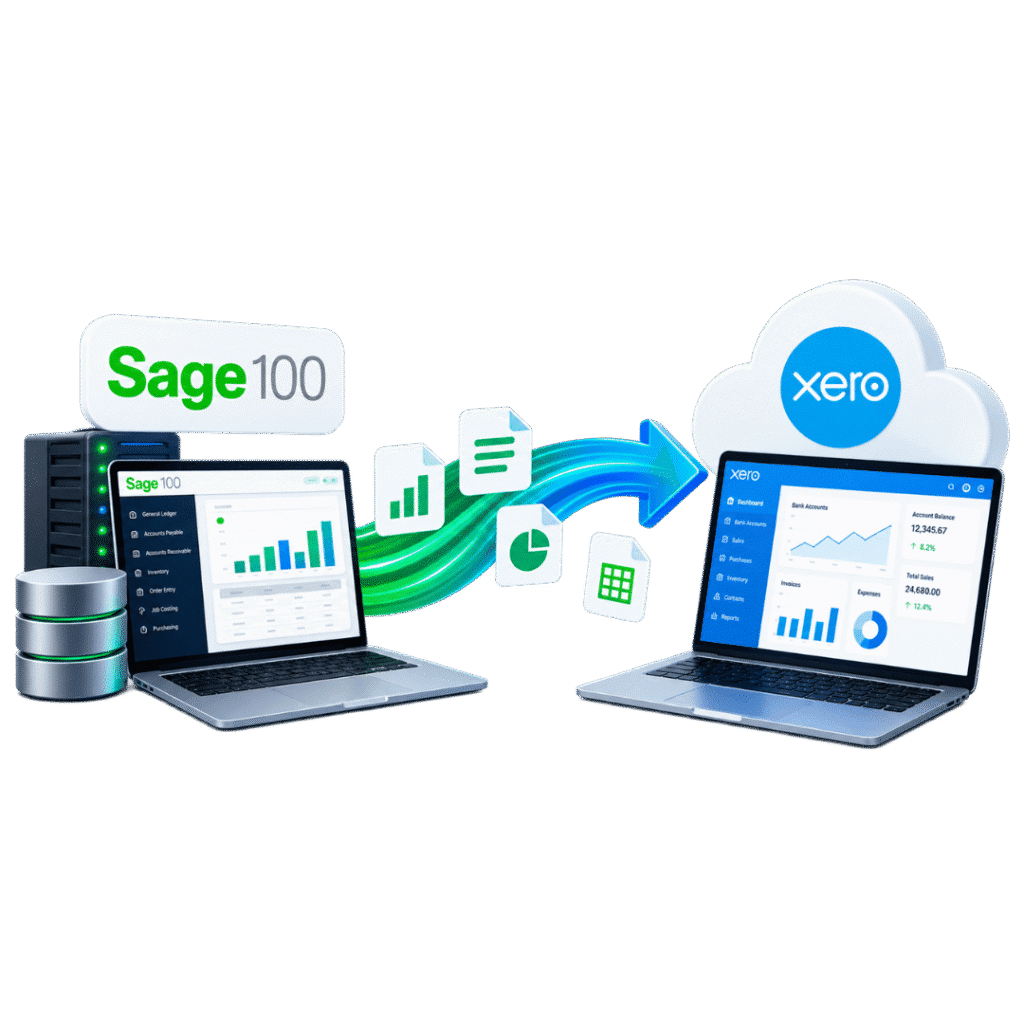
Sage 100 to Xero migration
Move from Sage 100 (Sage 100cloud) to a correctly configured Xero environment with agreed historical detail, documented mappings and accounting-led reconciliation. We support multi-company, multicurrency, distribution and job-costed Sage 100 migrations for finance teams worldwide.

Xero Gold Champion Partner

Xero Migration Specialists

AAT Licensed Accountant
Clients We Migrated into Xero


















What our client Says
Posted on Google
 MR. Makuri
 eCloud Experts handled our Xero migration really well. Everything was transferred correctly, and they kept us updated throughout the process. Very helpful and easy to work with.Posted on Google
 ahmed rakinWe used eCloud Experts to migrate our accounts to Xero and the whole process was handled extremely well. They explained what needed to be done, transferred the data carefully and made sure everything was reconciled correctly before completion. The team clearly has strong Xero migration experience and was responsive whenever we had questions. I would highly recommend eCloud Experts to any business moving to Xero.Posted on Google
 Masum AhmedI contacted eCloud Experts because I needed help with crypto accounting and tax matters and wanted an accountant who actually understood cryptocurrency transactions. They were knowledgeable, patient and explained everything clearly. They helped organise the records and made a complicated situation much easier to manage. Highly recommended for anyone needing specialist crypto accounting support.Posted on Google
 Amolesh Chandra PaulEcloud Experts has been an exceptional partner in managing our accounting needs with Xero. Their deep expertise and hands-on support have made a significant difference in streamlining our financial processes. From setup to ongoing assistance, their team has been responsive, knowledgeable, and efficient. They take the time to explain everything clearly, making Xero easy to use, even for beginners. Their proactive approach ensures that our accounts are always in order, allowing us to focus on growing our business. If you're looking for reliable Xero experts, I highly recommend Ecloud Experts!Posted on Google
 Betty KellyZakir and Aman worked really hard to get us moved from Netsuite to Xero. They were fantastic, supportive and worked fast and took the complication of a migration away for us. We highly recommend them to anyone wanting to move to Xero!Posted on Google
 Charlotte PownallHighly recommended. Utterly helpful, so informative, extremely quick to respond to a meeting/queries.Posted on Google
 Tom WraggRecently had Xero Experts training with Zakir - he was excellent and thorough throughout would highly recommend.Posted on Google
 abdur rokibeCloud and their experts, notably Zakir, have been exceptional in facilitating our migration from Sage 50 to Xero. The intricate process of transferring multiple years of multi-currency data was executed with utmost precision and expertise. I wholeheartedly vouch for their servicesPosted on Google
 Laura RichardeClound and Zakir in particular have been very helpful in assisting our migration from X3 to Xero. In particular teh complicated migration of several years of multi-currency data was handled very well. I would not hesitate to recommend them.Posted on Google
 Liam HBrilliant service. Zakir helped me with compiling and submitting a crypto tax return that I was struggling to do myself. There were many transactions across various activities which can be a bit overwhelming from an accounting perspective. Zakir was able to make sense of everything and submit to HMRC on my behalf, all for a reasonable price. If I need help in the future with another return, I will be coming back to eCloud.Posted on Google
 Stephen PittZakir, was very helpful and knowledgeable. Training was structured to exactly what I needed.Posted on Google
 Nikola BennGreat basic training on Xero, very professional and knowledgable. Thank you ZakirPosted on Google
 Craig ReidWe are a small charity and a limited company by guarantee so it was really important for us to get the right accountancy software. It was recommended for us to use Xero. The Xero software training we had on Friday 4th November went really well and we would highly recommend it, and it helped to empower our understanding of all the features on Xero. The trainer is also very patient and he helps you by working at your pace. It’s a great software to start to process your accounts and it also saves loads of time. This will get you on the right track with the help of financial reports and many other great reports if you need them. Thank you again for all your time. Janette Craig and Ruth at Dennyloanhead Community HallPosted on Google
 Helen ZumanZakir was patient and knowledgeable. He helped me with my specific problems and also helped me understand Xero better. I appreciate his help!Posted on Google
 katie lyonsExtremely helpful - thanks Zakir!Posted on Google
 khyati LathigraI needed quick help with realised/unrealised gains and also some other accounting reports issues, Zakir was very much helpful! Even though he wasn't feeling well still decided to join in the meeting and help me out on every single questions I asked. I would highly recommend to anyone who is not familiarise with Xero, Zakir is definitely an expert and you will be 100% satisfy from the service he can offer.Posted on Google
 chris woodZak was very helpful when i got myself into a pickle, he managed to rectify the issue and tweaked a few other bits. I will definitely be using againPosted on Google
 Ollie SmedleyI needed a little help / assurance with my VAT set-up. Zak spent an hour checking things through and made some useful suggestions for other Xero features I could use as well.Posted on Google
 Galin LoweZak is patient and thorough, I would highly recommend his services.Posted on Google
 Michael PostleA truly value add training programme - thank you ZakirPosted on Google
 Carol SullivanThe training with Zak was spot on. Luckily I had one to one, so I was able to ask lots of questions that were relevant to our business. Very impressed & stress free!Posted on Google
 Marion BrowneVery helpful and very knowledgeable about Xero. Would definitely recommend.Posted on Google
 Norma MartinZac has helped me so much with my training in Xero, I now understand the processes and the system so much better. Also very useful tips for shortcutsPosted on Google
 Drew RetfordVery helpful for anyone new to using Xero. Highly recommend!Posted on Google
 Sam SingletonWe are currently undergoing a Sage > Xero migration and have just completed the Basic training with Zakir. A very laid back 1-2-1 session with the department going through all the basics. A really good session and look forward to doing the Advanced training in a few weeks. I would definitely recommend using them!Posted on Google
 Russell Cassleton ElliottZakir was superb, as he led me through the Xero maze very effectively, as I am a complete novice at Xero. I cannot recommend Zakir and his service more. This is the best service for a beginner like me!Posted on Google
 NazmulWe used Xero Experts for our migration from QuickBooks to Xero. They were excellent – kept me informed and were very helpful. I would highly recommend them, saved us a great deal of mine and effort. Would certainly use them againPosted on Google
 Steve VentonI had a very obscure question that Zak help me with at very short notice, late one evening. Thank you.Posted on Google
 George KainI have worked with Zak on several different Xero support and training sessions, including the Xero set up and the Payroll Set Up Service. Always very knowledgable and professional and is always available for any follow up support that is required. Highly recommend.Posted on Google
 ANIL SURMELIHappy to work with Zak. He is a complete expert on XERO. Highly recommend Xero Experts for anything you may need about Xero and migration.Posted on Google
 Sean CheungZack was amazing very helpful and problems solved!Posted on Google
 Stephen Coganused xero expert 3 times, they helped me understand xero step by step in manageable 1 hour sessions. good value for money.Posted on Google
 Will A.BlissZak helps us regularly with more complicated Xero issues we can't solve in house. He is professional and knowledgeable and we would recommend his services to anyone.Posted on Google
 Bluefish VibeZak and his team have been incredibly helpful with our migration of Xero and I would highly recommend them. Xero Experts is a great partner for our start-up company. They offer great value and support to cover our accounting needs. Our accountant Zak is always there to support us and answer all the beginner questions we have & their expertise with Xero makes everything faster and better!Posted on Google
 Hana RasselFantastic service from the team at Xero Experts. Absolutely first class - very helpful and knowledgeable support from these Xero advisorsPosted on Google
 Abu RasselIt has been an absolute pleasure working with Zak. They have supported me greatly with getting to grips with Xero. A massive thank you from me!Posted on Google
 Warkan HasanI took complete Xero training (online live) with Xero Experts. I Enjoyed the comprehensive introduction to Xero Accounting Software, a good match of what I was expecting, well explained. I feel confident having to do payroll in Xero.
SIGNAL PATH
SAGE 100
EXTRACT
MAP
VALIDATE &
RECONCILE
XERO
configured & checked
Migrate
Agreed master data, transactions, balances and history
Complexity
Multi-company, multicurrency and multi-module mappings
Validate
Comparative control reports and documented exceptions
Receive
Configured Xero, training and post-migration support
- Feasibility
Can Sage 100 be migrated to Xero?
Yes. Sage 100 financial data can be extracted, mapped and migrated into Xero, but the two platforms are built for different operating models. Sage 100 is a modular ERP with inventory, manufacturing and job-costing functionality that Xero does not replicate directly, so a successful migration requires accounting and operational decisions — not only data import.
eCloud Experts agrees the target design, conversion period, entities, currencies, active modules and data types before processing. We then transform the source data into Xero-compatible records and reconcile the agreed control totals. Where an item cannot be represented exactly in Xero, we document the treatment and agree it with your finance team.
Not a blind conversion
Sage 100 may contain Bill of Materials, Work Order, MRP and Job Cost data, bar-code and EDI links, bespoke Crystal Reports and Visual Integrator scripts that do not have one-to-one Xero equivalents. We decide what should be migrated, redesigned, retained for archive, or supported by an appropriate connected application.
- Fit check
Who should migrate from Sage 100 to Xero?
A Sage 100 to Xero migration is often a strong fit for organisations that want cloud access, simpler collaboration and a modern application ecosystem, while keeping specialist inventory, manufacturing or job-costing needs supported through connected apps rather than an on-premise ERP.
Not a blind conversion
- Distribution and wholesale businesses ready to move core financials to the cloud
- Multi-company groups wanting shared collaboration between finance staff, advisers and operational users
- Organisations prioritising bank feeds, digital document capture and cloud-based workflows
- Groups whose separate Sage 100 company codes can be managed through individual Xero organisations
- Businesses whose inventory, job costing or manufacturing needs can be supported by Xero-connected applications
- Teams that need agreed historical transactions in Xero rather than opening balances alone
Assess further first
- Businesses relying heavily on Sage 100 Bill of Materials, Work Order, MRP or Manufacturing modules
- High-volume distributors with complex multi-warehouse inventory or bar-code operations
- Companies with tightly integrated EDI, payroll workflows or customised document layouts
- Multi-company groups with significant intercompany trading or complex consolidation
- Finance teams considering a base-currency change or major chart-of-accounts redesign
- Regulated organisations with specific audit, retention or access-control requirements
The decision follows the operating model
The right question is not simply whether Sage 100 data can be imported into Xero. It is whether Xero, together with any necessary connected applications, can support the organisation’s accounting controls, reporting, inventory, job costing, transaction volumes and operational workflows after migration. eCloud Experts reviews those requirements before confirming scope. Sage 100 may remain more suitable when advanced manufacturing, MRP, multi-warehouse inventory or established Sage-specific integrations are essential and there is no appropriate Xero-connected replacement — in those cases, moving to Xero could introduce workarounds without delivering enough benefit.
- Comparison
Why can Xero be better than Sage 100?
For many growing businesses, Xero can provide a more accessible and collaborative finance environment than an on-premise Sage 100 installation. The advantage comes from the operating model — cloud access, connected workflows and lower IT overhead — not from one product being universally better in every situation.
| Business Need | Why Xero May Be Better | What to Assess Before Switching |
|---|---|---|
| Cloud access | Xero is browser-based, allowing authorised users to work from supported devices without depending on an on-premise Sage 100 install, SQL server or terminal-services connection. | Review internet resilience, user permissions, security policies and any processes that currently depend on the local server. |
| Finance-team collaboration | Business users, bookkeepers and advisers can work in the same current Xero organisation, reducing the need for VPN access or separate remote-desktop sessions. | Design user roles carefully and confirm which users require access to each Xero organisation. |
| Bank reconciliation | Supported bank connections can bring transactions into Xero, where suggested matches and reconciliation tools can reduce manual entry and keep cash records current. | Bank-feed availability varies by institution and region. Historical transactions and the live-feed cut-over must be coordinated to prevent gaps or duplication. |
| Documents and bills | Digital document capture can connect bills and receipts with accounting workflows, reducing dependence on paper files, shared drives and manual rekeying. | Confirm document volumes, approval requirements, retention policies and whether Hubdoc or another application is the best fit. |
| Inventory and manufacturing | Xero connects with a broad ecosystem of inventory, manufacturing, job-costing and distribution applications that can replace or extend Sage 100 Bill of Materials, Work Order and MRP functions. | Each connected application should be selected and tested against the required workflow; some Sage 100 functionality may need a dedicated replacement app rather than a native Xero feature. |
| Reporting and visibility | Current cloud data, configurable reports and connected tools such as Syft Analytics can make management information easier to access across companies and teams. | Complex consolidation, bespoke Crystal Reports and advanced job-cost reporting may require redesign or an additional reporting platform. |
| Updates and maintenance | The core Xero platform is delivered online, reducing the need to patch, back up and maintain an on-premise SQL server or individual desktop installs. | Connected applications, bank feeds and internal workflows still require ownership, monitoring and periodic review. |
| Digital tax workflows | In the UK, Xero supports digital record keeping and relevant Making Tax Digital workflows, including VAT submissions, when the organisation and subscription are correctly configured. | Tax treatment, filing schemes, regional availability and filing responsibility must be reviewed during implementation. |
Feature references checked against Xero UK accounting software information. Final capability depends on plan, region, bank and connected applications.
- Scope
What moves, and what needs a decision first
Your final scope is based on the quality and availability of the source data, the Sage 100 modules in use, the selected Xero plan and the reporting outcome you need.
| Data Area | Typical Migration Treatment | Key Control |
|---|---|---|
| Chart of accounts | Retain, consolidate or redesign account codes and reporting groups. | Account mapping approved before import. |
| Customers and suppliers | Clean and migrate contact records, balances and relevant identifiers. | Duplicates and inactive records reviewed. |
| Sales orders and AR | Invoices, credit notes, receipts and allocations for the agreed period. | AR ageing reconciled at conversion dates. |
| Purchase orders and AP | Bills, credit notes, payments and allocations for the agreed period. | AP ageing reconciled at conversion dates. |
| Bank and credit cards | Historical transactions and balances, followed by an agreed live-feed cut-over. | Statements, ledger balances and outstanding items reviewed. |
| Manual journals | Transform journals into supported Xero entries with appropriate dates and descriptions. | Trial balance and journal totals compared. |
| Multicurrency | Preserve transaction currency and agreed exchange-rate treatment where Xero supports it. | Base and foreign-currency balances checked. |
| Divisions and departments | Map selected Sage 100 division-department-account segments to Xero tracking or an agreed reporting design. | Mapping tested against required reports. |
| Inventory and Bill of Materials | Assessed separately; represented through a connected inventory application, summarised balances, or a structured archive. | Stock valuation and quantity reconciliation agreed before treatment is finalised. |
| Job Cost | Agreed job or project summary data mapped to Xero projects, tracking or a connected job-costing application. | Job cost totals reconciled to the general ledger. |
| Fixed assets | Migrate agreed asset information or opening asset-register position. | Cost, depreciation and carrying value reconciled. |
| Attachments | Included only where accessible, technically supported and explicitly scoped. | File counts and exceptions recorded. |
| Payroll history | Handled as a separate workstream according to country, payroll product and compliance needs. | Payroll and general-ledger control totals reviewed. |
Separately assessed: Work Order, MRP, bar-code scanning, EDI links, Sales Order allocation rules, Custom Office customisations, Visual Integrator scripts, Crystal Reports and Business Insights dashboards.
Full transactional history
Best when users need detailed prior-period records in Xero and want to reduce reliance on Sage 100 after cut-over. Requires the most transformation, testing and reconciliation.
Comparative history
A defined number of prior periods is migrated to support comparisons and management reporting without transferring the entire archive.
Opening balances
Suitable for a clean start when Sage 100 remains accessible as the historical archive. Open receivables, payables, bank and ledger balances are established at the agreed date.
The correct option depends on audit access, reporting requirements, Sage 100 licensing and retention costs, transaction volume, budget and timetable.
- Delivery
Our 10-stage Sage 100 to Xero migration process
01
Discovery and objectives
Confirm entities, users, reporting priorities, integrations, compliance needs and go-live target.
02
Data assessment
Review volumes, currencies, subsidiaries, modules, custom fields, open items and source-data quality.
03
Scope and acceptance criteria
Agree the migration period, inclusions, exclusions, deliverables, responsibilities and control reports.
04
Xero target design
Design organisations, chart of accounts, tax settings, tracking, users, bank accounts and reporting structure.
05
Extraction and secure staging
Export agreed NetSuite data and maintain controlled working copies for transformation and review.
06
Mapping and transformation
Convert records into the target model, resolve structural differences and prepare exception schedules.
07
Trial migration
Load representative or agreed data, test outputs and obtain decisions on issues before final conversion.
08
Final migration and cut-over
Process the agreed closing data, coordinate bank feeds and minimise duplicate or missing activity.
09
Reconciliation and sign-off
Compare agreed trial balances, AR, AP, banks, tax and other control totals; document variances.
10
Training and support
Handover the Xero environment, train the finance team and support the agreed post-migration period.
- Complex cases
Multicurrency, multi-company and manufacturing continuity
Multicurrency treatment
We identify transaction currencies, source exchange rates, settlement activity and outstanding foreign-currency items. Exact historical rates can be retained where the source data and Xero import method support the agreed treatment. Foreign-currency manual journals require special review because Xero's journal and currency behaviour differs from Sage 100.
Multiple companies, multiple organisations
Separate Sage 100 company codes will normally become separate Xero organisations. We align account mapping and reporting design while preserving the distinct books of each entity. Intercompany balances and consolidation are reviewed separately.
Inventory, Job Cost and manufacturing
Sage 100's Bill of Materials, Work Order, MRP and Job Cost modules do not have direct Xero equivalents. Where these are business-critical, we assess whether summarised balances, a connected app, or a parallel system best preserves continuity — agreed before live data is imported.
- Evidence
The kind of Sage 100 migrations we support
Sage 100 is used across a range of mid-market operating models. The profiles below reflect the types of organisation we typically support with a Sage 100 to Xero migration; named client case studies for this specific route are available on request once agreed with the relevant clients.
Multi-warehouse distributors
Businesses managing inventory across several locations, needing a clear decision on whether stock and order data moves to Xero, a connected inventory app, or stays archived in Sage 100.
Job-costed manufacturers
Organisations using Bill of Materials, Work Order or Job Cost modules, where manufacturing continuity is planned alongside the financial migration.
Multi-entity groups
Groups running multiple Sage 100 company codes that need a consistent chart of accounts and reporting design across individual Xero organisations.
- Risk management
How we protect accounting integrity
- Written scope, date range and migration assumptions
- Approved account and dimension mapping
- Controlled trial migration for complex projects
- Comparative trial-balance checks at agreed dates
- AR and AP reconciliation, including allocations
- Bank and credit-card balance validation
- Exception logs for unsupported or incomplete records
- Finance-team review and agreed sign-off process
Common problems we prevent
Sage 100-to-Xero migrations can fail when inventory valuations are left unreconciled, job-cost balances are dropped rather than summarised, foreign-currency journals are imported incorrectly, division or department mapping is inconsistent, intercompany balances are not eliminated, or cut-over transactions are duplicated.
A matching closing trial balance is essential, but it is not the only test: subsidiary ledgers, outstanding items, banks, tax, inventory and operational usability also matter. Any unresolved source-data issue is documented rather than silently forced into Xero.
- Implementation
Beyond data migration
Xero implementation and configuration
Chart of accounts, tax settings, financial year, lock dates, invoice settings, user access, bank accounts and tracking design.
Apps advisory and workflows
Selection and setup for suitable inventory, manufacturing, job-costing, ecommerce, project, document and reporting applications.
Xero training
Role-based training for finance teams covering everyday processing, reconciliation, payables, receivables, reporting and month-end routines.
Ongoing Xero support
Optional post-go-live help, troubleshooting, bookkeeping, management reporting and virtual finance department support.
Payroll setup and migration
A separately scoped workstream for relevant employee records, year-to-date figures, pay calendars, pensions, opening information and first-pay-run support.
Xero migration correction
Review and correction of incomplete balances, aged receivables and payables, journals, tax rates, tracking, multicurrency records and allocations.
Payroll features and migration scope depend on country, source payroll product, employee data, migration timing and the selected Xero plan.
- Why eCloud Experts
Accounting-led migration expertise
eCloud Experts is a Xero Gold Champion Partner with more than 12 years of cloud-accounting experience and a specialist team supporting migrations globally.
We work with finance teams, groups and accountancy firms on complex historical-data projects, including mid-market ERP moves from Sage 100. Delivery can be direct to the end client or provided as a white-label migration service for accounting practices.
- Xero-certified advisers and migration specialists
- Experience with Sage 100 and other accounting and ERP platforms
- Full-history and multicurrency capability
- Multi-company implementation support
- Documented reconciliation and control reporting
- Tailored Xero training and post-go-live support
- UK-led delivery with international coverage
Sage to Xero Migration Case Studies
See how we have helped businesses move from Sage to Xero, including complex migrations involving historical data, multicurrency, multiple entities and migration recovery.
Dynamic Planner:
Multicurrency Sage to Xero
Dynamic Planner moved from Sage 200 to Xero through a complex multicurrency migration. Historical transactions, AP and AR, bank data, journals, tracking and reporting were carefully transferred and configured in Xero.
Plimsoll Publishing:
Sage to Xero Migration Rescue
After an unsuccessful Sage 200 to Xero migration left incorrect balances, foreign currency issues and missing financial data, we rebuilt the Xero file and completed detailed reconciliation to restore reliable reporting.
Sixpenny Day Nursery:
Sage 50 to Xero Migration
Sixpenny Day Nursery moved from Sage 50 to Xero with historical accounting data, tracking categories, Chart of Accounts customisation, group reporting, Pleo integration, reconciliation and final validation.
EXPLORE MORE XERO MIGRATIONS
More Platforms We Migrate to Xero
We migrate businesses to Xero from a wide range of accounting platforms, with careful data mapping, reconciliation and support throughout the move.
⌕












































- FAQ
Sage 100 to Xero migration FAQs
Yes. Depending on the agreed scope and source-data quality, historical sales orders, purchase orders, payments, bank transactions, journals and related records can be transformed and imported into Xero. The migration period and data types are agreed before work begins.
Yes. Each Sage 100 company code can be assessed and mapped to an appropriate Xero organisation. Shared account structures, intercompany balances, reporting requirements and any consolidation arrangements are reviewed during discovery.
Yes, subject to the selected Xero plan and supported currencies. eCloud Experts maps transaction currencies, exchange rates, payments and realised or unrealised differences, then reconciles agreed control totals.
These are assessed separately from the core financial migration. Depending on requirements, inventory, Bill of Materials, Work Order, MRP and Job Cost data may be represented through Xero's own inventory and project tools, a connected application, or retained in an accessible Sage 100 archive. We agree the approach before live data is imported.
No. Sage 100 and Xero use different data models, controls and reporting structures. The objective is an accurate, usable Xero file with an agreed audit trail, not a screen-for-screen replica of Sage 100.
Validation normally includes comparative trial balances, Accounts Receivable and Accounts Payable control totals, bank and credit-card balances, selected tax reports, agreed inventory or job-cost reconciliations, and exception logs for the agreed conversion dates.
A project may take from several working days to several weeks. Timing depends on transaction volume, number of companies, currencies, active modules, integrations, data quality, approval speed and the amount of history required.
They can be mapped where the target design fits Xero's tracking and reporting capabilities. Because Sage 100's division-department-account structure and job costing differ from Xero, the mapping must be agreed and tested before the final migration.
Attachments and fixed-asset information can be included where technically available and agreed in scope. Volume, file access, target limitations and asset-register requirements are reviewed separately.
Partly, depending on the country, current payroll product, employee records, timing and selected Xero plan. Payroll is handled as a separately scoped workstream and may include employee setup, year-to-date figures, pay calendars, retirement or pension information, opening balances and first-pay-run support where applicable.
Yes. Tailored training can cover everyday processing, bank reconciliation, payables, receivables, reporting, tracking, month-end routines and relevant Xero applications.
eCloud Experts normally needs a discovery call plus read-only or appropriate reporting access, sample exports, the required date range, company and currency details, active modules, transaction volumes, integration requirements and the proposed go-live date.
- Plan your migration
Get a properly scoped Sage 100 to Xero quote
Tell us your Sage 100 version, number of company codes, years of history, active modules, currencies, approximate transaction volume, required data types, integrations and target go-live date. We will assess the source environment and recommend the appropriate migration route.