Suitable when the business wants a clean Xero start and does not need detailed historical transactions available inside Xero.
Xero Accountant | Xero Migration | Xero Support | Xero Training | Crypto Accounting
+44 0203 488 6202
info@ecloud-experts.com

Microsoft Dynamics Migration Service
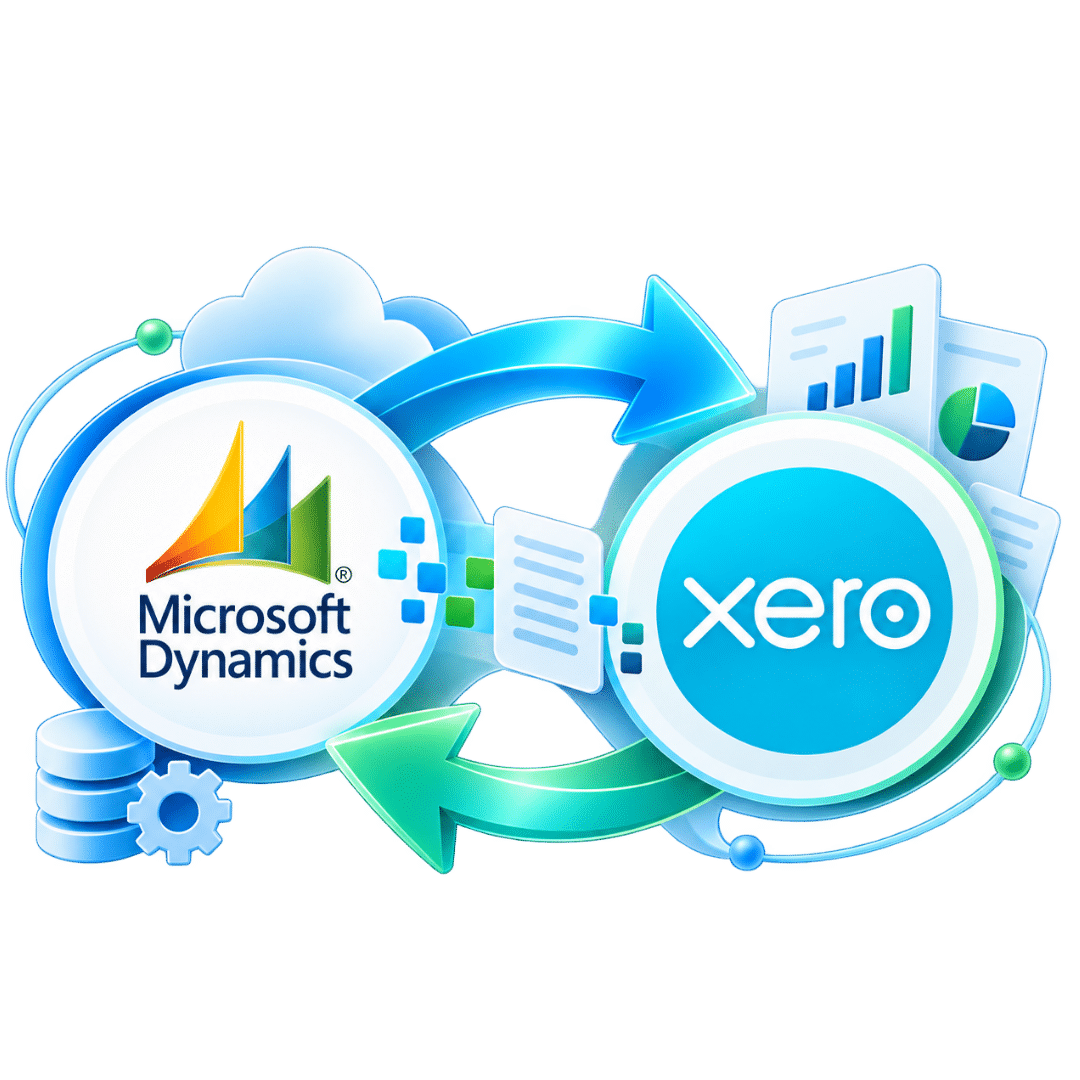
Microsoft Dynamics to Xero Migration
Move your financial data from Microsoft Dynamics to Xero with a structured migration plan. eCloud Experts helps businesses map, transfer and reconcile accounting data while rebuilding the Xero setup around the way the business needs to work after go-live.

Xero Gold Champion Partner

Xero Migration Specialists

AAT Licensed Accountant
Data-led migration
Scope agreed before transfer
Reconciliation focused
Key balances checked before sign-off
Complex data supported
Multi-currency, groups and tracking reviewed
Post-migration help
Setup, training and support available
Trusted by Businesses Worldwide






A controlled system change
A Dynamics to Xero conversion is more than a data export
Microsoft Dynamics and Xero store and organise accounting information differently. A reliable migration therefore starts with understanding the source data, deciding what needs to move, and agreeing how each part should work in Xero.
Our Microsoft Dynamics migration service focuses on the accounting records needed for a clean Xero starting point. Depending on your Dynamics environment, this can include the chart of accounts, contacts, invoices, bills, payments, journals, bank transactions, opening balances, historical transactions and agreed reporting dimensions.
We also review areas that may not have a direct one-to-one match in Xero. These can include complex dimensions, inventory workflows, fixed assets, payroll, attachments, projects and third-party integrations. The aim is not to copy an ERP blindly. It is to build a practical Xero structure that supports day-to-day finance work after the migration.
Important: Not every Microsoft Dynamics feature has a direct Xero equivalent. We identify those differences during scoping and agree the treatment before migration work begins.
Fit before migration
Is Xero the right destination for your Microsoft Dynamics data?
For some businesses, Xero can simplify finance operations. For others, a specialist ERP may still be needed. We recommend assessing fit before deciding the migration scope.
- You want a cloud-based accounting platform with simpler daily workflows.
- Your reporting needs can be supported by Xero and suitable connected apps.
- You can map Dynamics dimensions into an agreed Xero tracking structure.
- Your inventory, payroll, projects and integrations have been reviewed separately.
- Your team is comfortable simplifying processes that were built around Dynamics.
When extra review is needed
A deeper discovery stage is usually sensible when your Dynamics environment includes:
- multiple companies or legal entities;
- several currencies or foreign bank accounts;
- large transaction volumes or many years of history;
- advanced inventory or manufacturing workflows;
- many departments, dimensions or cost centres;
- custom extensions, bespoke reports or third-party integrations.
Migration scope
What data can be migrated from Microsoft Dynamics to Xero?
The exact scope depends on your Dynamics product, available exports, data quality and the Xero setup you want. The table below shows the areas we normally assess during a Microsoft Dynamics data migration to Xero.
|
Data area
|
Typical treatment
|
Status
|
|---|---|---|
|
Chart of accounts
|
Reviewed, cleaned where agreed and mapped to the Xero account structure.
|
Core scope
|
|
Customers & suppliers
|
Contact records prepared and imported into the agreed Xero structure.
|
Core scope
|
|
Sales & purchase transactions
|
Invoices, bills, credits and related transaction history can be reviewed for migration.
|
Core scope
|
|
Payments, journals & bank transactions
|
Transferred according to the agreed historical period and available source records.
|
Core scope
|
|
Departments / dimensions / cost centres
|
Assessed and mapped to a workable Xero tracking and reporting structure.
|
Review needed
|
|
Multi-currency
|
Foreign currency records and bank accounts are reviewed against the intended Xero configuration.
|
Review needed
|
|
Fixed assets
|
Asset migration and register setup are scoped separately based on the source records available.
|
Review needed
|
|
Payroll
|
Payroll data and configuration are reviewed separately from the accounting migration.
|
Separate scope
|
|
Inventory
|
Items, quantities, valuation and operational workflows need a specific migration assessment.
|
Separate scope
|
|
Attachments & integrations
|
Files and connected applications are reviewed to confirm what can be moved, rebuilt or replaced.
|
Separate scope
|
Scope is confirmed after reviewing your Microsoft Dynamics environment. Availability and treatment can vary between Dynamics 365, Business Central, NAV and other Dynamics configurations.
Choose the right depth
How much historical data should you move to Xero?
You do not always need every transaction from Microsoft Dynamics. We help you choose a migration period that matches reporting needs, audit requirements, budget and the quality of the source data.
Leanest option
Opening balances
- Opening trial balance
- Outstanding receivables
- Outstanding payables
- Agreed bank or balance sheet positions
Balanced option
Current Year + Opening Balances
Useful when teams need recent transaction detail in Xero while keeping older records in the legacy system or archive.
- Current financial year detail
- Comparative opening position
- Open customer and supplier items
- More useful in-year reporting
Deepest history
Fuller historical migration
Best when the business wants previous transaction details available in Xero for reporting, lookups, analysis, and financial continuity.
- Agreed years of transaction history
- Historical invoices and bills
- Payments and journals
- More migration and reconciliation work
Our migration method
A 6-stage Microsoft Dynamics to Xero migration process
Each project is scoped around the source system and the target Xero setup. This reduces surprises during cutover and gives both teams a clear sign-off point.
01
Discovery & scope
We review the Dynamics environment, migration period, entities, currencies, reporting needs and connected systems.
02
Data extraction & review
Source reports and exports are checked so we understand the available records, volumes and data quality.
03
Mapping & Xero design
Accounts, contacts, tax treatment and reporting structures are mapped into the agreed Xero setup.
04
Migration & validation
Agreed data is transferred into Xero and reviewed for format, completeness and expected relationships.
05
Reconciliation & sign-off
Key balances are compared with source reports before the migration is treated as complete.
06
Cutover, training & support
We help prepare the Xero file for live use and provide training or post-migration support where included.
Accuracy before go-live
Reconciliation is part of the migration, not an afterthought
A successful Microsoft Dynamics to Xero conversion should be checked against agreed source reports. Importing records without a reconciliation step can leave the new system looking complete while balances remain wrong.
Typical checks can include
- Opening and closing trial balance
- Accounts receivable and accounts payable totals
- Bank and cash balances
- Control accounts and key balance sheet accounts
- Sales and purchase totals for the agreed period
- Foreign currency positions where relevant
- Sample transactions and selected historical periods
The final reconciliation plan depends on the agreed project scope and the reports available from your Microsoft Dynamics system.
Complex migrations
Microsoft Dynamics migration requirements we review early
Complex data is easier to manage when it is identified before extraction and import work begins.

Multi-currency
We review currencies, foreign bank accounts, exchange-related balances and the intended Xero multi-currency setup.

Multi Entity
Each legal entity and its reporting requirements are assessed so the Xero organisation structure is clear.

Dimensions
Dynamics dimensions, departments and cost centres are reviewed against a practical Xero reporting design.

Fixed assets
Asset registers, opening values and depreciation information are assessed separately where they form part of the move.

Inventory
Inventory is reviewed carefully because ERP inventory processes may be more complex than the target Xero workflow.

Apps & integrations
Connected systems are documented so integrations can be retained, replaced or rebuilt around Xero where appropriate.
Plan the operating model
What changes when you move from Microsoft Dynamics to Xero?
A migration works best when the team understands that Xero is not a smaller copy of Dynamics. The systems have different strengths, structures and ways of working.
Do not assume a one-to-one replacement
- Dynamics dimensions may need to be simplified.
- Custom reports may need a new reporting approach.
- Inventory or operational workflows may need connected software.
- Bespoke extensions may not have a direct Xero equivalent.
- Permissions and approval processes may work differently.
Design the Xero setup around future use
- Keep the chart of accounts clear and manageable.
- Use tracking only where it supports real reporting needs.
- Choose apps based on operational requirements.
- Set user access before go-live.
- Train the finance team on the new workflow.
Why eCloud Experts
A Microsoft Dynamics migration service built around accounting accuracy
Our role is to make the financial transition understandable, controlled and usable. We combine migration work with Xero setup, reconciliation and practical handover support.

Migration specialists
We work with accounting data migrations into Xero and structure the project around the source system and target needs.

Bespoke mapping
Accounts, contacts, dimensions and other finance records are mapped rather than copied without review.

Reconciliation
Key Xero balances are compared with agreed Microsoft Dynamics source reports before sign-off.

Training & support
Training and post-migration support can be included so the team understands the new Xero workflow.
Business types
Who can use our Microsoft Dynamics to Xero conversion service?
We can assess migration requirements for organisations with straightforward accounting as well as more complex finance structures.
Limited companies
Groups of companies
Professional services
Construction
Retail
Ecommerce
Technology
Charities & NGOs
Property & real estate
Hospitality
Import & export
International entities
Prepare for scoping
What we need to plan your Dynamics to Xero data conversion
A few details allow us to estimate the work more accurately and avoid building a proposal around guesses.
Your current system
- Dynamics product and version;
- Number of companies or entities;
- Financial year-end;
- Intended Xero go-live date;
- Years or periods of history required.
Your data complexity
- Monthly sales and purchase transaction volumes;
- Monthly bank transaction volumes;
- Currencies and foreign bank accounts;
- Tracking, departments or cost centres;
- Fixed assets, inventory, payroll, projects, attachments and integrations.
Evidence
Microsoft Dynamics to Xero Migration Case Studies
Explore real Microsoft Dynamics to Xero migration case studies showing how businesses transferred financial data, historical records, customers, suppliers and reporting structures accurately into Xero.
Design & projects | ERP → Xero
Signature Illumination Designs
Optional Migration Add-ons
Complete the Move with the Right Xero Setup
Some businesses need more than a data conversion. These services can be added where they are relevant to the new Xero environment.

Migration Correction
Review problems left behind by an earlier accounting software migration.

Xero Training
Practical training can help your team become familiar with the new platform.


EXPLORE MORE XERO MIGRATIONS
More Platforms We Migrate to Xero
We migrate businesses to Xero from a wide range of accounting platforms, with careful data mapping, reconciliation and support throughout the move.
⌕












































Frequently asked questions
Microsoft Dynamics to Xero migration FAQs
Clear answers to common questions about Microsoft Dynamics data migration, historical records and Xero setup.
Yes, accounting data from Microsoft Dynamics can be assessed for migration to Xero. The exact scope depends on the Dynamics product, available source data, historical period required and the features your business uses. We review these areas before confirming the migration plan.
We can assess a Dynamics 365 to Xero migration and confirm which finance records can be transferred. Complex areas such as dimensions, multiple entities, inventory, fixed assets and integrations are reviewed separately because they may not map directly into Xero.
Yes, Microsoft Dynamics NAV to Xero migration can be assessed. Older NAV systems often contain long transaction histories and customised structures, so the first step is confirming the available exports and deciding how much historical data should be moved.
Multi-currency requirements can be included in the project assessment. We review the currencies used, foreign bank accounts, transaction history and balances before agreeing how the data should be treated in Xero.
Business Central financial data can be reviewed for migration to Xero. We first assess your chart of accounts, contacts, transaction history, dimensions, currencies, open balances and any operational features connected to the finance system.
Historical transactions can be included where the required source records are available and the scope has been agreed. You can choose a lighter opening-balance approach, a current-year migration or a deeper historical data migration depending on your reporting needs.
These areas require separate review. The best approach depends on the detail held in Dynamics, the target Xero features being used and whether a connected application is needed for more complex workflows.
We reconcile the agreed Xero balances against source reports from Microsoft Dynamics. Checks can include the trial balance, receivables, payables, bank balances, control accounts and selected transaction totals.
No. Many businesses choose only the history they need for reporting and daily reference. We can discuss opening balances, recent history or a fuller transaction migration and explain the trade-offs before you decide.
They are reviewed against the reporting structure available in Xero. Because there may not be a one-to-one match, we agree which dimensions are genuinely needed and how they should be mapped or simplified before migration.
No. Existing integrations should be reviewed individually. Some may have a Xero connector, some may need to be reconfigured, and others may need a replacement app or a different workflow.
Share your Dynamics version, migration period, transaction volumes, entity count, currencies and any requirements for tracking, fixed assets, payroll, projects, attachments, inventory or integrations. We can then prepare a project-specific scope and quote.
Plan the move properly
Ready to migrate Microsoft Dynamics to Xero?
Tell us which Dynamics product you use, how much history you need and what makes your setup complex. We will review the requirements and outline a suitable Microsoft Dynamics to Xero migration approach.