Xero Accountant | Xero Migration | Xero Support | Xero Training | Crypto Accounting

Trusted by businesses looking for a smarter cloud accounting solution.
Acumatica to QuickBooks Online Migration Services
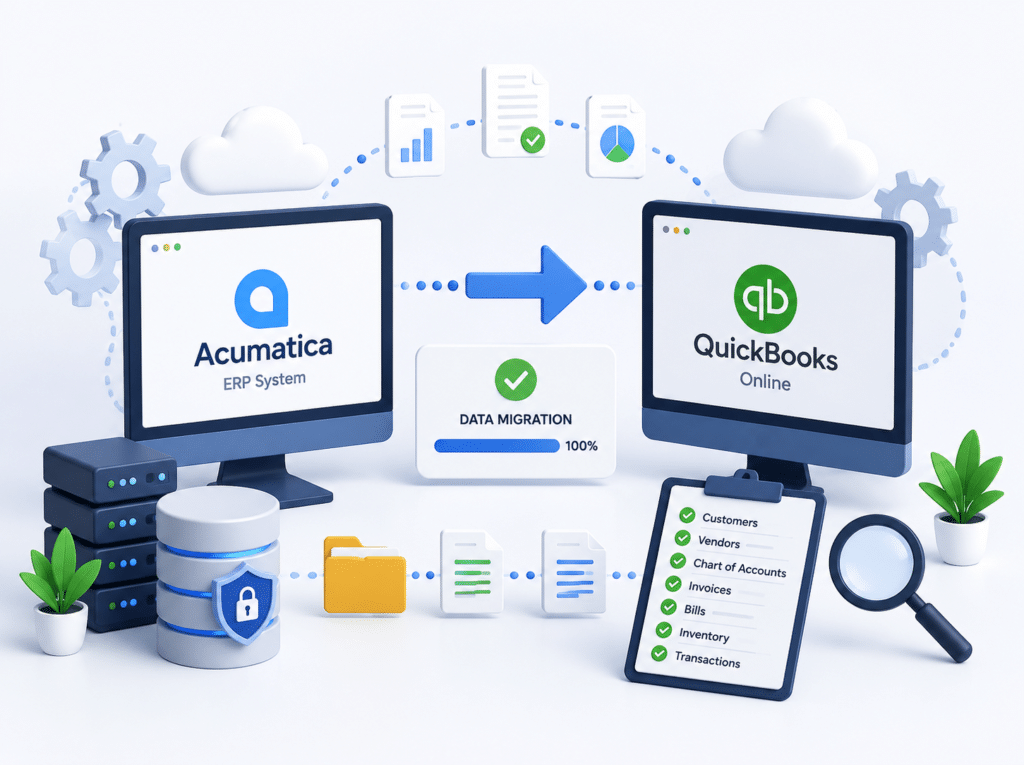
Move your financial data from Acumatica to QuickBooks Online with confidence. Our migration specialists transfer customers, suppliers, invoices, bills, chart of accounts, balances, and historical records while helping maintain data accuracy throughout the process.
What our client Says
Posted on Google
 MR. Makuri
 eCloud Experts handled our Xero migration really well. Everything was transferred correctly, and they kept us updated throughout the process. Very helpful and easy to work with.Posted on Google
 ahmed rakinWe used eCloud Experts to migrate our accounts to Xero and the whole process was handled extremely well. They explained what needed to be done, transferred the data carefully and made sure everything was reconciled correctly before completion. The team clearly has strong Xero migration experience and was responsive whenever we had questions. I would highly recommend eCloud Experts to any business moving to Xero.Posted on Google
 Masum AhmedI contacted eCloud Experts because I needed help with crypto accounting and tax matters and wanted an accountant who actually understood cryptocurrency transactions. They were knowledgeable, patient and explained everything clearly. They helped organise the records and made a complicated situation much easier to manage. Highly recommended for anyone needing specialist crypto accounting support.Posted on Google
 Amolesh Chandra PaulEcloud Experts has been an exceptional partner in managing our accounting needs with Xero. Their deep expertise and hands-on support have made a significant difference in streamlining our financial processes. From setup to ongoing assistance, their team has been responsive, knowledgeable, and efficient. They take the time to explain everything clearly, making Xero easy to use, even for beginners. Their proactive approach ensures that our accounts are always in order, allowing us to focus on growing our business. If you're looking for reliable Xero experts, I highly recommend Ecloud Experts!Posted on Google
 Betty KellyZakir and Aman worked really hard to get us moved from Netsuite to Xero. They were fantastic, supportive and worked fast and took the complication of a migration away for us. We highly recommend them to anyone wanting to move to Xero!Posted on Google
 Charlotte PownallHighly recommended. Utterly helpful, so informative, extremely quick to respond to a meeting/queries.Posted on Google
 Tom WraggRecently had Xero Experts training with Zakir - he was excellent and thorough throughout would highly recommend.Posted on Google
 abdur rokibeCloud and their experts, notably Zakir, have been exceptional in facilitating our migration from Sage 50 to Xero. The intricate process of transferring multiple years of multi-currency data was executed with utmost precision and expertise. I wholeheartedly vouch for their servicesPosted on Google
 Laura RichardeClound and Zakir in particular have been very helpful in assisting our migration from X3 to Xero. In particular teh complicated migration of several years of multi-currency data was handled very well. I would not hesitate to recommend them.Posted on Google
 Liam HBrilliant service. Zakir helped me with compiling and submitting a crypto tax return that I was struggling to do myself. There were many transactions across various activities which can be a bit overwhelming from an accounting perspective. Zakir was able to make sense of everything and submit to HMRC on my behalf, all for a reasonable price. If I need help in the future with another return, I will be coming back to eCloud.Posted on Google
 Stephen PittZakir, was very helpful and knowledgeable. Training was structured to exactly what I needed.Posted on Google
 Nikola BennGreat basic training on Xero, very professional and knowledgable. Thank you ZakirPosted on Google
 Craig ReidWe are a small charity and a limited company by guarantee so it was really important for us to get the right accountancy software. It was recommended for us to use Xero. The Xero software training we had on Friday 4th November went really well and we would highly recommend it, and it helped to empower our understanding of all the features on Xero. The trainer is also very patient and he helps you by working at your pace. It’s a great software to start to process your accounts and it also saves loads of time. This will get you on the right track with the help of financial reports and many other great reports if you need them. Thank you again for all your time. Janette Craig and Ruth at Dennyloanhead Community HallPosted on Google
 Helen ZumanZakir was patient and knowledgeable. He helped me with my specific problems and also helped me understand Xero better. I appreciate his help!Posted on Google
 katie lyonsExtremely helpful - thanks Zakir!Posted on Google
 khyati LathigraI needed quick help with realised/unrealised gains and also some other accounting reports issues, Zakir was very much helpful! Even though he wasn't feeling well still decided to join in the meeting and help me out on every single questions I asked. I would highly recommend to anyone who is not familiarise with Xero, Zakir is definitely an expert and you will be 100% satisfy from the service he can offer.Posted on Google
 chris woodZak was very helpful when i got myself into a pickle, he managed to rectify the issue and tweaked a few other bits. I will definitely be using againPosted on Google
 Ollie SmedleyI needed a little help / assurance with my VAT set-up. Zak spent an hour checking things through and made some useful suggestions for other Xero features I could use as well.Posted on Google
 Galin LoweZak is patient and thorough, I would highly recommend his services.Posted on Google
 Michael PostleA truly value add training programme - thank you ZakirPosted on Google
 Carol SullivanThe training with Zak was spot on. Luckily I had one to one, so I was able to ask lots of questions that were relevant to our business. Very impressed & stress free!Posted on Google
 Marion BrowneVery helpful and very knowledgeable about Xero. Would definitely recommend.Posted on Google
 Norma MartinZac has helped me so much with my training in Xero, I now understand the processes and the system so much better. Also very useful tips for shortcutsPosted on Google
 Drew RetfordVery helpful for anyone new to using Xero. Highly recommend!Posted on Google
 Sam SingletonWe are currently undergoing a Sage > Xero migration and have just completed the Basic training with Zakir. A very laid back 1-2-1 session with the department going through all the basics. A really good session and look forward to doing the Advanced training in a few weeks. I would definitely recommend using them!Posted on Google
 Russell Cassleton ElliottZakir was superb, as he led me through the Xero maze very effectively, as I am a complete novice at Xero. I cannot recommend Zakir and his service more. This is the best service for a beginner like me!Posted on Google
 NazmulWe used Xero Experts for our migration from QuickBooks to Xero. They were excellent – kept me informed and were very helpful. I would highly recommend them, saved us a great deal of mine and effort. Would certainly use them againPosted on Google
 Steve VentonI had a very obscure question that Zak help me with at very short notice, late one evening. Thank you.Posted on Google
 George KainI have worked with Zak on several different Xero support and training sessions, including the Xero set up and the Payroll Set Up Service. Always very knowledgable and professional and is always available for any follow up support that is required. Highly recommend.Posted on Google
 ANIL SURMELIHappy to work with Zak. He is a complete expert on XERO. Highly recommend Xero Experts for anything you may need about Xero and migration.Posted on Google
 Sean CheungZack was amazing very helpful and problems solved!Posted on Google
 Stephen Coganused xero expert 3 times, they helped me understand xero step by step in manageable 1 hour sessions. good value for money.Posted on Google
 Will A.BlissZak helps us regularly with more complicated Xero issues we can't solve in house. He is professional and knowledgeable and we would recommend his services to anyone.Posted on Google
 Bluefish VibeZak and his team have been incredibly helpful with our migration of Xero and I would highly recommend them. Xero Experts is a great partner for our start-up company. They offer great value and support to cover our accounting needs. Our accountant Zak is always there to support us and answer all the beginner questions we have & their expertise with Xero makes everything faster and better!Posted on Google
 Hana RasselFantastic service from the team at Xero Experts. Absolutely first class - very helpful and knowledgeable support from these Xero advisorsPosted on Google
 Abu RasselIt has been an absolute pleasure working with Zak. They have supported me greatly with getting to grips with Xero. A massive thank you from me!Posted on Google
 Warkan HasanI took complete Xero training (online live) with Xero Experts. I Enjoyed the comprehensive introduction to Xero Accounting Software, a good match of what I was expecting, well explained. I feel confident having to do payroll in Xero.
Why Businesses Are Moving from Acumatica to QuickBooks Online
Many companies originally chose Acumatica because they needed an ERP system that could manage multiple business functions. Over time, however, many organisations discover they are only using a fraction of the available features.
As software costs increase and processes become more complex, businesses often start looking for a solution that is easier to manage without sacrificing financial visibility.
This is where an Acumatica to QuickBooks Online Migration becomes attractive.
QuickBooks Online provides powerful accounting tools, cloud access, automation, reporting, and a user-friendly experience that many finance teams prefer. Businesses can often reduce software costs, simplify training, and gain faster access to financial information.
Common Reasons Businesses Switch
- Reduce software expenses
- Simplify accounting workflows
- Improve user adoption
- Access financial data from anywhere
- Reduce implementation complexity
- Improve collaboration with accountants
- Connect with hundreds of third-party applications
- Eliminate unnecessary ERP features
- Reduce ongoing IT maintenance requirements
- Gain access to automated bank feeds
- Improve visibility of cash flow and business performance
- Generate reports more quickly and easily
- Reduce manual data entry through automation
- Support remote and hybrid work environments
Migration Process
Our Acumatica to QuickBooks Online Migration Process
We follow a proven 4-step process to help ensure your data is migrated accurately and your transition is smooth and worry-free

Discovery
We review your Acumatica setup and identify the data required for migration.
01
Preparation
Data is cleaned, mapped, and prepared for QuickBooks Online.
02
Migration
Financial records are transferred using tested migration procedures.
03
Verification
We reconcile key balances and validate migrated data before completion.
04
Acumatica vs QuickBooks Online
Acumatica remains a strong ERP platform for organisations with complex operational requirements. However, many growing businesses find that QuickBooks Online delivers the accounting functionality they need without the added complexity of a full ERP system.
What We Can Migrate
Preserve the Financial Data Your Business Relies On
Every migration begins with a detailed review of your Acumatica environment. We identify the records that matter most and build a migration plan around your requirements.
Financial Records
- Chart of Accounts
- Opening Balances
- General Ledger Data
- Historical Transactions
Sales Data
- Customers
- Invoices
- Credit Notes
- Payments
Purchasing Data
- Vendors
- Bills
- Purchase Transactions
- Supplier Credits
Additional Records
- Products & Services
- Tax Information
- Bank Transactions
- Inventory Data
Benefits of Acumatica to QuickBooks Online Migration
Moving accounting software is about more than transferring data.
Businesses often switch because they want better visibility, easier workflows, and lower software costs.
Key Benefits
Lower Software Costs
Reduce subscription, support, and maintenance costs by moving to QuickBooks Online.
Simplified Day-to-Day Accounting
An intuitive interface makes everyday accounting faster and easier for your team.
Access From Anywhere
Work securely from any location with cloud-based access across desktop and mobile devices.
Real-Time Financial Visibility
Access up-to-date financial reports and business insights whenever you need them.
Automated Bank Feeds
Automatically import bank transactions to reduce manual data entry and improve efficiency.
Extensive App Ecosystem
Connect QuickBooks Online with hundreds of business applications, including CRM, payroll, inventory, and ecommerce solutions.
Common Challenges During Acumatica Migration
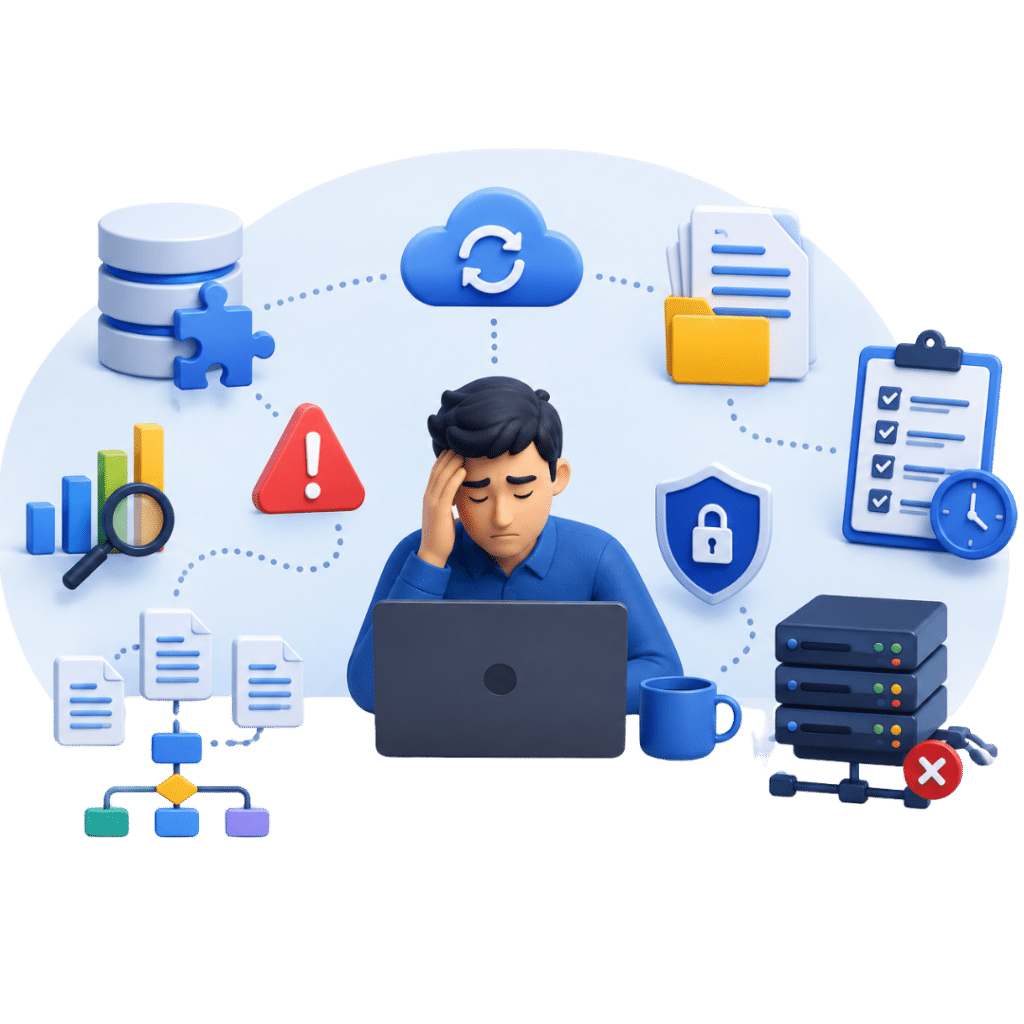
Every migration project presents unique challenges.
Planning ahead helps avoid delays and data inconsistencies.
Challenges We Help Address
Data Mapping
Fields and structures may differ between Acumatica and QuickBooks Online.
Historical Records
Older transactions often require additional review.
Inventory Complexity
Businesses with inventory management requirements may need a customised migration approach.
Reporting Structure
Financial reports often need adjustment after migration.
User Training
Teams may need guidance when transitioning to a new platform.
Why Choose eCloud Experts
At eCloud Experts, we specialise in Acumatica to QuickBooks Online Migration services. Our experienced team carefully plans, transfers, validates, and verifies your financial data to help ensure a smooth and accurate migration with minimal disruption to your business.

QuickBooks Online Migration Specialists
We specialise in helping businesses migrate from ERP and accounting systems, including Acumatica, to QuickBooks Online.

Accurate Data Migration
We carefully migrate your financial data, including balances, customers, suppliers, invoices, bills, and historical transactions.

Minimal Business Disruption
Our structured migration process helps minimise downtime, ensuring a smooth transition to QuickBooks Online.

Fixed-Fee Pricing
Transparent, fixed-fee quotations with no hidden costs.

Setup, Training & Support
From QuickBooks Online setup to user training and ongoing support, we're with you every step of the way.
QuickBooks Online Migration & Integration Specialists
eCloud Experts provides QuickBooks Online migration services for businesses moving from accounting software and ERP systems worldwide. Our team helps organizations transfer financial records, customer and supplier data, invoices, bills, inventory information, and historical transactions into QuickBooks Online.
We support migrations from leading platforms including Xero, Sage, NetSuite, Acumatica, Microsoft Dynamics, Zoho Books, MYOB, SAP, FreshBooks, Wave, and many more.
Beyond data migration, we help businesses connect QuickBooks Online with ecommerce platforms, inventory systems, CRM software, payment solutions, and reporting tools to create a connected accounting environment.
Every migration follows a structured process that includes data assessment, mapping, validation, testing, and post-migration support to help ensure accurate financial reporting from day one.










Explore More QuickBooks Online Migration Services
- MYOB to QBO
- MYOB Advance to QBO
- Microsoft Dynamics 365 to QBO
- Microsoft Dynamics NAV to QBO
- MIP Fund Accounting software
- NetSuite to QBO
- Odoo to QBO
- Pandle to QBO
- Pegasus Opera 3 to QBO
- QuickBooks Desktop to QBO
- QuickBooks Enterprise to QBO
- QuickBooks Online to QBO
- Quickfile to QBO
- Quicken to QBO
- Reckon to QBO
Frequently Asked Questions(FAQs)
The timeline depends on the amount of data being transferred and the complexity of your Acumatica setup. Most migration projects are completed within a few days to a few weeks.
We can migrate a wide range of financial data, including customers, suppliers, chart of accounts, invoices, bills, payments, opening balances, and historical transactions.
Yes. Historical transactions can often be migrated based on your reporting requirements and business needs.
We perform validation and reconciliation checks to help ensure balances and key financial reports are accurate after migration.
Yes. Inventory records can often be transferred, although the migration approach may vary depending on your inventory structure and requirements.
Yes. We use secure migration procedures and data protection measures to help keep your financial information safe throughout the project.
Most businesses experience little or no disruption during the migration process. We plan projects carefully to minimise interruptions.
Yes. Multi-currency data can be reviewed and migrated based on your QuickBooks Online subscription and business requirements.
Not necessarily. We review your existing data and can advise whether any cleanup or preparation is recommended before migration begins.
Attachment migration depends on the type of files stored in Acumatica and the specific migration requirements.
Your Acumatica account remains unchanged unless you decide to cancel your subscription. Many businesses keep temporary access for reference purposes.
Yes. We can assist with QuickBooks Online configuration, account structure, settings, and best-practice recommendations after migration.
Yes. We can discuss multi-entity migration requirements during the planning stage and create a tailored migration strategy.
We provide post-migration support to help answer questions, verify records, and assist with the transition to QuickBooks Online.
Simply contact our migration team for a free consultation. We will review your requirements, assess your data, and provide a tailored migration plan.
Our Clients Success Stories
Xero Cleanup Case Study: How eCloud Experts Helped Little Spring Wonders Daycare Nursery Restore Confidence in Their Financial Data
Client Overview
Little Spring Wonders Daycare Nursery Limited is a growing childcare provider that...
SweetTree Home Care Services Successfully Migrates Four Group Companies from NetSuite to Xero with Three Years of Historical Data
Client Overview
SweetTree Home Care Services is one of the UK’s leading providers of home care and...
From Sage Intacct to QuickBooks Online — A Seamless Migration for TransitCenter Inc
At eCloud Experts, we understand that successful software migrations aren’t just about transferring data...
NetSuite to Xero Migration Success Story: How Core Technology Systems Switched with Zero Hassle
At eCloud Experts, we specialise in helping businesses migrate seamlessly from complex ERP systems like...
From Chaos to Clarity: How We Rescued Plimsoll Publishing's Failed Sage 200 to Xero Migration
When Plimsoll Publishing Limited invested thousands of pounds into a Sage 200 to Xero migration with...
Multi-Currency SAP Business One to Xero Migration for Meta Maya Environmental
Introduction
In today’s fast-paced business environment, companies need agile and cost-effective financial...
Migration from Sage 50 to Xero for Sixpenny Day Nursery
Client: Sixpenny Day Nursery
Company Background:
Sixpenny Day Nursery, a well-established childcare...
Seamless Transition from Sage X3 to Xero for Admiral Operations Ltd and Admiral Offshore Ltd
Client: Admiral Operations Ltd (UK) and Admiral Offshore Ltd (Cayman Islands)
Company Background:
Admiral...
Successful QuickBooks to Xero Migration for Muslim Hands Somalia: A Charity Success Story
At eCloud Experts, we specialize in seamless Xero migrations for organizations worldwide, and we are...
Successful FreeAgent to Xero Migration for Johnston Fuelcards Ltd with eCloud Experts
At eCloud Experts, we are excited to share the success story of another seamless FreeAgent to Xero migration!...
Successful Exchequer to Xero Migration for Richmond Athletic Association Ltd with eCloud Experts
At eCloud Experts, we are excited to share the success story of another seamless Exchequer to Xero migration!...
Dynamic Planner’s Seamless Sage 200 to Xero Multicurrency Migration with eCloud Experts
At eCloud Experts, we are proud to announce the successful migration of Dynamic Planner from Sage 200...
Why Signature Illumination Designs Switched to Xero: A NetSuite Migration Story
Why Signature Illumination Designs Switched to Xero: A NetSuite Migration Story
In today’s fast paced...
Ready to Switch From Acumatica to QuickBooks Online?
Whether you want to reduce software costs, simplify accounting processes, or move away from ERP complexity, our migration specialists can help.
We plan, migrate, validate, and support your transition to QuickBooks Online so your team can start working with confidence.