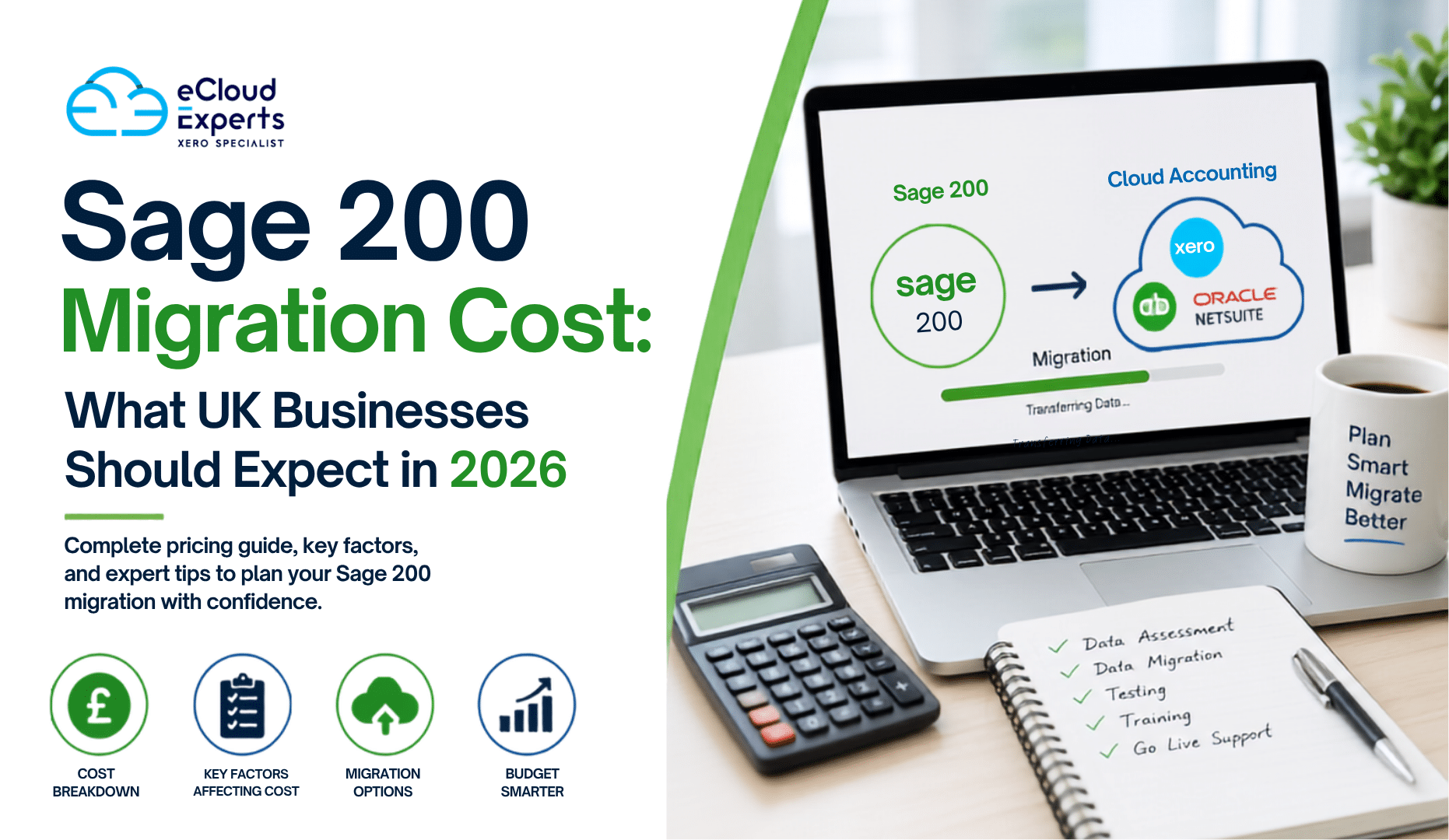
Many UK businesses are reviewing their accounting systems in 2026. Rising software costs, changing business needs, and the demand for better cloud access are encouraging companies to move away from older systems and adopt modern accounting platforms.
The answer depends on several factors, including the size of your business, the complexity of your data, and the accounting platform you are moving to. While some migrations can be completed for a few thousand pounds, larger projects involving multiple departments, integrations, and years of historical data can require a more significant investment.
Understanding Sage 200 migration cost before starting a project helps businesses budget effectively, avoid surprises, and choose the right migration partner.
In this guide, we will explore the factors that influence Sage 200 migration cost, typical price ranges in the UK, hidden expenses to consider, and practical ways to reduce costs while ensuring a successful migration.
Thinking about moving from Sage 200? Understanding the true Sage 200 migration cost is the first step toward a successful transition. Get a tailored migration estimate from eCloud Experts and discover how much your business could save with the right cloud accounting solution.
Why UK Businesses Are Moving Away from Sage 200
Sage 200 has served businesses well for many years. It offers strong accounting functionality and business management tools. However, the business software landscape has changed significantly.
Many companies now prefer cloud accounting platforms because they provide greater flexibility and accessibility.
Common reasons businesses move away from Sage 200 include:
- Need for remote access
- Lower software maintenance costs
- Better integration with cloud applications
- Simplified financial reporting
- Easier collaboration with accountants
- Improved automation
- Reduced reliance on on premises infrastructure
As businesses explore cloud alternatives, researching Sage 200 migration cost becomes an important part of the decision making process.
What Is a Sage 200 Migration?
A Sage 200 migration involves transferring financial and operational data from Sage 200 to another accounting or ERP system.
Depending on business requirements, this may include:
- Customer records
- Supplier records
- Products and inventory
- Chart of accounts
- Opening balances
- Sales invoices
- Purchase invoices
- VAT information
- Bank transactions
- Historical financial data
A professional migration also includes planning, validation, testing, and support to ensure data accuracy.
Understanding what is included helps businesses evaluate the true Sage 200 migration cost rather than comparing quotes based only on data transfer.
Average Sage 200 Migration Cost in 2026
Every project is unique, but most UK businesses fall into one of three categories.
Basic Migration
Typical cost: £1,500 to £3,500
Usually includes:
- Customer and supplier data
- Chart of accounts
- Opening balances
- Limited historical transactions
This option is often suitable for small businesses with straightforward accounting requirements.
Standard Migration
Typical cost: £3,500 to £8,000
Usually includes:
- Multiple years of historical data
- Inventory records
- VAT information
- Detailed testing
- User training
Many growing businesses fall into this category.
Advanced Migration
Typical cost: £8,000 to £20,000 or more
Usually includes:
- Large transaction volumes
- Complex reporting requirements
- Multiple integrations
- Custom workflows
- Extensive validation and support
These projects often involve larger organizations with sophisticated accounting processes.
The Biggest Factors Affecting Sage 200 Migration Cost
Not all migrations are created equal. Several key factors directly influence pricing.
Volume of Historical Data
One of the largest drivers of Sage 200 migration cost is the amount of historical data being transferred.
For example:
- One year of history requires less effort than five years.
- Five years of invoices require less effort than ten years.
- Archived records may require additional processing.
The more historical data you need, the more time migration specialists must spend extracting, cleaning, validating, and importing records.
Transaction Complexity
Businesses with thousands of transactions generally face higher migration costs.
Complex transactions may include:
- Multi currency transactions
- Partial payments
- Credit notes
- Complex VAT treatments
- Departmental reporting structures
Each additional layer of complexity increases project effort and affects overall Sage 200 migration cost.
Chart of Accounts Structure
Many Sage 200 users have customized charts of accounts over the years.
Migration specialists must:
- Review account structures
- Remove unused accounts
- Map accounts correctly
- Verify reporting accuracy
A complicated account structure can significantly increase migration time.
Inventory Requirements
Inventory migration often requires additional work.
Businesses may need to migrate:
- Product codes
- Stock quantities
- Stock valuations
- Warehouse information
- Product categories
Companies with large inventories should expect inventory requirements to increase Sage 200 migration cost.
Number of Users
Larger teams often require:
- User setup
- Security permissions
- Role based access
- Training sessions
These additional services contribute to the overall project budget.
How Integrations Affect Cost
Many businesses use Sage 200 alongside other software.
Common integrations include:
- CRM systems
- Ecommerce platforms
- Payroll software
- Inventory management systems
- Business intelligence tools
When migrating to a new platform, these integrations may need to be rebuilt or reconfigured.
This often represents a significant portion of total Sage 200 migration cost.
For some businesses, integration work can cost as much as the migration itself.
Sage 200 to Xero Migration Cost
Xero remains one of the most popular destinations for Sage 200 users.
Businesses are attracted by:
- Cloud access
- User friendly interface
- App ecosystem
- Automation features
- Real time reporting
Typical pricing includes:
| Business Size | Typical Cost |
| Small Business | £1,500 to £4,000 |
| Medium Business | £4,000 to £8,000 |
| Complex Business | £8,000 to £15,000+ |
The final Sage 200 migration cost depends on data volume and customization requirements.
Sage 200 to QuickBooks Online Migration Cost
QuickBooks Online is another popular option.
Businesses often choose it because of:
- Strong reporting
- Ease of use
- Cloud accessibility
- Growing integration ecosystem
Typical migration costs include:
- Simple migration: £1,500 to £3,500
- Standard migration: £3,500 to £7,000
- Advanced migration: £7,000 to £12,000+
Again, the exact Sage 200 migration cost depends on project scope.
Sage 200 to NetSuite Migration Cost
Some organizations require a more advanced ERP solution.
NetSuite offers:
- Advanced reporting
- Multi entity support
- Global capabilities
- Inventory management
- Financial consolidation
Because implementations are more extensive, costs are generally higher.
Typical ranges include:
- Small implementation: £8,000 to £20,000
- Mid sized implementation: £20,000 to £50,000
- Enterprise implementation: £50,000+
Businesses should view these projects as strategic investments rather than simple software migrations.
Hidden Costs Businesses Often Miss
When estimating Sage 200 migration cost, many businesses focus only on migration fees.
However, several additional costs may arise.
Staff Training
Employees need time to learn the new system.
Training costs may include:
- Instructor led sessions
- Online courses
- Documentation
- Ongoing support
Without training, users may struggle to adopt the new platform effectively.
Data Cleanup
Many Sage 200 systems contain outdated information.
Examples include:
- Duplicate customers
- Duplicate suppliers
- Obsolete products
- Inactive accounts
Cleaning this data improves migration quality but can add additional costs.
Custom Reports
Custom reports rarely transfer automatically.
Businesses may need to recreate:
- Management reports
- Department reports
- KPI dashboards
- Financial analysis reports
This work can increase overall Sage 200 migration cost.
Downtime Planning
Some migrations require planned downtime.
Businesses may need to allocate resources to:
- Testing
- Validation
- Process adjustments
Proper planning helps reduce disruption.
How to Reduce Sage 200 Migration Cost
The good news is that businesses can take several steps to control migration expenses.
Remove Unnecessary Data
Not every record needs to be migrated.
Removing unnecessary data reduces project complexity.
Focus on:
- Inactive contacts
- Obsolete inventory
- Duplicate records
- Old accounts
Define Clear Objectives
Many migration projects become expensive because requirements change during implementation.
Create a detailed migration plan before work begins.
Identify:
- Required reports
- Required integrations
- Required history
- User requirements
A clear scope helps control Sage 200 migration cost.
Archive Historical Data
Some businesses choose to archive older records instead of migrating everything.
This approach often reduces costs significantly.
Choose an Experienced Migration Partner
Experienced specialists can identify issues early and avoid costly mistakes.
While their fees may be higher initially, they often save money overall through efficiency and accuracy.
Why the Cheapest Quote Can Be Expensive
Many businesses compare migration providers based solely on price.
Unfortunately, this approach can lead to problems.
Common issues include:
- Missing transactions
- Incorrect balances
- VAT discrepancies
- Failed integrations
- Reporting inaccuracies
Correcting these problems later can cost more than choosing an experienced provider from the start.
Questions to Ask Before Requesting a Migration Quote
Before choosing a migration provider, ask the following:
- How much historical data is included?
- Are opening balances migrated?
- Is VAT data transferred?
- Are integrations included?
- Is user training included?
- What support is available after migration?
- How is data accuracy verified?
- What testing procedures are used?
The answers will help you compare providers accurately.
Future Trends Affecting Sage 200 Migration Cost in 2026
Migration technology continues to improve.
Several trends are changing the way migrations are delivered.
AI Assisted Data Mapping
Artificial intelligence is helping specialists identify account mappings faster and more accurately.
Automated Validation
Modern tools can automatically compare balances before and after migration.
Improved Security
Businesses increasingly expect strong security measures during migration projects.
Faster Project Delivery
Automation is reducing migration times and improving efficiency.
Over time, these developments may help reduce cost while improving accuracy.
Why Professional Migration Services Deliver Better Value
A successful migration is about more than moving data.
Professional migration services provide:
- Strategic planning
- Data validation
- Error detection
- User training
- Integration support
- Post migration assistance
These services reduce risk and help businesses gain value from their new accounting platform faster.
Conclusion
Understanding Sage 200 migration cost is essential for any business planning to move to a new accounting system in 2026.
While costs can range from a few thousand pounds to much larger investments for complex projects, the final price depends on data volume, integrations, historical records, customization, and training requirements.
The most successful migrations are not necessarily the cheapest. They are the ones that deliver accurate data, minimal disruption, and long term business value.
By planning carefully, cleaning data in advance, and working with experienced migration specialists, businesses can control Sage 200 migration cost while ensuring a smooth transition to a modern accounting platform.
FAQ
How much does a Sage 200 migration cost in the UK?
Most projects range from £1,500 to £20,000 or more depending on complexity, data volume, and integration requirements.
What affects Sage 200 migration cost the most?
The biggest factors are historical data volume, transaction complexity, integrations, inventory requirements, and user training needs.
Can I migrate from Sage 200 to Xero?
Yes. Many UK businesses migrate from Sage 200 to Xero to gain cloud access, automation, and improved reporting.
How long does a Sage 200 migration take?
Simple projects may take a few days, while larger migrations can take several weeks.
Is training included in migration services?
Many providers offer training, but it varies by package. Always confirm what is included in your quote.
Can historical transactions be migrated from Sage 200?
Yes. Most migration specialists can migrate historical transactions, although additional history may increase the overall Sage 200 migration cost.
Ready to Migrate from Sage 200?
At eCloud Experts, we help UK businesses move from Sage 200 to Xero, QuickBooks Online, NetSuite, and other leading cloud accounting platforms.
Our migration specialists handle every stage of the process, from planning and data validation to testing, training, and post migration support.
Whether you need a simple migration or a complex multi system project, we can provide a tailored solution that protects your data and minimizes disruption.
Contact eCloud Experts today for a free consultation and receive a personalized Sage 200 migration cost estimate for your business.