Many UK businesses are rethinking their accounting systems in 2026. Some want better visibility into their finances. Others are looking for improved automation, easier collaboration with accountants, or greater flexibility through cloud accounting.
As a result, more businesses are moving from Sage to Xero.
Before making the switch, however, one important question usually comes first:
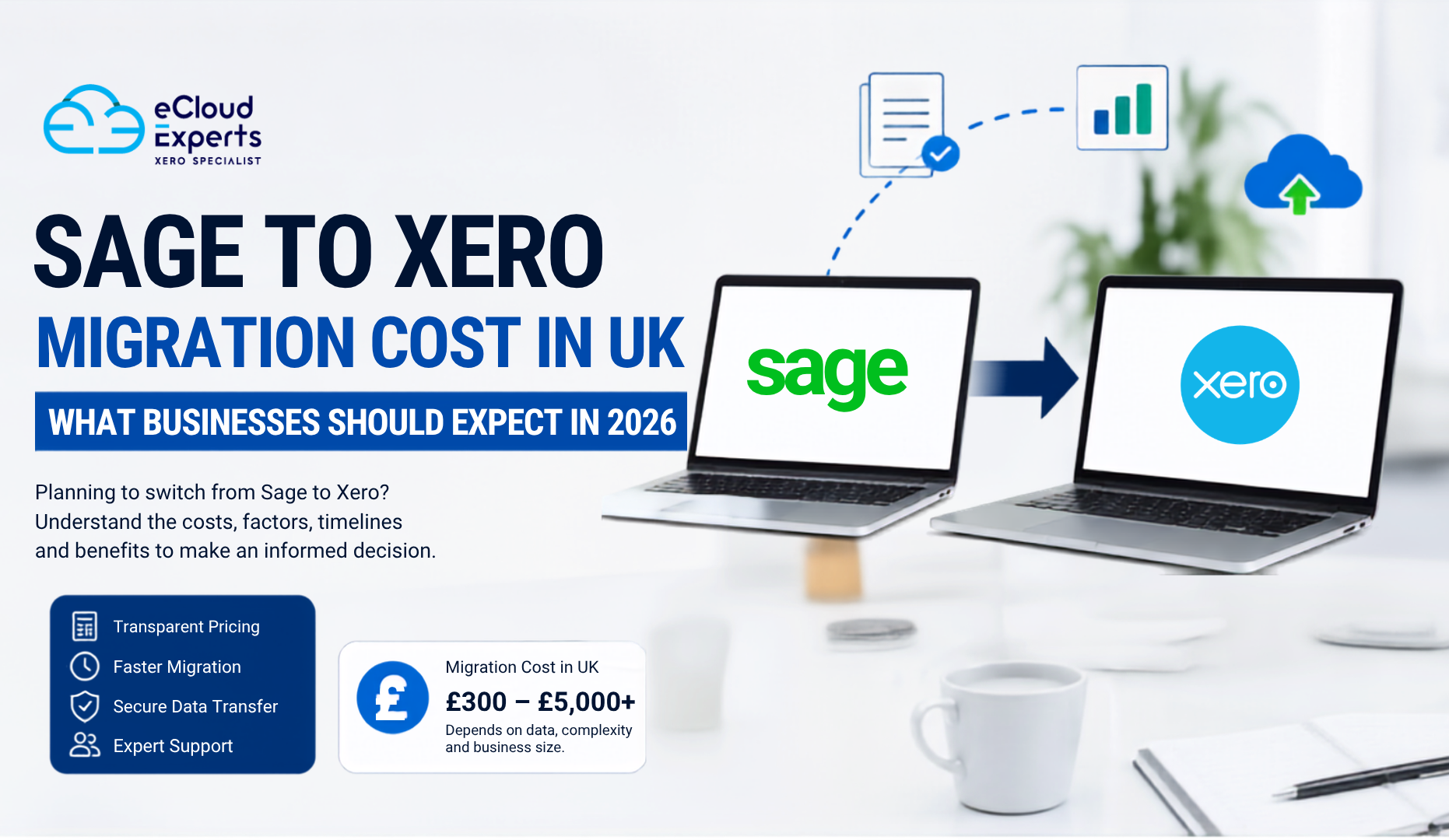
What is the Sage to Xero migration cost UK businesses should expect in 2026?
The answer depends on several factors. The size of your business, the amount of data being transferred, the complexity of your accounts, and the level of support you require can all influence the final cost.
Some businesses spend only a few hundred pounds on a simple migration. Others invest several thousand pounds for a complete migration that includes years of historical data, inventory records, payroll information, and post migration support.
This guide explains everything you need to know about Sage to Xero migration cost UK services, helping you budget effectively and avoid surprises during the migration process.
Thinking about switching from Sage to Xero? Get expert support and a tailored migration plan from eCloud Experts today.
Why More UK Businesses Are Switching from Sage to Xero
Accounting software has evolved significantly over the past decade.
While Sage remains a well known accounting solution, many businesses are now prioritising cloud based platforms that provide greater accessibility and automation.
Xero has become one of the leading cloud accounting systems because it offers:
- Real time financial information
- Access from any location
- Automatic bank feeds
- Mobile functionality
- User friendly dashboards
- Integration with hundreds of business applications
- Easy collaboration with accountants and bookkeepers
For many companies, these advantages justify the investment involved in a migration project.
When businesses evaluate the Sage to Xero migration cost UK, they often compare it against the potential long term benefits of moving to a modern cloud accounting platform.
What Does a Sage to Xero Migration Actually Involve?
Many business owners assume that migration simply means exporting data from Sage and importing it into Xero.
In reality, the process is much more detailed.
A successful migration typically includes:
- Reviewing existing financial records
- Assessing data quality
- Cleaning inaccurate records
- Extracting information from Sage
- Mapping data fields to Xero
- Importing data
- Reconciling balances
- Testing reports
- Training users
- Providing post migration support
Every step plays a role in ensuring the accuracy of your financial information.
Skipping any of these stages can lead to reporting issues, reconciliation problems, or incorrect VAT submissions later.
Factors That Affect Sage to Xero Migration Cost UK
No two migrations are identical.
Several factors influence how much businesses ultimately pay.
Volume of Historical Data
One of the biggest cost drivers is the amount of historical data being migrated.
Some businesses choose to transfer only opening balances.
Others want:
- One year of transaction history
- Two years of records
- Five years of financial data
- Full historical company records
The more history you transfer, the more time is required for extraction, validation, and testing.
This often increases the overall Sage to Xero migration cost UK businesses receive.
Number of Transactions
Transaction volume also affects pricing.
A business processing 500 transactions per month requires far less work than one processing 20,000 transactions monthly.
Larger transaction volumes usually require:
- Additional data preparation
- More extensive validation
- Longer import times
- Additional reconciliation checks
Consequently, businesses with high transaction volumes generally face higher migration costs.
Complexity of Business Operations
Every business uses accounting software differently.
A simple consultancy business may have a straightforward chart of accounts and limited transaction types.
Larger businesses may have:
- Multiple departments
- Foreign currency transactions
- Inventory systems
- Project tracking
- Payroll processing
- Multiple VAT registrations
- Consolidated reporting requirements
More complexity means more planning, testing, and verification.
As complexity increases, so does the Sage to Xero migration cost UK.
Data Quality
One factor many businesses overlook is data quality.
During migration planning, providers often discover:
- Duplicate contacts
- Incorrect account codes
- Missing customer information
- Unreconciled bank accounts
- Historical bookkeeping errors
- VAT inconsistencies
Cleaning these issues takes additional time.
However, resolving them before migration usually leads to better results and cleaner reporting in Xero.
Typical Sage to Xero Migration Cost UK Businesses Can Expect in 2026
While costs vary significantly, the following estimates provide a useful benchmark.
| Migration Type | Estimated Cost |
| Opening balances only | £300 to £800 |
| Basic migration | £800 to £1,500 |
| Standard migration with transaction history | £1,500 to £3,000 |
| Full historical migration | £3,000 to £5,000 |
| Complex enterprise migration | £5,000+ |
These figures are intended as general guidelines.
The actual Sage to Xero migration cost UK for your business will depend on your specific requirements.
What Is Usually Included in a Migration Service?
Comparing migration quotes can be difficult because providers include different services.
Understanding what is included is often more important than simply choosing the cheapest option.
Initial Consultation
The migration provider reviews your requirements and discusses project goals.
This stage helps determine:
- Migration scope
- Data requirements
- Potential challenges
- Project timeline
Data Assessment
Your Sage data is analysed before migration begins.
This allows specialists to identify:
- Data quality issues
- Missing information
- Duplicate records
- Reconciliation concerns
Data Extraction
Financial records are securely extracted from Sage.
Data Mapping
Information from Sage must be correctly matched to Xero fields.
Examples include:
- Chart of accounts
- Customers
- Suppliers
- Products
- Tax codes
- Tracking categories
Data Import
The prepared data is imported into Xero using approved migration procedures.
Validation and Reconciliation
This stage ensures balances match between both systems.
Key areas checked include:
- Bank balances
- VAT balances
- Accounts receivable
- Accounts payable
- Profit and loss reports
- Balance sheets
User Training
Many providers include introductory Xero training.
This helps staff become comfortable with the new system quickly.
Post Migration Support
Support after migration can be invaluable.
Users often have questions during the first few weeks of using Xero.
Hidden Costs Businesses Should Watch For
One of the most common mistakes businesses make is focusing only on the headline price.
Some migration quotes exclude important services.
Data Cleanup Charges
Poor quality data often requires additional work before migration.
Payroll Migration Fees
Payroll information may require separate processing.
Inventory Migration Costs
Inventory records can be complex and often involve additional charges.
Additional Historical Data
Extra years of transaction history may increase pricing.
Training Fees
Not all migration providers include staff training.
Custom Reporting Setup
Businesses requiring specialised reports may incur additional costs.
Always request a detailed breakdown before approving a migration proposal.
DIY Migration vs Professional Migration
Many business owners wonder whether they can save money by migrating themselves.
The answer depends on the complexity of the business.
DIY Migration Advantages
- Lower upfront cost
- Flexible timing
- Full control over the process
DIY Migration Disadvantages
- Higher risk of errors
- Time consuming process
- Limited support
- Reconciliation challenges
- Potential reporting issues
Professional Migration Advantages
- Greater accuracy
- Faster completion
- Reduced disruption
- Expert guidance
- Ongoing support
Professional Migration Disadvantages
- Higher upfront investment
For many businesses, the reduced risk alone makes professional migration worthwhile.
How Long Does a Sage to Xero Migration Take?
Migration timelines vary based on complexity.
Typical projects take:
| Business Type | Typical Timeline |
| Small business | 1 to 2 weeks |
| Medium business | 2 to 4 weeks |
| Large business | 4 to 8 weeks |
| Enterprise project | 8+ weeks |
Businesses often schedule migrations around:
- Financial year end
- VAT quarters
- Audit periods
- Budget planning cycles
Proper planning helps minimise disruption.
Ways to Reduce Sage to Xero Migration Costs
The good news is that there are several ways to reduce migration expenses.
Clean Your Data Beforehand
Removing duplicates and correcting errors can significantly reduce preparation time.
Decide How Much History You Really Need
Many businesses discover they do not need every historical transaction.
Migrating only essential data can reduce costs considerably.
Organise Documentation
Having reports and records readily available helps migration specialists work more efficiently.
Prepare Staff Early
Training users before migration can reduce delays and support requirements.
Choose an Experienced Provider
An experienced migration specialist often completes projects more efficiently and with fewer complications.
Common Mistakes That Increase Migration Costs
Businesses sometimes make avoidable mistakes that increase migration expenses.
These include:
- Leaving data cleanup until the last minute
- Migrating unnecessary historical records
- Failing to reconcile accounts before migration
- Choosing providers based solely on price
- Skipping staff training
- Not testing reports after migration
Avoiding these mistakes can help keep your project on budget.
The Long Term Return on Investment
Although businesses focus heavily on Sage to Xero migration cost UK, it is equally important to consider long term value.
A successful migration can deliver benefits such as:
Reduced Administrative Work
Automation reduces manual data entry and repetitive tasks.
Better Financial Visibility
Real time dashboards provide faster access to financial information.
Improved Decision Making
Accurate reporting supports smarter business decisions.
Enhanced Collaboration
Accountants and business owners can access information simultaneously.
Greater Flexibility
Cloud access allows users to work from virtually anywhere.
Better Software Integrations
Xero connects with a wide range of business applications.
These benefits often generate savings that exceed the original migration investment.
Questions to Ask Before Choosing a Migration Provider
Before accepting a quote, ask:
- What data will be migrated?
- How many years of history are included?
- Is payroll included?
- Is inventory included?
- Are opening balances included?
- Will reports be reconciled?
- Is user training included?
- What support is provided after migration?
- Are there any additional charges?
These questions help you compare providers accurately.
Why 2026 Is a Good Time to Move to Xero
Many UK businesses are accelerating their digital transformation plans.
Cloud accounting continues to grow because it offers:
- Better accessibility
- Stronger automation
- Improved reporting
- Easier collaboration
- Enhanced scalability
Businesses that migrate now can begin benefiting from these advantages sooner rather than later.
Why Choose eCloud Experts for Sage to Xero Migration?
At eCloud Experts, we specialise in helping UK businesses move from Sage to Xero with confidence.
Our migration services include:
- Detailed data assessment
- Secure data extraction
- Accurate data mapping
- Comprehensive validation
- User training
- Ongoing support
Whether you need a simple opening balance migration or a complete historical data transfer, our team can provide a solution tailored to your business.
Our goal is simple: ensure your financial data is transferred accurately so you can start using Xero with confidence from day one.
Frequently Asked Questions About Sage to Xero Migration Cost UK
How much does a Sage to Xero migration cost in the UK?
The average Sage to Xero migration cost UK businesses pay ranges from £300 to £5,000 or more. The final price depends on data volume, complexity, payroll requirements, inventory records, and support needs.
Can I migrate from Sage to Xero myself?
Yes. However, businesses with complex accounting records often choose professional migration services to reduce the risk of errors.
What data can be transferred from Sage to Xero?
Most migrations can include customers, suppliers, invoices, bills, bank transactions, chart of accounts, VAT information, and historical financial data.
How long does a Sage to Xero migration take?
Simple projects may take one to two weeks. More complex migrations often take four to eight weeks or longer.
Is payroll data included in migration costs?
Not always. Some providers include payroll migration, while others charge separately.
Do I need to migrate all historical data?
No. Many businesses choose to migrate only opening balances or recent financial years.
Will VAT records transfer to Xero?
In most cases, VAT information can be transferred. The exact details depend on your migration scope and Sage version.
What is the biggest factor affecting migration costs?
Historical data volume, transaction numbers, business complexity, and data quality are usually the largest cost drivers.
Is professional migration worth the investment?
For many businesses, yes. Professional migration reduces risk, saves time, and helps ensure accurate financial reporting.
Want to learn more about Xero, QuickBooks, Sage, and accounting software migrations? Browse our latest articles and discover actionable advice from the eCloud Experts team.
Ready to Start Your Sage to Xero Migration?
If you are considering moving from Sage to Xero, understanding your likely Sage to Xero migration cost UK is the first step.
At eCloud Experts, we provide clear pricing, expert guidance, and professional migration support tailored to your business needs.
Contact our team today for a free consultation and personalised migration quote.
Final Thoughts
Understanding Sage to Xero migration cost UK is about more than finding the lowest price. It is about ensuring your financial data is transferred accurately and your business is positioned for future growth.
While costs vary depending on data volume, transaction history, complexity, and support requirements, a well planned migration can provide substantial long term value.
For many UK businesses in 2026, moving from Sage to Xero is not simply a software upgrade. It is an investment in better visibility, improved efficiency, and stronger financial management.