
QuickBooks Online Training for Small Business Owners: A Beginner’s Roadmap
Running a small business in the UK often means juggling invoices, VAT deadlines, and cash flow management all at once. Many business owners sign up for QuickBooks Online, hoping it will solve everything instantly. But software alone isn’t enough if you don’t know how to use it properly. That’s why QuickBooks Online training UK is so powerful. Think of it like buying a gym membership. Owning the pass won’t get you fit you need a trainer to guide your journey. In the same way, QuickBooks Online training UK gives you the roadmap to unlock features, save time, and feel confident with your numbers. This blog will walk you through setup, QBO tutorials, everyday tasks, reporting, and professional support — everything small business owners need to master QuickBooks Online for beginners. If you’re serious about growth, the right QuickBooks Online training UK could be one of the smartest investments you’ll ever make. What Is QuickBooks Online and Why UK Businesses Prefer It QuickBooks Online (QBO) is cloud-based accounting software designed to simplify finances for small businesses. Instead of using spreadsheets, it puts all your numbers invoices, expenses, payroll, and VAT in one easy-to-access dashboard. For UK businesses, there are extra benefits: But even though QBO is beginner-friendly, many small business owners still find themselves overwhelmed. That’s why QuickBooks Online training UK is essential. With the right training, you’ll learn how to use QuickBooks Online UK effectively instead of leaving features untouched. Don’t just buy the software. Invest in QuickBooks Online training UK so your numbers start working for you. Step 1: QuickBooks Online Setup UK The first step is getting your account set up correctly. Too many business owners skip proper setup, and it creates messy books later. Structured QuickBooks Online training UK ensures you start on the right foot. Here’s what you’ll cover in setup: This is where most beginners go wrong. A missed VAT setting or wrong chart of accounts can lead to incorrect reports. With professional QuickBooks Online setup UK, you’ll get a clean foundation from day one. Want peace of mind? Book your beginner-friendly QuickBooks Online training UK and learn setup step by step. Step 2: Learning with QBO Tutorials Once setup is done, the next stage is practice. Guided QBO tutorials help you learn the basics without feeling overwhelmed. With QuickBooks Online training UK, you’ll cover tutorials like: Free tutorials can help, but professional guidance saves time and ensures you don’t pick up bad habits. Think of it like learning a language self-study works, but a tutor gets you fluent faster. If you’re new, take advantage of expert-led QuickBooks Online training UK to master tasks in weeks, not months. Step 3: Everyday Tasks Made Simple Most small business owners just want their daily bookkeeping to run smoothly. With QuickBooks Online training UK, you’ll learn how to handle the essentials: These are the tasks that make or break your financial clarity. Learning them through QuickBooks Online training UK removes the guesswork. Imagine finishing your weekly bookkeeping in under an hour. That’s the power of mastering QuickBooks training for small business owners. Step 4: Reporting, VAT & MTD Readiness Tax deadlines cause panic for many UK entrepreneurs. But with the right QuickBooks Online training UK, VAT returns and reports become stress-free. You’ll learn to: Without training, it’s easy to miss a setting and face penalties. Guided QuickBooks Online training UK ensures your numbers are right the first time. Stay tax-ready year-round with QuickBooks Online help UK designed for small businesses. Step 5: QuickBooks Online Course for Small Business Owners For many business owners, tutorials alone aren’t enough. That’s why enrolling in a full QuickBooks Online course for small business is so valuable. With a structured course, you’ll get: Instead of wasting weekends trying to figure things out, a guided QuickBooks Online training UK program gives you clarity in hours. Ready to move beyond guesswork? Join our expert-led QuickBooks Online training UK for small businesses today. Common Mistakes Beginners Make (and How to Avoid Them) Even with good intentions, beginners often make costly mistakes. The right QuickBooks Online training UK teaches you what to avoid: Avoiding these errors saves hours of corrections later. With QuickBooks Online training UK, you’ll build confidence knowing you’re doing it right. QuickBooks Online Tips for Beginners Here are some simple hacks from our QuickBooks Online training UK sessions: These tips help small business owners save time daily. They’re part of the reason QuickBooks Online tips for beginners remain one of the most searched topics. Learn all these shortcuts and more with our hands-on QuickBooks Online training UK. Why Choose Professional QuickBooks Online Training UK At Ecloud Experts, we’ve helped hundreds of small business owners transform the way they manage finances. With our tailored QuickBooks Online training UK, you’ll get: Instead of feeling lost, you’ll finally feel in control. That’s the difference expert training makes. Don’t settle for confusion. Book your professional QuickBooks Online training UK today and take control of your business future. Conclusion & Call-to-Action QuickBooks Online is powerful, but only if you know how to use it. With structured QuickBooks Online training UK, small business owners gain the skills to handle setup, everyday tasks, reporting, and tax confidently. Think of it this way: You wouldn’t run a marathon without training. So why run a business without learning your accounting system? Ready to unlock your potential? Start your QuickBooks Online training UK with Ecloud Experts and discover how easy financial management can be.
Why eCloud Experts Is Your Go-To Partner for QuickBooks Online Migration
Every business reaches a point where outdated accounting software becomes more of a burden than a tool. Slow systems, manual data entry, and compliance risks pile up, leaving finance teams frustrated and business owners worried. That’s where migrating to QuickBooks Online comes in offering speed, compliance, and flexibility. But here’s the truth: the success of your migration depends on who you trust with the job. Choosing QuickBooks migration services UK isn’t just about moving numbers from one platform to another. It’s about ensuring your business records remain accurate, compliant, and usable from day one. That’s why more businesses across the UK are turning to certified QuickBooks consultants who understand both accounting and technology. At eCloud Experts, we’ve built our reputation on delivering migrations that businesses can rely on whether you’re a growing SME or a multi-entity enterprise. If you’ve been considering a switch, now is the time to act. And with the right partner, you can make the move with confidence. The Rising Demand for QuickBooks Migration Services UK UK businesses are facing a digital transformation in finance. With Making Tax Digital (MTD) regulations, remote teams, and real-time reporting demands, traditional accounting systems can’t keep up. QuickBooks Online has emerged as the go-to choice for thousands of UK SMEs and enterprises looking for smarter ways to manage their books. The demand for QuickBooks migration services UK has skyrocketed because businesses need more than software — they need a trusted partner who can handle the transition without risks. By working with professionals, companies avoid the common pitfalls of data mismatches, downtime, and compliance errors. Why QuickBooks Online is winning in the UK: CTA: Ready to take advantage of these benefits? Our QuickBooks migration services UK are tailored to help your business switch smoothly. Why Migrating to QuickBooks Online Is a Smart Move in 2025 Accounting isn’t just about keeping records — it’s about staying ahead of regulations and making better decisions. QuickBooks Online gives UK businesses an edge by simplifying processes and reducing risk. Here’s what makes migrating to QuickBooks Online a strategic step in 2025: But while the benefits are clear, many businesses hesitate because they fear migration will be disruptive. That’s where eCloud Experts comes in. With certified QuickBooks consultants, you don’t just migrate — you upgrade your entire accounting process. The Risks of DIY QuickBooks Data Migration UK Trying to handle your migration without expert help may look like a cost-saving measure, but in reality, it can cost far more in the long run. Common issues with DIY migration include: These risks make professional QuickBooks data migration UK services essential. With eCloud Experts, you avoid these problems entirely. Our certified QuickBooks consultants validate your data at every step to ensure it’s complete, accurate, and compliant. CTA: Don’t gamble with your financial records. Trust QuickBooks migration services UK that guarantee accuracy from day one. What Makes Our QuickBooks Migration Services UK Stand Out Not all migration providers are created equal. At eCloud Experts, we’ve developed a comprehensive process that sets us apart. What’s included in our QuickBooks migration services UK package: This isn’t just about moving numbers — it’s about giving your business a reliable foundation for growth. By working with our certified QuickBooks consultants, you’ll know that every detail has been handled with care. The Role of Certified QuickBooks Consultants in Your Migration When it comes to financial data, expertise matters. Working with certified QuickBooks consultants ensures your migration is done by professionals who understand UK tax laws, MTD compliance, and the complexities of financial reporting. Why certification matters: Many businesses make the mistake of working with general IT providers who lack this knowledge. By choosing certified QuickBooks consultants, you protect your data and ensure compliance at every step. CTA: Want peace of mind during migration? Partner with our certified QuickBooks consultants today. Our Proven QuickBooks Online Migration Process At eCloud Experts, we use a step-by-step process to ensure every migration is smooth, accurate, and stress-free. Our migration process includes: This structure means no detail gets missed. It’s why so many businesses choose our QuickBooks migration services UK over generic providers. Real Business Benefits of Partnering with QuickBooks Migration Experts Working with professionals isn’t just about accuracy — it’s about unlocking real business advantages. When you work with our team of certified QuickBooks consultants, you gain: CTA: Don’t settle for less. Choose QuickBooks migration services UK that add real value to your business. Success Stories: From Sage, Xero, and Excel to QuickBooks Online We’ve helped hundreds of businesses make the move to QuickBooks Online — each with unique needs and challenges. These stories show why businesses trust our certified QuickBooks consultants for successful transitions. Why eCloud Experts Is the UK’s Go-To QuickBooks Migration Partner With years of experience, deep local knowledge, and a proven track record, eCloud Experts has become the top choice for businesses seeking QuickBooks migration services UK. Our unique value lies in combining technical expertise with real-world accounting knowledge. As certified QuickBooks consultants, we understand that accuracy, compliance, and confidence matter most. CTA: Don’t risk your migration with anyone else. Partner with the UK’s leading certified QuickBooks consultants today. Final Thoughts & Next Steps Migrating to QuickBooks Online is no longer optional — it’s essential for UK businesses that want to stay competitive, compliant, and efficient. But the success of your migration depends on who guides you through the process. With eCloud Experts, you get more than just QuickBooks migration services UK — you get a team of certified QuickBooks consultants dedicated to your success. From planning to training, we ensure your business is ready to thrive with QuickBooks Online. Take the next step today. Book your free consultation with eCloud Experts and let us handle your migration from start to finish.
What Data Transfers When You Move to QuickBooks Online (and What Doesn’t)
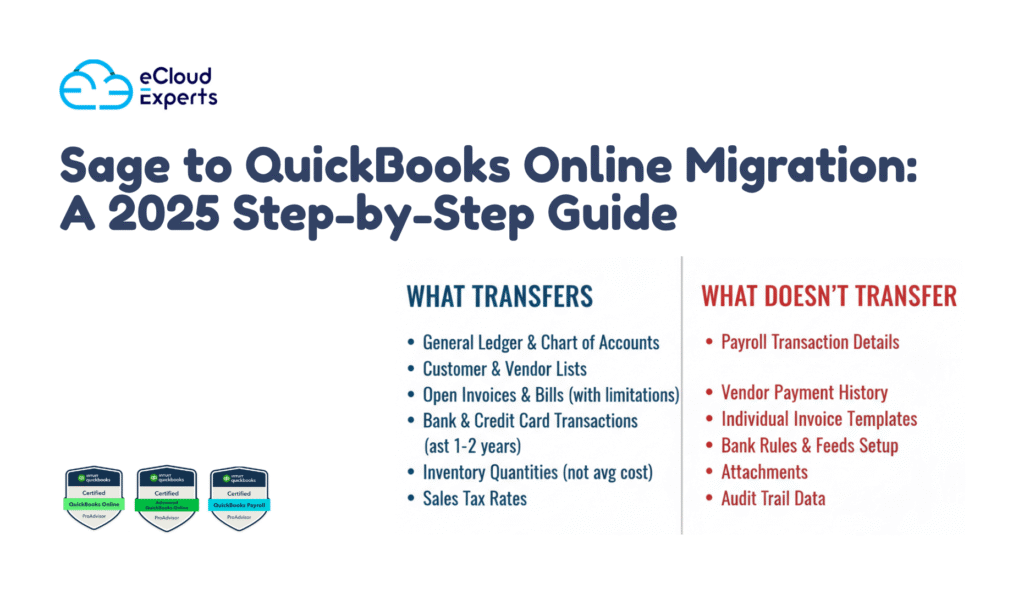
Switching to cloud accounting can feel exciting, but it often comes with a big question: What happens to all my data? If you’re preparing to move to QuickBooks Online, understanding exactly what migrates and what stays behind is critical. Too many businesses assume everything transfers automatically—only to discover missing payroll history, custom reports, or reconciliations after the switch. This guide explains the truth about QuickBooks migration data and provides a step-by-step QuickBooks migration checklist so you can migrate with confidence. QuickBooks Migration Data: What It Really Means When people hear “migration,” they imagine a simple copy-paste of all records into a new system. But QuickBooks migration data isn’t that straightforward. Some information transfers seamlessly, while other parts require manual work or won’t move at all. Here’s what “data transfer” really means in accounting terms: This is why many businesses hit snags when they first move to QuickBooks Online. They expect a complete replica, but QuickBooks has data format limitations. Without preparation, you risk: Understanding these risks upfront makes your QuickBooks migration checklist even more valuable. QuickBooks Migration Checklist: What Transfers Smoothly If you’re worried about losing critical information, here’s the good news—lots of QuickBooks migration data does move successfully. Below is a breakdown of the key records that typically migrate without issue. Having this QuickBooks migration checklist handy reassures you that the core elements of your business will remain intact when you move to QuickBooks Online. What Doesn’t Transfer Automatically When You Move to QuickBooks Online While much of your QuickBooks migration data transfers, there are important gaps. These often surprise businesses after the move. Knowing what doesn’t transfer helps you plan in advance. Recognizing these QuickBooks Online data limitations allows you to prepare backups and avoid nasty surprises. This is one of the most overlooked areas in any QuickBooks migration checklist. QuickBooks Migration Issues: Common Problems to Watch For Even when you know what transfers and what doesn’t, some businesses face unexpected QuickBooks migration issues. These problems can delay your transition or create messy books if not handled early. Here are the most frequent pitfalls: By identifying these QuickBooks migration data issues upfront, you can correct them before going live. This is why a professional QuickBooks conversion service often saves time and stress. QuickBooks Migration Checklist: Steps to Prepare Before You Move Preparation is everything when you’re planning to move to QuickBooks Online. Without it, migration errors multiply. Use this QuickBooks migration checklist to get your books ready before pressing “import.” These steps form the backbone of every QuickBooks migration checklist. Skipping them almost guarantees post-migration headaches. If you’d rather not take the risk, consider hiring a QuickBooks conversion service. Do You Need a QuickBooks Conversion Service? Not every business needs professional help to move to QuickBooks Online. If you run a small operation with simple accounts, you might manage a DIY migration using Intuit’s tools. But when complexity increases, expert help becomes essential. You should consider a QuickBooks conversion service if: Hiring professionals ensures your QuickBooks migration data is handled correctly, saving hours of cleanup later. At eCloud Experts, we’ve built our reputation on guiding businesses through these migrations. Our specialists use proven checklists and advanced tools to ensure your switch is accurate, compliant, and stress-free. Conclusion: Migrate with Confidence Migrating to QuickBooks Online doesn’t have to be overwhelming. Once you understand which QuickBooks migration data transfers and which doesn’t, you can take control of the process. With the right QuickBooks migration checklist, you’ll avoid surprises and feel confident that your accounts are accurate. Remember: Ready to start your migration? Get in touch with eCloud Experts today for a personalized QuickBooks migration checklist and free consultation. Our team is here to make your switch seamless, accurate, and built for growth.
QuickBooks Online Migration for Multi-Entity Businesses in 2025

Managing group company finances has never been more complex. As UK businesses grow and expand into multi-entity structures, finance teams face mounting challenges. Outdated systems struggle to cope with intercompany transactions, VAT rules, and consolidated reporting. That’s why more businesses are considering a multi-entity QuickBooks migration a powerful step toward modern, digital-first accounting. Why Multi-Entity Businesses Are Rethinking Accounting in 2025 If you run a holding company or a group of subsidiaries, you already know how difficult it is to manage accounts across multiple entities. Legacy systems like desktop QuickBooks, Sage, or even endless Excel files simply don’t cut it anymore. The pressures are real: This is why many finance leaders are asking a vital question: “Is now the right time for a multi-entity QuickBooks migration?” The short answer: Yes. What Is Multi-Entity QuickBooks Migration? A multi-entity QuickBooks migration is the process of moving financial data from legacy systems into QuickBooks Online for multiple companies within a group structure. Instead of managing accounts separately, you bring everything into one streamlined environment. This type of migration is especially beneficial for: By migrating, businesses get a centralised view of performance while staying compliant with UK-specific VAT and tax requirements. Benefits of Migrating Group Companies to QuickBooks Online When group businesses switch, the results are clear. The main benefits of a multi-entity QuickBooks migration include: For finance teams managing group companies QuickBooks UK, this upgrade is not just about better software — it’s about better decision-making. Challenges of Multi-Entity QuickBooks Migration (and How to Overcome Them) Of course, switching group accounting systems isn’t without hurdles. Businesses face unique challenges during a multi-entity QuickBooks migration, including: How do you overcome these? With the right support, even the toughest challenges become opportunities. Step-by-Step Guide to Migrating Group Companies to QuickBooks Online Migrating to QuickBooks doesn’t have to feel overwhelming. Here’s how a successful multi-entity QuickBooks migration typically works: This structured approach ensures your multi-entity QuickBooks migration is accurate, secure, and fully aligned with UK compliance. How QuickBooks Online Supports Group Companies in the UK Some businesses worry whether QuickBooks can really handle complex group structures. The answer is yes with the right setup. Key features include: For holding companies and complex groups, QuickBooks provides both flexibility and compliance. It may not replace full ERP systems, but for SMEs, it’s the most practical choice. QuickBooks vs Other Accounting Solutions for Multi-Entity Businesses When comparing solutions, many CFOs look at QuickBooks vs Xero, Sage Intacct, or NetSuite. The conclusion? For group companies QuickBooks UK, QuickBooks Online is the clear winner when balancing affordability and scalability. Case Study: A UK Holding Company Migrating to QuickBooks Online Let’s consider a real-world example. A London-based holding company managing three subsidiaries (construction, retail, and consulting) struggled with disconnected systems. Reports took weeks, VAT returns were delayed, and directors lacked group-wide visibility. They decided on a multi-entity QuickBooks migration. With expert support, they: The results? Consolidated reporting was available instantly, VAT submissions were faster, and staff across companies adapted within weeks. FAQs on Multi-Entity QuickBooks Migration Q: Can QuickBooks Online consolidate group companies?Yes, with add-ons designed for QuickBooks consolidation UK. Q: How long does a migration take?A typical multi-entity QuickBooks migration can take 4–8 weeks depending on complexity. Q: Do I need a consolidation add-on?Yes, most group companies use third-party tools for true consolidated reporting. Q: Is QuickBooks scalable as my group grows?Absolutely QuickBooks Online supports unlimited users, making it perfect for group companies QuickBooks UK. Q: Does QuickBooks handle intercompany transactions?Yes, with QuickBooks intercompany accounting features and add-ons. Why Work with Experts for Your Group Migration Attempting a DIY migration for multiple companies can lead to errors, compliance risks, and wasted time. That’s why businesses rely on specialists for their multi-entity QuickBooks migration. At eCloud Experts, we help UK businesses: By partnering with us, you ensure your migration is not just a software upgrade — it’s a strategic step toward stronger financial control. Start Your Multi-Entity QuickBooks Migration Today If your group business is still tied to outdated systems, now is the time to act. A multi-entity QuickBooks migration will give you better control, compliance, and clarity across all your companies. Book a free discovery call with eCloud Experts today. Our team specialises in helping group companies QuickBooks UK move to the cloud with zero data loss and full compliance.
Migrating Historical Data to QuickBooks Online: Options and Limitations

When companies decide to move to QuickBooks Online, the first question that arises is whether to bring past records along or start fresh. This is where QuickBooks historical data migration becomes a key decision. Many businesses underestimate the importance of their financial history, only to later realize that missing data affects compliance, forecasting, and decision-making. If you’ve been running on desktop accounting software or spreadsheets for years, your old records hold valuable insights. Whether it’s invoices, reconciled bank statements, payroll data, or tax filings, historical information gives context to today’s financial health. Ignoring this part of the process can create gaps that lead to frustration later. That’s why businesses exploring QuickBooks historical data migration must weigh their options carefully before taking the leap. At eCloud Experts, we specialize in helping businesses navigate this exact challenge. Our goal is to ensure you don’t just migrate, but migrate smart—with clarity on what data to bring, what to leave behind, and how to make QuickBooks Online truly work for your business. What Historical Data Includes in QuickBooks When business owners hear about QuickBooks historical data migration, they often think it only refers to importing old invoices. In reality, historical data covers a much broader spectrum of financial information. Historical records typically include: One important distinction to understand is whether you’re migrating opening balances (summary figures for each account) or transaction-level history (detailed records of every invoice, payment, and bill). For some businesses, opening balances are enough to keep reporting accurate. But for others—especially those needing detailed audits or comparisons—transaction-level QuickBooks historical data migration is the smarter choice. There’s also the role of catch-up bookkeeping QuickBooks services. If your old system wasn’t maintained properly, importing messy records into QuickBooks Online can create more problems. In such cases, professional catch-up services might make more sense than attempting a direct data transfer. Why Historical Data Matters for Businesses It’s easy to think old data isn’t necessary once you’ve switched to modern software. However, businesses that ignore QuickBooks historical data migration often regret it later. Here’s why: For these reasons, skipping QuickBooks historical data migration can create roadblocks. Businesses that try to reconstruct old numbers later find it more expensive and time-consuming than migrating correctly in the first place. That’s why eCloud Experts recommends a proactive approach—either migrating full data or using catch-up bookkeeping QuickBooks services to build a clean financial foundation before moving forward. Options for QuickBooks Historical Data Migration When businesses explore QuickBooks historical data migration, they generally have three main options. Each option has its benefits and drawbacks, and the right choice depends on your company’s needs, budget, and compliance requirements. Option 1: Import Summary Balances This method involves migrating only account balances as of a certain cut-off date. Pros: Cons: Option 2: Full Transaction-Level Migration Here, every invoice, bill, journal, and reconciliation is imported into QuickBooks Online. Pros: Cons: Option 3: Hybrid Migration This approach blends the two—importing full transaction-level history for recent years while keeping only balances for older periods. Pros: Cons: Quick Comparison: For many SMEs, a hybrid strategy offers the best compromise. Regardless of which path you choose, professional support for QuickBooks historical data migration can prevent errors that lead to inaccurate reports or compliance issues. Limitations of QuickBooks Online for Historical Data While QuickBooks Online is a powerful platform, businesses need to understand its constraints before committing to full QuickBooks historical data migration. Key limitations include: For businesses with very messy records, catch-up bookkeeping QuickBooks may be a smarter move than forcing every old transaction into QuickBooks Online. By cleaning up first, you ensure the new system starts fresh while keeping compliance intact. Catch-Up Bookkeeping vs Historical Data Migration Sometimes, it’s better to focus on clean-up rather than full QuickBooks historical data migration. Businesses facing years of messy books or inaccurate entries might find that importing everything only creates new problems. Here’s when catch-up bookkeeping QuickBooks is the right choice: Benefits of Catch-Up Services: That said, some industries—like healthcare, manufacturing, or government contractors—still require full QuickBooks historical data migration due to regulations. The right approach depends on your sector and long-term goals. Best Practices for Smooth Historical Data Migration If you decide to go ahead with QuickBooks historical data migration, preparation is key. Following best practices ensures the process is smooth, accurate, and beneficial for your business. 1. Clean Your Old Data First 2. Choose the Right Migration Method 3. Test Before Full Import 4. Reconcile After Migration 5. Work With Experts DIY migration often leads to errors. Professional QuickBooks historical data migration services guarantee accuracy, save time, and reduce risks. Conclusion: Make Your Move With Confidence Switching to QuickBooks Online is a smart move, but ignoring your financial history can create more problems than it solves. Whether you choose summary balances, a full import, or a hybrid method, QuickBooks historical data migration must be planned carefully. For businesses with messy records, catch-up bookkeeping QuickBooks offers a practical alternative that ensures compliance without overwhelming QuickBooks Online. At eCloud Experts, we’ve helped hundreds of businesses evaluate their options and execute the best approach. Don’t let poor planning or overlooked details hold you back. Book your consultation today and let our experts guide your QuickBooks historical data migration from start to finish.
Zoho Books vs QuickBooks Online: Which Works Better in 2025?
Running a business today means choosing the right tools to manage finances, tax, and growth. In 2025, the debate around Zoho vs QuickBooks has become one of the biggest talking points for SMEs, startups, and growing enterprises. Both platforms are powerful, but they offer different strengths depending on where your business is headed. For small teams just starting out, Zoho Books has appeal. But when companies begin scaling and require robust compliance, integrations, and reporting, QuickBooks Online often emerges as the stronger contender. That’s why many business owners are considering a Zoho Books to QuickBooks migration this year. In this blog, we’ll unpack what each platform offers, compare them directly, and explain why so many businesses are making the move to QuickBooks Online in 2025. Zoho Books in 2025 – What’s New and Where It Shines Zoho Books has grown into a popular tool for startups and small businesses that want affordable accounting software. In 2025, the platform continues to integrate seamlessly with the wider Zoho ecosystem, making it attractive for businesses already using Zoho CRM, Zoho Projects, or Zoho Inventory. Strengths of Zoho Books in 2025: However, Zoho Books does face challenges: For small teams, it’s a good starting point. But many growing SMEs eventually reach a stage where they outgrow Zoho Books and look toward a Zoho Books to QuickBooks migration. This is where the Zoho vs QuickBooks debate really begins. QuickBooks Online in 2025 – Still the Market Leader QuickBooks Online remains one of the most popular cloud accounting solutions worldwide. It’s used by millions of SMEs because it offers a wide range of features that go beyond basic bookkeeping. Key QuickBooks Online features in 2025 include: What makes QuickBooks particularly attractive is its global readiness. For SMEs looking to expand internationally, QuickBooks Online provides the flexibility that Zoho Books often lacks. It’s no surprise that accountants and advisors continue to list QuickBooks as one of the best accounting software for 2025. Businesses that need scalability, compliance, and integrations are finding QuickBooks to be the smarter long-term choice—prompting many to consider a Zoho Books to QuickBooks migration. Zoho vs QuickBooks: Direct Comparison When choosing between these two platforms, it helps to see them side by side. Below, we’ve broken down the key differences. Pricing Features Scalability Support Compliance Pros & Cons in Bullet Points: Zoho Books QuickBooks Online This head-to-head Zoho vs QuickBooks comparison shows why so many SMEs choose to move from Zoho Books as they grow. The most common path? A professional Zoho Books to QuickBooks migration that ensures no data is lost. Why Businesses Are Choosing QuickBooks Over Zoho Books in 2025 In 2025, the reasons behind the migration trend are clear. Businesses are no longer content with just basic invoicing and bookkeeping—they need platforms that support compliance, insights, and international growth. Here’s why QuickBooks is pulling ahead: For many SMEs, it’s not just about the Zoho vs QuickBooks feature list—it’s about what platform supports growth in the long run. That’s why Zoho Books to QuickBooks migration requests are increasing across industries. How Zoho Books to QuickBooks Migration Works (Step-by-Step) Making the switch doesn’t have to be stressful. With the right approach, a Zoho Books to QuickBooks migration can be smooth and secure. Step 1: Data Review Before moving, assess what data you need: invoices, bank transactions, VAT records, contacts. Step 2: Export Data from Zoho Books Zoho allows exporting financial data in CSV or Excel format. Step 3: Import into QuickBooks Online The data is mapped into QuickBooks’ system. This step ensures invoices, bills, and taxes are aligned. Step 4: Testing & Reconciliation Your accountant verifies balances, VAT reports, and reconciles accounts to confirm accuracy. Migration Benefits: A successful Zoho Books to QuickBooks migration means businesses can enjoy better reporting, automation, and compliance from day one. FAQs: Zoho vs QuickBooks in 2025 1. Is Zoho cheaper than QuickBooks? Yes, Zoho is more affordable, with Zoho Books pricing 2025 offering budget plans. However, QuickBooks justifies its higher cost with broader features. 2. Which works better for SMEs in 2025? For startups, Zoho Books can be enough. But for growth-focused SMEs, QuickBooks ranks among the best accounting software for 2025. 3. Can I migrate from Zoho to QuickBooks easily? Yes, with professional help, a Zoho Books to QuickBooks migration is straightforward. All essential data can be transferred securely. 4. Is Zoho Books better than QuickBooks for startups? For very small teams, Zoho may feel easier. But the long-term benefits of QuickBooks Online often outweigh initial simplicity. These common questions show how the Zoho vs QuickBooks debate often ends with businesses moving to QuickBooks Online. Final Verdict: Which Works Better in 2025? In the Zoho vs QuickBooks debate, both platforms have strengths. Zoho Books is cost-friendly and effective for micro-businesses. QuickBooks Online, on the other hand, offers advanced tools, integrations, and compliance that growing SMEs can’t ignore. For businesses planning to scale, the answer in 2025 is clear: QuickBooks Online. That’s why so many are already taking the step toward a Zoho Books to QuickBooks migration. Ready to make the switch? Contact eCloud Experts today and start your journey from Zoho Books to QuickBooks Online with confidence.
Industry-Specific Migration: How We Help E-commerce Businesses Move to QuickBooks Online
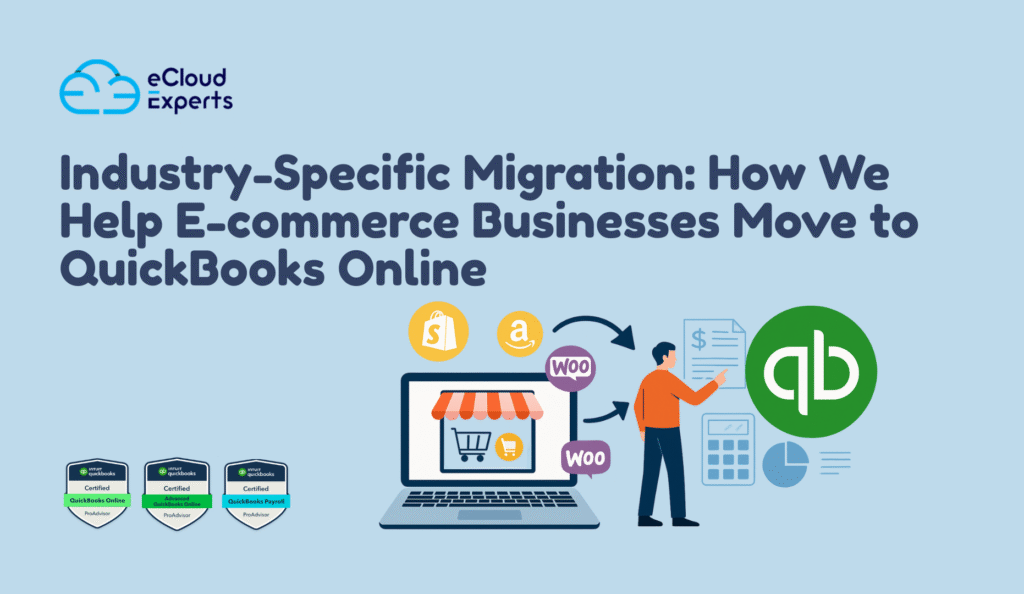
Industry-Specific Migration: How We Help E-commerce Businesses Move to QuickBooks Online Running an e-commerce business is exciting. But behind the scenes, managing finances often feels like a constant headache. From tracking Shopify sales to filing VAT returns, most store owners quickly realise spreadsheets and manual bookkeeping just don’t cut it. As sales grow, the accounting gets more complex—and more stressful. That’s where an Ecommerce QuickBooks Online setup makes all the difference. By moving your business to QuickBooks Online, you gain clarity, automation, and accurate reporting. It’s a system that supports growth instead of slowing you down. At Ecloud Experts, we help sellers migrate from Shopify, Amazon, and WooCommerce to QuickBooks Online. Whether you need a full Shopify to QuickBooks migration or a complete multi-channel integration, we handle the heavy lifting so you can focus on sales.. 1. The Hidden Accounting Struggles of E-commerce Stores If you’ve ever felt lost in endless spreadsheets, you’re not alone. Many entrepreneurs start small, but as sales grow, so do the problems: Without the right Ecommerce QuickBooks Online setup, these issues only get worse. Transactions pile up. Tax deadlines sneak up. Decisions get made with incomplete data. That’s risky for any business, especially when you’re working with tight margins and fast-moving products. A poorly executed Shopify to QuickBooks integration can also cause double counting or missing refunds. When your books don’t match your bank, it’s more than an accounting problem—it’s a business risk. 2. Why QuickBooks Online Is the Best Fit for E-commerce QuickBooks Online is the go-to accounting solution for online sellers. It was built with growth in mind. Here’s why it works so well: An Ecommerce QuickBooks Online setup is especially powerful when paired with Shopify, WooCommerce, or Amazon. It doesn’t just simplify bookkeeping—it gives you insights into best-selling products, seasonal trends, and true profitability. When done properly, a Shopify to QuickBooks migration ensures: Don’t let manual processes hold you back. With QuickBooks Online, you get a system that scales as your business grows. 3. Ecommerce QuickBooks Online Setup: Our Proven Process Migrating your books to QuickBooks Online is more than just transferring data. It’s about setting up a foundation for accurate financial management. At Ecloud Experts, our process for Ecommerce QuickBooks Online setup covers every detail. Step 1: Initial Data ReviewWe start by auditing your existing accounts—whether they’re in spreadsheets, Xero, or desktop software. Step 2: Custom Chart of AccountsE-commerce businesses need tailored categories for: Step 3: Data MigrationWe transfer: Step 4: Tax ConfigurationVAT/GST rules are aligned with your selling regions to ensure compliance. Step 5: Integration SetupShopify, Amazon, and PayPal accounts are linked to QuickBooks Online. Without a professional Ecommerce QuickBooks Online setup, sellers risk data loss or tax code mismatches. With our team, every transaction is mapped accurately, saving you hours of reconciliation work later. And if you’re doing a Shopify to QuickBooks migration, we handle the tricky parts—like ensuring that refunds, fees, and partial payouts all sync correctly. 4. Shopify to QuickBooks Migration Made Simple If you run a Shopify store, migrating your accounts isn’t always straightforward. A Shopify to QuickBooks setup requires handling complex issues: That’s why we’ve built a proven system for Shopify store owners. With our process, your Shopify to QuickBooks migration is smooth and error-free. What we fix during migration: For example, one of our clients was manually entering hundreds of Shopify orders each week. After working with us, their Shopify to QuickBooks setup fully automated the process—saving 15+ hours monthly and providing clean financials for VAT filing. When you book your migration with Ecloud Experts, you’ll know that every order, fee, and payout will reconcile seamlessly. Don’t wait—schedule your Shopify to QuickBooks migration today and free up your time for growing sales. 5. Advanced Features E-commerce Owners Gain After Migration Once your Ecommerce QuickBooks Online setup is complete, you unlock features that transform how you run your business: Even better, your Shopify to QuickBooks integration ensures that every payout is reconciled without manual work. Instead of wasting time fixing mismatched numbers, you’ll be analysing profit margins and planning your next big campaign. 6. Mistakes to Avoid During Migration Many sellers try to cut costs by handling migration themselves. Unfortunately, that usually leads to: A DIY Ecommerce QuickBooks Online setup often creates more problems than it solves. Similarly, rushing a Shopify to QuickBooks migration without expertise can leave your financial records incomplete. Working with Ecloud Experts means avoiding these mistakes. Our team ensures your books are accurate from day one—so you can focus on running your store, not fixing errors. 7. Why Choose Ecloud Experts for Ecommerce Migration E-commerce accounting isn’t one-size-fits-all. Each store has unique sales channels, tax obligations, and growth goals. That’s why businesses trust us with their migrations. Here’s what sets us apart: One Shopify client went from struggling with mismatched reports to having real-time dashboards of their sales, expenses, and inventory. Their growth was supported by accurate data something a DIY approach could never deliver. If you’re considering a Shopify to QuickBooks migration, don’t settle for half-done setups. Work with a team that understands both e-commerce and accounting. Ready to get started? Book your consultation with Ecloud Experts today and transform your financial management. Conclusion The truth is simple: e-commerce businesses can’t afford inaccurate books. Manual spreadsheets and mismatched Shopify reports only slow growth and create tax risks. With a professional Ecommerce QuickBooks Online setup, you gain automation, clarity, and a system designed to grow with your store. And if you need a Shopify to QuickBooks migration, our team ensures every detail from payouts to VAT codes is handled correctly. Now is the time to take control of your e-commerce finances. Contact Ecloud Experts today for your Ecommerce QuickBooks Online setup and watch how accurate data drives smarter decisions, faster growth, and less stress.
Top 5 Accounting Platforms We Migrate to QuickBooks Online (And Why)
Business owners today know that cloud accounting is no longer a luxury—it’s a necessity. The speed of decision-making, the need for remote access, and the demand for better integrations mean sticking to outdated systems can hold a company back. That’s why more companies are considering a move from older accounting software to QuickBooks Online. At eCloud Experts, we see hundreds of businesses each year requesting migrations from leading platforms like Sage to QuickBooks Online, Xero to QuickBooks Online, and NetSuite to QuickBooks Online. Each migration tells a story: a business looking for greater efficiency, better reporting, or lower costs. The shift isn’t just about changing software. It’s about upgrading how your finance team works, ensuring your accounts are compliant, and giving decision-makers real-time visibility. QuickBooks Online has become the natural choice for SMEs and growing companies alike. In this blog, we’ll highlight the top 5 platforms businesses move away from, and why QuickBooks is their preferred destination. If you’re currently on Sage, Xero, NetSuite, FreshBooks, or Wave, this guide will help you understand the benefits of migrating and how our QuickBooks migration experts ensure the process is smooth, accurate, and stress-free. 1. Migrating from Sage to QuickBooks Online For decades, Sage has been one of the most popular accounting tools for small and medium-sized businesses. But as the business world shifts toward cloud-first solutions, we see more and more clients choosing to migrate from Sage to QuickBooks Online. The reasons are clear: Sage was designed in a desktop era, while QuickBooks Online is built for today’s digital economy. Why businesses leave Sage Many businesses come to us frustrated with Sage. Common challenges include: When these frustrations pile up, business owners start searching for alternatives. That’s when Sage to QuickBooks Online becomes the natural next step. Benefits of QuickBooks Online over Sage Migrating to QuickBooks doesn’t just solve problems—it opens new opportunities. With QuickBooks Online, businesses enjoy: By making the switch, companies gain both flexibility and scalability. Whether you’re a growing retailer, a service provider, or a manufacturer, the move from Sage to QuickBooks Online allows your finance team to work smarter, not harder. A case in point One of our clients, a mid-sized consultancy in London, had been running Sage for over a decade. The finance team struggled with remote access, especially during hybrid working. They also faced constant headaches integrating Sage with their project management tools. After moving from Sage to QuickBooks Online, the company unlocked mobile access, simplified reporting, and reduced annual software costs by nearly 30%. Our migration process for Sage At eCloud Experts, we follow a step-by-step approach to ensure no data is lost in migration: This process guarantees that your switch from Sage to QuickBooks Online is smooth, accurate, and compliant. Why choose us When it comes to Sage migrations, accuracy is everything. Even small errors can cause compliance issues or reporting headaches. That’s why businesses choose our QuickBooks migration services. We’ve handled countless Sage to QuickBooks Online projects, ensuring every transaction, chart of accounts, and VAT record transfers correctly. 2. Migrating from Xero to QuickBooks Online For many years, Xero has been a popular choice among small businesses and startups. Its user-friendly interface and simple automation features made it attractive for companies moving away from spreadsheets or desktop software. However, as businesses grow, the limitations of Xero become more obvious. That’s why we increasingly support clients moving from Xero to QuickBooks Online—because QuickBooks is better equipped to handle scaling needs. Why businesses leave Xero Xero is excellent for very small businesses, but it starts to show cracks when companies expand. The most common issues we hear include: These pain points are why many finance leaders decide that it’s time to transition from Xero to QuickBooks Online. Benefits of QuickBooks Online over Xero Migrating to QuickBooks unlocks a whole new level of flexibility and control. Businesses that switch from Xero to QuickBooks Online gain: The ability to scale quickly and stay compliant makes QuickBooks Online a future-ready solution, especially for SMEs outgrowing Xero. Real business example One of our clients, a fast-growing eCommerce brand, came to us struggling with reporting limitations in Xero. They needed consolidated accounts for multiple sales channels and international branches. After migrating from Xero to QuickBooks Online, they were able to: This switch gave their finance team the tools they needed to keep pace with rapid growth. Our migration process for Xero At eCloud Experts, we make the Xero to QuickBooks Online migration smooth and stress-free: This proven process ensures that your Xero to QuickBooks Online migration is accurate, compliant, and completed with minimal disruption. Why choose us Switching platforms can feel overwhelming, but with the right partner, it becomes a growth opportunity. Our team has helped dozens of companies move from Xero to QuickBooks Online, giving them better reporting tools, stronger compliance support, and faster financial insights. 3. Migrating from NetSuite to QuickBooks Online NetSuite is one of the most advanced ERP systems on the market. Large corporations often adopt it because it offers robust functionality for enterprise-level operations. But for many mid-sized businesses, the platform quickly becomes too complex, too expensive, and too rigid. That’s why we regularly help companies transition from NetSuite to QuickBooks Online. Why businesses leave NetSuite For some businesses, NetSuite is simply more than they need. The most common frustrations we hear include: When businesses feel they’re paying for features they don’t use—or struggling to adapt the system to real-world needs—they start looking for alternatives. The move from NetSuite to QuickBooks Online becomes an appealing option. Benefits of QuickBooks Online over NetSuite Migrating to QuickBooks provides businesses with a more agile, cost-effective solution. By moving from NetSuite to QuickBooks Online, companies gain: This balance of affordability and functionality is why so many mid-sized businesses downsize from NetSuite to QuickBooks Online. Real business example One of our clients, a UK-based wholesale distributor, came to us after years of frustration with NetSuite. Their team found the system overly complicated for day-to-day tasks, and annual licensing fees
How eCloud Experts Make QuickBooks Migration Easy for SMEs
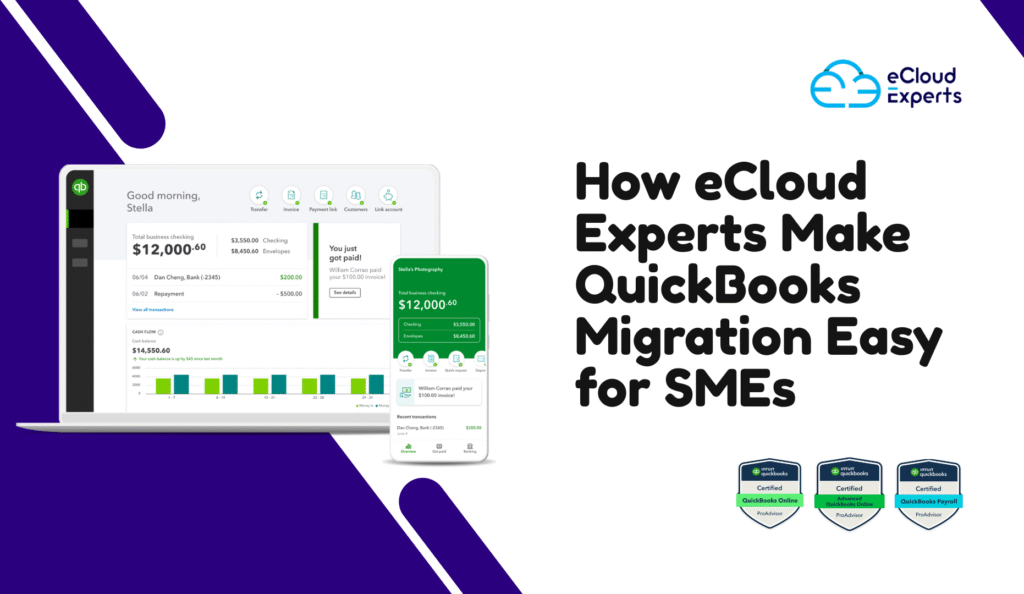
Switching accounting systems is one of the biggest decisions an SME can face. For many business owners, the thought of moving years of financial records, invoices, and VAT data feels overwhelming. Mistakes during the process can lead to missing transactions, compliance problems, or weeks of wasted time. That’s why having the right guidance matters more than ever. This is where QuickBooks migration experts come in. Instead of trying to manage everything alone, SMEs can lean on professionals who understand both the technology and the accounting requirements behind it. With the right partner, migration isn’t just about moving data — it becomes a chance to organise your books, strengthen compliance, and prepare your business for future growth. At eCloud Experts, we specialise in helping small businesses make this transition with confidence. Our team of QuickBooks migration experts has supported hundreds of SMEs across industries, ensuring every transfer is accurate, secure, and aligned with Making Tax Digital rules. We don’t just migrate data; we educate and support SMEs so they feel in control throughout the process. For many owners, the real value of migration comes from what happens next. Once your accounts are on QuickBooks Online, you gain access to powerful tools designed to save time and improve decision-making. From automated VAT submissions to real-time financial dashboards, QBO for SMEs delivers the visibility and control that modern businesses need. Your business deserves more than a rushed, error-prone transfer. With eCloud Experts, you get a clear process, trusted advisors, and post-migration support to keep you confident long after the switch. That’s why so many SMEs trust us as their go-to QuickBooks migration experts. Why SMEs Struggle With QuickBooks Migration Migrating your accounts to a new platform should be simple, yet most small business owners quickly discover it’s not. On the surface, exporting data and re-importing it into QuickBooks Online looks like a straightforward job. But once you get started, the problems add up — and they can seriously disrupt your operations. Here are some of the most common struggles SMEs face: For these reasons, many SMEs hesitate to move forward. The risk of losing financial clarity is real, and owners can’t afford downtime when every day counts. That’s why working with QuickBooks migration experts makes such a difference. Instead of trial and error, you gain structured guidance that protects your data and speeds up the process. It’s also important to note that QuickBooks migration for SMEs is not just about moving files from one system to another. It’s about ensuring those files remain useful, accurate, and compliant once inside QuickBooks Online. When you trust experienced advisors, you can avoid the traps that cost other businesses so much time and money. SMEs that work with QuickBooks migration experts consistently report smoother transitions, better reporting, and fewer headaches at year-end. That confidence is exactly what you deserve when making such a crucial move. With QuickBooks migration experts, migration stops being a burden and becomes a real opportunity to put your accounts in order. Preparing Your Business for a Smooth QuickBooks Migration The success of any migration often comes down to preparation. Many SMEs dive straight into exporting and importing without checking their books first. That approach nearly always leads to errors. Before you switch, it’s worth taking the time to prepare — and this is exactly what QuickBooks migration experts recommend. Here’s a simple checklist to get your business ready: These steps help you start with cleaner data and ensure that what moves across is useful. But preparation doesn’t stop with your accounts. It’s also about preparing your team. Staff who understand what’s changing and why will adapt more quickly, which reduces disruption once the migration is complete. The truth is, few SMEs manage this preparation alone. Working with QuickBooks migration experts means you have someone to guide you through every check, highlight issues you might miss, and give clear advice before problems appear. By following their lead, you can save hours of backtracking later. For SMEs, migration is more than a technical job. It’s a chance to get the books right, resolve long-standing problems, and move forward with confidence. When guided by QuickBooks migration experts, preparation becomes the foundation of a smoother, safer transition. That’s how you protect your data and your business. Why eCloud Experts Are the QuickBooks Migration Experts SMEs Trust Choosing who handles your migration is just as important as choosing the software itself. Many SMEs come to us after trying on their own or working with general IT providers who don’t fully understand accounting requirements. The result is often incomplete data, compliance issues, or systems that don’t reflect how the business actually runs. That’s why turning to true QuickBooks migration experts makes such a difference. At eCloud Experts, we’ve spent years specialising in helping SMEs migrate to QuickBooks Online with confidence. Our role goes beyond just moving numbers from one platform to another — we make sure every figure, tax code, and report lines up so your new system is ready to support daily business needs. SMEs across retail, construction, professional services, and eCommerce trust us because we combine technical know-how with accounting expertise. Here are just a few reasons why clients rely on us as their go-to QuickBooks migration experts: We also understand that not every business stays with QuickBooks forever. Some SMEs eventually grow into different systems, which is why we also support moves such as QuickBooks to Xero migration. This wider experience ensures we can give you honest advice about whether QuickBooks Online is the right fit today — and how to prepare if you might outgrow it in the future. Ultimately, SMEs trust us because we listen first. We start by understanding how you work, what challenges you face, and what you want from your new accounting system. Then we tailor the migration around your needs instead of forcing a one-size-fits-all solution. That’s why so many business owners call us the QuickBooks migration experts they can rely on. With eCloud Experts, you don’t just get
QuickBooks Online and VAT: Key Considerations for UK Businesses
Running a business in the UK means dealing with VAT sooner or later. For many small and growing companies, this becomes even more important when moving their accounts to QuickBooks Online. Setting up VAT correctly is not just about ticking a box. It decides whether your numbers match HMRC rules and whether you stay ready for Making Tax Digital (MTD). Many business owners think VAT will sort itself out once they switch software. But the truth is, QuickBooks VAT setup UK is one of the most critical steps after migration. If it’s done wrong, VAT returns may not balance, reports may show gaps, and HMRC submissions could be rejected. These errors can lead to late filing penalties and even unwanted attention from the tax office. QuickBooks Online is designed to make VAT simpler, but it still needs the right setup for UK businesses. From choosing the correct VAT scheme to linking with HMRC for MTD, every detail matters. Done right, it saves hours each quarter and gives peace of mind that your returns are accurate. Done wrong, it leaves you with a mess to untangle. In this guide, we’ll walk through what UK businesses need to know about QuickBooks VAT setup, how MTD filing works, and the key checks to complete after migration. Whether you’re moving from Sage, Xero, or spreadsheets, this article will show you how to stay VAT compliant and get the best out of QuickBooks Online. Why Proper VAT Setup Matters After Migration Switching to new accounting software is exciting, but VAT often causes the first roadblock. Many UK businesses move their books from Sage, Xero, or even Excel into QuickBooks Online. The goal is simple: save time, keep cleaner records, and file VAT returns faster. But unless VAT is set up correctly, the benefits can quickly turn into headaches. VAT errors don’t always show up right away. At first, reports might look fine. But when it’s time to file, gaps appear. Returns may not match HMRC records, transactions could be missed, or the wrong VAT codes may have been applied. These problems usually trace back to one thing: a poor QuickBooks VAT setup UK process after migration. Getting VAT right is more than just entering your VAT number into QuickBooks. It means choosing the right VAT scheme, checking that start dates match HMRC records, and making sure all historical transactions fall into the correct VAT periods. If you were on a flat rate scheme before, for example, that needs to carry over into QuickBooks accurately. The risks of skipping these checks are high. Filing an incorrect return can lead to HMRC penalties. Even small mistakes can cause mismatched reports and hours of wasted time trying to reconcile figures. Worse still, once VAT has been submitted under MTD, corrections are harder to manage. For UK businesses, VAT setup is not an area to cut corners. QuickBooks Online gives you the tools to stay compliant, but only if the system is built correctly from the start. By focusing on accurate setup during and after migration, you make sure every VAT return is aligned with HMRC and your books reflect reality. Step-by-Step: QuickBooks VAT Setup UK When you first open QuickBooks Online after migration, one of the most important tasks is turning on VAT. This is where many UK businesses slip up, often because the steps look simple but carry long-term impact. A proper QuickBooks VAT setup UK ensures that every invoice, bill, and return is tracked correctly from day one. The process begins in your QuickBooks Online settings. Here, you add your VAT registration details, including your VAT number, effective date, and the scheme you are registered under. Picking the right scheme matters. QuickBooks Online allows you to choose from: If your business was on one of these schemes before migration, it must match exactly in QuickBooks. Choosing the wrong option now means reports won’t match HMRC requirements later. Next comes VAT codes. QuickBooks Online provides standard VAT codes UK businesses rely on, such as 20% standard rate, 5% reduced rate, and 0% for exempt supplies. But problems arise when businesses import data with old or duplicate VAT codes. Every code must be checked so that future transactions fall under the correct category. Once VAT is switched on, QuickBooks begins tracking VAT automatically on all sales and purchases. But there’s another key step: aligning your VAT start date with HMRC. If you migrated in the middle of a VAT period, QuickBooks needs to reflect this. Otherwise, you risk double-reporting or missing transactions in your next return. A step many forget is connecting QuickBooks Online to HMRC for MTD filing. Even if VAT codes are correct, you cannot submit digitally until this link is active. Without it, your QuickBooks VAT setup UK is incomplete, and you may fail HMRC’s Making Tax Digital rules. Setting up VAT properly in QuickBooks takes time, but it lays the foundation for stress-free returns. With the right details in place, every future submission is faster, cleaner, and fully compliant. Making Tax Digital (MTD) and QuickBooks For years, UK businesses submitted VAT returns using spreadsheets or manual entry. That all changed when HMRC introduced Making Tax Digital (MTD). Now, VAT-registered businesses must keep digital records and file returns through compatible software. QuickBooks Online is one of HMRC’s recognised tools, but only if your setup is complete and linked to HMRC. The first step is activating the MTD connection inside QuickBooks Online. Once VAT is enabled, QuickBooks asks you to sign in with your Government Gateway ID. This creates a secure link between your QuickBooks account and HMRC. Without this step, you cannot file VAT returns digitally. Even if your QuickBooks VAT setup UK looks correct, it won’t be MTD-ready until this link is active. Why does this matter? Filing under MTD rules means every transaction must flow through QuickBooks Online with the right VAT code. If you import data incorrectly during migration, errors may appear in your first return. For example, a sales invoice