
Why Xero Hourly Support is the Key to Stress-Free Accounting
Running a business is exhilarating, but let’s be honest—managing your accounting can feel like a never-ending headache. Whether you’re wrestling with bank reconciliations, puzzling over multi-currency transactions, or just trying to make sense of Xero’s features, accounting stress is real. Fortunately, Xero hourly support from eCloud Experts is here to save the day. With their flexible, on-demand Xero support services, businesses of all sizes can say goodbye to accounting chaos and hello to clarity. In this blog, we’ll explore why Xero expert support is a game-changer, dive into eCloud Experts’ bespoke support model, and show you how it can make your financial life stress-free. The Power of Flexible, On-Demand Xero Support First and foremost, what makes Xero hourly support so special? Unlike rigid support packages that lock you into long-term contracts, hourly support is all about flexibility. Need help troubleshooting a tricky bank feed? Want a quick training session on generating reports? Or maybe you’re setting up Xero for the first time and need a guiding hand? With eCloud Experts’ Xero support services, you get tailored help exactly when you need it—no more, no less. For small business owners, this is a lifeline. Instead of spending hours Googling solutions or stressing over errors, you can tap into the expertise of a Xero certified advisor like Zakir from eCloud Experts. As a result, you save time, avoid costly mistakes, and focus on what you do best—growing your business. Plus, hourly support is cost-effective, making it ideal for startups, freelancers, and established companies alike. eCloud Experts’ Bespoke Support Model So, what sets eCloud Experts apart in the world of Xero help? Their bespoke support model is designed to meet your unique needs, whether you’re a solo entrepreneur or managing a large team. Specifically, eCloud Experts offers a comprehensive range of services, delivered with patience, professionalism, and deep Xero expertise. Here’s a breakdown of what you can expect: 1. Xero Setup and Configuration Getting started with Xero can feel overwhelming, but eCloud Experts makes it seamless. They’ll help you: For example, Amolesh Chandra Paul praised eCloud Experts for their “responsive, knowledgeable, and efficient” setup support, which streamlined his business’s financial processes. 2. Troubleshooting and Problem-Solving Even seasoned Xero users run into hiccups. Whether it’s a bank reconciliation error, a VAT setup issue, or a misfiring invoice, eCloud Experts is your go-to for quick fixes. Their Xero certified advisors dive into your account, diagnose the problem, and provide step-by-step solutions. Chris Wood, a client, shared, “Zak was very helpful when I got myself into a pickle. He managed to rectify the issue and tweaked a few other bits.” 3. Training and Skill-Building Want to master Xero yourself? eCloud Experts offers personalized training sessions tailored to your skill level. From basic navigation to advanced features like multi-currency transactions or fixed asset management, they’ll empower you to use Xero like a pro. Nikola Bendikova called their training “very professional and knowledgeable,” while Craig Reid noted how it “empowered our understanding of all the features on Xero.” 4. Migration Support Switching to Xero from another platform? eCloud Experts specializes in smooth migrations. They’ve helped clients like David John move from QuickBooks to Xero, handling complex tasks like transferring multi-currency data with precision. As David put it, “They were excellent—saved us a great deal of time and effort.” 5. Ongoing Advice and Optimization Beyond one-off fixes, eCloud Experts provides strategic advice to optimize your Xero setup. They’ll show you how to automate repetitive tasks, set up payment gateways like Stripe, or generate detailed management reports. Ollie Smedley appreciated how Zak “made useful suggestions for other Xero features I could use.” With eCloud Experts, you’re not just getting Xero help—you’re gaining a partner who’s invested in your success. Their hands-on approach ensures that every session is practical, actionable, and tailored to your business. How Xero Hourly Support Reduces Stress Now, let’s talk about the real magic: how Xero hourly support takes the stress out of accounting. For starters, it’s like having a Xero expert support team on speed dial. Instead of panicking over a looming tax deadline or wrestling with a confusing report, you can book a session with eCloud Experts and get immediate relief. Their advisors work at your pace, explain concepts clearly, and ensure you understand every step. Moreover, eCloud Experts’ support is proactive. They don’t just fix problems—they help you prevent them. For instance, they’ll set up bank rules to automate transaction categorization or teach you how to lock dates to avoid accidental changes. As a result, you’ll spend less time on admin and more time on your business. Khyati Lathigra summed it up perfectly: “Zakir was very much helpful! Even though he wasn’t feeling well, he still decided to join the meeting and help me out on every single question I asked.” Why Choose eCloud Experts? Above all, eCloud Experts stands out for their unmatched expertise and client-focused approach. With countless five-star reviews, they’ve earned a reputation as a trusted Xero certified advisor. Clients like Russell Cassleton Elliott, a Xero novice, called their service “the best for a beginner like me,” while ANIL SURMELI declared Zak “a complete expert on Xero.” Whether you need a quick fix or ongoing support, eCloud Experts delivers results that make accounting stress-free. FAQ: Common Questions About Xero Hourly Support To address common queries about Xero support services, here’s a quick FAQ: Q: Who can benefit from Xero hourly support?A: Anyone using Xero, from small business owners to accountants, freelancers, and large teams. It’s perfect for those needing setup, troubleshooting, or training. Q: Do I need prior Xero knowledge?A: Not at all! eCloud Experts tailors support to your skill level, whether you’re a beginner or an advanced user. Q: How do I book a session?A: Simply contact eCloud Experts via their website to schedule a session. They offer flexible online, phone, or onsite support. Q: What if I only need help with one issue?A: That’s the beauty of hourly support—you pay only for the time you need. eCloud Experts
Top 10 Xero Features Every Small Business Should Use in 2025

As small business owners, we know the grind of juggling finances while chasing growth—it’s exhausting, right? At Ecloud Experts, a Xero Champion Partner, we’ve seen firsthand how Xero transforms this chaos into clarity with its cloud-based tools. Moreover, with 2025 bringing new opportunities and challenges like Making Tax Digital (MTD) compliance, leveraging the right Xero features for small business is non-negotiable. So, we’re sharing our expert pick of the top 10 Xero features to streamline your operations, paired with Xero tips from our years of experience. For instance, we’ll also show how our Xero hourly support empowers you to master these tools through tailored training. Ready to save time and boost efficiency? Let’s dive in! 1. Automated Bank Feeds Why It’s Essential: Xero’s bank feeds connect to over 21,000 financial institutions, importing transactions daily. For example, this cuts manual data entry, saving our clients up to 5.5 hours weekly, based on Xero’s data.How We Help You Use It: We guide you to set up feeds and use Xero’s AI to auto-match transactions to accounts. As such, your reconciliations are faster and error-free.Our Xero Support: During our Xero hourly support, we optimize bank feeds for your specific accounts, ensuring seamless integration. In fact, we’ve helped clients like Sammons Recruitment Group slash reconciliation time by 30%. 2. Bank Rules Why It’s Essential: Bank rules automate transaction categorization based on your criteria, like payee or amount. As a result, repetitive tasks vanish, and your books stay consistent.How We Help You Use It: We show you how to create rules for recurring expenses, like “Vodafone” for telecoms with 20% VAT. Moreover, we fine-tune rules to match your workflow.Our Xero Support: Our Xero certified advisors use Xero hourly support to build custom rules, saving you hours. For instance, we helped Signature Illumination automate 80% of their expense categorization. 3. Invoicing with Online Payments Why It’s Essential: Xero’s invoicing creates branded invoices and accepts payments via Stripe or GoCardless. In fact, Xero data shows businesses using online payments get paid 7 days faster.How We Help You Use It: We teach you to design professional invoices and set up payment links. Additionally, we configure automated reminders for overdue invoices.Our Xero Support: Our Xero support sessions ensure your invoices reflect your brand and integrate payments seamlessly, boosting cash flow for clients like Spyscape. 4. Expense Tracking with Hubdoc Why It’s Essential: Hubdoc captures receipts and bills via email or photo, extracting data for transactions. Thus, it’s a game-changer for tracking expenses paid with personal cards.How We Help You Use It: We train you to email receipts to Hubdoc or use the Xero app for photos. For example, we ensure Hubdoc accurately reads a fuel receipt’s details.Our Xero Support: Our Xero hourly support includes Hubdoc setup and AI verification training, helping clients like SRM claim every tax-deductible expense. 5. Fixed Assets Management Why It’s Essential: Xero’s fixed assets tracks assets like laptops or vehicles, automating depreciation. As such, it simplifies tax reporting and compliance.How We Help You Use It: We show you how to add assets and choose depreciation methods, like straight-line for a £5,000 printer. Moreover, we ensure accurate ledger updates.Our Xero Support: Our Xero support sessions cover fixed asset setup, ensuring compliance for clients like Dennyloanhead Community Hall, who streamlined their asset tracking. 6. Customizable Reporting Why It’s Essential: Xero’s 80+ reports, like profit and loss or aged receivables, offer real-time insights. For instance, the “Cash Summary” report tracks liquidity instantly.How We Help You Use It: We train you to favorite key reports and customize them by date or tag. Additionally, we teach you to export reports for advisors or investors.Our Xero Support: Our Xero hourly support helps you build reports tailored to your KPIs, empowering data-driven decisions for clients like Amolesh Chandra Paul. 7. Payroll Integration with Gusto Why It’s Essential: Xero’s Gusto integration handles employee onboarding, tax filings, and pensions. In fact, it’s critical for MTD compliance in 2025.How We Help You Use It: We guide you to sync employee data and automate RTI submissions to HMRC. For example, we ensure payroll costs flow into your ledger.Our Xero Support: Our Xero certified advisors provide Xero support to configure Gusto, ensuring compliance and ease for clients like Recruiter Base. 8. Multi-Currency Support Why It’s Essential: Xero’s multi-currency feature supports 160+ currencies, perfect for international trade. Thus, it’s ideal for businesses with global clients.How We Help You Use It: We train you to enable multi-currency, set exchange rates, and invoice in foreign currencies, like USD for a US client. Moreover, we handle reconciliations.Our Xero Support: Our Xero hourly support ensures accurate multi-currency setups, as we did for abdur rokib, streamlining their global transactions. 9. Project Tracking Why It’s Essential: Xero’s project tracking monitors job costs and profitability, ideal for service businesses. As a result, you know which projects drive revenue.How We Help You Use It: We show you how to create projects, log hours, and invoice from the dashboard. For instance, track time on a client’s marketing campaign.Our Xero Support: Our Xero support sessions optimize project tracking, helping clients like Bluefish Digital boost profitability by 15%. 10. Third-Party App Integrations Why It’s Essential: Xero’s App Store offers 1,000+ integrations, from Shopify to HubSpot. For example, syncing sales data avoids duplicate entries.How We Help You Use It: We recommend apps based on your needs and train you to integrate them. Additionally, we ensure data flows smoothly across platforms.Our Xero Support: Our Xero hourly support guides you through app selection and setup, creating tailored workflows for clients like Hana Rassel. Why Ecloud Experts’ Xero Hourly Support is Your Key to Success Mastering these features can feel overwhelming, but that’s where we shine. At Ecloud Experts, our Xero hourly support (starting at £50/hour) delivers personalized, hands-on training to make Xero work for you. For instance, we offer: For example, Craig Reid from Dennyloanhead Community Hall raved: “The training from Ecloud Experts empowered our understanding of Xero’s features. The trainer was patient and worked at our pace.” Thus, our Xero
From Chaos to Clarity: Transform Your Landlord Finances with Xero Training
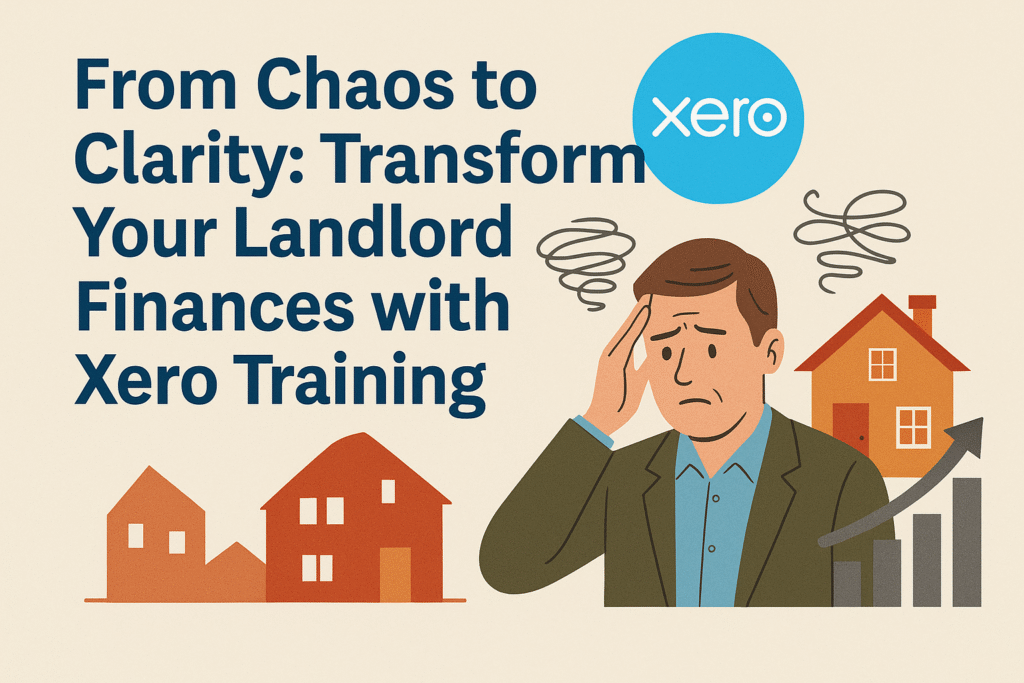
Managing finances as a landlord can feel like navigating a maze with no exit. However, with the right tools and training, you can turn chaos into clarity. If you’re a landlord struggling with manual bookkeeping or looking for a better way to manage your rental properties, Xero training for landlords is the solution you’ve been searching for. Specifically, the Xero Property Management Course offered by eCloud Experts empowers landlords to streamline their accounting, optimize portfolio management, and gain crystal-clear financial insights. In this blog, we’ll share a landlord’s journey from bookkeeping chaos to success, explore how this course transforms your workflow, and invite you to take the first step toward financial clarity. A Landlord’s Struggle with Manual Bookkeeping Meet Sarah, a landlord with a growing portfolio of five rental properties in Surrey. Initially, Sarah managed her finances using spreadsheets and a shoebox full of receipts. Every month, she spent hours manually tracking rent payments, logging expenses, and reconciling bank statements. Consequently, errors crept in—missed invoices, duplicate entries, and miscalculated taxes. Tax season was a nightmare, as she scrambled to organize her records and dreaded costly mistakes. Frustrated and overwhelmed, Sarah knew there had to be a better way. Then, she discovered Xero for rental properties and enrolled in eCloud Experts’ Xero Property Management Course. Almost immediately, her financial chaos began to transform into clarity. With Xero’s intuitive platform and eCloud Experts’ expert guidance, Sarah learned to automate her bookkeeping, track her portfolio’s performance, and generate reports that made tax compliance a breeze. Today, she spends less time on admin and more time growing her property business—all thanks to the skills she gained from the course. How Xero’s Property Management Course Transforms Your Finances So, what makes the Xero Property Management Course a game-changer for landlords? For starters, it’s tailored specifically to the unique needs of property management. Whether you manage one rental or a sprawling portfolio, this course equips you with the tools to master landlord accounting software like Xero. Here’s a closer look at what you’ll learn: Portfolio Setup First and foremost, the course guides you through setting up your rental portfolio in Xero. You’ll learn how to: By the end, you’ll have a fully functional Xero setup that reflects your portfolio’s structure, saving you hours of manual data entry. Advanced Reporting Moreover, the course dives deep into Xero’s reporting features, empowering you to gain actionable insights. You’ll master: As a result, you’ll have real-time visibility into your finances, enabling smarter decisions and stress-free tax seasons. Additional Features Beyond setup and reporting, the course covers advanced tools like: With these skills, you’ll transform your financial management from a time-consuming chore into a streamlined process. Interactive Sessions and Flexible Formats What sets eCloud Experts’ Xero Property Management Course apart is its engaging, hands-on approach. Specifically, the course features interactive sessions where you’ll practice real-world scenarios, such as reconciling a tricky bank statement or generating a tax report. Additionally, trainers like Zakir, a certified Xero advisor, are known for their patience and expertise, ensuring you understand every concept. For example, clients like Amolesh Chandra Paul have praised eCloud Experts for their “responsive, knowledgeable, and efficient” support. Furthermore, eCloud Experts offers flexible training formats to suit your schedule and learning style: Regardless of the format, each session lasts approximately 6 hours and includes comprehensive training manuals, a Certificate of Completion, and one month of free email support. Consequently, you’ll leave the course fully equipped to manage your finances with confidence. Why Choose eCloud Experts? Above all, eCloud Experts is the trusted partner you need to master Xero for rental properties. Their team has supported countless landlords and businesses, earning glowing reviews for their expertise and dedication. For instance, Craig Reid, a charity manager, called their training “empowering,” while Chris Dye praised Zakir’s ability to structure sessions around specific needs. Similarly, Sarah, our landlord from earlier, credits eCloud Experts for transforming her bookkeeping from chaos to clarity. Additionally, eCloud Experts’ deep understanding of Xero’s features ensures you learn practical, real-world applications. Whether it’s migrating from QuickBooks, setting up multi-currency accounts, or automating rent collection, their trainers guide you every step of the way. As a result, you’ll not only master Xero but also gain the confidence to apply your skills effectively. Take Control of Your Finances Today In conclusion, the Xero Property Management Course from eCloud Experts is your key to transforming landlord finances. By mastering portfolio setup, advanced reporting, and automation, you’ll save time, reduce errors, and gain clarity over your rental income. Moreover, with interactive sessions, flexible formats, and eCloud Experts’ expert guidance, you’re guaranteed a learning experience that’s engaging, practical, and tailored to your needs. So, don’t let manual bookkeeping hold you back any longer. Enroll in our Xero certified training today and take the first step toward financial clarity. Whether you’re a seasoned landlord or just starting out, Xero training for landlords will empower you to manage your properties like a pro. Book now or enquire today to secure your spot with eCloud Experts!
Why Small Businesses Can’t Afford to Skip Xero Payroll Training
Running a small business is a whirlwind, isn’t it? Between managing operations, chasing clients, and keeping the books in order, payroll can feel like a ticking time bomb. One wrong move—like an incorrect tax code or a missed RTI submission—can lead to hefty fines or disgruntled employees. However, there’s a solution that empowers small business owners to take control: Xero Payroll Training from us, a Xero Champion Partner. Moreover, this 6-hour Xero course UK—available for £400 online or £500 in classrooms—equips you with the skills to avoid costly payroll mistakes, streamline processes, and ensure compliance. So, let’s dive into why Xero payroll for small business is a must-have investment and how we make it happen. Avoiding Costly Payroll Mistakes First, let’s talk about the pitfalls of payroll. Small businesses often juggle payroll without dedicated staff, leading to common errors that can spiral into big problems. For instance, entering incorrect tax codes can result in under- or overpaid taxes, triggering HMRC penalties. Similarly, missing Real-Time Information (RTI) submissions or mishandling National Insurance contributions can lead to fines starting at £100 per month. In fact, a 2023 HMRC report noted that 10% of small businesses faced penalties due to payroll errors, costing them thousands annually. Fortunately, our Xero Payroll Training is designed to help you sidestep these traps. For example, in just 6 hours, you’ll learn to: Furthermore, we guide you through practical exercises that mimic real-world payroll tasks. Thus, you’ll gain the confidence to handle payroll flawlessly, saving your business from costly mistakes. In short, our payroll training for business owners is your shield against the chaos of payroll errors. Time-Saving Xero Features You’ll Master Next, let’s explore how Xero’s powerful features, taught in our course, can save you hours each week. Small business owners often spend late nights crunching payroll numbers, but Xero’s automation tools make this a thing of the past. For instance, during our Xero Payroll Training, you’ll learn to leverage: Consequently, these tools, mastered in our course, can slash payroll processing time by up to 50%, according to Xero user surveys. Thus, you’ll free up hours to focus on growing your business, not wrestling with spreadsheets. In fact, we ensure you leave the training knowing exactly how to maximize Xero’s efficiency, making payroll a breeze. A Small Business Success Story But don’t just take our word for it—our training has transformed payroll for small businesses like Dennyloanhead Community Hall, a small charity and limited company. Craig Reid, a representative, shared their experience: “The Xero Payroll Training from us went really well and helped empower our understanding of all the features on Xero. The trainer was patient and worked at our pace. It’s a great software to process accounts and saves loads of time.” As a result, Dennyloanhead streamlined their payroll, ensuring compliance and freeing up resources for their community mission. Moreover, their success mirrors that of other small businesses, like Sammons Recruitment Group, who rely on us to simplify financial operations. Thus, our Xero payroll for small business course isn’t just training—it’s a lifeline for busy owners looking to avoid payroll mistakes. A Cost-Effective Investment for Compliance and Efficiency Now, let’s talk value. At £400 for online live training via Zoom or £500 for classroom sessions in London, Surrey, or Berkshire, our Xero Payroll Training is a steal compared to the cost of payroll errors or outsourcing. For instance, HMRC fines for late RTI submissions can exceed £400 per year for small businesses, while payroll software errors can cost hours of rework. By contrast, our 6-hour course equips you to manage payroll in-house with confidence, saving money and stress. Additionally, the training includes a certificate of completion, a credential that boosts your business’s credibility or enhances your CV if you’re hiring staff. For example, clients and employees trust businesses with certified Xero skills, knowing their payroll is in safe hands. Furthermore, we provide comprehensive training manuals and one month of free email support, ensuring you have resources to tackle any post-training challenges. As such, this payroll training for business owners is a one-time investment with long-term rewards. Why We Are Your Trusted Partner Next, let’s highlight why we’re the ideal partner for your payroll journey. First, our Xero Champion Partner status reflects our deep expertise and trusted relationship with Xero. Moreover, our trainers, like Zakir, bring real-world experience, earning praise from clients like Amolesh Chandra Paul: “We have been an exceptional partner. Our hands-on support made Xero easy to use, even for beginners, allowing us to focus on growing our business.” In addition, we personalize training to your needs, whether you’re learning solo, with a team, or onsite at your UK workplace. For example, clients like Charlotte Pownall commend our quick, informative responses, while Liam Hammond highlights our ability to simplify complex tasks. Thus, with us, you’re not just taking a Xero course UK—you’re partnering with experts dedicated to your success. Furthermore, our course is designed for small business owners, with no prior Xero knowledge required. As a result, we break down complex payroll concepts into clear, actionable steps, ensuring you leave empowered. In fact, our 5-star Google reviews from clients like Signature Illumination underscore our commitment to delivering value, making us the go-to choice for Xero payroll for small business. Who Should Take This Training? So, who is this training for? Specifically, it’s perfect for small business owners managing their own payroll, as well as: Best of all, the course is accessible to all, with trainers who make learning engaging and stress-free. For instance, whether you’re new to payroll or refining your skills, we ensure you feel supported every step of the way. The Long-Term Benefits of Xero Payroll Training Finally, let’s look at the bigger picture. Xero Payroll Training isn’t just about fixing today’s payroll headaches—it’s about future-proofing your business. For example, Xero’s cloud-based platform evolves with HMRC regulations, ensuring your skills stay relevant. Moreover, the time-saving features you’ll master, like automated pay runs and integrated reporting, reduce stress and let you focus on
Unlock Financial Mastery with Xero Practical Accounting & Bookkeeping Training
Managing finances can feel like wrestling with a never-ending puzzle, can’t it? From tracking transactions to preparing reports, bookkeeping and accounting demand precision and confidence. However, there’s a solution that transforms this challenge into an opportunity: Xero Practical Accounting & Bookkeeping Training. Moreover, with Ecloud Experts, a Xero Gold Partner, leading the way, you’ll gain hands-on skills to streamline financial processes and ensure compliance. So, whether you’re a small business owner, an aspiring accountant, or a job seeker aiming to boost your CV, let’s dive into why this training is your path to financial success—and how Ecloud Experts makes it happen. Why Xero Practical Accounting & Bookkeeping Training? First, Xero’s cloud-based platform is a global favorite for its intuitive design and robust features. Therefore, Xero Practical Accounting & Bookkeeping Training equips you to leverage these tools for efficient financial management. For instance, you’ll master recording transactions, reconciling accounts, and generating reports with ease. What’s more, Ecloud Experts brings unmatched expertise, ensuring you leave with practical skills that save time and enhance accuracy. Additionally, this training isn’t just about learning software. Instead, it’s about empowering you to take control of your finances or career. Ecloud Experts designs the course for everyone—business owners, bookkeepers, students, or professionals seeking Xero certification. As a result, you’ll earn a certificate that elevates your credentials, making you a standout in the job market or a more confident business manager. Flexible Training Options Tailored to You Next, let’s explore the flexibility Ecloud Experts offers. Because life is hectic, they provide multiple formats to fit your schedule: Furthermore, sessions run weekdays, weekends, and evenings (10:00 AM–4:00 PM or 6:30 PM–9:30 PM), so you can learn at your pace. For example, online training costs £1400, while classroom sessions are £1600, with each course spanning approximately 24 hours. Hence, Ecloud Experts ensures accessibility for all, no matter your location or schedule. What You’ll Learn with Ecloud Experts Now, let’s unpack the training’s core. Xero Practical Accounting & Bookkeeping Training, delivered by Ecloud Experts, provides a comprehensive dive into Xero’s functionality. Specifically, you’ll cover: Moreover, Ecloud Experts ensures hands-on learning through interactive exercises, bridging theory and practice. Thus, whether you’re a beginner or an experienced bookkeeper, you’ll gain skills to apply immediately. Real Success Stories from Ecloud Experts’ Clients But don’t just take our word for it—Ecloud Experts has empowered countless clients to master Xero. For instance, here’s what they say: Amolesh Chandra Paul: “Ecloud Experts has been exceptional. Their expertise and hands-on support streamlined our financial processes, making Xero accessible even for beginners.” Betty Kelly: “Zakir and Aman at Ecloud Experts were fantastic, simplifying our Netsuite-to-Xero migration. Highly recommend them!” Craig Reid, Dennyloanhead Community Hall: “Ecloud Experts’ training empowered us to understand Xero’s features. The trainer was patient and worked at our pace.” Tom Wragg: “Zakir from Ecloud Experts was thorough and excellent during our training. Highly recommend!” In fact, businesses like Pedactive, Primeland, and Sammons Recruitment Group rely on Ecloud Experts for accounting solutions. As a result, their 5-star Google reviews underscore Ecloud Experts’ commitment to excellence. What’s in It for You? So, what do you gain by enrolling? Ecloud Experts ensures you’re fully equipped for success with a robust support package. Here’s a detailed look: Together, these resources create a foundation for long-term success, ensuring you thrive in bookkeeping and accounting. Who Should Enroll? Furthermore, this training is for anyone eager to excel in financial management. Specifically, it’s ideal for: Best of all, no prior Xero knowledge is required. Ecloud Experts makes the course accessible, ensuring you feel supported from day one. Why Choose Ecloud Experts? Now, let’s highlight why Ecloud Experts is the perfect partner. First, their Xero Gold Partner status reflects their deep expertise and trusted relationship with Xero. Moreover, their trainers, like Zakir, are certified advisors who bring real-world experience to the classroom. For example, clients like abdur rokib praise Ecloud Experts for their precision in complex migrations, while Charlotte Pownall highlights their quick, informative responses. Additionally, Ecloud Experts personalizes training to your needs, whether you’re a solo learner or part of a team. As such, their flexible formats and schedules ensure you can learn without disruption. In fact, their 5-star reviews from clients like Liam Hammond and Nikola Bendikova showcase their dedication to delivering value. Ready to Transform Your Financial Management? In conclusion, bookkeeping and accounting don’t have to be overwhelming. Instead, with Xero Practical Accounting & Bookkeeping Training and Ecloud Experts by your side, you’ll gain the skills to manage finances confidently, save time, and ensure compliance. So, why wait? Enquire Now or Book Now to secure your spot in the next session. Visit the Ecloud Experts website or reach out to discover how this training can elevate your career or business. Ultimately, let’s make financial management simple—together.
Sage vs QuickBooks Online: Revealing Important Financial Reporting Variations
Choosing the best accounting software is essential for any company looking to optimize its financial processes. For example, two prominent competitors in the market are Sage and QuickBooks Online. Although both platforms provide powerful capabilities, there are major differences in their approaches to financial reporting, which can affect how you manage and evaluate the financial health of your company. Are these two possibilities conflicting with you? To assist you in making an informed decision, let’s examine this thorough comparison of Sage and QuickBooks Online with an emphasis on financial reporting. From simple report creation to sophisticated analytics, we’ll go over everything. We’ll even go over the steps involved in switching from Sage to QuickBooks Online. Core Financial Reporting: A Comparison between Sage vs QuickBooks Online First, both Sage and QuickBooks Online excel at delivering essential financial reporting tools, such as balance sheets, profit and loss statements, and cash flow reports. However, their user experience and functionality set them apart. QuickBooks Online, a cloud-based solution, emphasizes accessibility and ease of use. For example, its intuitive dashboard allows users to generate reports with minimal effort, often with real-time updates that make data instantly actionable. I once helped a small business owner set up QuickBooks Online, and she was generating clear reports within an hour, even with limited accounting knowledge. Sage, on the other hand, offers a more traditional approach, with some versions still rooted in desktop software, though cloud-based options like Sage Accounting are gaining traction. In contrast, Sage’s financial reporting capabilities are robust but can feel complex, especially for users unfamiliar with accounting. For instance, customizing a report in Sage might require navigating multiple menus, which can be daunting. Consequently, QuickBooks Online often wins for its user-friendly interface, making financial reporting more approachable for small businesses. Moreover, QuickBooks Online’s automated bank feeds and reconciliation features streamline data entry, ensuring accurate and timely reports. Sage also supports bank feeds, but its automation can be less seamless, depending on the version. As a result, businesses prioritizing efficiency in financial reporting may lean toward QuickBooks Online in this cloud accounting software comparison. Advanced Financial Analytics and Reporting: A Closer Look Next, let’s explore advanced financial reporting and analytics, where the Sage vs QuickBooks Online comparison becomes more nuanced. Sage, particularly in its higher-tier plans like Sage Intacct, offers sophisticated features for budgeting, forecasting, and multi-entity management. For example, Sage Intacct’s dimensional reporting allows businesses to track financial data across various metrics, such as departments or locations, which is ideal for complex organizations. However, these features often come with a steeper learning curve and higher costs. QuickBooks Online, in contrast, provides robust advanced financial reporting through its Plus and Advanced plans, with customizable reports and integrations with tools like Fathom for deeper analytics. Specifically, you can filter reports by customer, project, or time period, offering flexibility without overwhelming complexity. Moreover, QuickBooks Online’s app marketplace, with over 750 integrations, allows businesses to extend their reporting capabilities by connecting to specialized tools for inventory, CRM, or forecasting. Thus, QuickBooks Online offers a modular approach that’s often more accessible for small to midsize businesses. In fact, a 2024 Forbes comparison noted that QuickBooks Online’s integrations make it a versatile choice for growing businesses. Therefore, if you’re considering a Sage to QuickBooks Online migration, evaluate whether QuickBooks’ integrations can match Sage’s native advanced features. In summary, Sage may appeal to larger businesses with complex needs, while QuickBooks Online balances power and simplicity for most users. User Experience and Accessibility: Making Financial Reporting Seamless Moving on, the ease of accessing and understanding financial reporting is critical. QuickBooks Online shines as a cloud-based platform, allowing users to generate reports from any device with an internet connection. For instance, its mobile app lets you check cash flow or create reports on the go, a feature I’ve found invaluable when advising clients remotely. Additionally, the interface is modern and intuitive, reducing the learning curve for non-accountants. Sage, on the other hand, offers cloud options but can feel less seamless, especially in its desktop versions. For example, navigating Sage 50’s reporting tools often requires more clicks and familiarity with the system. In contrast, QuickBooks Online’s drag-and-drop customization and clear visuals make financial reporting more approachable. As a result, small business owners often prefer QuickBooks Online for its accessibility, as highlighted in user reviews on platforms like Capterra. Furthermore, QuickBooks Online’s scalability across its pricing tiers (Solopreneur to Advanced) ensures that reporting capabilities grow with your business. Sage’s higher-tier plans, while powerful, can feel overengineered for smaller operations. Thus, in this cloud accounting software comparison, QuickBooks Online often takes the lead for user experience. Thinking of Getting a Switch? The Process of Migrating from Sage to QuickBooks Online Now, if you’re using Sage and eyeing QuickBooks Online for its superior financial reporting and cloud-based accessibility, you’re not alone. Many businesses undertake a Sage to QuickBooks Online migration to simplify their financial processes and gain real-time insights. For instance, a retail client I worked with switched to QuickBooks Online and cut their reporting time in half thanks to its automation. However, migration requires careful planning to ensure data accuracy and minimal disruption. Specifically, transferring historical data, such as transactions and chart of accounts, can be complex. QuickBooks partners with services like DataSwitcher or Movemybooks to migrate up to two years of data securely, often within hours. Moreover, expert assistance can streamline the process, ensuring your financial reporting setup is optimized from day one. In addition, QuickBooks Online offers free onboarding and 24/7 support, which can ease the transition. Sage users, in contrast, may face challenges finding local support, as its community of certified accountants is smaller. Therefore, partnering with migration experts can make the Sage to QuickBooks Online journey smoother. How eCloud Experts Can Simplify Your Sage to QuickBooks Online Migration Moving forward, professional migration services can transform your Sage to QuickBooks Online experience. At eCloud Experts, we specialize in seamless migrations, ensuring your financial data transfers accurately and your financial reporting setup is tailored
How Xero Basic Training Transforms Small Business Bookkeeping

Picture this, it’s late at night and you’re hunched over your desk, surrounded by a sea of receipts, unpaid invoices, and a spreadsheet that looks like it’s plotting against you. Your coffee’s gone cold, and you’re wondering how bookkeeping became the bane of your small business existence. If this sounds all too familiar, you’re not alone. As a small business owner or freelancer, managing finances can feel like wrestling a bear while riding a unicycle. But here’s the good news: Xero’s cloud-based accounting software is here to save the day, and eCloud Experts’ Xero Bookkeeping Basic Training is your ticket to mastering it. Designed specifically for beginners—whether you’re a shop owner, a creative freelancer, or a budding bookkeeper—this six-hour course turns financial chaos into a breeze. With hands-on exercises, expert guidance, and a certificate to boot, it’s no wonder clients like Russell Cassleton Elliott call it “the best service for a beginner like me.” So, let’s explore six ways this training transforms your bookkeeping, leaving you more time to focus on what you love—running your business. 6 Ways Xero Basic Training Makes Small Business Bookkeeping a Breeze 1. Navigating Xero Like a Pro Firstly, stepping into new software can be intimidating, especially if you’re not a numbers person. However, the Xero Basic Training makes it humanly approachable. You’ll learn to navigate the Xero dashboard, menus, and icons with ease. For instance, the course introduces the Xero Demo Company, letting you explore without risking real data. Consequently, you’ll feel confident moving through the platform. As client Russell Cassleton Elliott shared, “Zakir led me through the Xero maze very effectively, as I am a complete novice.” Therefore, even if you’re starting from scratch, you’ll be zooming around Xero in no time. 2. Streamlining Invoicing and Payments Next, getting paid on time is the lifeblood of any small business. Yet, creating and tracking invoices can be a hassle. Thankfully, the training covers sales and receivable management, teaching you to raise quotes, create professional invoices, and email them directly to clients. Additionally, you’ll set up invoice branding and reminders to nudge late payers. For example, client Amolesh Chandra Paul praised eCloud Experts for “making Xero easy to use, even for beginners.” As a result, you’ll spend less time chasing payments and more time growing your business. 3. Mastering Bank Reconciliation Without the Stress Furthermore, reconciling bank transactions is often where bookkeeping dreams go to die. But don’t worry—the course simplifies this process. Specifically, you’ll learn to match invoices against bank transactions, handle part payments, and publish month-end reports. Moreover, the training’s hands-on exercises make it feel like second nature. Client Craig Reid noted, “The trainer was patient and worked at my pace,” which is perfect for beginners. Thus, you’ll keep your accounts accurate without tearing your hair out. 4. Conquering VAT Returns with Confidence Additionally, for UK businesses, VAT returns can feel like a high-stakes puzzle. However, the Xero Basic Training demystifies this with its VAT Returns & Reports module. You’ll learn to prepare VAT returns, review tax rates, make adjustments, and submit to HMRC via Making Tax Digital (MTD). Consequently, you’ll stay compliant without relying on costly accountants. Plus, the course’s interactive approach ensures you’re ready for tax season. In fact, client Nikola Bendikova called the training “very professional and knowledgeable,” highlighting its clarity. 5. Unlocking Financial Insights with Reports Equally important, understanding your business’s financial health is crucial for making smart decisions. Nevertheless, raw numbers can be overwhelming. Fortunately, the training teaches you to generate profit and loss reports, balance sheets, and management reports in Xero. For instance, you’ll learn to interpret these reports to track performance and plan ahead. Client Helen Zuman said, “Zakir helped me understand Xero better,” proving the course makes reports accessible. As a result, you’ll gain insights that feel like having a financial advisor in your pocket. 6. Organizing Contacts and Expenses Effortlessly Moreover, keeping track of customers, suppliers, and expenses can turn into chaos without a system. However, the course’s Xero Contacts and Purchase & Payable Management modules have you covered. You’ll learn to add and manage contacts, record supplier bills, and handle petty cash payments. Additionally, you’ll create credit notes and analyze aged creditors reports. Consequently, your payables stay organized, saving you time. Client Carol Sullivan raved, “The training with Zak was spot on… stress-free!” Therefore, you’ll tame the admin beast with ease. Why ecloud Experts’ Training Stands Out So, what makes this course special? For starters, it’s beginner-friendly, requiring no prior Xero experience. Furthermore, it’s delivered by certified Xero advisors like Zakir, whose expertise shines in five-star reviews. For example, client Sam Singleton described their 1-to-1 session as “laid back” and “really good.” Additionally, the six-hour course offers flexible formats—online via Zoom, in classrooms across London, Surrey, and Berkshire, or onsite at your premises. Moreover, you’ll receive a certificate of completion, training manuals, and one month of free email support, ensuring you’re never left hanging. Take Control of Your Bookkeeping Today To sum up, bookkeeping doesn’t have to feel like a chore. With eCloud Experts’ Xero Bookkeeping Basic Training, you’ll learn simple ways to handle your business finances. From sending invoices to sorting out taxes, you’ll pick up skills that save you time and stress. Plus, with awesome reviews like Charlotte Pownall’s “Utterly helpful, so informative” you know you’re learning from the best. Ready to make bookkeeping easy? Sign up for the course or book a free discovery call today!
Why Migrate from SAP Business One to QuickBooks Online: Top Benefits with eCloud Experts
Are you feeling overwhelmed by the complexity and cost of SAP Business One? If your growing business is looking for a simpler, more affordable, and flexible accounting solution, it might be time to consider switching to QuickBooks Online. At eCloud Experts, we specialize in making this transition smooth and stress-free. In this blog, we’ll explore why migrating from SAP Business One to QuickBooks Online is a smart move, highlighting key benefits like cost savings, ease of use, cloud access, and integrations. Plus, we’ll explain how our expert migration services ensure a hassle-free switch. Let’s dive in! The Challenges of SAP Business One for Growing Businesses SAP Business One is a powerful tool for businesses with complex needs, like manufacturing or supply chain management. However, for many small to midsized businesses (SMBs), it can feel like overkill. For starters, the software often comes with high licensing fees and maintenance costs. On top of that, it requires dedicated IT support and on-premises servers, which add to expenses. Moreover, its interface can be tricky to navigate, especially for teams without technical training. As a result, many businesses find SAP Business One too costly and complicated for their day-to-day needs. If you’re spending more time managing the software than growing your business, it’s a sign you need a change. That’s where QuickBooks Online comes in, and eCloud Experts is here to guide you every step of the way. Why Choose QuickBooks Online? QuickBooks Online is a cloud-based accounting solution designed to simplify financial management. Unlike SAP Business One, it’s built with SMBs in mind, offering a range of features that make it affordable, user-friendly, and flexible. Here are the top reasons why switching to QuickBooks Online makes sense for your business. 1. Save Money with Cost-Efficient Plans One of the biggest reasons businesses migrate to QuickBooks Online is the cost savings. SAP Business One requires hefty upfront costs for licenses, hardware, and IT support. In contrast, QuickBooks Online operates on a subscription model with plans like Simple Start, Essentials, and Plus, starting at budget-friendly prices. This means you only pay for what you need, and there’s no need for expensive servers or IT staff. Additionally, QuickBooks Online includes automatic updates, so you don’t have to worry about extra fees for maintenance. For growing businesses, this affordability makes a huge difference. With eCloud Experts, we’ll help you choose the right plan and ensure your migration stays within budget. 2. Enjoy a Simple, User-Friendly Interface Let’s face it: SAP Business One can be tough to use. Its complex interface often requires training, which takes time and resources. On the other hand, QuickBooks Online is known for its clean, intuitive design. Whether you’re creating invoices, tracking expenses, or running reports, the platform makes tasks straightforward. For example, features like automated bank feeds let you connect your bank accounts and categorize transactions with ease. Plus, the mobile app allows you to manage finances from anywhere. Even if you’re not an accountant, QuickBooks Online is easy to learn. Our team at eCloud Experts provides training to get your team up to speed quickly after migration. 3. Access Your Data Anywhere with Cloud Technology Another major advantage of QuickBooks Online is its cloud-based platform. Unlike SAP Business One, which often relies on on-premises or hybrid setups, QuickBooks Online lets you access your financial data from any device with an internet connection. This is a game-changer for remote teams or business owners on the go. What’s more, the cloud ensures real-time collaboration. Your accountant can review reports while you update invoices, all at the same time. Additionally, automatic backups keep your data safe, so you never have to worry about losing important information. With eCloud Experts, we ensure your data is securely transferred to the cloud during migration. 4. Connect with Tools You Already Use QuickBooks Online shines when it comes to integrations. It connects seamlessly with hundreds of apps, like Shopify, PayPal, and CRM tools, allowing you to create a system that fits your business. In contrast, SAP Business One has limited integrations outside its core features, often requiring manual workarounds or custom coding. For instance, if you run an e-commerce store, QuickBooks Online can sync sales data from platforms like WooCommerce, saving you hours of manual entry. This flexibility helps streamline operations and boosts productivity. During migration, eCloud Experts ensures your integrations are set up correctly for a smooth workflow. How eCloud Experts Makes Migration Easy Switching from SAP Business One to QuickBooks Online might sound daunting, but with eCloud Experts, it’s a breeze. Our professional migration services are designed to minimize disruptions and get you up and running quickly. Here’s how we do it: Step 1: Planning and Data Cleanup First, we assess your current SAP Business One setup. This includes reviewing your data, like customer records, vendor lists, and transactions. Next, we clean up any errors or duplicates to ensure accuracy. By doing this, we prevent issues during the migration process. Step 2: Customized Migration Process Every business is unique, so we create a tailored migration plan. For example, we use tools like SaasAnt Transactions to import data from SAP Business One (in formats like CSV or Excel) into QuickBooks Online. Meanwhile, our team handles the technical details, so you can focus on running your business. We also work around your schedule to avoid downtime. Step 3: Thorough Testing and Verification Once the data is migrated, we double-check everything. This ensures your financial records, reports, and balances are correct. If there’s an issue, we fix it right away. As a result, you can trust that your data is accurate and ready to use. Step 4: Training and Ongoing Support After migration, we don’t just leave you hanging. Instead, we provide training to help your team get comfortable with QuickBooks Online. From setting up bank feeds to generating reports, we cover it all. Plus, our ongoing support means you can reach out with questions anytime. Why Trust eCloud Experts? At eCloud Experts, we’re passionate about helping businesses
From Chaos to Clarity: How We Rescued Plimsoll Publishing’s Failed Sage 200 to Xero Migration

When Plimsoll Publishing Limited invested thousands of pounds into a Sage 200 to Xero migration with a third-party provider, they expected a smooth transition into cloud accounting. Instead, they were left with a broken Xero setup, unreliable reports, and a frustrated finance team. What should’ve been a transformation became a roadblock — until eCloud Experts stepped in to fix it. What Went Wrong? Despite the cost, the original migration had several critical flaws: The finance team had to juggle between Sage 200 reports and an unreliable Xero file just to close their month-end. Our Solution: A Purpose-Built Rescue Approach At eCloud Experts, we don’t guess — we diagnose, rebuild, and validate. We approached Plimsoll’s rescue with a structured, tool-driven strategy, starting from scratch. 1. Wipe & Rebuild We archived the faulty Xero setup and created a clean environment, avoiding inherited issues and corrupt data. 2. Smart Re-Extraction from Sage 200 We extracted all relevant ledgers, reports, and transactional data directly from Sage 200, including: 3. Powered by Automation — Precision at Scale For this rescue, we deployed our internal automation tool — developed in-house specifically for high-volume, high-accuracy migrations. It allowed us to: This tool gave us the precision we needed — and gave the Plimsoll team a Xero setup that matched Sage 200 to the decimal. Deep Validation: Every Number Checked We didn’t just import data. We proved it matched, in detail. a) AP and AR Reconciliation — By Contact and Currency We generated aged receivables and payables reports by individual customer and supplier, split by currency, and reconciled them line-by-line with Sage 200. This confirmed: b) Comparative Trial Balance We produced a full comparative trial balance, mapping Sage 200’s closing balances to Xero’s opening balances across: The Outcome: Xero Done Right With our help, Plimsoll Publishing was finally able to experience the benefits of Xero — the right way: Not All Migrations Are Equal Even expensive migrations can go wrong when done by providers who don’t understand both systems or lack the tools to manage the complexity of Sage 200. At eCloud Experts, we use more than experience — we use purpose-built technology, like our internal automation tool, to ensure even the most detailed migrations are done with absolute accuracy. Planning a Migration or Fixing a Broken One? If your Sage 200 to Xero migration hasn’t gone to plan — or you just don’t trust the numbers — we can help. Book a free consultation with our migration team today and let eCloud Experts give you the clean, accurate setup your business deserves.
Reducing Downtime: Minimizing Disruption During NetSuite to Xero Switch
Migrating from a comprehensive ERP system like NetSuite to a cloud-based accounting solution such as Xero is a significant undertaking for any business. While the move often promises improved usability, reduced costs, and more agile financial management, the transition process can pose serious challenges. One of the most pressing concerns during this shift is NetSuite to Xero migration downtime. Unplanned delays, data inconsistencies, or poorly executed transitions can disrupt operations, impact revenue, and frustrate teams. To ensure a smooth transition, it’s critical to focus on minimizing downtime and maintaining business continuity. This article will explore the complexities involved in migrating from NetSuite to Xero and offer strategies to ensure a seamless and efficient migration experience with minimal operational disruption. Understanding the Complexities of NetSuite to Xero Migration Before diving into the migration process, businesses must understand the foundational differences between NetSuite and Xero. NetSuite is a powerful ERP system that offers extensive functionalities, including inventory management, CRM, eCommerce, and advanced financials. Xero, on the other hand, focuses on streamlined cloud accounting with a user-friendly interface, ideal for small to medium-sized businesses or those seeking simplicity and agility. These differences mean the NetSuite to Xero migration downtime isn’t just about transferring data—it’s about restructuring financial workflows. For instance, NetSuite uses a complex chart of accounts and often includes custom scripts or integrations, while Xero has a more simplified setup with different data field requirements. Data mapping becomes a critical step during the transition. It’s not just about moving numbers—it’s about aligning financial structures, ensuring that historical data is accurately categorized, and that account balances reconcile properly. Misalignments in naming conventions, account hierarchies, or transactional formats can cause inconsistencies that disrupt financial reporting and daily operations. This is why a well-thought-out migration plan is essential. Planning involves identifying key stakeholders, assessing current data structures, setting migration timelines, and anticipating roadblocks. The more thorough the preparation, the smoother the transition—and the less impact on system availability and team productivity. Strategies for Minimizing NetSuite to Xero Migration Downtime A structured, step-by-step approach is key to minimizing NetSuite to Xero migration downtime. The following strategies can significantly reduce the risk of delays and ensure your business remains operational throughout the transition: 1. Pre-Migration Data Cleansing and Validation Before initiating the migration, it’s essential to clean your data. Over time, databases accumulate duplicate entries, inactive accounts, or outdated vendor records. Migrating this clutter increases the chance of errors and slows down the process. Validate data for consistency and accuracy. Ensure all transactions are complete, customer/vendor records are up to date, and there are no discrepancies in financial reports. Clean data not only expedites the migration but also ensures your Xero environment starts on a solid foundation. 2. Staged Migration and Pilot Testing Instead of a single “big bang” migration, adopt a phased approach. Break the migration into smaller stages—for example, migrating the chart of accounts first, then open invoices, and finally historical data. Run a pilot test with a subset of data before migrating everything. This allows you to identify potential issues, test data mappings, and get feedback from key users. Piloting reduces the risk of NetSuite to Xero migration downtime by enabling corrective action before full deployment. 3. Use Automation Tools Manual data entry or CSV uploads can be time-consuming and error-prone. Leveraging automation tools for data extraction, transformation, and loading (ETL) speeds up the migration and improves accuracy. Tools like Xero’s API integrations or third-party migration platforms can automate repetitive tasks, reduce manual intervention, and help maintain data integrity. 4. Ensure Financial Data Integrity The accuracy of your financial records is non-negotiable. Develop reconciliation reports before and after the migration to compare balances, verify transaction history, and ensure no data was lost or altered during the move. Establish validation checkpoints at every migration stage, and involve your finance team to review and approve migrated data. This reduces rework and ensures that reporting continues seamlessly after the switch. 5. Have a Contingency Plan Even with the best preparation, unexpected issues can arise. Downtime can be caused by API errors, system incompatibilities, or human mistakes. A solid backup strategy ensures that you can quickly roll back to NetSuite if critical problems occur. Maintain backups of all datasets and document every migration step for traceability. Having IT support on standby during the cutover period can further reduce NetSuite to Xero migration downtime and ensure swift troubleshooting if needed. Ensuring Business Continuity During Cloud Accounting Transition While the migration is underway, it’s crucial to maintain day-to-day operations. One way to do this is through parallel processing—running both NetSuite and Xero systems in tandem temporarily. This ensures no disruption to accounting activities like invoicing, payroll, or financial reporting. Communication is also vital. Inform all stakeholders—including finance teams, managers, and third-party vendors—about the migration schedule, expected downtime windows, and what steps are being taken to mitigate impact. Clear communication helps manage expectations and reduces friction. Additionally, phased implementation (e.g., migrating by department or region) can help localize and control disruptions. And once the migration is complete, ensure that there’s a post-migration support plan in place to address user questions, conduct training, and fix bugs quickly. How eCloud Experts Can Help When it comes to reducing NetSuite to Xero migration downtime, partnering with seasoned professionals can make all the difference. eCloud Experts specializes in streamlined and efficient NetSuite to Xero transitions, helping businesses avoid the common pitfalls that lead to delays and errors. Our team brings deep expertise in data mapping, financial reconciliation, and system integration. We use proven methodologies to ensure data integrity, operational continuity, and minimal disruption. From pre-migration assessment to post-go-live support, we’re committed to making your switch to Xero a smooth and successful experience. Looking to move to Xero with confidence? Contact eCloud Experts today to schedule a free consultation and discover how we can help you make the transition—without the downtime. Conclusion Migrating from NetSuite to Xero is a major decision that demands careful planning, technical knowledge, and attention to detail. By understanding the complexities