
Sage to QuickBooks Online Advanced Migration: The Ultimate Guide
In the dynamic landscape of small business accounting, many companies are opting to migrate from Sage to QuickBooks Online, driven by the need for more efficient, user-friendly, and scalable solutions. QuickBooks Online, developed by Intuit, is a cloud-based accounting software designed for small to medium-sized businesses, offering features like real-time financial reporting, automation, and seamless third-party integrations. As of recent comparisons, it boasts over 624,000 subscribers as of May 2024, indicating strong market preference (Any Software Convert to QBO). Overview of Sage vs. QuickBooks Online Sage, is a well-established accounting solution, often used for its on-premise capabilities and detailed reporting. However, it may lack the cloud-based flexibility and user-friendliness that QuickBooks Online provides. User feedback highlights QuickBooks Online’s intuitive interface, making it suitable for laymen, as opposed to Sage’s potentially clunky experience for non-accountants (Solved: Moving over from Sage). QuickBooks Online also offers better integration with industry-specific apps, a critical factor for businesses seeking scalability (Migrate your clients’ books from Sage 50). Key Benefits of Moving to QuickBooks Online The migration offers several advantages: Challenges in Sage to QuickBooks Online Migration Migrating accounting software is not without hurdles, and understanding these challenges is crucial for a successful transition. The process involves technical and operational complexities that can impact data integrity and business continuity. Data Accuracy Concerns Ensuring data accuracy is paramount, as differences in data architecture between Sage and QuickBooks Online can lead to mapping errors. For instance, historical data may need to be imported as journal entries, especially for classes or departments, requiring careful validation post-migration (Migrate your clients’ books from Sage). Multi-Currency Transactions For businesses dealing with multiple currencies, migration can be complex. QuickBooks Online supports multi-currency, but ensuring accurate exchange rate handling during migration is essential. This includes maintaining historical rates for foreign currency transactions to avoid discrepancies in financial reporting (Sage to QuickBooks Online Migration specialists). Historical Data Preservation Preserving historical data is critical for compliance and analysis. While up to two years of data can be migrated for free, additional years may incur costs, and certain data like budgets or memorized transactions may not transfer, necessitating manual recreation (Convert from Sage to QuickBooks Online). Step-by-Step Guide to a Smooth Migration To navigate the migration process effectively, follow this detailed guide, ensuring minimal disruption and maximum data integrity. Pre-Migration Checklist Before starting, complete the following: Data Extraction and Preparation Extract data from Sage, ensuring it’s in a compatible format for QuickBooks Online. For cash basis accounting, manual import via CSV files may be required, adding to the preparation time (Transfer data from SAGE to Quickbooks online). Data Mapping and Validation Map Sage data to QuickBooks Online fields, ensuring classes, locations, and departments are correctly aligned. Validate by comparing sample reports to ensure no data loss or corruption. This step is crucial for maintaining financial accuracy. Finalizing the Migration Use migration tools like Data switcher, filling out the online form and uploading your prepared Sage file. The conversion takes up to 72 hours, during which no data entry should occur. Post-migration, review within 72 hours, compare reports, and mark transactions as reconciled before starting to use QuickBooks Online. Key Features You Gain After Migration Post-migration, QuickBooks Online unlocks several advanced features that enhance financial management. Real-Time Financial Reporting Access real-time dashboards for up-to-date financial insights, with features like exporting reports to Google Sheets for further analysis. Cloud-Based Access and Automation Manage finances from any device, with automation for tasks like invoicing, bill payments, and bank reconciliation, saving significant time. Seamless Third-Party Integrations Integrate with apps for CRM, e-commerce, and payroll, enhancing operational efficiency and providing a holistic business management solution. How Expert Migration Services Ensure Accuracy and Compliance Engaging professional migration services can mitigate risks and ensure a smooth transition, particularly for complex migrations. Importance of Professional Migration Specialists Experts bring technical expertise and experience, reducing the likelihood of errors. They handle data mapping, validation, and compliance, ensuring regulatory adherence, especially for multi-currency and historical data. How eCloud Experts Simplifies the Migration Process eCloud Experts, with over 12 years of experience, offers certified QuickBooks advisors and global migration specialists. They ensure: Common Questions About Sage to QuickBooks Online Migration Addressing common concerns can alleviate fears and clarify the process. Question Answer How long does the migration take? Typically 3-5 business days, depending on data complexity. What data will be migrated? Chart of accounts, customers, vendors, invoices, bills, up to 2 years free, additional costs for more. Will historical data be preserved? Yes, up to 2 years for free; fees for additional years, some data like budgets may not transfer. How are multi-currency transactions handled? Converted using historical exchange rates for accuracy. What happens to custom reports or settings? May need recreation in QuickBooks Online, which offers robust reporting tools. Is there downtime during migration? Avoid entering new transactions during the process to ensure data integrity. How much does the migration cost? Free for up to 2 years of data; additional fees for more complex migrations. Do I need to involve my IT department? Typically no, but useful for specific security or access requirements. Final Thoughts Migrating from Sage to QuickBooks Online can significantly enhance your business’s financial management, offering a user-friendly, cloud-based solution with advanced features. However, the process requires careful planning to avoid data loss or disruptions. Engaging expert services like eCloud Experts can ensure a seamless transition, with their proven track record and comprehensive support. Don’t let migration fears hold you back—book a discovery call today to discuss your needs and start your journey to more efficient accounting.
How Deputy Integration with Xero and QuickBooks Online Saves Time and Reduces Costs
In today’s fast-paced business environment, managing workforce operations efficiently is crucial for success. Deputy integration with Xero and QuickBooks Online offers a seamless, automated solution for businesses looking to enhance efficiency, reduce operational costs, and improve payroll accuracy. By connecting these platforms, companies can eliminate manual data entry, reduce costly errors, and gain better financial insights, ultimately saving both time and money. With businesses constantly seeking smarter ways to manage their workforce, leveraging advanced automation tools is now a necessity rather than a luxury. The Power of Deputy Integration Deputy is a leading employee scheduling software that simplifies workforce management, making it easier to handle shift planning, attendance tracking, and payroll processing. When integrated with Xero and QuickBooks Online, businesses can experience a streamlined approach to timesheet automation, payroll processing, and compliance management. This integration ensures businesses operate more efficiently while reducing the risk of financial discrepancies and administrative bottlenecks. 1. Automating Timesheets and Payroll Manual timesheet automation and payroll processes are time-consuming, prone to human errors, and often require extensive administrative oversight. With Deputy integration, employee work hours, shift breaks, and overtime are automatically recorded and seamlessly synced with Xero and QuickBooks Online. This automation not only eliminates payroll discrepancies but also ensures employees are paid accurately and on time, fostering greater employee satisfaction and compliance with labor laws. Moreover, businesses can eliminate the risk of miscalculations, payroll disputes, and manual data entry errors, thereby improving operational efficiency and financial accuracy. Payroll accuracy is crucial for businesses, as errors in compensation can lead to dissatisfaction among employees, legal issues, and financial penalties. By integrating Deputy with accounting software, organizations can also automate tax calculations, deductions, and compliance reporting. This reduces the workload for payroll teams, allowing them to focus on strategic financial planning rather than correcting errors or addressing payroll disputes. 2. Enhancing Workforce Management Managing employee schedules, shift changes, and attendance tracking can be challenging, especially for growing businesses. Deputy’s employee scheduling software simplifies these tasks by automating shift management and providing real-time insights into workforce productivity. When integrated with cloud-based accounting platforms like Xero and QuickBooks Online, businesses can accurately track labor costs, forecast payroll expenses, and ensure compliance with employment regulations. By gaining better control over workforce management, businesses can improve overall efficiency, reduce unnecessary expenses, and optimize workforce allocation. Additionally, the integration enables businesses to analyze work patterns and employee performance, helping managers make informed decisions about workforce expansion or restructuring. For example, real-time data from Deputy allows companies to identify peak work hours, underutilized staff, and areas that need additional resources. This results in better allocation of labor, improved productivity, and lower operational costs. 3. Streamlining HR and Payroll Integration With Deputy integration, businesses can automate their HR and payroll integration processes, reducing the time spent on administrative tasks. The seamless data transfer between Deputy, Xero, and QuickBooks Online eliminates duplicate data entry, minimizes errors, and streamlines payroll approvals. As a result, HR and payroll teams can focus on strategic workforce planning rather than manual data reconciliation. This automation also helps in maintaining compliance with tax regulations, reducing payroll processing time, and improving record-keeping for audits and financial reporting. Furthermore, integrating Deputy with HR software enhances employee self-service capabilities, allowing workers to update their personal information, submit time-off requests, and view their work schedules in real time. This reduces the administrative burden on HR teams while improving transparency and communication within the organization. 4. Cost-Saving Benefits for Small Businesses For small businesses, cost efficiency is paramount to long-term success. By leveraging cost-saving software like Deputy, coupled with Xero or QuickBooks Online, businesses can significantly reduce overhead costs and administrative expenses. The automation of payroll processing, attendance tracking, and compliance reporting minimizes the need for additional human resources, leading to substantial financial savings. Additionally, businesses can better manage overtime costs, avoid payroll miscalculations, and reduce compliance penalties, ultimately improving their bottom line. Small businesses often struggle with balancing operational efficiency and affordability. By integrating Deputy with accounting software, owners can automate financial reporting, track employee costs more effectively, and ensure that expenses align with their revenue goals. Moreover, automated payroll processing reduces the risk of unexpected tax penalties, ensuring a smooth financial operation. 5. Boosting Business Efficiency with Cloud-Based Solutions The integration of Deputy with cloud-based accounting platforms empowers businesses with real-time insights into labor expenses, financial data, and workforce productivity. Business owners can access accurate reports, ensuring compliance with labor laws, payroll regulations, and tax requirements. This data-driven approach allows businesses to make informed decisions, optimize workforce planning, and enhance long-term financial stability. Additionally, the convenience of cloud solutions enables seamless access from anywhere, making it easier for remote teams, multi-location businesses, and growing enterprises to maintain accurate financial records and improve operational agility. With the increasing trend of remote work and decentralized teams, cloud-based solutions are essential for ensuring seamless operations. Businesses can manage payroll, track expenses, and optimize scheduling from any location, reducing the dependency on in-office administrative teams. This flexibility improves collaboration, streamlines decision-making, and enhances business continuity. Why Choose eCloud Experts for Deputy Integration? At eCloud Experts, we specialize in seamless Deputy integration with Xero and QuickBooks Online, helping businesses optimize workforce management, payroll processing, and overall financial operations. Our team of professionals ensures a smooth transition, providing expert guidance and tailored solutions to meet your business’s specific needs. By choosing our services, you can enhance efficiency, reduce operational costs, and focus on growing your business with confidence. Our migration and accounting solutions are designed to improve business performance, ensuring you get the most out of your software integrations. Additionally, our team provides ongoing support and training, ensuring that businesses can fully utilize the integration and maximize its benefits. We assist with troubleshooting, system updates, and advanced customization options to tailor the solution to your unique business needs. Final Thoughts Integrating Deputy with Xero and QuickBooks Online is a game-changer for businesses looking to streamline payroll, automate workforce management, and reduce operational costs. With features like timesheet automation, HR
How ScaleXP Enhances Multi-Currency Accounting in Xero & QuickBooks
Managing multi-currency transactions efficiently is critical for businesses that operate internationally. In today’s global economy, companies are constantly navigating the complexities of foreign exchange management, currency conversion, and international financial reporting. This is where ScaleXP comes in, offering a powerful solution that enhances multi-currency accounting in both Xero and QuickBooks Online. ScaleXP automates processes, tracks foreign exchange rates, and ensures seamless integration with accounting software, making it an invaluable tool for businesses scaling globally. In this blog, we will explore how ScaleXP optimizes multi-currency accounting, automates currency conversion, and integrates with accounting platforms like Xero and QuickBooks to streamline global business operations. Whether you are managing multi-currency transactions for international clients or reporting across multiple currencies, ScaleXP provides a simplified, efficient solution for businesses worldwide. Why Multi-Currency Accounting is Essential for Global Businesses For any business operating internationally, multi-currency accounting is not just a luxury; it is a necessity. The financial landscape is complex, with multiple currencies, fluctuating exchange rates, and varying tax regulations across countries. Without an effective solution for managing these complexities, businesses can encounter inaccurate financial reporting, compliance issues, and delays in accounting processes. This is where multi-currency tracking becomes essential. It allows businesses to handle multiple currencies in one platform, track transactions, and generate reports in real-time. Whether you are using Xero’s accounting features or QuickBooks Online multi-currency tools, integrating a solution like ScaleXP takes the guesswork out of accounting. With automated currency conversion, accurate financial reporting, and seamless exchange rate updates, ScaleXP supports businesses in managing global financial operations effortlessly. How ScaleXP Enhances Multi-Currency Accounting in Xero and QuickBooks 1. Automated Currency Conversion One of the key features that make ScaleXP stand out is its ability to automate currency conversion. For businesses dealing with multiple currencies, manual conversion is time-consuming and prone to errors. By using ScaleXP, businesses can automate this entire process, ensuring that currency exchange rates are updated in real-time and applied consistently across all transactions. When integrated with Xero or QuickBooks Online, ScaleXP pulls the latest exchange rates from trusted sources, converting all foreign transactions automatically. This removes the need for manual entry and ensures that all figures are correct without requiring constant oversight from accounting teams. Whether you’re conducting cross-border payments, invoicing clients, or managing multi-currency accounts, ScaleXP makes sure that your financial records are accurate and up-to-date. 2. Streamlined Integration with Xero’s Accounting Features Xero has long been recognized as a leading accounting software solution for small-to-medium-sized businesses, offering an intuitive interface and a suite of powerful tools. However, businesses that deal with multiple currencies often find it challenging to keep their financial records in sync, particularly when dealing with foreign exchange management and currency fluctuations. ScaleXP for global businesses makes Xero even more powerful by automating multi-currency transactions and providing real-time tracking of foreign currencies. It eliminates the need for manual currency adjustments, integrates seamlessly with Xero’s multi-currency tracking, and ensures that your financial reports reflect up-to-date exchange rates. For example, businesses can automatically generate accurate financial statements and reconcile multi-currency transactions without having to worry about manual updates or errors. This integration provides enhanced accuracy in international financial reporting, saving businesses valuable time and effort. 3. Optimized Multi-Currency Functionality in QuickBooks Online QuickBooks Online has built-in features to support multi-currency accounting, but managing multi-currency functionality can be cumbersome when dealing with a large volume of international transactions. This is where ScaleXP enhances QuickBooks Online, making it easier for businesses to manage foreign exchange transactions. ScaleXP automatically syncs with QuickBooks Online multi-currency functionality, allowing businesses to track all their multi-currency transactions effortlessly. Whether you are handling payments, bills, or invoices in different currencies, ScaleXP ensures that every conversion is accurate, eliminating any discrepancies that may arise from manual entries. Moreover, ScaleXP provides businesses with tools for efficient foreign exchange management, helping them navigate the fluctuating exchange rates that are common in international markets. This makes it easier for businesses to maintain accurate financial records, reduce errors, and simplify the process of generating financial reports. Key Benefits of ScaleXP for Multi-Currency Accounting 1. Greater Accuracy in Financial Reporting One of the primary challenges in multi-currency accounting is ensuring that financial reports are accurate, especially when dealing with fluctuating exchange rates. ScaleXP addresses this challenge by automating currency conversions and ensuring that all currency exchange rates are updated in real time. This guarantees that businesses can generate precise financial statements, including profit and loss reports, balance sheets, and cash flow statements, all reflecting the most up-to-date exchange rates. Moreover, ScaleXP enables businesses to manage international financial reporting more effectively, ensuring that they remain compliant with accounting standards across different countries. By using ScaleXP with Xero or QuickBooks, businesses can ensure that their multi-currency transactions are correctly reflected in their reports, reducing the risk of errors and discrepancies. 2. Time-Saving Automation One of the standout advantages of using ScaleXP is the significant time savings it offers. By automating tasks like currency exchange rates updates, multi-currency tracking, and financial reporting, businesses can reduce manual workloads and focus on other critical aspects of their operations. This automation helps streamline the entire accounting process, allowing teams to allocate more time to strategic tasks rather than repetitive manual updates. For businesses using Xero’s accounting features or QuickBooks Online multi-currency, ScaleXP ensures that all multi-currency accounting processes are handled with minimal intervention. This automation not only boosts efficiency but also reduces the likelihood of errors that can occur when handling foreign currency transactions manually. 3. Seamless Integration Across Platforms Another benefit of ScaleXP is its seamless integration with both Xero and QuickBooks Online, two of the most popular accounting platforms used by businesses worldwide. ScaleXP connects these platforms, enhancing their multi-currency functionalities and ensuring that businesses can manage global financial operations more effectively. From multi-currency tracking in Xero to QuickBooks multi-currency functionality, ScaleXP provides businesses with an all-in-one solution for managing international finances. With automatic syncing, real-time updates, and accurate financial reporting, ScaleXP ensures that businesses can scale without worrying about the complexities of currency conversions
The Benefits of ScaleXP’s AI-Driven Analytics for Xero & QuickBooks Users
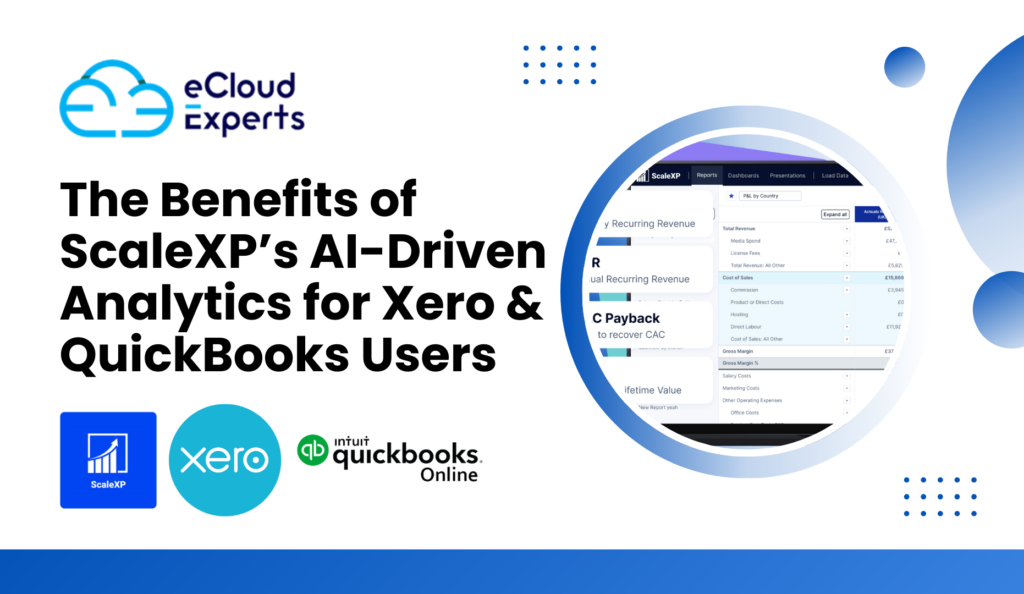
In today’s fast-paced business world, having access to accurate financial data is crucial for making informed decisions. ScaleXP’s AI-driven analytics revolutionizes the way businesses manage their finances, especially for Xero and QuickBooks users. By leveraging advanced AI-powered financial reporting, ScaleXP helps businesses gain real-time financial insights, optimize accounting automation, and enhance decision-making processes. Businesses that fail to adopt AI-driven analytics often struggle with inefficiencies, errors, and missed financial opportunities. Traditional accounting methods require extensive manual input, increasing the risk of miscalculations. ScaleXP eliminates these issues by introducing automation and data-driven intelligence to the financial management process. With its powerful machine learning insights, this tool allows businesses to operate with greater accuracy and efficiency. Why AI-Driven Analytics is Essential for Xero & QuickBooks Users Accounting professionals and business owners using Xero and QuickBooks often face challenges such as manual data entry, delayed financial insights, and errors in revenue recognition. ScaleXP’s AI-driven analytics eliminates these issues by providing automated revenue recognition and real-time financial insights, making financial management seamless and more efficient. With smart accounting automation, ScaleXP streamlines financial workflows, ensuring accuracy and reducing manual effort. This means businesses can focus more on growth and strategy rather than spending time on repetitive accounting tasks. Moreover, integrating AI tools for accountants enhances decision-making by providing real-time access to key financial data, enabling proactive business planning. Key Benefits of ScaleXP’s AI-Driven Analytics 1. AI-Powered Financial Reporting Traditional financial reporting often requires hours of manual data consolidation. ScaleXP’s AI-powered financial reporting automates this process, ensuring that businesses receive accurate reports in minutes. By integrating seamlessly with Xero and QuickBooks, ScaleXP helps accountants and business owners gain deep insights into financial performance without the hassle of manual calculations. Automating financial reporting reduces human errors and provides a more comprehensive view of business finances. This allows businesses to track revenue, expenses, and profits more efficiently, helping them make smarter financial decisions. 2. Data-Driven Decision Making in Accounting Making informed financial decisions is vital for business success. ScaleXP’s advanced analytics tools enable data-driven decision making in accounting by analyzing trends and providing actionable insights. This allows businesses to allocate resources more efficiently and drive profitability. Data-driven insights help accountants and business owners identify patterns and trends that might otherwise go unnoticed. By leveraging AI-driven bookkeeping, businesses can gain a deeper understanding of their cash flow, revenue streams, and operational costs, ensuring long-term financial stability. 3. ScaleXP Machine Learning Insights ScaleXP utilizes machine learning to provide predictive analytics, helping businesses anticipate financial trends and risks. With automated revenue recognition and real-time financial insights, businesses can forecast cash flow, plan budgets, and mitigate potential financial risks. Predictive analytics play a crucial role in modern business strategy. With ScaleXP’s advanced algorithms, businesses can better anticipate market shifts, demand fluctuations, and seasonal variations, allowing for more accurate financial planning and investment decisions. 4. Automated Revenue Recognition For subscription-based businesses, revenue recognition can be complex and time-consuming. ScaleXP automates this process, ensuring compliance with accounting standards while reducing errors. By automating revenue recognition, businesses can save time and enhance financial accuracy. Compliance with accounting standards is essential for businesses of all sizes. ScaleXP’s automated revenue recognition ensures that companies adhere to regulations, reducing the risk of financial discrepancies. This is particularly beneficial for businesses with multiple revenue streams or those operating in industries with strict financial reporting requirements. 5. Smart Accounting Automation Automation is the future of accounting. ScaleXP’s smart accounting automation reduces human errors, speeds up financial reporting, and enhances accuracy. This AI-driven bookkeeping approach not only saves time but also helps businesses maintain compliance with accounting regulations. By automating repetitive tasks, ScaleXP allows accountants to focus on more strategic initiatives. AI tools for accountants streamline workflow management, reducing stress and workload while increasing efficiency and productivity. 6. Financial Forecasting with AI Predicting future revenue and expenses is crucial for business growth. ScaleXP provides AI-powered financial forecasting, helping businesses plan ahead with confidence. By analyzing historical data and market trends, ScaleXP delivers precise financial forecasts that aid in strategic planning. Financial forecasting with AI minimizes risks and improves resource allocation. Businesses can identify potential financial bottlenecks early on, allowing them to take corrective measures before issues escalate. This proactive approach ensures stability and sustainability in the long run. 7. Business Intelligence for Xero and QuickBooks ScaleXP enhances business intelligence for Xero and QuickBooks users by offering real-time dashboards and performance metrics. This allows businesses to track financial health, monitor key performance indicators (KPIs), and make data-driven decisions with ease. Business intelligence tools transform raw financial data into meaningful insights. By visualizing financial trends and generating detailed reports, ScaleXP empowers businesses to optimize their operations and improve profitability. Why Choose ScaleXP for AI-Driven Bookkeeping? ScaleXP’s AI-driven bookkeeping solutions empower businesses with automation, accuracy, and efficiency. By integrating AI tools for accountants, ScaleXP simplifies complex financial processes, ensuring that businesses remain competitive in today’s digital economy. Furthermore, real-time financial insights enable businesses to stay ahead of financial challenges and seize growth opportunities. Whether you are a small business owner or a financial expert, ScaleXP’s AI-driven analytics provides the tools you need to streamline accounting operations and enhance decision-making. ScaleXP is designed for scalability, meaning it can accommodate businesses of all sizes. Whether you run a startup, a growing enterprise, or a large corporation, ScaleXP’s AI-driven analytics will adapt to your needs, providing valuable insights tailored to your business’s financial landscape. Final Thoughts For businesses using Xero and QuickBooks, adopting AI-driven analytics is no longer optional—it’s a necessity. ScaleXP’s powerful AI solutions provide financial forecasting with AI, automated revenue recognition, and AI-powered financial reporting, helping businesses gain a competitive edge. At eCloud Experts, we specialize in migration services and accounting solutions to help businesses seamlessly integrate AI-driven analytics into their financial systems. If you’re ready to leverage ScaleXP’s smart accounting automation and gain real-time financial insights, contact us today to learn more about how we can support your business growth. Unlock the power of AI-driven analytics with ScaleXP and transform your financial management today!
Simplifying Amazon FBA Accounting: How Xero and A2X Save You Time and Money
The Challenges of Amazon FBA Accounting Running an Amazon FBA business is exciting, but managing the accounting side of things can be overwhelming. With a constant influx of transactions, varying Amazon fees, and complex tax regulations, sellers often struggle to maintain accurate financial records. This is why Amazon FBA accounting requires automation, precision, and the right tools to streamline processes efficiently. Tracking Amazon FBA Fees One of the biggest challenges for FBA sellers is tracking the numerous fees associated with selling on Amazon. These include: Failing to track these costs accurately can lead to profit miscalculations and financial discrepancies, making it crucial for sellers to use an automated accounting solution. Inventory Management for Amazon FBA For sellers operating across multiple regions, inventory management for Amazon FBA presents another layer of complexity. Products stored in different fulfillment centers require meticulous tracking to ensure optimal stock levels and avoid unnecessary storage fees. Key inventory challenges include: Manual inventory tracking often leads to errors, miscalculations, and costly inefficiencies, which is why automation through accounting software is a game-changer. Sales Tax Compliance for Amazon Sellers Tax compliance is one of the most daunting aspects of ecommerce accounting. Amazon sellers must ensure they are compliant with: Incorrect tax reporting can lead to penalties, audits, and potential legal issues. Automating sales tax calculations ensures sellers meet tax obligations without errors. Why Xero for Amazon Sellers is a Game-Changer Automating Amazon FBA Accounting with Xero Xero is a cloud-based accounting software that simplifies financial tracking for Amazon sellers. It automates transaction management, reducing manual errors and increasing efficiency. Key benefits of Xero for Amazon sellers include: By leveraging Xero’s automation, sellers can focus on scaling their business rather than drowning in spreadsheets. A2X Integration: The Missing Piece for Amazon Sellers While Xero is a robust accounting solution, it works best when paired with A2X integration for Amazon FBA. A2X bridges the gap between Amazon’s transaction data and Xero’s accounting system, ensuring accurate financial reporting. How A2X Works A2X automatically fetches Amazon payout data, categorizes transactions, and prepares them for Xero. This streamlines the reconciliation process, saving sellers hours of manual work. Key benefits of A2X integration include: Comparison: Xero vs. A2X for Amazon FBA Accounting Feature Xero A2X Automated Bookkeeping ✅ ✅ Amazon Fee Categorization ❌ ✅ Bank Reconciliation ✅ ✅ Sales Tax & VAT Compliance ✅ ❌ Multi-Currency Support ✅ ✅ Detailed Transaction Breakdown ❌ ✅ Why Use Both? Xero provides powerful financial management, while A2X ensures accurate transaction categorization. Together, they form the ultimate Amazon FBA accounting solution. Take Control of Your Amazon FBA Accounting Today Struggling with Amazon FBA accounting? Manual bookkeeping leads to errors, wasted time, and financial blind spots. Xero and A2X eliminate these issues, giving you peace of mind and helping you scale your business. Benefits of Using Xero and A2X for Amazon Sellers ✔ Save time with automated reconciliation✔ Ensure accurate Amazon FBA fee tracking✔ Stay compliant with sales tax and VAT regulations✔ Gain real-time financial insights✔ Reduce errors and streamline bookkeeping Ready to simplify your Amazon FBA accounting? Contact eCloud Experts today for a free consultation and discover how Xero and A2X can revolutionize your ecommerce accounting. FAQ How does Xero help with Amazon FBA accounting?Xero automates transaction syncing, bank reconciliation, and financial reporting, reducing manual bookkeeping efforts for Amazon sellers. Why is A2X integration a must for Amazon sellers?A2X accurately categorizes Amazon transactions, ensuring proper allocation of fees, payouts, and taxes, making bookkeeping seamless. Can Xero and A2X handle multi-currency transactions?Yes! Xero supports multiple currencies, and A2X ensures accurate exchange rate conversions for international sellers. What’s the best way to get started with Xero and A2X?Partnering with eCloud Experts ensures a smooth setup, optimized financial tracking, and hassle-free tax compliance.
How Cin7 Core and QuickBooks Online Work Together for Seamless Financial Management
In today’s fast-paced business environment, managing inventory and finances efficiently is critical to maintaining profitability and growth. However, many businesses struggle with disconnected systems that lead to data inconsistencies, manual errors, and inefficiencies. The integration of Cin7 Core and QuickBooks Online provides a seamless financial management solution, helping businesses automate workflows, improve financial accuracy, and enhance operational efficiency. In this article, we will explore how these two powerful platforms work together, the key benefits of integration, and how our expert services at eCloud Experts ensure a smooth and optimized setup for your business. Why Integrate Cin7 Core with QuickBooks Online? Cin7 Core is a leading inventory and order management system designed to help businesses track stock, streamline order fulfillment, and manage multiple sales channels. On the other hand, QuickBooks Online is a robust accounting software that provides accurate financial reporting, bookkeeping automation, and tax compliance. When integrated, these two systems eliminate data silos, reduce manual work, and provide a real-time, 360-degree view of your business finances and inventory. Key Benefits of Cin7 Core and QuickBooks Online Integration 1. Automated Data Synchronization 2. Accurate Financial Reporting 3. Streamlined Order and Inventory Management 4. Simplified Tax Compliance and Reconciliation 5. Enhanced Workflow Efficiency How Cin7 Core and QuickBooks Online Work Together Step 1: Order and Inventory Synchronization When a customer places an order through your eCommerce store or sales platform, Cin7 Core automatically updates stock levels and generates an invoice. This invoice is then seamlessly transferred to QuickBooks Online, ensuring accurate financial records. Step 2: Automated Accounting and Financial Management Once the sales data is in QuickBooks Online, all financial transactions—including payments, expenses, and refunds—are automatically categorized and reconciled. This integration allows for real-time financial reporting and eliminates the need for manual bookkeeping. Step 3: Payment Reconciliation and Tax Compliance Payments received through various sales channels are automatically synced, reducing the risk of discrepancies. QuickBooks Online tracks all tax obligations, ensuring compliance with local and international tax regulations. Step 4: Real-Time Business Insights By combining inventory data from Cin7 Core with financial insights from QuickBooks Online, business owners can access custom financial reports, inventory valuation reports, and profit margin analysis in real time. How eCloud Experts Can Help At eCloud Experts, we specialize in Cin7 Core and QuickBooks Online integration services, ensuring a hassle-free setup tailored to your business needs. Our services include: 1. Cin7 Core & QuickBooks Online Setup and Configuration 2. Seamless Integration with Sales Channels 3. Custom Automation and Workflow Optimization 4. Ongoing Support and Maintenance Who Can Benefit from Cin7 Core and QuickBooks Online Integration? eCommerce Businesses Selling across multiple platforms like Shopify, Amazon, and eBay? Our integration services help automate sales tracking and accounting, ensuring accurate financial reporting. Wholesale Distributors Handling bulk inventory and large purchase orders? Cin7 Core and QuickBooks Online integration simplifies inventory management and ensures accurate cost tracking. Retail Chains Managing multiple store locations and warehouses? Our solution centralizes inventory and financial data, reducing manual work and increasing efficiency. Manufacturers Need better supply chain visibility? Integrating Cin7 Core with QuickBooks Online ensures real-time tracking of raw materials, production costs, and inventory valuation. Get Started with eCloud Experts Integrating Cin7 Core with QuickBooks Online can transform your business by eliminating inefficiencies, reducing manual errors, and enhancing financial accuracy. At eCloud Experts, we ensure a smooth integration process, customized automation, and continuous support to help your business grow. Ready to optimize your inventory and financial management? Contact us today for a consultation and discover how our Cin7 Core and QuickBooks Online integration services can help your business achieve seamless financial management.
Step-by-Step Guide to Integrating ScaleXP with QuickBooks Online
In today’s fast-paced business environment, automating accounting processes is essential for efficiency and accuracy. ScaleXP integration with QuickBooks Online helps businesses streamline financial reporting, automate revenue recognition, and ensure seamless data synchronization. If you’re looking for a way to enhance your cloud-based accounting integration, this guide will walk you through the steps to successfully set up ScaleXP with QuickBooks Online. Why Integrate ScaleXP with QuickBooks Online? Integrating ScaleXP with QuickBooks Online offers several benefits, including: Step 1: Setting Up ScaleXP Integration with QuickBooks Online To begin the integration, follow these steps: Step 2: Automating Accounting Processes Once the ScaleXP QuickBooks Online setup is complete, it’s time to leverage automation features: Step 3: Customizing the ScaleXP Dashboard A well-organized ScaleXP dashboard setup provides a clear financial overview. Customize your dashboard by: Step 4: Ensuring Data Accuracy with Financial Reporting To maximize the benefits of financial reporting with ScaleXP, review: Step 5: Troubleshooting Common Integration Issues If you experience issues with the integration, try the following: Final Thoughts Integrating ScaleXP with QuickBooks Online is a game-changer for businesses looking to streamline cloud-based accounting integration. By automating accounting processes, improving financial reporting, and ensuring accurate revenue recognition, this integration helps businesses stay on top of their finances effortlessly. The ability to automate accounting processes, ensure accurate revenue recognition, and facilitate seamless data synchronization in ScaleXP makes it an invaluable tool for businesses of all sizes. At eCloud Experts, we specialize in accounting automation and migration services, ensuring a seamless transition for your business. If you need help with ScaleXP Xero QuickBooks guide, integration, or setup, contact us today to get started! Our team is ready to assist you in optimizing your accounting workflow and helping your business achieve financial success. By integrating ScaleXP with QuickBooks Online, your business can benefit from improved efficiency, enhanced accuracy, and valuable insights to support growth. Don’t wait embrace the future of cloud-based accounting integration today and experience the power of automation!
Cin7 Core and Xero: The Perfect Pair for Inventory and Accounting Integration

Introduction: The Importance of Seamless Inventory and Accounting Management In today’s competitive business environment, efficiency and accuracy in inventory management and accounting are crucial for sustainable growth. Many businesses struggle with maintaining real-time inventory levels while ensuring accurate financial reporting. Manual processes, disconnected systems, and data inconsistencies often lead to operational inefficiencies, revenue loss, and compliance risks. Cin7 Core, a leading inventory management system, and Xero, a powerful cloud-based accounting software, offer a seamless integration that eliminates these challenges. This integration ensures that businesses can automate stock tracking, synchronize financial records, and gain real-time visibility into their operations. At eCloud Experts, we specialize in Cin7 Core and Xero integration, providing tailored solutions that enable businesses to streamline their workflow, eliminate manual errors, and optimize financial decision-making. This article explores the significance of integrating inventory and accounting systems and how Cin7 Core and Xero can help businesses achieve operational excellence. Challenges of Managing Inventory and Accounting Separately Many businesses, particularly those involved in retail, wholesale, and eCommerce, face significant challenges when managing inventory and accounting separately. These issues often lead to inefficiencies, financial discrepancies, and poor decision-making. 1. Inaccurate Stock Tracking Without a centralized system, tracking inventory manually often leads to stock discrepancies. Businesses may experience issues such as overstocking, stockouts, or discrepancies between recorded stock and actual inventory levels. 2. Delayed and Inconsistent Financial Reporting When inventory and accounting systems are not integrated, businesses must manually enter sales, purchase orders, and expenses into their accounting software. This process is time-consuming and prone to human error, leading to inconsistencies in financial statements and delayed reporting. 3. Increased Risk of Data Entry Errors Manual data entry across separate inventory and accounting platforms increases the likelihood of errors in transaction recording, invoice generation, and tax calculations. Even small miscalculations can result in compliance issues and financial discrepancies. 4. Difficulty in Multi-Channel Sales Management For businesses selling across multiple platforms such as Shopify, Amazon, WooCommerce, and eBay, managing inventory manually can be overwhelming. Without real-time synchronization, businesses may struggle with overselling, delayed order processing, and fulfillment errors. 5. Inefficient Tax and Compliance Management Manually handling tax calculations and compliance requirements for different regions can lead to inaccuracies and legal risks. An integrated system ensures accurate tax calculations based on real-time sales and purchase data. To overcome these challenges, integrating Cin7 Core with Xero provides a unified, automated solution that streamlines business operations and enhances financial accuracy. How Cin7 Core and Xero Work Together Cin7 Core is a comprehensive inventory management system designed to help businesses track stock levels, manage orders, and optimize supply chain operations. Xero, on the other hand, is a cloud-based accounting platform that provides businesses with accurate financial reporting, automated bookkeeping, and real-time insights. Key Features of Cin7 Core and Xero Integration By integrating Cin7 Core with Xero, businesses can eliminate manual processes, improve accuracy, and gain real-time insights into their financial and inventory performance. Business Benefits of Integrating Cin7 Core and Xero The integration of Cin7 Core and Xero offers multiple benefits that significantly enhance business efficiency and financial accuracy. 1. Improved Operational Efficiency Automating inventory and accounting processes reduces the need for manual data entry, saving time and minimizing errors. Businesses can focus on strategic growth instead of being burdened by administrative tasks. 2. Enhanced Financial Accuracy and Transparency With real-time synchronization between inventory and accounting, businesses gain a clear understanding of their financial position. This integration helps in accurate financial forecasting, budgeting, and decision-making. 3. Faster Order Processing and Fulfillment Automated order management ensures that sales transactions, stock updates, and invoicing are processed instantly. This results in faster order fulfillment, improved customer satisfaction, and fewer shipping delays. 4. Scalability for Growing Businesses As businesses expand, managing inventory and accounting manually becomes increasingly challenging. The Cin7 Core-Xero integration supports scalability by automating processes and adapting to business growth. 5. Compliance and Risk Reduction Ensuring compliance with tax regulations and financial reporting standards is critical for business success. The integration automates tax calculations, reducing the risk of non-compliance and financial penalties. 6. Cost Savings and Better Resource Allocation By reducing manual workload and minimizing errors, businesses can lower operational costs and allocate resources more efficiently. Automation also reduces the need for additional staff for bookkeeping and inventory management. Why Choose eCloud Experts for Cin7 Core and Xero Integration? At eCloud Experts, we provide customized integration solutions tailored to the specific needs of businesses across industries. Our expertise in Cin7 Core and Xero implementation ensures a smooth transition to an automated inventory and accounting system. Our Key Services Include: With our proven expertise and commitment to excellence, businesses can trust us to deliver a seamless, efficient, and scalable inventory and accounting integration solution. Conclusion: Achieving Business Success with Cin7 Core and Xero For businesses looking to streamline inventory management and financial operations, integrating Cin7 Core with Xero is a game-changing solution. This integration eliminates manual errors, enhances financial transparency, and provides real-time insights for better decision-making. By partnering with eCloud Experts, businesses can ensure a smooth and efficient implementation of Cin7 Core and Xero, allowing them to focus on growth and profitability. To learn more about how our integration solutions can benefit your business, contact eCloud Experts today for a consultation.
PayPal Accounting Made Easy: How Xero & QuickBooks Integration Can Save You Time
In today’s fast-paced e-commerce world, managing PayPal transactions efficiently can be a daunting task. However, with the right tools and software, PayPal accounting doesn’t have to be overwhelming. By integrating PayPal with Xero or QuickBooks, PayPal sellers can streamline their accounting processes, save time, and reduce manual errors. This blog will guide you on how to integrate PayPal with Xero and QuickBooks, helping you automate PayPal transaction tracking and simplify your e-commerce accounting. Why PayPal Integration is Essential for E-commerce Sellers E-commerce businesses rely heavily on PayPal for payment processing. However, as sales grow, managing PayPal transactions manually becomes increasingly complex. This is where PayPal integration with accounting software like Xero and QuickBooks comes into play. These integrations offer time-saving accounting solutions, automating the tracking of PayPal transactions, handling PayPal fees accounting, and ensuring accurate financial reporting. For sellers, understanding the nuances of PayPal transaction tracking is vital. Whether you are handling recurring payments, refunds, or international sales, integration with the right accounting software ensures that all these transactions are recorded accurately, eliminating the need for manual data entry. Moreover, PayPal fees accounting can be easily managed by the software, saving you the hassle of calculating transaction fees manually. The Benefits of Integrating PayPal with Xero and QuickBooks 1. Streamlined Accounting for PayPal Sellers One of the most significant advantages of integrating PayPal with Xero or QuickBooks is that it simplifies e-commerce accounting. Instead of manually updating records or trying to match PayPal transactions to your bank statements, these software tools do it automatically. You can sync your PayPal account with Xero or QuickBooks and have all your sales, refunds, and fees imported directly into your accounting system. This seamless integration reduces errors and saves countless hours spent on bookkeeping tasks. 2. Automated PayPal Transaction Tracking Accurate PayPal transaction tracking is a crucial aspect of managing your finances. With integration, each payment made through PayPal is automatically recorded, categorized, and reconciled. Whether you receive payments in different currencies or need to track sales for tax purposes, your accounting software will handle it all, ensuring you stay compliant and up-to-date on your finances. The integration helps eliminate the risk of missed or incorrectly recorded transactions. 3. QuickBooks PayPal Setup Setting up PayPal with QuickBooks is a straightforward process. You can easily link your PayPal account to QuickBooks by following a few simple steps. Once connected, QuickBooks will automatically import all your PayPal transactions, including fees and refunds, into the software. This eliminates the need for manual data entry and ensures that all transactions are properly categorized. This PayPal financial reporting helps you gain insights into your profits and expenses with a few clicks, making it easier to manage your business finances. 4. Xero PayPal Integration Integrating PayPal with Xero also provides seamless synchronization of your PayPal transactions. Xero’s user-friendly interface allows you to track your PayPal payments, fees, and refunds effortlessly. The integration works in real-time, so your PayPal transactions will appear instantly in your Xero dashboard, enabling you to view your financial position at any time. Whether you are tracking sales, paying suppliers, or reviewing your PayPal financial reporting, this integration makes it simple and efficient. 5. Best Accounting Software for PayPal Sellers When choosing the best accounting software for PayPal, it’s essential to consider features like automatic PayPal transaction tracking, integration ease, and robust financial reporting. Xero and QuickBooks are two of the most trusted solutions for PayPal sellers, offering powerful tools for managing PayPal transactions and ensuring your accounting processes are as streamlined as possible. By integrating PayPal with these platforms, you can save time on manual tasks and ensure the accuracy of your financial data. How to Integrate PayPal with Xero Integrating PayPal with Xero is a simple process. Here’s how you can do it: How to Set Up PayPal with QuickBooks Setting up PayPal with QuickBooks follows a similar process: Conclusion Integrating PayPal with accounting software like Xero and QuickBooks is an essential step for any e-commerce seller looking to streamline their PayPal accounting processes. These integrations offer significant benefits such as automated PayPal transaction tracking, PayPal fees accounting, and real-time PayPal financial reporting. By choosing the best accounting software for PayPal, such as Xero or QuickBooks, you can save time, reduce errors, and improve the accuracy of your financial records. At eCloud Experts, we specialize in providing migration services and accounting services to help businesses optimize their operations. Whether you need help with PayPal integration or require advanced accounting solutions, we’re here to support your business growth. Reach out today to discover how our expert solutions can simplify your PayPal accounting and improve your e-commerce business efficiency.
The Ultimate Guide to Synder Integration with Xero & QuickBooks Online for E-commerce Sellers
Why Synder Integration is Essential for E-commerce Accounting Managing e-commerce accounting can be complex, especially when handling transactions from multiple sales channels. Synder integration simplifies this process by automating data synchronization between online stores, payment gateways, and accounting software like Xero and QuickBooks Online Online. With Synder, businesses can effortlessly sync online sales with QuickBooks Online, track revenue, and ensure accurate financial records. E-commerce businesses using platforms like Amazon, Shopify, and PayPal can streamline their bookkeeping with Synder Amazon integration, Synder Shopify integration, and Synder PayPal integration. By automating these tasks, sellers can eliminate manual data entry, reconcile transactions with ease, and improve financial accuracy. As a result, business owners can focus more on scaling their operations instead of spending countless hours managing financial data manually. Benefits of Using Synder for E-commerce Accounting Automation Whether you’re an online retailer, dropshipper, or multi-channel seller, leveraging Synder integration provides numerous benefits, including: 1. Automated Bookkeeping for E-commerce Manually entering transactions from multiple platforms can be time-consuming and error-prone. Synder automates this process by seamlessly integrating sales data from Amazon, Shopify, PayPal, and other platforms into Xero or QuickBooks Online. By eliminating human errors, businesses can maintain accurate financial records while saving valuable time. 2. Sync Online Sales with QuickBooks Online and Xero With Synder Amazon integration, Synder Shopify integration, and Synder PayPal integration, businesses can automatically import and categorize transactions, reducing the risk of discrepancies and ensuring accurate financial reporting. This feature is essential for e-commerce businesses that experience high sales volumes and need a reliable way to keep track of revenue, fees, and expenses. 3. Reconcile Transactions with Synder Reconciling e-commerce transactions can be a headache. Synder simplifies this process by automatically matching transactions with bank records, making reconciliation faster and reducing accounting errors. This feature ensures that every transaction is correctly recorded, preventing financial misstatements and allowing for smooth tax preparation. 4. Multi-channel Accounting Solutions For businesses selling on multiple platforms, Synder offers multi-channel accounting solutions by consolidating sales data from different sources into one unified accounting system. This makes it easier to track profits, expenses, and tax obligations, providing a clear financial overview of the entire business. With Synder, sellers no longer need to switch between different platforms to gather financial data manually. 5. Improved Tax Compliance and Reporting Accurate tax reporting is crucial for e-commerce businesses. Synder categorizes transactions correctly, making it easier to prepare tax filings and comply with regulations. Whether you are dealing with VAT, GST, or sales tax, Synder ensures that your business remains compliant with tax laws in different regions. By generating accurate reports, businesses can avoid penalties and simplify tax filing processes. 6. Real-time Financial Insights By integrating Synder with Xero or QuickBooks Online, e-commerce businesses can gain real-time insights into their financial performance. Business owners can track revenue, expenses, profit margins, and cash flow effortlessly. These insights enable better decision-making, allowing businesses to adjust pricing strategies, manage inventory effectively, and plan for future growth. How to Integrate Synder with Xero and QuickBooks Online Step 1: Choose the Right Accounting Software Before setting up Synder integration, you need to decide whether to use Xero or QuickBooks Online. If you’re unsure, consider factors like usability, pricing, and features: Step 2: Connect Synder to Your E-commerce Platforms To fully automate e-commerce accounting, connect Synder with your sales channels. Supported platforms include Amazon, Shopify, PayPal, Stripe, Square, and other payment processors. By integrating Synder with these platforms, you ensure that sales data flows seamlessly into your accounting system. Step 3: Sync Online Sales with QuickBooks Online or Xero Once Synder is connected, transactions will be automatically imported and categorized. This ensures accurate financial records and eliminates the need for manual entry. Business owners can configure Synder settings to match their specific accounting needs, ensuring that all data is mapped correctly to their accounting software. Step 4: Reconcile Transactions with Synder Synder matches sales data with bank transactions, allowing you to reconcile accounts effortlessly. This step ensures your books are always accurate and up to date. By using Synder’s auto-categorization feature, businesses can speed up reconciliation and ensure that every transaction is recorded correctly. Synder vs. A2X: Which One is Better? Many e-commerce businesses compare Synder vs. A2X when choosing an accounting integration tool. Both offer automation, but there are key differences: For businesses needing multi-channel accounting solutions, Synder is often the better choice due to its broader compatibility and real-time synchronization features. Why Choose eCloud Experts for Synder Integration? At eCloud Experts, we specialize in helping e-commerce businesses streamline their accounting processes. Whether you need assistance with Synder integration, setting up automated bookkeeping for e-commerce, or comparing Synder vs. A2X, our experts provide tailored solutions to meet your specific business needs. Our Services Include: Final Thoughts Automating your e-commerce accounting with Synder integration can save time, reduce errors, and improve financial accuracy. Whether you’re selling on Amazon, Shopify, PayPal, or multiple platforms, integrating Synder with Xero or QuickBooks Online ensures seamless bookkeeping and efficient transaction reconciliation. With the increasing complexity of e-commerce accounting, businesses must leverage automation to stay competitive. Synder provides an all-in-one solution that simplifies financial management, enhances tax compliance, and delivers real-time business insights. By integrating Synder with QuickBooks Online or Xero, sellers can focus on growing their business without worrying about manual bookkeeping. Get Expert Help from eCloud Experts If you’re looking for expert assistance with Synder integration, contact eCloud Experts today. Our team specializes in migration services and accounting automation to help your business scale effortlessly. Let us take care of your financial processes while you focus on expanding your e-commerce empire!