
Amazon Sellers: Why You Need to Integrate Xero or QuickBooks Online for Better Financial Management
As an Amazon seller, managing finances can quickly become overwhelming. Whether you’re juggling inventory, sales, taxes, or accounting, the complexity of handling everything manually can lead to errors, lost opportunities, and unnecessary stress. That’s where financial management for Amazon sellers becomes essential. Integrating a comprehensive accounting system like Xero or QuickBooks Online can be a game-changer for Amazon businesses. These cloud-based solutions streamline accounting processes, providing Amazon sellers with efficient tools for automation, tax management, and sales reconciliation. Streamlining Accounting with Automated Solutions Automating accounting processes is a huge advantage for Amazon sellers, especially with high transaction volumes. Automated accounting for Amazon sellers reduces the risk of human error and frees up valuable time, allowing you to focus on growing your business. Both Xero and QuickBooks Online are top-rated accounting platforms that integrate seamlessly with Amazon’s sales data, helping you manage everything from income and expenses to taxes and inventory. With cloud-based accounting for eCommerce, Amazon sellers can access real-time financial data from anywhere. This allows for more informed decision-making and eliminates the need for manual record-keeping or complex spreadsheets. These systems also ensure that all sales are recorded accurately, making it easier to manage Amazon business finance, reconcile accounts, and prepare financial reports. Integration with Shopify and Amazon One of the standout features of Xero and QuickBooks Online is their ability to integrate with multiple platforms, including Shopify and Amazon integration. This integration allows sellers to automatically sync their sales data, inventory, and financial information between both platforms. By doing so, it eliminates the need for manual data entry and reduces the risk of discrepancies in inventory or sales records. Whether you’re selling on Amazon, Shopify, or both, integrating these platforms with your accounting software streamlines operations and ensures you have accurate financial information at your fingertips. By syncing your Shopify and Amazon data with Xero or QuickBooks, you can easily track sales, inventory, and expenses, providing a comprehensive view of your business finances. This also ensures consistency and accuracy in accounting, as all sales and inventory data is automatically updated across your platforms. Xero vs QuickBooks for Amazon Sellers When it comes to choosing between Xero vs QuickBooks for Amazon, both platforms offer powerful features tailored to the needs of online sellers. Xero is known for its user-friendly interface and seamless integration with eCommerce platforms, while QuickBooks Online offers robust financial reporting tools and easy access to tax automation features. Both platforms allow for comprehensive tracking of business expenses, sales, and taxes, making them ideal solutions for managing Amazon business finance. However, your choice may depend on your specific needs. If you require detailed financial reporting and easy tax automation for Amazon sellers, QuickBooks Online could be the best fit. On the other hand, if you’re looking for a simpler interface and excellent integration with cloud-based tools, Xero might be a better option. Managing Amazon Inventory with Xero or QuickBooks Managing Amazon inventory with Xero or QuickBooks is another key benefit of using these accounting platforms. Both systems allow you to track stock levels, sales, and costs, ensuring you maintain the right inventory balance. With automated inventory management, you can avoid costly stockouts or overstocking, optimizing your cash flow and minimizing storage fees. Additionally, integrating your Amazon inventory with your accounting software allows you to automatically update your financial records. This means that when you sell products, your revenue is recorded in real-time, and when you purchase stock, the cost is automatically reflected in your accounting system. This integration ensures that your financial records remain accurate and up-to-date, reducing the manual effort needed to track inventory and sales. Tax Automation for Amazon Sellers Tax automation for Amazon sellers is one of the most valuable features of integrating Xero or QuickBooks Online. Managing taxes manually can be a daunting task, especially when dealing with different tax rates across various regions and countries. Fortunately, both Xero and QuickBooks simplify tax calculations, making it easier for Amazon sellers to comply with tax laws. By automating tax calculations, you can ensure that you’re collecting the right amount of tax on each sale. Additionally, these platforms generate accurate tax reports that can be submitted directly to tax authorities, reducing the risk of tax errors and penalties. This is especially useful for Amazon sellers who operate in multiple states or countries with varying tax regulations. Sales Reconciliation Made Easy Sales reconciliation is another challenge for Amazon sellers. With the high volume of transactions, reconciling sales data manually can take up a lot of time and effort. Fortunately, sales reconciliation for Amazon sellers becomes much easier when integrating with Xero or QuickBooks. These accounting platforms automatically import sales data from Amazon, ensuring that your financial records match your sales transactions. This automation also helps with identifying discrepancies between your sales records and payment processor data. By reconciling your accounts automatically, you ensure that your financial statements are accurate, allowing you to make data-driven decisions. The Benefits of Integration for Amazon Sellers The benefits of integration for Amazon sellers are clear. Whether you’re managing sales, inventory, taxes, or accounting, having everything connected through Xero or QuickBooks Online offers a streamlined and efficient way to handle your business finances. Integration minimizes the chances of errors, automates tedious tasks, and gives you greater visibility into your financial health. Moreover, by integrating your Amazon and Shopify accounts with your accounting software, you’ll save time on manual data entry, reduce errors in your reports, and improve your ability to manage cash flow, inventory, and taxes. This makes it easier for you to focus on what matters most—growing your business. Conclusion In conclusion, integrating Xero or QuickBooks Online for financial management for Amazon sellers is an investment that pays off in the long run. From automated accounting and tax automation for Amazon sellers to inventory management and sales reconciliation, these platforms provide all the tools you need to manage your Amazon business efficiently. By integrating these systems with Shopify and Amazon, you can streamline your processes, reduce errors, and gain
A2X Integration with Xero & QuickBooks Online: The Ultimate Guide to Automating Your E-commerce Accounting

Introduction In today’s fast-paced e-commerce landscape, automating accounting processes is essential for efficiency and accuracy. If you’re selling on platforms like Amazon or Shopify, integrating A2X with QuickBooks Online or Xero can streamline your bookkeeping, ensuring seamless financial tracking and compliance. In this comprehensive guide, we’ll walk you through the A2X setup process and how it simplifies e-commerce accounting. Why Integrate A2X with QuickBooks Online & Xero? Manually reconciling e-commerce transactions is time-consuming and prone to errors. The A2X integration with QuickBooks Online and Xero automates this process, offering several benefits: A Step-by-Step A2X Setup Guide 1. How to Connect A2X with QuickBooks Online & Xero Setting up A2X is straightforward. Follow these steps to get started: 2. A2X Amazon Integration & A2X Shopify Integration For Amazon sellers, A2X accurately breaks down payouts, accounting for fees, refunds, reserves, and promotions. Meanwhile, Shopify users benefit from automated sales tracking, fee categorization, and tax calculations, ensuring clean financial records. Automating E-commerce Bookkeeping with A2X By integrating A2X with QuickBooks Online or Xero, businesses can automate e-commerce bookkeeping, ensuring real-time financial insights. This means no more manual imports or mismatched transactions—just seamless, automated accounting that reduces workload and enhances accuracy. E-commerce Sales Tax Tracking with A2X One of the biggest challenges for online sellers is sales tax compliance. A2X simplifies tax tracking by: This makes tax reporting seamless and reduces the risk of compliance issues. A2X Best Practices for Accountants & Business Owners To maximize A2X’s potential, consider these best practices: A2X : Why Choose A2X? While some accounting tools offer transaction imports, A2X provides unmatched automation, accuracy, and detailed reconciliation features. Here’s why A2X stands out: Feature A2X Automated Transaction Import ✅ Accurate Sales Categorization ✅ Fee & Expense Breakdown ✅ Sales Tax Compliance ✅ Multi-Currency Support ✅ Reconciliation Automation ✅ A2X is designed specifically for e-commerce businesses, making it the best choice for sellers using Amazon, Shopify, or other marketplaces. A2X Pricing & Features Comparison A2X offers various pricing plans based on business size and needs. Whether you’re a small seller or a large enterprise, A2X has a plan tailored to your accounting needs. Pricing varies depending on: Be sure to compare features and pricing to choose the best option for your business. Common Questions About A2X Integration 1. Can A2X handle multi-currency transactions?Yes, A2X supports multi-currency transactions, automatically converting amounts based on exchange rates. 2. Does A2X integrate with other accounting tools?A2X is specifically built for QuickBooks Online and Xero but can be used alongside tax compliance tools like Avalara and TaxJar. 3. How secure is A2X?A2X uses bank-grade encryption and follows best security practices to protect your financial data. 4. Can I try A2X before committing to a plan?Yes, A2X offers a free trial to help businesses evaluate its features before purchasing a subscription. Final Thoughts: Why eCloud experts Recommends A2X At eCloud Experts, we specialize in accounting and migration services, helping businesses seamlessly integrate A2X with QuickBooks Online and Xero. Our expert team ensures a smooth setup process, allowing you to focus on growing your e-commerce business while we handle the accounting complexities. If you need assistance with A2X setup or integration, contact eCloud experts today to streamline your e-commerce accounting!
Boost Your eCommerce Efficiency: How Shopify, Xero, and QuickBooks Work Together
In today’s fast-paced digital marketplace, eCommerce businesses need seamless financial management to stay competitive. Shopify integration with QuickBooks Online and Xero is a game-changer for store owners looking to automate their accounting, track sales efficiently, and manage cash flow without hassle. By syncing Shopify with these leading accounting software solutions, you can eliminate manual data entry, reduce errors, and get real-time insights into your business finances. Why Integrate Shopify with QuickBooks Online and Xero? Managing an eCommerce business involves tracking multiple transactions, handling invoices, reconciling payments, and ensuring tax compliance. Shopify integration with QuickBooks Online and Xero simplifies this process by automating financial tasks, allowing you to focus on growing your business. Without automation, store owners often struggle with time-consuming manual bookkeeping, which can lead to errors, inconsistencies, and lost revenue. Here’s how these integrations enhance your eCommerce efficiency: 1. Automated Sales Tracking for Accuracy and Efficiency With Shopify Xero QuickBooks sync, your sales, refunds, and transaction details are automatically recorded in your accounting system. This eliminates manual entry, ensuring that every transaction is accurately logged and categorized. Whether you’re processing credit card payments, PayPal transactions, or alternative payment methods, this integration ensures your sales data is always up-to-date. 2. Seamless Reconciliation of Payments for Better Cash Flow One of the biggest challenges eCommerce businesses face is reconciling payments. With Shopify handling numerous transactions daily, matching each sale to the corresponding payment can become a nightmare. Integrating QuickBooks Online and Xero helps automate this process, ensuring your books reflect real-time updates, reducing discrepancies, and improving cash flow management. This means fewer accounting errors, less time spent on reconciliation, and a clearer financial picture for your business. 3. Accurate Tax Reporting to Ensure Compliance Tax compliance is crucial for eCommerce businesses, as errors in tax calculations can lead to financial penalties and legal issues. Shopify tax reporting becomes effortless with automated tax calculations, categorization, and reporting. These integrations automatically apply the correct tax rates based on your customers’ locations, ensuring you stay compliant with tax regulations across multiple regions. Additionally, they help generate detailed tax reports, making it easy to file tax returns without stress. 4. Efficient Multi-Channel Accounting for Scalability If you sell on multiple platforms, such as Amazon, eBay, or Etsy, integrating Shopify multi-channel accounting ensures all transactions are centralized in one system. This allows you to track revenue streams across different sales channels without having to manually input data into separate accounting systems. Whether you manage a single Shopify store or operate multiple sales channels, QuickBooks Online and Xero provide a unified financial overview, allowing you to scale your business without operational headaches. 5. Real-Time Financial Insights for Smarter Business Decisions By integrating your Shopify store with Xero and QuickBooks Online, you gain access to detailed financial reports, profit and loss statements, and expense tracking. These insights are essential for making data-driven business decisions, optimizing cash flow, and identifying growth opportunities. With real-time financial tracking, you can analyse trends, monitor performance, and adjust your strategies accordingly to maximize profitability. 6. Automated Invoicing and Expense Management Efficient invoicing is vital for maintaining cash flow and building strong client relationships. Shopify invoicing solutions integrated with QuickBooks Online and Xero allow for automatic invoice generation, sending, and tracking. This ensures that payments are collected promptly and outstanding balances are monitored. Additionally, expense management tools allow you to track business expenses, categorize costs, and ensure that your financial records remain organized and compliant. How eCloud Experts Can Help At eCloud Experts, we specialize in Shopify integration with QuickBooks Online and Xero, ensuring a seamless and hassle-free migration process. Our team of accounting professionals and integration specialists will help you: With years of experience helping eCommerce businesses improve their accounting efficiency, eCloud Experts ensures that your financial management system is optimized for accuracy and growth. Get Started Today with Shopify Accounting Automation Enhance your Shopify financial management with our expert solutions. Whether you’re looking to automate bookkeeping, improve tax reporting, or streamline payment reconciliation, eCloud Experts has you covered. We understand that managing eCommerce finances can be overwhelming, but with the right tools and professional support, you can simplify your processes and focus on scaling your business. Ready to take your Shopify accounting to the next level? Contact eCloud Experts today to learn how we can help you integrate QuickBooks Online and Xero with your Shopify store for improved efficiency, accuracy, and financial clarity.
Step-by-Step Guide to Integrating LinkMyBooks with QuickBooks Online

Integrating LinkMyBooks with QuickBooks Online is a game-changer for businesses looking to automate bookkeeping and streamline financial processes. By syncing these two powerful platforms, you can ensure that your financial data is accurate, up-to-date, and easily accessible. In this comprehensive guide, we’ll walk you through the benefits of integrating LinkMyBooks with QuickBooks Online, provide a step-by-step setup process, address common issues, and explain how automation can transform your accounting workflow. Why Integrate LinkMyBooks with QuickBooks Online? When it comes to managing finances, integration is key to efficiency and accuracy. LinkMyBooks QuickBooks Online Online integration offers several benefits for businesses of all sizes. By automating your bookkeeping processes and syncing your financial data in real time, you can save time, reduce errors, and focus more on business growth. Here are some key reasons why integrating LinkMyBooks with QuickBooks Online is beneficial: Step-by-Step Guide to Set Up LinkMyBooks Integration with QuickBooks Online Setting up LinkMyBooks integration with QuickBooksOnline is a straightforward process that requires just a few simple steps. Follow this step-by-step guide to integrate the two platforms and start automating your accounting: Common Issues with QuickBooks Online Integration with LinkMyBooks and How to Solve Them Even though the integration between LinkMyBooks and QuickBooks Online is generally smooth, you may encounter some issues. Here’s a list of common problems and their solutions: How LinkMyBooks Automates QuickBooks Online Accounting The integration of LinkMyBooks with QuickBooks Online automates much of your accounting work. Here’s how automation works to streamline your financial processes: Benefits of LinkMyBooks QuickBooks Online Integration for Your Business Integrating LinkMyBooks with QuickBooks Online offers many advantages for businesses. Here’s a closer look at how it can improve your accounting processes: FAQs 1. How do I integrate LinkMyBooks with QuickBooks Online? To integrate LinkMyBooks with QuickBooks Online, sign up for LinkMyBooks, log into your QuickBooks Online account, and grant access. After linking the accounts, configure your sync settings to suit your business needs and start syncing. 2. What are the benefits of using LinkMyBooks with QuickBooks Online? The integration offers automated bookkeeping, real-time syncing, accurate financial reporting, and enhanced financial transparency, helping small businesses and freelancers manage their finances more efficiently. 3. Is LinkMyBooks compatible with QuickBooks Desktop? No, LinkMyBooks is designed specifically for QuickBooks Online and cannot be used with QuickBooks Desktop. 4. What should I do if LinkMyBooks isn’t syncing with QuickBooks Online? Ensure both accounts are properly linked, check your internet connection, and verify your sync settings. If the problem continues, disconnect and reconnect the accounts, or contact LinkMyBooks support. 5. Can LinkMyBooks be used for e-commerce businesses? Yes, LinkMyBooks is ideal for e-commerce businesses, syncing sales data from platforms like Amazon, Shopify, and others directly with QuickBooks Online for efficient financial management. Conclusion Integrating LinkMyBooks with QuickBooks Online simplifies your accounting process, enhances financial transparency, and saves time. Whether you’re a freelancer, small business owner, or managing an e-commerce business, this integration can help streamline your bookkeeping and ensure your financial records are always up-to-date. Start automating your financial management today by integrating LinkMyBooks with QuickBooks Online. For expert assistance with setup and migration, eCloud Experts is here to support you every step of the way.
A2X vs Manual Accounting: Why Automation Wins for Ecommerce Businesses
In the fast-paced world of ecommerce, keeping accurate financial records is crucial. Many businesses struggle with manual accounting, which can be time-consuming and prone to errors. Fortunately, A2X vs manual accounting is no longer a debate—automation is the clear winner. If you’re an online seller using platforms like Shopify or Amazon, A2X for ecommerce businesses can streamline your bookkeeping, making financial reconciliation effortless. What is A2X? A2X is an advanced ecommerce accounting automation tool designed to eliminate manual bookkeeping challenges. It integrates seamlessly with QuickBooks and Xero, automatically categorizing transactions, payouts, and fees. By using accounting software for ecommerce, businesses can ensure accurate financial records without human intervention. One of the standout A2X integration benefits is its ability to automate the reconciliation of marketplace sales, shipping fees, refunds, and adjustments. With detailed financial reporting, businesses can track their profit margins, expenses, and tax liabilities more effectively. What is Manual Accounting? Traditional accounting involves manually tracking every sale, fee, and refund. This outdated process can be overwhelming for ecommerce businesses, especially those handling high transaction volumes. Without automated bookkeeping for online stores, errors in tax calculations, revenue reporting, and reconciliation can arise, leading to financial discrepancies. Challenges of Manual Accounting for Ecommerce Businesses A2X vs Manual Accounting: Why Automation Wins 1. Accuracy & Error Reduction Manual bookkeeping challenges include frequent mistakes in transaction entries, tax calculations, and reporting. A2X integration benefits include automating data entry and ensuring accuracy by syncing with ecommerce platforms like Amazon, Shopify, eBay, and Walmart. 2. Time-Saving Automation With A2X for Shopify and Amazon sellers, businesses can eliminate manual data entry, saving hours every week. Instead of spending time reconciling payouts, store owners can focus on scaling their business and improving customer experience. 3. Seamless Integration with Accounting Software A2X works flawlessly with QuickBooks and Xero, two of the most popular accounting software for ecommerce businesses. This integration ensures smooth financial workflows without the hassle of manual data imports and reconciliations. 4. Better Financial Insights & Reporting Accurate reporting is crucial for making informed business decisions. Ecommerce financial reconciliation with A2X provides clear profit and loss reports, helping sellers optimize their finances and gain insights into their revenue streams. 5. Sales Tax & Compliance Management A2X helps ecommerce businesses comply with tax regulations by categorizing transactions correctly. Whether it’s VAT, GST, or state sales tax, A2X automates tax reporting, reducing compliance risks and avoiding tax penalties. 6. Scalability for Growing Businesses As your business grows, so does your transaction volume. Unlike manual accounting, A2X effortlessly handles thousands of transactions, ensuring seamless financial management at any scale without requiring additional accounting resources. 7. Better Cash Flow Management Understanding revenue streams and expenses is crucial for cash flow management. With ecommerce accounting automation, A2X provides real-time cash flow visibility, allowing businesses to make informed financial decisions. 8. Eliminating Spreadsheet Headaches Managing accounting manually often means dealing with complex spreadsheets. A2X automates financial tracking, eliminating the need for time-consuming manual data entry. How to Get Started with A2X FAQs About A2X and Ecommerce Accounting Conclusion: Choose Automation Over Manual Accounting The debate of A2X vs manual accounting is clear—automation offers unparalleled accuracy, efficiency, and scalability. For ecommerce businesses, A2X integration benefits go beyond just saving time; they enhance financial decision-making, improve compliance, and enable growth. At eCloud Experts, we specialize in A2X integration, migration services, and accounting solutions. If you’re ready to automate your ecommerce bookkeeping, contact us today and take the first step toward financial efficiency!
A2X Integration with Xero & QuickBooks Online: The Ultimate Guide for E-commerce Accounting
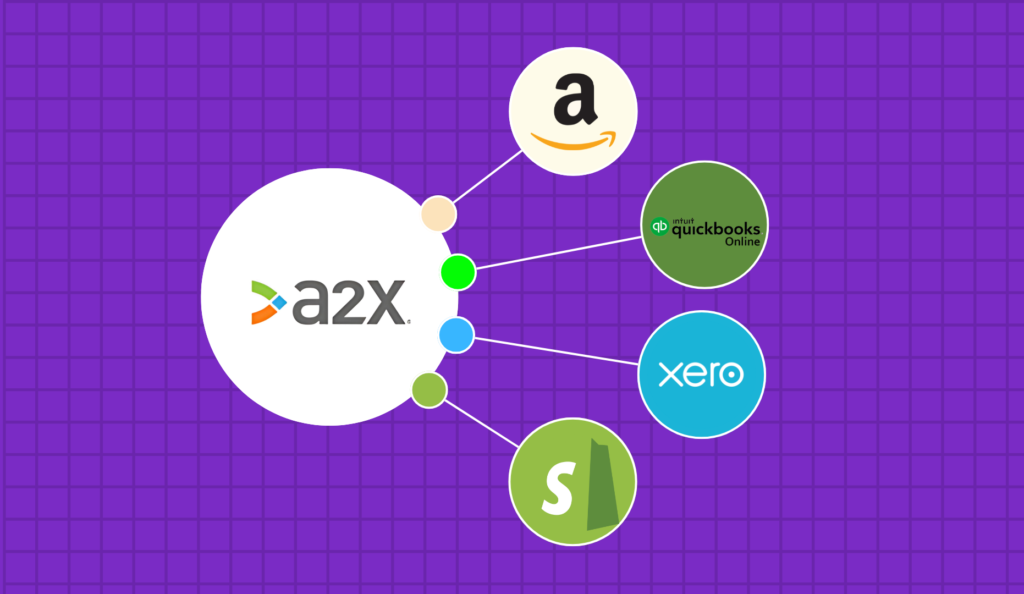
Introduction E-commerce businesses operate in a fast-paced environment where accurate financial tracking is essential. However, manually reconciling transactions can be overwhelming, especially when dealing with high sales volumes across multiple platforms. This is where A2X integration comes in. By connecting A2X with Xero or QuickBooks Online, businesses can automate their accounting processes, making it easier to reconcile e-commerce sales and ensure accurate financial records. At eCloud Experts, we specialize in providing migration and automated accounting software solutions tailored to e-commerce businesses. In this guide, we’ll explore how A2X integration with leading accounting platforms can simplify bookkeeping, reduce errors, and save time. Whether you’re an Amazon seller, a Shopify store owner, or running a multi-channel e-commerce business, A2X can help you manage your finances with ease and accuracy. By the end of this guide, you’ll have a complete understanding of how A2X integration can help you streamline financial processes, eliminate manual data entry, and ensure your e-commerce business stays compliant with tax regulations. What is A2X? A2X is a cloud-based accounting automation tool designed specifically for e-commerce businesses. It seamlessly integrates with major platforms like Amazon, Shopify, eBay, Walmart, and Etsy, automatically fetching financial data and categorizing transactions. With A2X integration, users can sync their sales data with Xero or QuickBooks Online, ensuring their accounting records are accurate, organized, and tax-compliant. Unlike manual data entry, which is prone to errors and time-consuming, A2X automates transaction reconciliation, making bookkeeping seamless for e-commerce sellers. Key features of A2X include: Why E-commerce Sellers Need Automated Accounting Managing e-commerce finances is more complex than traditional retail. Without the right automated accounting software, businesses often struggle with: By leveraging A2X integration, sellers can overcome these challenges and focus on growing their business instead of dealing with tedious accounting tasks. How A2X Simplifies Bookkeeping with Xero & QuickBooks Online A2X eliminates the hassle of manual bookkeeping by automatically processing e-commerce transactions and categorizing them correctly in Xero or QuickBooks Online. Here’s how it works: Key Benefits of A2X Integration 1. Automating Transaction Reconciliation One of the biggest challenges for e-commerce businesses is reconciling payments received from Amazon, Shopify, and other platforms. Since payments often include deductions like platform fees, refunds, and shipping costs, manually matching transactions can be tedious. A2X integration eliminates this hassle by automatically reconciling sales, fees, and payouts with Xero or QuickBooks Online. 2. Accurate Revenue and Expense Categorization With A2X, every financial entry is categorized correctly, ensuring that all revenue, expenses, and platform-specific charges are properly accounted for. This helps businesses maintain accurate financial records and gain a clear understanding of their profitability. 3. Handling Multi-Currency Transactions Effortlessly For sellers operating internationally, managing foreign currency transactions is a challenge. A2X integration simplifies this by converting transactions to the home currency using real-time exchange rates, ensuring precise financial reporting. 4. Saving Time and Reducing Accounting Errors By automating bookkeeping tasks, businesses can minimize human errors, improve efficiency, and focus on scaling their operations instead of dealing with complex financial reconciliations. Step-by-Step Guide to Integrating A2X with Xero & QuickBooks Online Step 1: Setting Up A2X with Your E-commerce Platform Step 2: Connecting A2X to Xero or QuickBooks Online Step 3: Mapping Accounts and Tax Settings for Accuracy FAQs About A2X Integration 1. What e-commerce platforms does A2X support? A2X integrates with Amazon, Shopify, eBay, Walmart, and Etsy, ensuring seamless transaction reconciliation for online sellers. 2. Is A2X suitable for small e-commerce businesses? Yes! Whether you’re a small business or a high-volume seller, A2X helps automate accounting, saving time and reducing errors. 3. Can A2X handle multi-currency transactions? Absolutely. A2X automatically converts foreign sales into your home currency, ensuring accurate financial reporting. 4. Does A2X help with sales tax compliance? Yes, A2X categorizes sales tax accurately, helping businesses comply with local tax regulations. 5. How does A2X compare to other accounting automation tools? Unlike generic accounting tools, A2X is specifically designed for e-commerce businesses, offering platform-specific transaction reconciliation and tax automation. Final Thoughts Who Should Use A2X? At eCloud Experts, we specialize in helping businesses integrate A2X with Xero and QuickBooks Online. If you’re ready to streamline your accounting, contact us today or sign up for a free A2X trial to experience the benefits firsthand. By leveraging A2X integration, you can take control of your e-commerce accounting with confidence. Let eCloud Experts help you simplify your bookkeeping and focus on growing your business!
Switching from NetSuite to QuickBooks Online: The Future of Smart Accounting
For many businesses, choosing an accounting system is like choosing a car it’s all about performance, ease of use, and efficiency. NetSuite, like a high-powered Porsche, is known for its enterprise-level capabilities, but its complexity and cost can make it difficult for growing businesses. On the other hand, QuickBooks Online (QBO), the sleek and intuitive Tesla of accounting systems, offers a modern and streamlined experience. At eCloud Experts Ltd, we specialize in helping businesses simplify their accounting systems, and this year alone, we’ve successfully migrated over 40 businesses from NetSuite to QuickBooks Online. If you’re tired of unnecessary complexity, high costs, and slow workflows, it’s time to consider upgrading to QBO where automation, scalability, and ease of use drive financial success. Why Move from NetSuite to QuickBooks Online? NetSuite is a robust system packed with features, but for many businesses, it often becomes more of a burden than a solution. Here’s why businesses are increasingly choosing QBO as a better alternative: 1. QuickBooks Online is User-Friendly 2. Scalable Without Overkill 3. Significant Cost Savings 4. Seamless Integrations 5. Real-Time Insights for Smarter Decisions Case Study: How eCloud Experts Helped Signature Illumination Designs At eCloud Experts, we recently helped Signature Illumination Designs, a creative lighting solutions provider, migrate seamlessly from NetSuite to QuickBooks Online. Here’s how QBO transformed their financial operations: The Challenges Signature Illumination Designs faced: The Solution We implemented a tailored NetSuite-to-QBO migration plan, integrating additional tools for efficiency: The Results The transformation was remarkable: Our Process: Making NetSuite to QuickBooks Online Migration Simple At eCloud Experts, we follow a proven step-by-step process to ensure a hassle-free migration: 1. Initial Consultation 2. Data Mapping and Migration 3. QuickBooks Online Setup and Configuration 4. App Integrations 5. Training and Ongoing Support Why Choose eCloud Experts? At eCloud Experts Ltd, we’re not just migration specialists—we’re trusted QuickBooks Online Experts with a proven track record of delivering seamless, stress-free migrations. Ready to Switch to QuickBooks Online? Let’s Talk! Upgrading from NetSuite to QuickBooks Online is like trading in your Porsche for a Tesla—simpler, more efficient, and built for the future. At eCloud Experts, we make the transition smooth and stress-free so you can focus on what matters: growing your business. If you’re ready to simplify your accounting, reduce costs, and embrace a smarter way to manage your finances, contact us today for a free consultation. Let’s help you drive your business forward with QuickBooks Online! eCloud Experts – Your Trusted Partner for NetSuite to QuickBooks Online Migration.
Sage 50 to QuickBooks Online Migration: A Complete Guide for Seamless Accounting Transition
Migrating from Sage 50 to QuickBooks Online can be an excellent decision for businesses looking to streamline their accounting processes. This comprehensive guide will walk you through everything you need to know about making the switch, including the key benefits, common challenges, and step-by-step instructions to ensure a smooth and successful Sage 50 to QuickBooks Online migration. Why Migrate from Sage 50 to QuickBooks Online? When evaluating accounting software options, QuickBooks Online (QBO) stands out for its flexibility, cloud-based accessibility, and robust features. While Sage 50 has long been a reliable accounting solution, QuickBooks Online offers several significant advantages that make it a preferred choice for many businesses: 1. Cloud-Based Accessibility for Remote Work Unlike Sage 50, which operates as a desktop-based solution, QuickBooks Online is a cloud-based platform. This allows you to access your financial data from anywhere, at any time, using any device. Remote access increases convenience and security, particularly for businesses with employees working from different locations. 2. Cost-Effective Subscription Model QuickBooks Online offers affordable monthly subscription plans, providing excellent value for small and medium-sized businesses. You get access to all the essential accounting features without upfront costs or complex licensing models, unlike Sage 50, which requires a one-time purchase or yearly renewals. 3. Scalability to Grow With Your Business QuickBooks Online is designed to grow with your business. It allows you to easily add new users, features, and integrations as your needs evolve. Sage 50, while a powerful tool, can be less flexible and require manual updates as your business expands. 4. Automatic Updates & Seamless Integration QuickBooks Online automatically updates its features and integrates effortlessly with other popular apps and services, allowing for seamless connections to your existing tools. This helps reduce manual effort and ensures accurate financial data processing. 5. Enhanced Reporting & Automation Features QuickBooks Online boasts advanced reporting tools, payroll automation, and invoicing capabilities that simplify financial management. These tools provide deeper insights into your business’s financial health, which is critical for growth and informed decision-making. 6. Common Challenges with Sage 50 Many businesses migrate from Sage 50 to QuickBooks Online due to challenges like limited reporting flexibility, difficulties with multi-currency transactions, and lack of mobile access. Switching to QuickBooks Online helps address these issues, offering better scalability, efficiency, and ease of use. Key Steps in the Sage 50 to QuickBooks Online Migration Process Migrating your accounting data from Sage 50 to QuickBooks Online is a straightforward process when you follow these key steps: Step 1: Prepare Your Sage 50 Data for Export Before migrating to QuickBooks Online, review your Sage 50 data for any outdated or incorrect entries. Clean up your records to ensure accurate data transfer. This is a critical step to avoid issues later in the process. Step 2: Backup Your Sage 50 Files To prevent data loss during the migration, always back up your Sage 50 data. In case anything goes wrong during migration, you’ll be able to restore your records easily from the backup. Step 3: Set Up Your QuickBooks Online Account If you haven’t already, sign up for QuickBooks Online. Choose a subscription plan that best suits your business’s needs. QuickBooks offers different levels of service, so be sure to select one with the features you require. Step 4: Import Data from Sage 50 to QuickBooks Online You can migrate data from Sage 50 to QuickBooks Online using various methods, including CSV files or third-party migration tools. QuickBooks provides built-in tools for data import, simplifying the process. If you’re not confident handling this on your own, QuickBooks ProAdvisors or third-party migration services can assist you. Step 5: Validate Your Data and Check for Discrepancies After the data import, carefully validate your financial reports, such as your balance sheet and profit & loss statements. Check for discrepancies and ensure everything is transferred correctly to avoid errors in your financial data. Step 6: Reconcile Accounts and Finalize Your QuickBooks Online Setup Once your data is in QuickBooks Online, reconcile your accounts by reviewing transactions and ensuring they match your bank records. This will ensure your financial data is accurate and up-to-date. Step 7: Review and Test the System Before fully transitioning to QuickBooks Online, perform test transactions and review reports. Make sure the system operates as expected, so you can ensure a seamless switch to the new platform. Common Data Migration Challenges and How to Overcome Them While migrating from Sage 50 to QuickBooks Online, you may encounter some challenges. Here are a few common issues and how to overcome them: 1. Loss of Historical Data or Accuracy Issues To prevent data loss, back up your records and validate them before the migration process begins. If any discrepancies arise during the import, restore from backups or manually adjust the data. 2. Formatting Errors During Import Formatting issues can arise, particularly when importing CSV files. To mitigate this, ensure your data is correctly formatted before uploading it to QuickBooks Online. 3. Ensuring Payroll Data Migrates Smoothly Payroll migration can be tricky. Work with QuickBooks ProAdvisors or a third-party service to ensure your payroll data migrates without errors, ensuring continued accuracy in employee pay and taxes. 4. Migrating Inventory Data QuickBooks Online has strong inventory management features, but migrating inventory data from Sage 50 can be complex. Be meticulous about mapping inventory accounts and verifying item codes during the import process. Tools & Resources for Sage 50 to QuickBooks Online Migration Several tools and resources are available to help facilitate your migration from Sage 50 to QuickBooks Online: Sage 50 vs. QuickBooks Online: Feature Comparison Feature Sage 50 QuickBooks Online Platform Desktop-based Cloud-based Pricing One-time purchase Monthly subscription Ease of Use Requires training User-friendly and intuitive Integration Capabilities Limited integrations Extensive integrations with third-party apps Reporting Basic reporting tools Advanced, customizable reporting Accessibility Desktop only Accessible from any device, anywhere Migrating from Sage 50 to QuickBooks Online allows you to take advantage of a more powerful, flexible, and scalable accounting solution designed to grow with your business. Post-Migration Tips
Top 5 Reasons to Migrate from Pegasus Opera 3 to QuickBooks Online with eCloud Experts
Are you tired of managing your accounts with outdated software? If so, it might be time to migrate to QuickBooks Online from Pegasus Opera 3. For many businesses, this switch is a game-changer, offering modern tools and flexibility that older systems simply can’t match. At eCloud Experts, we specialize in making this transition smooth and stress-free. In this blog, we’ll walk you through the top five reasons to leave Pegasus Opera 3 behind and embrace QuickBooks Online migration with our expert team. Whether you’re a small business owner or an accountant, these benefits can help your company thrive. Let’s get started! 1. Unlock the Power of Cloud-Based Accounting Solutions First and foremost, one of the biggest reasons to migrate to QuickBooks Online from Pegasus Opera 3 is the shift to cloud-based accounting solutions. Pegasus Opera 3 is a desktop-based system, which means you’re stuck working from one location. On the other hand, QuickBooks Online lets you access your financial data from anywhere—your office, home, or even while traveling. All you need is an internet connection. For example, imagine you’re meeting a client and need to check an invoice on the spot. With QuickBooks Online, it’s right there at your fingertips. Plus, your data is stored securely in the cloud, so you don’t have to worry about losing files or maintaining expensive servers. At eCloud Experts, we handle every detail of your QuickBooks Online migration, ensuring your information transfers safely. This flexibility is a huge step forward for businesses ready to modernize. 2. Simplify Your Work with User-Friendly Tools Next, when you migrate to QuickBooks Online from Pegasus Opera 3, you’ll notice how much easier it is to use. Pegasus Opera 3 can feel clunky and complicated, especially if you’re not a tech expert. However, QuickBooks Online is built with simplicity in mind, offering tools that anyone can pick up quickly. This is one of the standout QuickBooks Online advantages that our clients love. For instance, features like automated bank feeds connect your accounts directly to the software, cutting down on manual entry. Similarly, creating invoices or running reports takes just a few clicks. At eCloud Experts, we customize your setup during the migration process, so it fits your business perfectly. Whether you’re tracking expenses or planning for growth, QuickBooks for business growth makes your day-to-day tasks a breeze. 3. Save Money and Scale with Ease Another key reason to migrate from Pegasus Opera 3 is the cost factor. Pegasus Opera 3 often comes with hefty upfront costs, plus extra fees for updates and maintenance. In contrast, when you migrate to QuickBooks Online from Pegasus Opera 3, you switch to a subscription model that’s budget-friendly and flexible. You only pay for what you need, and as your business grows, you can upgrade your plan without breaking the bank. Moreover, because it’s cloud-based, you save on hardware and IT support costs. There’s no need for expensive servers or constant troubleshooting. At eCloud Experts, we’ve helped countless businesses make this switch affordably. During your QuickBooks Online migration, we ensure there are no hidden fees or surprises—just a smooth transition to a scalable solution that supports your goals. 4. Boost Efficiency with Integrations and Automation Additionally, QuickBooks Online takes efficiency to the next level, which is something Pegasus Opera 3 struggles to deliver. When you migrate to QuickBooks Online from Pegasus Opera 3, you gain access to hundreds of integrations with tools you already use—like payroll apps, CRM systems, or e-commerce platforms. This connectivity streamlines your workflow and saves you time. On top of that, automation features make repetitive tasks a thing of the past. For example, you can set up recurring invoices for regular clients or get payment reminders sent automatically. At eCloud Experts, we specialize in cloud-based accounting solutions, and we’ll make sure all your data integrates seamlessly during the migration. By moving away from Pegasus Opera 3’s limitations, you’ll wonder why you didn’t switch sooner! 5. Get Expert Support from eCloud Experts Finally, the most compelling reason to migrate to QuickBooks Online from Pegasus Opera 3 is the support you’ll receive from eCloud Experts. Switching software can feel overwhelming, but our team is here to make it simple. We offer more than just technical help—we’re your partners in success. With years of experience in QuickBooks Online migration, we know how to get you up and running fast. Unlike Pegasus Opera 3’s outdated support options, we provide hands-on guidance tailored to your business. From planning the move to transferring your data to training your team, we’ve got you covered. Plus, after you migrate from Pegasus Opera 3, we’re still here to answer questions and help you maximize QuickBooks for business growth. Our goal is to turn your accounting into a strength, not a headache. Why eCloud Experts Is the Right Choice At eCloud Experts, we pride ourselves on being more than just a service provider. We’re a team dedicated to helping businesses like yours succeed. When you choose us to migrate to QuickBooks Online from Pegasus Opera 3, you’re choosing expertise, reliability, and a stress-free process. We understand the challenges of moving away from legacy software like Pegasus Opera 3, and we’ve perfected the art of QuickBooks Online migration. But it’s not just about the switch—it’s about what comes next. With QuickBooks Online, you’ll enjoy QuickBooks Online advantages like real-time insights, easy collaboration, and tools that grow with your business. Whether you’re a small startup or an established company, our migration and accounting services are designed to fit your needs. Ready to take the leap? Let’s make it happen together! How to Get Started So, how do you begin? It’s simple. First, reach out to eCloud Experts for a free consultation. We’ll assess your current setup with Pegasus Opera 3 and create a migration plan that works for you. Next, our team handles the heavy lifting—moving your data, setting up QuickBooks Online, and training your staff. Finally, you’ll be ready to enjoy all the benefits of cloud-based accounting solutions without missing
Seamless Data Migration to QuickBooks Online: Ensuring Accuracy and Efficiency
Migrating accounting data to QuickBooks Online (QBO) can significantly enhance efficiency and enable real-time financial reporting for your business. However, migration errors and discrepancies can arise, leading to financial mismanagement, compliance risks, and reporting inconsistencies. To fully leverage the benefits of QuickBooks Online, businesses must ensure that their financial data is accurately transferred and optimized for use in the new system. Common Reasons for Migration Errors The process of migrating financial data to QBO is intricate, and several challenges can arise. Understanding these potential pitfalls helps businesses mitigate risks and achieve a smooth transition. Below are some common migration errors: 1. Data Mapping Issues 2. Incomplete Data Transfers 3. Overpayment Allocation Errors 4. Unapplied Payments on Account 5. Multi-Currency Conversion Mistakes 6. Manual Entry Errors 7. Payroll Data Discrepancies 8. Chart of Accounts Misalignment 9. Missing Tracking Category Assignments 10. Improper Opening Balance Setup QuickBooks Online Migration Correction Process To address these migration challenges, a structured correction process is essential. The following steps ensure that your financial data in QuickBooks Online is accurate and optimized: Step 1: Comprehensive Data Review Step 2: Error Identification and Analysis Step 3: Data Correction Strategies Step 4: Multi-Currency Validation Step 5: Bank Reconciliation Adjustments Step 6: Payroll Data Validation Step 7: Reporting and Documentation Step 8: Training and Ongoing Support Benefits of Migration Correction Services 1. Enhanced Data Integrity 2. Improved Financial Decision-Making 3. Reduced Compliance Risks 4. Streamlined Accounting Processes 5. Increased Confidence in Business Operations Conclusion Migrating to QuickBooks Online is a transformative step for businesses seeking efficiency and real-time financial insights. However, errors in migration can lead to serious financial mismanagement and compliance risks. Addressing these challenges through a structured migration correction process ensures data accuracy, financial integrity, and business growth. Expert Migration Assistance with eCloud Experts eCloud Experts, a trusted QuickBooks Online migration specialist, provides comprehensive correction services to ensure your data is properly aligned. Our experienced team helps businesses of all sizes resolve migration discrepancies, enhance financial reporting, and optimize their accounting systems. Don’t let migration errors hinder your business success. Partner with eCloud Experts to ensure a seamless transition to QuickBooks Online. Contact us today to achieve data accuracy and unlock the full potential of QuickBooks Online!