
Plan to Convert to Xero: A Comprehensive Guide by eCloud Experts
Switching to Xero from another accounting platform like QuickBooks, Sage, or NetSuite is more than just a technical process—it’s a transformation in how your business manages its finances. As Xero’s Gold Champion Partner, global migration experts, and Xero-certified accountants, eCloud Experts specializes in seamless Xero conversions, empowering businesses to unlock the full potential of this powerful accounting software. We often liken a Xero conversion to moving into a new office: it requires careful planning, organization, and a clear vision of how the new workspace will optimize operations. When done right, a Xero conversion enhances workflows, improves insights, and sets your business up for long-term success. In this guide, we’ll explore why businesses are switching to Xero, outline the key steps in the conversion process, and explain how eCloud Experts ensures a smooth, stress-free transition. Why Convert to Xero? Xero is a cloud-based accounting software designed to simplify financial management while offering powerful features that support businesses of all sizes. Here’s why so many companies choose to convert to Xero: Switching to Xero isn’t just an upgrade in technology—it’s an investment in better financial management and decision-making for your business. Common Reasons for Xero Conversion Businesses migrate to Xero for several compelling reasons: If your current accounting system is holding you back, converting to Xero can open the door to greater efficiency and control. Steps to Plan Your Xero Conversion 1. Evaluate Your Current System The first step in a successful Xero conversion is to evaluate your existing accounting system. Identify what data you need to migrate, including: At eCloud Experts, we conduct a thorough review of your current system to ensure all critical data is accounted for during the migration process. 2. Clean and Organize Your Data Much like decluttering before moving into a new office, cleaning your accounting data ensures a smoother transition. This involves: We take care of this process, ensuring your Xero setup is free of unnecessary clutter and fully optimized. 3. Plan the Migration Timeline Creating a well-structured timeline minimizes disruptions to your business. Factors to consider include: Our team collaborates with you to develop a migration plan that fits seamlessly into your schedule. 4. Choose What to Migrate Not all data needs to be transferred. Prioritize the essential information, such as: eCloud Experts helps you determine what data is most critical, ensuring your Xero system is streamlined and efficient. 5. Test Your New Xero Setup Before going live, testing your Xero setup is vital to ensure everything is functioning correctly. This involves: We provide detailed checks and comparative reports to ensure your new Xero system is ready to support your business operations. Industries We Serve As global migration experts, eCloud Experts has worked with businesses across a wide range of industries, customizing Xero conversions to meet unique requirements: No matter your industry, eCloud Experts tailors the migration process to suit your specific needs. How eCloud Experts Ensures a Smooth Xero Conversion 1. Expertise in Multi-Currency and Multi-Jurisdiction Migration We specialize in migrating complex financial systems, ensuring compliance with tax regulations across the UK, USA, Canada, Australia, Singapore, Netherlands, Bangladesh, UAE, and Qatar. 2. Tailored Chart of Accounts Your chart of accounts is customized to align with Xero’s framework while meeting your business’s unique needs. 3. Seamless Integration with Add-Ons We enhance your Xero setup with powerful apps like A2X, Syft Analytics, ApprovalMax, and Dext, providing advanced reporting and workflow management capabilities. 4. Comprehensive Training and Ongoing Support Our training sessions empower your team to confidently use Xero, while our support services ensure you’re always equipped to handle any challenges that arise. 5. Certified Expertise As Xero-certified accountants, we bring a wealth of experience and knowledge to every migration project, ensuring accuracy and efficiency at every step. Overcoming Common Challenges in Xero Conversion Converting to Xero isn’t without its challenges, but our team ensures they’re resolved proactively: With eCloud Experts, potential issues are addressed before they become roadblocks. Ready to Switch to Xero? Converting to Xero is a strategic step toward greater efficiency, accuracy, and control in your financial management. As Xero Gold Champion Partners, global migration experts, and certified Xero accountants, eCloud Experts ensures the process is seamless and stress-free. Whether you’re transitioning from QuickBooks, Sage, NetSuite, or another platform, our team handles every aspect of the migration to provide you with a powerful, user-friendly accounting solution tailored to your needs. Contact Us Today Ready to make the switch to Xero? Contact eCloud Experts today for a free consultation. Let us help you plan and execute your Xero conversion, creating a foundation for your business to thrive.
The Complete Guide to Microsoft Dynamics NAV to Xero Migration
Migrating from Microsoft Dynamics NAV (Navision) to Xero offers businesses a streamlined, cost-effective, and flexible solution to manage their finances. While Microsoft Dynamics NAV is a robust ERP system, its complexity and high operational costs can be restrictive for many businesses. With its user-friendly design, affordability, and cloud-based access, Xero provides a powerful alternative that can easily scale with your business needs. At eCloud Experts, our team of Xero migration experts, Xero consultants, and certified Xero advisors specializes in seamless Microsoft Dynamics NAV to Xero migrations. Below, we answer frequently asked questions to help guide you through the process and highlight the benefits of migrating to Xero. Why Migrate from Microsoft Dynamics NAV to Xero? Migrating to Xero provides several key advantages: FAQs About Microsoft Dynamics NAV to Xero Migration 1. Can all my Microsoft Dynamics NAV data be migrated to Xero? Yes, we offer a comprehensive Xero migration service that includes transferring: 2. How long does the migration process take? The migration typically takes 5-10 business days, depending on the complexity and size of your data. Our Xero migration experts ensure minimal downtime and a smooth transition. 3. Can foreign currency transactions be migrated? Yes, multi-currency transactions are transferred accurately to Xero, using the exchange rates recorded in Microsoft Dynamics NAV to ensure financial integrity. 4. Will my department and cost center data be preserved? Absolutely. We ensure all departmental and cost center data is mapped and transferred into Xero, maintaining your reporting structure. 5. Does the migration include purchase orders, invoices, and attachments? Yes, we ensure that all critical data, including purchase orders, invoices, and attachments, is migrated accurately to Xero. 6. How is stock and inventory data handled? Detailed stock and inventory levels are not directly migrated to Xero, but we can integrate advanced inventory management tools like DEAR Inventory, Unleashed, or Cin7 for seamless inventory tracking and management. 7. Can Xero integrate with third-party apps? Yes, Xero supports integrations with a wide variety of apps, including: Our Xero consultants help you select and set up the best apps to optimize your business processes. Why Choose eCloud Experts for Your Microsoft Dynamics NAV to Xero Migration? 1. Experienced Xero Migration Experts Our team has extensive experience migrating businesses from Microsoft Dynamics NAV to Xero, ensuring a smooth and accurate transition with minimal disruption. 2. Tailored Solutions for Your Business We customize every migration to suit the unique needs of your business, ensuring a seamless transition to Xero. 3. Global Reach eCloud Experts provides Xero migration services worldwide, helping businesses of all sizes migrate to Xero with ease. 4. Post-Migration Support Our Xero advisors provide ongoing support, including app integrations and staff training, to help you maximize the benefits of Xero. Simplify Your Accounting with eCloud Experts Migrating from Microsoft Dynamics NAV to Xero can help simplify your accounting processes, reduce costs, and enhance operational efficiency. With eCloud Experts, you’ll benefit from: Start Your Microsoft Dynamics NAV to Xero Migration Today Switching from Microsoft Dynamics NAV to Xero is an investment in simplified financial management and cost efficiency. At eCloud Experts, we ensure that your transition is smooth, efficient, and customized to meet your business needs. Contact us today to learn more about our Microsoft Dynamics NAV to Xero migration services and how we can help your business succeed with Xero.
Unlock the Power of Xero with Expert Migration Services
Migrating to Xero is an essential step for businesses seeking to optimize their financial operations. Whether transitioning from legacy systems or moving to a more flexible and scalable cloud-based accounting solution, Xero offers advanced automation, real-time financial insights, and a user-friendly interface that can transform how your business manages accounting. At eCloud Experts, we specialize in providing seamless Xero migration services for businesses of all sizes. Whether you’re migrating from Sage 200, NetSuite ERP, or QuickBooks Enterprise, our Xero migration experts ensure a smooth, secure, and efficient transition, preserving your financial data while enabling your business to leverage the full power of Xero. Why Migrating to Xero? Xero is a cloud-based accounting platform trusted by businesses worldwide for its ease of use and powerful features. Here’s why migrating to Xero is the right choice for your business: Our Xero Migration Services At eCloud Experts, we provide comprehensive Xero migration services to businesses transitioning from legacy accounting systems like Sage 200, NetSuite ERP, and QuickBooks Enterprise. Our Xero migration experts ensure that the process is seamless, efficient, and tailored to your business’s unique needs. 1. Detailed Data Assessment We begin with a thorough review of your existing accounting system to assess your data, workflows, and business requirements. This allows us to develop a customized Xero migration plan that ensures a smooth transition, no matter how complex your current system is. 2. Data Mapping and Secure Migration We securely migrate all of your data to Xero, including: Our Xero migration experts ensure that all your financial data is accurately mapped to Xero’s corresponding fields, maintaining data integrity and ensuring a smooth transition. 3. Data Validation and Testing After migration, we conduct thorough testing to ensure the data is accurately transferred and reconciled in Xero. This process includes reconciling your data and verifying that it matches the original accounting system. 4. Seamless Integration with Business Tools As part of our Xero migration service, we help integrate Xero with the tools your business already uses. Popular integrations include: We ensure these apps work seamlessly with Xero, helping your clients automate accounting processes and gain valuable business insights. 5. Ongoing Support and Training Our job doesn’t end with the migration. We provide comprehensive training to your team, ensuring they are fully equipped to use Xero effectively. We also offer ongoing support to troubleshoot any issues and optimize Xero for your evolving business needs. Why Choose eCloud Experts for Your Xero Migration? 1. Expertise in Xero Migration With years of experience in Xero migrations, we’ve successfully helped businesses transition from a variety of accounting systems, including Sage 200, NetSuite ERP, and QuickBooks Enterprise. Our Xero migration experts ensure a smooth, secure transition with minimal disruption to your daily operations. 2. Tailored Solutions for Your Business Every business has unique requirements. We customize Xero to suit your specific needs, whether you require advanced reporting, multi-currency support, or seamless integrations with other business tools. 3. White-Label Services for IT Providers and Accountants If you’re an IT services provider or accountant, Ecloud Experts offering Xero migration services to your clients, we offer white-label services. This means you can present Xero migration as your service while we handle all the technical aspects behind the scenes. 4. Comprehensive Post-Migration Support After your migration, we continue to support you with troubleshooting, app integrations, and ongoing optimization. Our team ensures that your business fully benefits from the features and functionality of Xero. Start Your Xero Migration Journey with eCloud Experts Today Migrating to Xero can help you streamline your business’s financial management, improve efficiency, and provide real-time insights into your financial data. With eCloud Experts by your side, you can be confident that your migration will be seamless, secure, and customized to your business needs. Contact us today to learn more about how we can help you unlock the power of Xero and make your migration seamless and stress-free.
How IT Services Providers Can Benefit from Partnering with eCloud Experts for Xero Migration
As an IT services provider, helping clients optimize their business operations is your priority. A crucial part of this optimization involves streamlining their financial management, and Xero is the ideal accounting solution for many businesses. However, migrating from legacy accounting systems to Xero can be a complex and time-consuming process, which is why partnering with eCloud Experts as your Xero migration partner can provide immense value to both your business and your clients. At eCloud Experts, we specialize in providing Xero migration services to IT service providers, allowing you to offer seamless and efficient Xero migrations to your clients under your own brand. With our white-label migration services, your clients benefit from a smooth transition to Xero, while you maintain full control over the client relationship. Why IT Services Providers Should Offer Xero Migration Services As an IT services provider, you already have deep technical expertise, and offering Xero migration services can be a valuable addition to your portfolio. Here’s why your clients will benefit from migrating to Xero, and how your IT business can grow with this offering: How eCloud Experts Can Support IT Services Providers in Xero Migration At eCloud Experts, we act as your Xero migration partner, handling all the technical aspects of the migration process while you maintain client communication and branding. Here’s how we support IT services providers with our Xero migration services: 1. White-Label Xero Migration Services We provide white-label Xero migration services, which means you can offer Xero migrations to your clients under your own brand. eCloud Experts manages all the back-end processes, ensuring a seamless and professional migration while you retain control of client relationships and brand identity. 2. Complete Xero Migration Process We handle the full migration process, including: 3. Integration with Business Tools We can integrate Xero with your client’s existing business tools, helping them automate workflows and increase efficiency. Some popular integrations for IT services providers include: Our team ensures that Xero is seamlessly integrated with the tools your clients use, saving time and reducing the need for manual data entry. 4. Custom Solutions for IT Services We understand that IT services providers have unique needs, especially when it comes to project-based billing and recurring invoices. Our Xero migration experts can customize Xero to suit your client’s specific accounting requirements, from tracking billable hours to generating detailed reports on project profitability. How IT Services Providers Benefit from Partnering with eCloud Experts 1. Expert Xero Migration Services Our team of Xero migration experts has years of experience migrating businesses from a variety of accounting systems to Xero, ensuring a smooth and efficient transition. 2. Ongoing Support and Training Once your client’s migration is complete, we don’t leave them on their own. eCloud Experts provides ongoing support and training, ensuring your clients are comfortable with Xero and can leverage its full potential. 3. Customized Solutions for Your Clients We understand that each IT services provider is unique, which is why we offer tailored solutions. Whether your client needs advanced reporting, project-based billing, or custom workflows, we make sure Xero is set up to match their specific business model. 4. Seamless White-Label Service We offer white-label services that allow you to provide the Xero migration process directly to your clients under your brand, without the need to manage the complexities of the migration yourself. This enables you to offer this high-value service as an extension of your existing offerings. Get Started with Xero Migration for Your IT Services Clients Partnering with eCloud Experts allows you to provide Xero migration services to your clients with minimal effort and maximum impact. We ensure that your clients’ transition to Xero is smooth, secure, and tailored to their business needs. As your Xero migration partner, we handle all the technical details, so you can focus on maintaining strong client relationships and growing your IT service business. Contact us today to learn how we can help you offer Xero migration services to your clients and take your IT services business to the next level.
Effortless Xero Migration Services for Your Group of Companies
Migrating to Xero is a crucial step for businesses seeking to streamline their financial operations and gain real-time insights into their accounting. Whether you’re transitioning from legacy systems or moving to a more scalable and flexible cloud-based accounting solution, Xero offers advanced automation, seamless integration, and an intuitive interface that can significantly enhance the way your business manages its finances. At eCloud Experts, we specialize in providing seamless Xero migration services for groups of companies with multiple locations or regions. Our experience includes successful migrations for businesses like Sammons Recruitment Group, Aser Group, Sweetree Homecare Group, The Old Station Nursery Group, Thomas Murray Network, Rezatec Ltd, and Webprofits Pty Ltd. Our Xero migration experts ensure a smooth, secure, and efficient transition, preserving your financial data while enabling your business to take full advantage of Xero’s powerful features, regardless of location. Why Xero is the Best Solution for Your Group of Companies Across Multiple Locations or Regions Managing a group of companies with multiple locations or regions requires a solution that can handle diverse currencies, multi-entity reporting, and complex tax requirements. Xero is the perfect fit for these needs, offering advanced tools and features that simplify accounting processes across multiple entities and geographies. Here’s why Xero is the ideal choice for your organization: Our Comprehensive Xero Migration Process for Groups of Companies Across Multiple Locations or Regions At eCloud Experts, we offer Xero migration services tailored for groups of companies with multiple locations or regions. We ensure your data is securely and accurately transferred, minimizing disruptions across all entities, regardless of where they are based. 1. Detailed Data Assessment and Strategy We start by evaluating your current accounting system and understanding the structure of your group of companies. This includes analyzing your multiple locations or regions, intercompany transactions, and any multi-currency or tax compliance requirements. Our Xero migration experts work with you to create a customized migration plan that suits your business’s unique needs. 2. Secure Data Mapping and Migration We securely migrate all your financial data to Xero, including: Our team ensures that each entity, whether local or based in a foreign region, is properly integrated and its financial data is accurately mapped to Xero’s corresponding fields. 3. Handling Intercompany Transactions and Multi-Currency Managing intercompany transactions and multi-currency exchanges across different locations and regions can be complex. We configure Xero to automate and streamline cross-charges, transfers, and reconciliations between your business entities. Our team ensures that your Xero system reflects accurate financial data across multiple locations, reducing manual intervention and improving accuracy. 4. Data Validation and Testing After migration, we conduct thorough testing to ensure your data is accurately transferred and reconciled across your group of companies. We validate that all intercompany transactions are correctly recorded and ensure that financial data across multiple locations or regions is consistent and compliant. 5. Comprehensive Training and Ongoing Support We provide comprehensive training to ensure your team is fully confident in using Xero. Additionally, we offer ongoing support to address any questions, help optimize your Xero system, and ensure it continues to meet your evolving business needs as you grow or expand into new regions. Why Partner with eCloud Experts for Your Xero Migration Across Multiple Locations or Regions? 1. Expertise in Multi-Entity and Multi-Region Migrations With extensive experience in migrating groups of companies with multiple locations or regions, we specialize in handling complex migrations. Our Xero migration experts ensure that your intercompany transactions, multi-currency requirements, and global reporting needs are seamlessly managed in Xero. 2. Tailored Solutions for Your Business Needs We understand that each group of companies has unique financial requirements, especially when dealing with multiple locations or regions. Our team works closely with you to customize Xero for your specific needs, whether it’s multi-currency management, tax compliance, or consolidated reporting across regions. 3. White-Label Xero Migration Services for IT Providers and Accountants If you’re an IT service provider or accountant offering Xero migration services to your clients, we offer white-label services. You can present Xero migration under your own brand while we handle all the technical aspects behind the scenes. 4. Ongoing Support and Optimization Our support doesn’t end after the migration. We continue to provide ongoing assistance, optimizing your Xero system, troubleshooting issues, and ensuring that Xero evolves with your business as you expand into new regions or scale your operations. Start Your Xero Migration Journey with eCloud Experts Today Migrating to Xero helps your group of companies streamline accounting, improve reporting, and gain real-time financial insights across multiple locations or regions. At eCloud Experts, we specialize in Xero migration services tailored for businesses with multiple entities or overseas subsidiaries. Our team ensures a smooth, efficient migration that minimizes disruption while maximizing the power of Xero. Contact us today to learn more about how we can help your group of companies migrate to Xero and unlock the full potential of cloud-based accounting.
How Accounting and Bookkeeping Firms Can Benefit from Partnering with eCloud Experts for Xero Migration Services
As an accounting or bookkeeping firm, you understand the importance of providing your clients with efficient financial management solutions. One of the best ways to optimize your clients’ financial operations is by migrating to Xero, a cloud-based accounting software that offers flexibility, real-time financial insights, and automation. By partnering with eCloud Experts, you can offer seamless Xero migration services to your clients, all while benefiting from special pricing and the opportunity to add your own mark-up prices. We provide white-label Xero migration services, allowing you to offer Xero migration under your brand, while we handle the technical aspects. Additionally, we help integrate Xero with popular business management tools such as WorkGuru, Syft, Dext, Synder, Shopify, A2X, and ApprovalMax, ensuring your clients can optimize their financial workflows and automate key processes. Here’s how partnering with eCloud Experts can help you enhance your accounting and bookkeeping services and support your clients with a smooth Xero migration. Why Accounting and Bookkeeping Firms Should Offer Xero Migration Services Adding Xero migration services to your service portfolio can provide numerous benefits for your firm and your clients. Here’s why offering Xero migration makes sense for your business: How eCloud Experts Supports Accounting and Bookkeeping Firms with Xero Migration Services At eCloud Experts, we provide Xero migration services that make the process seamless and efficient for accounting and bookkeeping firms. Here’s how we assist you: 1. White-Label Xero Migration Services We offer white-label services for Xero migration, meaning you can present Xero migration to your clients under your own brand. We handle all the technical aspects of the migration, ensuring a smooth and professional experience while you maintain full control over client interactions and branding. 2. Special Pricing for Accounting Firms We offer special pricing for accounting and bookkeeping firms, allowing you to offer Xero migration services at competitive rates while ensuring profitability. You can add your own mark-up price to the migration service, allowing your firm to earn additional revenue while delivering great value to your clients. 3. Full-Service Xero Migration Our team manages the entire Xero migration process, including: 4. Seamless Integration with Essential Business Apps Xero integrates with a wide range of third-party apps, allowing your clients to automate processes and optimize their business operations. Some of the key integrations we support include: We work with you to ensure these integrations are set up correctly and fully optimize your clients’ accounting workflows with Xero. 5. Ongoing Support and Optimization Once the migration is complete, we provide ongoing support to ensure that Xero is running smoothly. Our team also offers optimization services, including: Why Choose eCloud Experts for Xero Migration Services? 1. Expertise and Experience eCloud Experts has years of experience in Xero migrations. Our team of Xero migration experts ensures that your clients’ transition to Xero is smooth, accurate, and efficient. We handle everything from data migration to post-migration support. 2. Flexible Pricing and Mark-Up Opportunities We provide special pricing to accounting firms and give you the ability to add your own mark-up price on migration services, making Xero migration a profitable service for your firm. 3. White-Label Services With white-label services, you can present Xero migration under your own brand. We manage the technical details, while you control client communications and retain full branding. 4. Comprehensive Ongoing Support From initial migration to continued post-migration support, eCloud Experts provides full-service support to ensure your clients continue to benefit from Xero. We help with ongoing training, system optimization, and app integrations. Start Offering Xero Migration Services to Your Clients Today Partnering with eCloud Experts allows you to offer Xero migration services seamlessly, without the need for extensive in-house expertise. We provide white-label services, special pricing, and a full suite of integrations, including WorkGuru, Syft, Dext, Synder, Shopify, A2X, and ApprovalMax, to enhance your client’s financial operations. Contact us today to learn more about how eCloud Experts can help your accounting or bookkeeping firm offer Xero migration services and grow your business.
Expert FAQs for a Successful SAP Business One to Xero Conversion
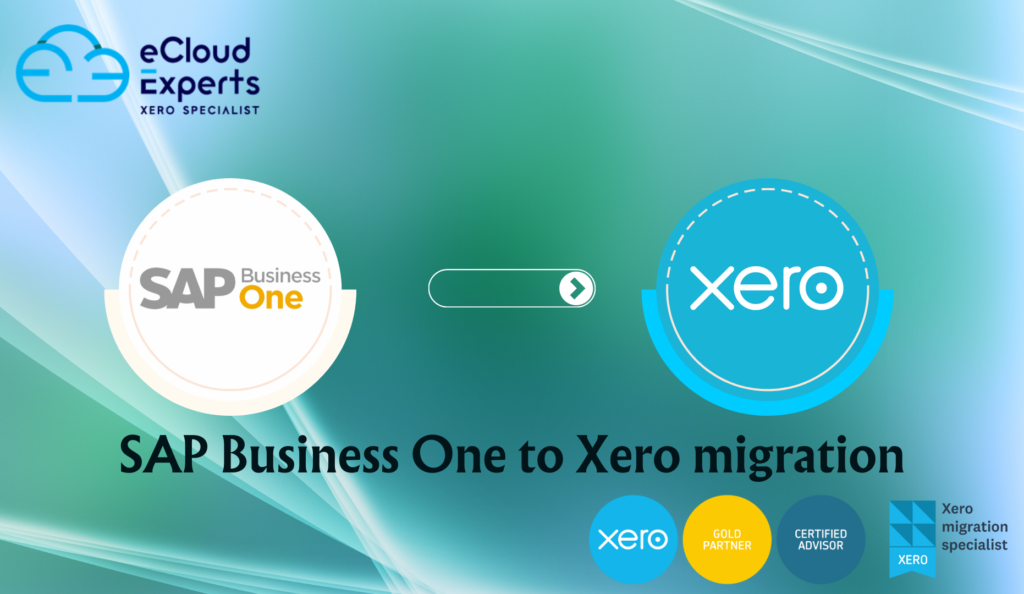
Switching from SAP Business One to Xero is a strategic decision for businesses. which is aiming to simplify financial processes, reduce costs, and embrace cloud-based accounting. While SAP Business One offers robust features, its complexity and maintenance costs can become overwhelming. Xero, with its user-friendly interface, affordability, and extensive third-party integration, is the ideal solution for businesses seeking efficiency and flexibility. At eCloud Experts, our team of Xero migration experts. Xero consultants, and certified Xero advisors specializes in seamless SAP Business One to Xero conversions. we are ensuring accuracy and minimal disruption. Below, we address frequently asked questions to guide you through the process and highlight the benefits of migrating to Xero. Why Migrate from SAP Business One to Xero? Migrating to Xero offers several key advantages: FAQs About SAP Business One to Xero Migration 1. Can all my SAP Business One data be migrated to Xero? Yes, eCloud Experts provides a comprehensive migration service, transferring: 2. How long does the migration process take? The timeline depends on the volume and complexity of your data. Most migrations are completed within 5-10 business days. Our Xero migration experts ensure a smooth and timely process with minimal downtime. 3. Can foreign currency transactions be migrated? Yes, we accurately migrate multi-currency transactions. we are using the exchange rates recorded in SAP Business One to maintain financial accuracy in Xero. 4. Will my department and cost center data be preserved? Absolutely. eCloud Experts ensures that all departmental and cost center data is mapped and migrated, maintaining your reporting integrity in Xero. 5. Does the migration include purchase orders, invoices, and attachments? Yes, we migrate all essential data, including purchase orders, invoices, and attachments, ensuring no critical information is lost. 6. How is stock and inventory data handled? While financial data is transferred, detailed stock and inventory levels are not directly migrated. We recommend integrating tools like Unleashed, Cin7 Core, or DEAR Inventory with Xero for advanced inventory management. Our Xero consultants can assist in setting up these solutions to streamline your inventory processes. 7. Can Xero integrate with third-party apps? Yes, Xero supports a wide range of app integration, including: Our certified Xero advisors can guide you in selecting and optimizing these tools to enhance your business operations. Why Choose eCloud Experts for SAP Business One to Xero Migration? 1. Certified Xero Migration Experts Our experienced team of Xero migration experts ensures accurate and efficient data transfer, handling even the most complex migrations seamlessly. 2. Customized Solutions We tailor every migration to meet your business requirements, ensuring a smooth transition with minimal disruption. 3. Global Reach eCloud Experts provides Xero migration services to businesses worldwide, offering consistent support wherever you are located. 4. Ongoing Support From integrating third-party apps to training your team. Our Xero consultants deliver ongoing support to help you get the most out of Xero. Simplify Your Accounting with eCloud Experts Migrating from SAP Business One to Xero is a smart investment for businesses seeking cost efficiency and operational simplicity. With eCloud Experts, you’ll benefit from: Start Your SAP Business One to Xero Conversion Today Switching to Xero is an opportunity to simplify your accounting processes and reduce operational costs. At eCloud Experts, we ensure a seamless transition tailored to your unique business needs. Contact us today to learn more about our SAP Business One to Xero migration services. Also how we can help your business thrive.
Why Migrating from Sage Intacct to Xero is the Right Move for Your Business
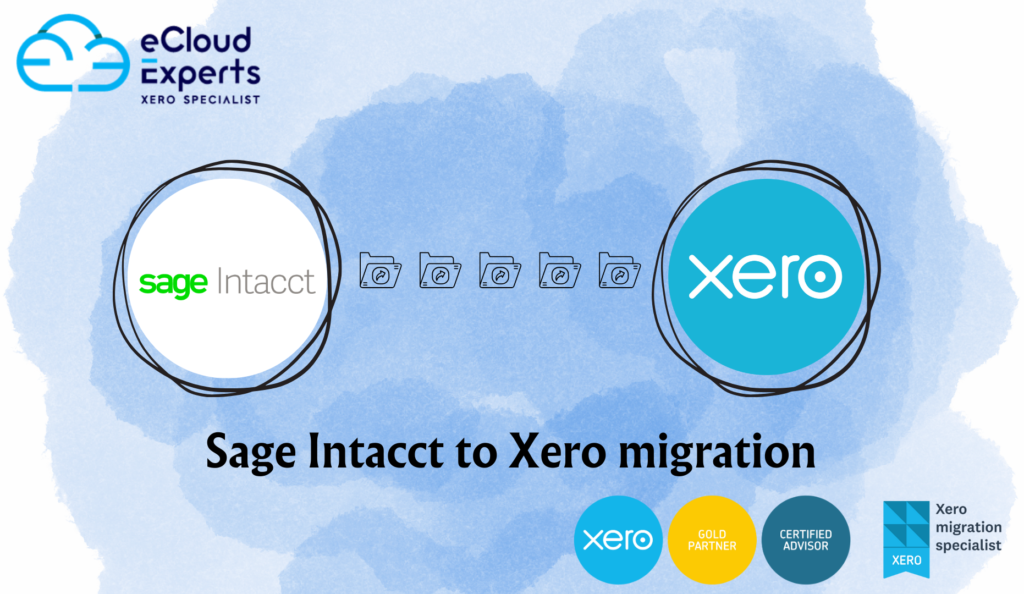
Migrating from Sage Intacct to Xero offers businesses an excellent opportunity to streamline their accounting processes, reduce costs, and leverage a more user-friendly, cloud-based financial management solution. While Sage Intacct is a powerful ERP system, its complexity and high costs can hinder growth, especially for small to medium-sized businesses. Xero offers an intuitive, scalable, and cost-effective alternative. At eCloud Experts, our team of Xero migration experts specializes in seamless Sage Intacct to Xero migrations. We ensure that your business data is migrated accurately and efficiently while providing ongoing support to ensure your team is confident using Xero. Here’s why migrating from Sage Intacct to Xero is the ideal choice for your business. Why Migrate from Sage Intacct to Xero? Migrating to Xero offers several benefits over Sage Intacct: FAQs About Sage Intacct to Xero Migration 1. Can all my Sage Intacct data be migrated to Xero? Yes, eCloud Experts offers a full Xero migration service, including: 2. How long does the migration process take? The migration timeline typically takes 5-10 business days, depending on the complexity of your data. Our Xero migration experts ensure a smooth and timely transition with minimal disruption to your business. 3. Can multi-currency transactions be migrated? Yes, we ensure accurate migration of multi-currency transactions, preserving exchange rates for financial consistency. 4. Will my department and cost center data be preserved? Absolutely. We ensure that your department and cost center data are mapped and transferred accurately to Xero, maintaining your reporting structure. 5. Does the migration include purchase orders, invoices, and attachments? Yes, all essential data, including purchase orders, invoices, and attachments, is seamlessly transferred during the migration to Xero. 6. How is stock and inventory data handled? Stock and inventory levels are not directly migrated. However, we can integrate Xero with third-party inventory tools like DEAR Inventory, Unleashed, or Cin7 for seamless inventory management post-migration. 7. Can Xero integrate with third-party apps? Yes, Xero integrates with a wide variety of third-party apps, including: Our Xero consultants will help you integrate the best apps for your business. Why Choose eCloud Experts for Your Sage Intacct to Xero Migration? 1. Proven Expertise in Sage Intacct to Xero Migration At eCloud Experts, we have extensive experience in migrating businesses from Sage Intacct to Xero. That ensures a smooth and accurate transition with minimal disruptions. 2. Tailored Solutions for Your Business Every business has unique needs. Our Xero migration experts tailor each migration to fit your specific business requirements, ensuring the best outcome for your company. 3. Global Reach Whether your business is in the UK, US, or anywhere in the world, eCloud Experts provides Xero migration services globally. We ensure that your business transitions to Xero smoothly, no matter where you’re located. 4. Ongoing Support After migration, our Xero advisors provide ongoing support, training, and optimization to help you get the most out of Xero. And ensure your team is confident using the new system. Simplify Your Accounting with eCloud Experts Migrating from Sage Intacct to Xero offers businesses greater flexibility, lower costs, and improved financial management. At eCloud Experts, we ensure that your migration is smooth and efficient. You’ll benefit from: Start Your Sage Intacct to Xero Migration Today Migrating from Sage Intacct to Xero can help reduce costs and simplify your financial management. eCloud Experts ensures a smooth and customized migration that meets your business’s needs. Contact us today to learn more about our Sage Intacct to Xero migration services and how we can help your business thrive with Xero.
Why Migrate from QuickBooks Enterprise to Xero?
As businesses scale, their accounting systems must evolve to meet increasing demands. QuickBooks Enterprise is a robust solution for large companies. But it can also be complex, expensive, and limited in certain areas. Xero, on the other hand, offers a user-friendly, scalable, and cost-effective solution that simplifies financial management. Whether you’re looking for more flexibility, enhanced reporting, or cost savings, migrating from QuickBooks Enterprise to Xero. It is a strategic move for growing businesses. At eCloud Experts, we specialize in seamless QuickBooks Enterprise to Xero migrations. Our team of Xero migration experts ensures that. your transition is smooth, preserving data integrity and improving your business’s financial operations. Here’s why migrating from QuickBooks Enterprise to Xero can benefit your business. Why Migrate to Xero from QuickBooks Enterprise? Migrating to Xero offers businesses several advantages over QuickBooks Enterprise: FAQs About QuickBooks Enterprise to Xero Migration 1. Can all my QuickBooks Enterprise data be migrated to Xero? Yes, our Xero migration experts ensure that all essential data is transferred from QuickBooks Enterprise to Xero. This includes: We handle the migration carefully to make sure no data is lost and your financial records remain accurate. 2. How long does the migration process take? Typically, the migration from QuickBooks Enterprise to Xero can take anywhere from 5-10 business days. It depends on the complexity and volume of data. Our team works quickly to make sure that the migration is completed with minimal downtime. So, you can continue operating smoothly. 3. Can multi-currency transactions be migrated? Yes, Xero supports multi-currency transactions, and we ensure that multi-currency data from QuickBooks Enterprise is accurately migrated. Exchange rates and financial data will be preserved during the migration process. 4. Will my department, cost center, and other custom data be preserved? Absolutely. During the migration, we make sure that your department and cost center data. As well as any custom fields or data structures are mapped, and transferred into Xero correctly. we are maintaining your reporting and business structure. 5. Does the migration include purchase orders, invoices, and attachments? Yes, all essential documents, including purchase orders, invoices, and attachments, will be migrated into Xero. We are ensuring a complete and accurate transition from QuickBooks Enterprise. 6. How is stock and inventory data handled? While Xero does not directly migrate stock and inventory data. we can integrate Xero with popular inventory management tools like DEAR Inventory, Unleashed, or TradeGecko. This ensures that inventory data is managed seamlessly after migration. 7. Can Xero integrate with third-party apps? Yes, Xero integrates with a wide range of third-party apps, allowing businesses to automate processes and enhance functionality. Some of the popular integrations include: Our Xero consultants will help you integrate the right apps for your business needs. Why Choose eCloud Experts for Your QuickBooks Enterprise to Xero Migration? 1. Expertise in QuickBooks Enterprise to Xero Migration At eCloud Experts, we have extensive experience migrating businesses from QuickBooks Enterprise to Xero. Our team of Xero migration experts ensures your data is transferred accurately, securely, and with minimal disruption. 2. Tailored Solutions We understand that every business has unique needs. Our Xero consultant provides customized solutions to make sure Xero fits your specific requirements. From advanced reporting to custom workflows and multi-currency support. 3. Global Reach No matter where your business is located, eCloud Experts provides Xero migration services globally. We confirm that your transition to Xero is smooth and efficient, regardless of your location. 4. Ongoing Support and Training Once your migration to Xero is completed. Our Xero advisor provides ongoing support and training to help your team make the most of Xero’s features. We make sure that your business can fully leverage Xero for financial management and growth. Simplify Your Accounting with eCloud Experts Migrating from QuickBooks Enterprise to Xero offers numerous benefits, including lower costs, enhanced reporting, and greater flexibility. With eCloud Experts, you’ll benefit from: Start Your QuickBooks Enterprise to Xero Migration Today Migrating to Xero can help streamline your accounting processes, save on subscription costs, and enhance financial reporting. At eCloud Experts, we ensure your migration is seamless and fully customized to your business needs. Contact us today to learn more about our QuickBooks Enterprise to Xero migration services. And how we can help your business grow with Xero.
How to Transition from Microsoft Dynamics 365 to Xero Seamlessly
Migrating from Microsoft Dynamics 365 to Xero can significantly enhance your business’s financial management. While Microsoft Dynamics 365 offers a robust ERP platform, its complexity and high costs can be burdensome for small to medium-sized businesses. On the other hand, Xero is an intuitive, affordable, and cloud-based accounting solution that allows businesses to operate more efficiently while cutting down on IT costs and complexity. At eCloud Experts, we specialize in Microsoft Dynamics 365 to Xero migrations. Our team of Xero migration experts, Xero consultants, and Xero advisors ensures that your transition to Xero is smooth, efficient, and tailored to your business needs. Below, we answer frequently asked questions to help you navigate the migration process. Why Migrate from Microsoft Dynamics 365 to Xero? Migrating to Xero provides businesses with numerous advantages: FAQs About Microsoft Dynamics 365 to Xero Migration 1. Can all my Microsoft Dynamics 365 data be migrated to Xero? Yes, eCloud Experts can migrate your complete Microsoft Dynamics 365 data to Xero, including: 2. How long does the migration process take? Most migrations are completed within 5-10 business days, depending on the complexity and size of the data. Our Xero migration experts ensure minimal downtime and a seamless transition. 3. Can multi-currency transactions be migrated? Yes, multi-currency transactions can be migrated accurately. We ensure the exchange rates recorded in Microsoft Dynamics 365 are applied to maintain financial accuracy in Xero. 4. Will my department and cost center data be preserved? Absolutely. We map and transfer departmental and cost center data to ensure your reporting structure remains intact in Xero. 5. Does the migration include purchase orders, invoices, and attachments? Yes, we ensure that all critical data, including purchase orders, invoices, and attachments, is migrated to Xero seamlessly. 6. How is stock and inventory data handled? While stock and inventory data are not directly migrated, we can integrate third-party inventory management tools like DEAR Inventory or Cin7 to provide advanced inventory management within Xero. 7. Can Xero integrate with third-party apps? Yes, Xero offers integration with a variety of business apps, including: Our Xero consultants will guide you through setting up and optimizing these integrations to suit your business needs. Why Choose eCloud Experts for Your Microsoft Dynamics 365 to Xero Migration? 1. Trusted Xero Migration Experts With years of experience in Microsoft Dynamics 365 to Xero migrations, our team ensures your data is transferred accurately and securely with minimal disruption. 2. Tailored Solutions We understand that each business has unique needs. Our solutions are tailored to fit your company’s processes, ensuring that your Xero setup is optimized for success. 3. Global Reach We provide Xero migration services to businesses worldwide, helping organizations of all sizes make the move to Xero. 4. Post-Migration Support Our Xero advisors offer ongoing support to ensure that your team is trained and fully equipped to take advantage of Xero’s full potential. Simplify Your Accounting with eCloud Experts Migrating from Microsoft Dynamics 365 to Xero can transform your financial management. With eCloud Experts, you’ll benefit from: Start Your Microsoft Dynamics 365 to Xero Migration Today Switching from Microsoft Dynamics 365 to Xero offers significant cost savings, better usability, and the ability to scale your accounting processes. At eCloud Experts, we ensure a seamless migration process, tailored to your specific business needs. Contact us today to learn more about our Microsoft Dynamics 365 to Xero migration services and how we can help your business thrive with Xero.