
Step by step Guide Migrating From Any Software to Xero
Moving your accounts into new software can feel scary. You worry about lost data broken reports and long nights fixing mistakes. The good news is that if you plan it properly you can migrate to Xero with confidence and keep your business running the whole time. In this guide we will walk through every stage of how to migrate to Xero from any system whether you use desktop software, another cloud platform spreadsheets or a custom tool. You will see what to do in what order, what to prepare and what to check so you know your numbers are correct on day one. Why businesses decide to migrate to Xero Before you migrate to Xero it helps to be clear about why you are moving. That way every choice in the project can support your goals. Common reasons include When you understand the main reason you want to migrate to Xero you can decide which data you must bring across which add ons you need and how to train your team. Step 1 Decide the right time to migrate to Xero One of the biggest choices is when to cut over. Picking the wrong date can cause confusion and duplicate work. Most businesses pick one of these options when they migrate to Xero Moving at the start of a new year gives the cleanest split. All old year data stays in your previous system and you migrate to Xero with opening balances and key history. Starting at the beginning of a month is also popular if you cannot wait for year end because it keeps bank reconciliation and reporting easier. If your accounts are very messy you may first want a clean up in your old system. Then you migrate to Xero with tidy figures instead of carrying problems across. Tip: Pick a cut off date and freeze entries in the old system from that date onwards. From that day every new invoice bill and bank entry should go into Xero only. Step 2 Decide what you will migrate to Xero You do not always need to move every single transaction from the last ten years. The smart way to migrate to Xero is to choose the right level of detail for your needs and budget. Think about these data types Many small and medium businesses migrate to Xero using a mix of detailed open items and summary history. For example If you need full history for audit or detailed analysis you can migrate to Xero using a specialist conversion tool or keep a read only copy of your old system for reference. Step 3 Prepare your existing data before you migrate to Xero Data quality is the heart of any project to migrate to Xero. If your current data is messy then reports in Xero will also be messy. Spend time cleaning before you move. It saves many hours later. Work through these checks in your current system If you use inventory also check that stock quantities make sense and negative stock is fixed before you migrate to Xero. This is also a good time to decide which contacts you still work with. If a supplier has not been used for years you may leave it behind and only migrate active contacts to Xero. Step 4 Design your chart of accounts in Xero Xero works best when the chart of accounts is clear and logical. Many businesses use the move as a chance to redesign the structure. When you migrate to Xero think about You can either If you redesign, keep a simple mapping table. This table links each old account to the new account in Xero. You will use this when you import balances and when you explain the new reports to your team. Step 5 Set up your Xero organisation Now you can log in and set up the Xero file that you will migrate to. If you are working with eCloud Experts we would usually handle this setup for you and then walk you through the key settings. At this stage you will You want Xero ready to receive data before you migrate to Xero so that imports and checks go smoothly. Step 6 Export data from your existing system Next you need to get information out of your current software. Each tool has its own export process but the main idea is the same. You extract data into CSV or Excel files so you can then import that data when you migrate to Xero. At a minimum export If you also want historic transactions to migrate to Xero then export past invoices bills and journals for the months or years you need. Check each export file for missing columns or strange characters. Fix as much as possible in the spreadsheet before importing into Xero. This keeps your Xero data clean. Step 7 Import core data into Xero Now you can start bringing information into Xero. Work in a clear order so you keep control. A typical sequence when you migrate to Xero looks like this At each import Xero will show any errors such as missing required fields or wrong tax codes. Fix these items then repeat the import for the failed rows only. Take your time and check totals as you go rather than rushing everything in one go. Once balances are in place you can run an aged receivables report and aged payables report in Xero and compare them to the reports from your old system as at the cut off date. Both sides should match. If they do not this is the time to fix the difference. Step 8 Connect bank feeds and import recent bank transactions Bank reconciliation is one of the biggest daily tasks in Xero. When you migrate to Xero you want the bank position to be accurate from day one. First make sure the opening bank balance in Xero matches the real bank statement on the cut off date. Then After this you can start reconciling. Use
Why Businesses Choose eCloud Experts for Xero Migration Services
Many business owners know when their accounting system no longer matches the pace of their growth. Reports start to feel unreliable. Bank accounts no longer reconcile smoothly. Data sits in different places and slows every decision. At that point, the need for a modern cloud based platform becomes obvious. Xero often becomes the preferred choice because of its clarity, powerful reporting, and user friendly design. Yet shifting from one accounting system to another is not a simple copy and paste job. Historical records carry years of financial activity and carry deep meaning for the business. If the move is handled without proper care, the numbers can lose context and accuracy. This is the moment when the value of a trusted migration partner becomes crucial. Many companies choose the eCloud Experts Xero migration service because they want confidence, structure, and clarity throughout the switch. They want a team that understands data, cares about accuracy, and communicates in simple language that is easy to follow. The preference for eCloud Experts is based on trust built through long years of practical experience and consistently strong results. The following sections explore why so many businesses rely on the eCloud Experts Xero migration team and what sets this service apart from other providers. The Growing Need for Accurate and Reliable Accounting Data When leaders cannot trust their financial information, every decision becomes slower and riskier. It becomes harder to measure profit. and becomes harder to manage spending. It becomes harder to prepare for growth. Many clients who reach out to eCloud Experts share similar challenges• Their current software feels outdated or too complex• Their reports no longer show a clear picture• Their accountants have to fix errors each month• Their team works harder than necessary to produce simple insights A move to Xero solves these problems only when the migration is carried out with careful attention. Poor quality data will follow the business even after the switch. The eCloud Experts Xero migration service solves this problem by rebuilding the accounting foundation in a clean and structured way. This is why accurate migration matters so much. It is not only about importing numbers into a new tool. It is about restoring control and clarity for the entire organisation. How eCloud Experts Approaches a Migration Project When clients see the approach that the eCloud Experts team follows, they often feel a sense of relief. Each project follows a simple four part method that keeps everything organised and steady from the start. The method works as follows• The team carries out a deep review of the current accounts• They prepare the ideal structure inside Xero for the future setup• They migrate all required data with careful checks• They verify the results and provide guidance for the new system This four part method is the backbone of every eCloud Experts Xero migration. It removes confusion and gives clients a clear path from the first meeting to the final handover. By following this steady process, the team protects data accuracy and avoids any unnecessary risk for the business. Why Data Accuracy Is the Highest Priority Many migration providers focus only on moving balances. This often leads to missing records, wrong ledger codes, incorrect dates, or broken tax treatment. These issues create frustration for accountants and business owners who rely on clean data. The eCloud Experts team focuses heavily on data accuracy. Before any import begins, they run extensive checks on the existing records. They look for gaps, inconsistencies, duplicates, old transactions that need correction, and tax codes that require attention. They handle these issues before migration to protect the integrity of the financial story. Clients often describe this part of the process as the most reassuring step. They feel confident when they see how much attention goes into cleaning and preparing the data. The team views accuracy not as an extra benefit but as an essential requirement for a successful eCloud Experts Xero migration. Experience Across Many Industries Practical experience shapes the success of any migration. The eCloud Experts team has completed many projects for companies across many industries including• Retail• Ecommerce• Agencies• Construction• Hospitality• Professional services• Nonprofit organisations Each industry carries its own accounting patterns. Retail needs clarity on stock movement. Service based companies need accurate time billing records. Ecommerce sellers need consistent mapping for sales channels, payment gateways, and fee structures. Nonprofits need accurate tracking of funds and projects. Because the team has worked with these unique patterns many times, they understand where common issues appear. They also know which mistakes to avoid and which checks must be performed to ensure a clean and correct eCloud Experts Xero migration outcome. This experience reduces stress for clients. It also reduces the time required to complete the migration because the team already understands the common challenges of each sector. A Clear Communication Style That Clients Appreciate Many business owners worry that an accounting system switch will feel complicated or time consuming. They expect technical explanations and confusing instructions. This is why the communication style of eCloud Experts becomes such a strong advantage. The team explains every step in simple language. They avoid complicated terminology. and avoid unnecessary details. They guide clients in a friendly and calm way that makes the project feel manageable. Clients often say that the communication alone makes the eCloud Experts Xero migration service worth choosing. They feel supported rather than overwhelmed. They receive clear updates at each stage and always know what will happen next. Practical Knowledge of Add ons and Connected Tools Modern businesses rarely use only one system. Most companies depend on ecommerce platforms, POS systems, inventory tools, CRM software, and payment gateways. A successful migration must consider these connections. If the migration ignores these tools, issues can appear later and disrupt daily operations. The eCloud Experts team has strong experience with popular add ons such as• Shopify• WooCommerce• Amazon• Stripe• PayPal• Square• Unleashed• Cin7 Core• Vend• Lightspeed This knowledge helps the team map data correctly and ensure that the business continues to
Xero Migration for E commerce Businesses: Shopify Amazon and More
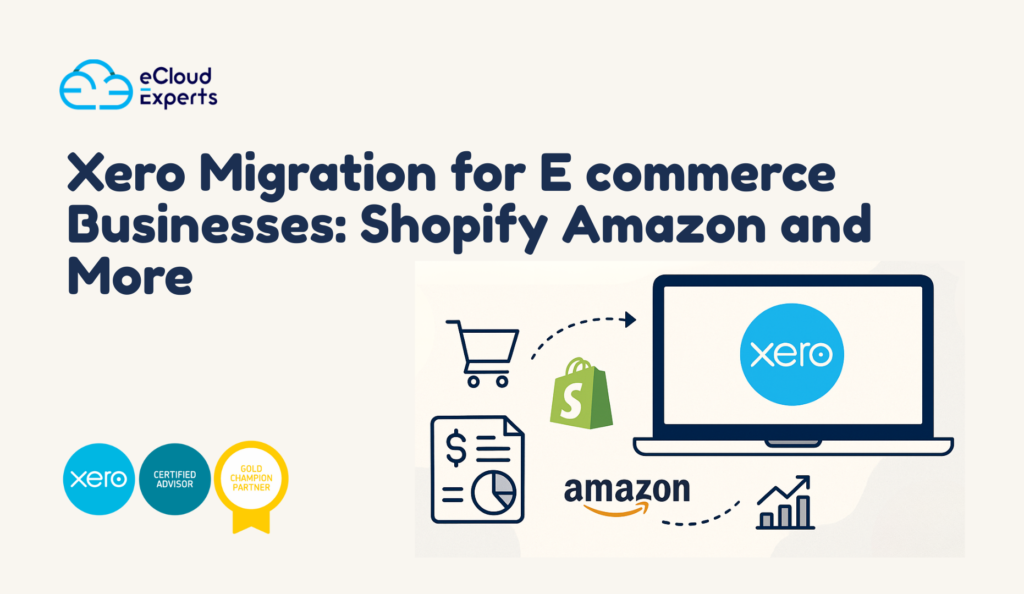
Online business grows quickly, and old methods cannot keep up. Many owners begin with simple spreadsheets. However, these tools start to fail once order volume rises. The more sales you handle, the more mistakes appear. Here are the real reasons sellers move to Xero for ecommerce. As a result, reports become confusing and decision making becomes harder. At this point most sellers realise they need a reliable system that can support growth. This is where Xero for ecommerce helps. It gathers all financial activity in one place, and it keeps information clean even when sales increase. Because data arrives in a clear format, owners gain confidence in their numbers and spend less time fixing mistakes. Why Ecommerce Businesses Need a Modern Accounting System Online business grows quickly, and old methods cannot keep up. Many owners start with spreadsheets, but soon discover that the manual approach breaks once order volume rises. When sales increase, errors increase as well. Here are the real reasons sellers adopt Xero for ecommerce. These issues slow down business growth. A clean accounting system is not just a tool. It becomes a foundation. Xero for ecommerce removes these problems by centralizing all financial data. Sellers get accurate information at the right time. How Xero Supports the Full Ecommerce Cycle A strong accounting system should support every part of an online business. This includes product development, marketing, fulfillment and financial reporting. Here is how Xero for ecommerce strengthens each step. This means sellers can follow the journey of every order, from the moment the customer pays to the moment funds arrive in the bank. The Main Benefits of Using Xero for Ecommerce Once a store connects to Xero for ecommerce, the improvements become visible almost immediately. Many sellers describe the experience as a major relief because the system removes confusion. The most valuable benefits include: When data arrives in the correct format, business decisions become stronger. Owners can finally focus on growth instead of fixing numbers. Shopify and Xero for Ecommerce: A Strong Partnership Shopify is one of the most widely used platforms for online stores. It is powerful for order management and product handling, but it does not replace a proper accounting system. Many sellers move to Xero for ecommerce because they want accurate financial control. The Shopify to Xero connection can bring in important items such as: Order detailsShipping incomeRefundsDiscount amountsProduct taxesStock adjustments These items then match with bank feeds inside Xero. Owners can see their sales totals, their real income and the effect of each promotion. No more spreadsheets with errors. No more confusion about daily sales totals. Multi currency stores also benefit because Xero for ecommerce handles international values with clarity. Amazon Sellers and Xero for Ecommerce Amazon is known for its complex fee structure. Many sellers struggle to understand the true profit of their products because Amazon adds many adjustments to each payout. This is the reason so many sellers adopt Xero for ecommerce. It gives them a way to break down all activity inside their accounts. The Amazon to Xero connection supports important details such as: SalesRefundsAmazon feesStorage chargesPick and pack chargesAdvertising spendPromotional discountsInventory costsReimbursements When this information enters Xero correctly, sellers finally understand their actual profit margins. They can compare product performance and plan advertising budgets with confidence. Xero for ecommerce turns Amazon’s complex numbers into a format that sellers can work with. WooCommerce Store Owners and Xero for Ecommerce WooCommerce offers flexibility for sellers who use WordPress. But since WooCommerce is not built for accounting, most sellers pair it with Xero for ecommerce to gain proper financial clarity. Key WooCommerce data that can sync to Xero includes: TaxesShipping incomeRefundsPayment gateway fees With this information inside Xero, sellers can produce accurate financial statements without spending hours cleaning up errors. This combination works especially well for sellers who manage multiple product lines. Other Platforms That Work With Xero for Ecommerce One of the strongest features of Xero is its wide range of integrations. This makes it ideal for multi channel sellers. Here are some of the platforms that connect well with Xero for ecommerce. Many sellers use two or three of these platforms together. Without a system like Xero for ecommerce, it becomes very hard to organize accurate accounting data. What Data Syncs Into Xero During Migration Understanding what moves into Xero is important for planning. This helps owners know how reports will look once migration is complete. The most common data points include: This creates a complete picture of your financial activity. When this information flows into Xero for ecommerce, the system can produce accurate profit and loss reports, cash flow summaries and balance sheets. Choosing the Right Integration for Xero for Ecommerce Not all online stores operate the same way. The right integration depends on your size, order volume and business structure. Here are the main factors to consider when choosing a connector. For example: A2X is ideal for Amazon and Shopify sellers with medium to large volumeLink My Books is popular with smaller storesCin7 Core and Unleashed are used for detailed inventory management These tools create clean financial entries that flow into Xero for ecommerce without confusion. Inventory Management and Xero for Ecommerce Inventory is often the largest asset in an online business. Accurate stock tracking helps businesses prevent overselling or overstocking. Xero includes a basic inventory system suitable for simple operations. More advanced sellers prefer dedicated tools and then connect them to Xero for ecommerce. Advanced inventory tools can track: Multiple stock locationsBatch numbersExpiry datesPurchase ordersManufacturing activityWarehouse transfers Once connected, inventory tools manage product activity while Xero handles financial records. This creates a complete and reliable system. Advanced Reporting Features in Xero for Ecommerce Financial reporting helps owners understand the health of their business. Because of this, a clear reporting system is essential for growth. Xero for ecommerce supports detailed reporting that improves decision making and gives owners a full picture of their financial activity. Popular reports include: Common Problems Faced by Sellers Without Xero for Ecommerce
Xero Migration vs Xero Setup What Is the Difference
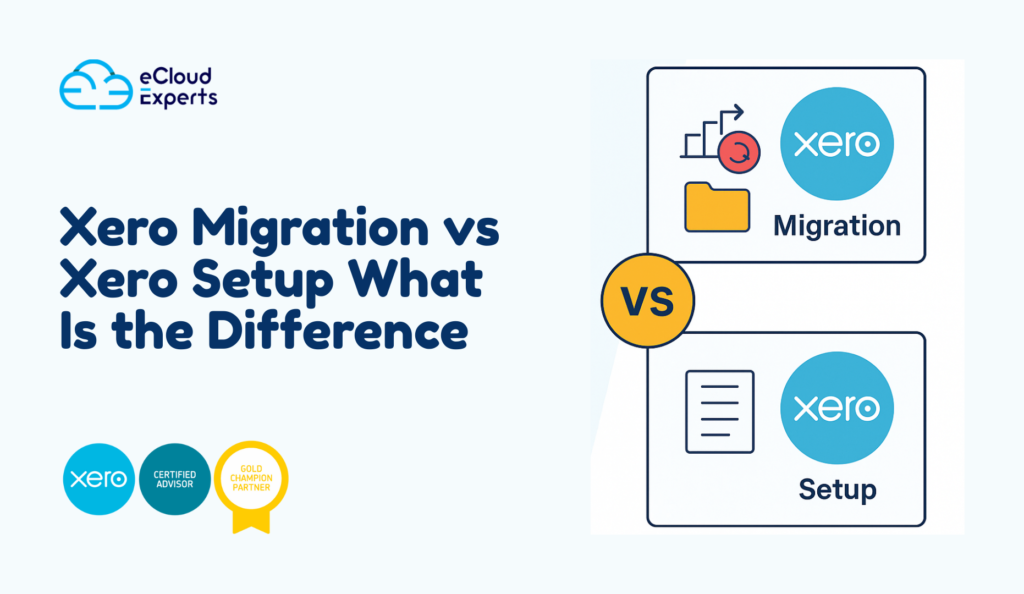
Many business owners hear the terms Xero migration and Xero setup and assume they mean the same thing. In truth they refer to two very different journeys. One moves your existing financial history into Xero. The other creates a new Xero account from a clean starting point. When you understand the difference you make better decisions and save yourself time money and confusion. In this guide you will see how Xero migration vs Xero setup compare in real life situations. You will also learn when each option is the right choice and how to prepare for a smooth start with Xero. Why People Get Confused About Xero Migration vs Xero Setup When someone decides to use Xero their first thought is usually I want Xero ready as fast as possible. That is natural. But this often leads to one important question. Should I move my old accounting data into Xero or should I start fresh with a new set of books Both paths take you to Xero but the journey feels very different. Think of it like moving into a new home. You can bring all your furniture or you can shop for new furniture and start fresh. The same idea applies to your accounting system. What Xero Setup Really Means Xero setup is the process of creating a new Xero account from scratch. There is no past data coming in from another accounting system. You begin with an empty file and you build it step by step. What is included in a standard Xero setup A proper Xero setup normally includes • Chart of accounts creation• Bank account connections• Bank feeds• Financial settings• Invoice layout and branding• User access control• Tax settings• Basic tracking categories• Opening balances if the business is brand new A good setup gives you a strong foundation. Without it your numbers quickly become messy even if you enter everything correctly. When is a Xero setup the right choice You should choose Xero setup when • You are a new business with no previous accounting system• You want to start fresh after years of inconsistent bookkeeping• You only have a small amount of old data and do not need to move it• Your previous system is too messy to rescue Many new companies start with Xero setup because they want clean books from day one. It is simple, light and fast. What Xero Migration Really Means Xero migration moves your existing accounting data from your old system into Xero. Instead of starting with a blank file you bring your history so your finance story continues without a break. Common systems migrated to Xero include • QuickBooks• Sage• Zoho Books• MYOB• Excel based records What is included in a full Xero migration A complete migration may include • Chart of accounts transfer• Contacts customers suppliers• Invoices and bills• Payments and credit notes• Bank transactions• Inventory items• Fixed assets• Historical reports• Multi currency data if supported This work must be accurate. One small error in a migration can create problems that follow you for years. This is why many firms ask trained specialists to handle the process. When is a Xero migration the right choice Choose Xero migration when • Your business already has active books in another system• You want past data for reporting and tax• You plan to show financial history to banks or investors• You want to keep customer invoice history• You need a complete and smooth switch For most growing companies migration is the smarter path because you keep the full picture of your business. Xero Migration vs Xero Setup Which One Protects Financial Accuracy Accuracy matters. If your data is wrong your decisions are wrong. If your decisions are wrong your business suffers. Accuracy strength of Xero setup A new setup gives you a clean starting point. There is no old error coming in. You create everything fresh and simple. This is perfect for new companies but not ideal if you already have a running business. Accuracy strength of Xero migration Migration protects your long term accuracy. You keep all your old transactions balances and records. This means your reports remain reliable and complete. If an investor asks for last years sales your numbers are already there inside Xero. How Much Time Does Each Process Take Time matters especially when your business is busy. Here is what most companies experience. Time for Xero setup Xero setup is usually quick. Most standard setups take a few hours to a few days depending on the level of customisation. Time for Xero migration Migration takes longer because old data needs to be reviewed, cleaned and transferred. The process may take several days or weeks depending on your volume of transactions and the quality of your old records. If your previous bookkeeping is messy expect extra time for cleaning up. Which One Costs More Xero Migration or Xero Setup Cost is always part of the decision. Here is an honest comparison. Cost range for Xero setup Setup is normally more affordable because it is short, simple and direct. You pay for the initial structure and basic training if needed. Cost range for Xero migration Migration costs more because it involves • Large data volume• File cleanup• Testing and verification• Multiple stages of transfer Still migration often saves money later because you avoid errors caused by missing or incorrect data. Real Life Example New Business Choosing Xero Setup Imagine a new e-commerce brand just registered this year. They have no past accounting file. They only need a chart of accounts, bank feeds and invoice branding. For them a full migration makes no sense. The correct move is Xero setup. They enjoy a fresh beginning, simple numbers and no old mistakes carried over. Real Life Example Growing Firm Choosing Xero Migration Now think of a firm with five years of trading history. They have customer invoices, supplier bills, payroll records and multi currency transactions. If they start fresh they lose everything that helps them understand past performance. For
Sage Intacct to Xero Migration: Top 7 Mistakes to Avoid
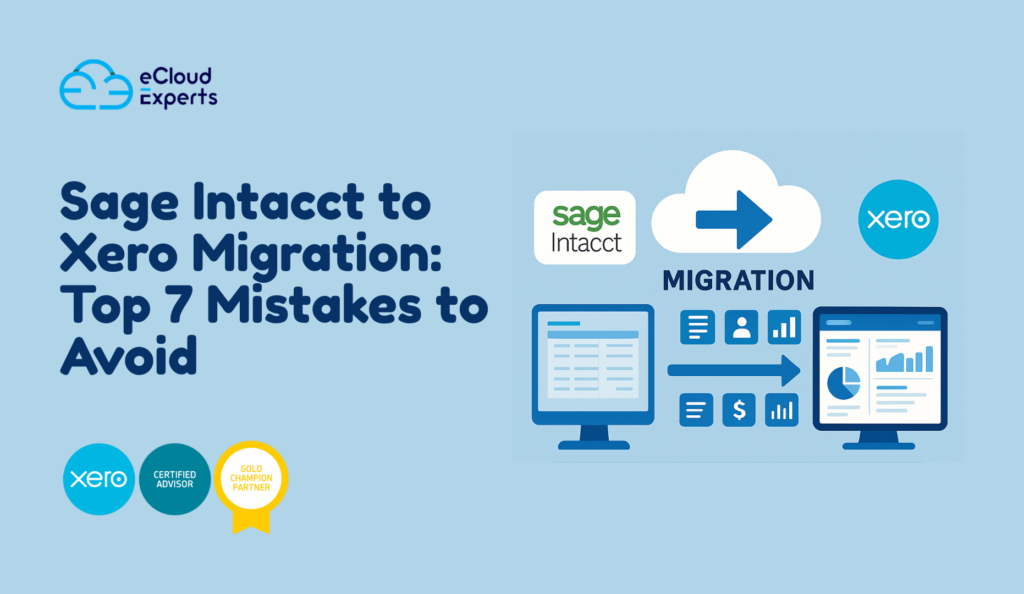
When a business plans a Sage Intacct to Xero migration, the goal is usually simple. They want a modern cloud system, easier reporting, better controls, and a setup that suits their current size. Yet the journey can feel messy if you do not understand the common mistakes that slow teams down. Many companies begin this move with confidence but end up spending weeks fixing avoidable problems. Data does not match. Reports look strange. Banking rules do not work. Team members feel lost because no one showed them how Xero actually behaves. A bit of planning would have avoided all of this. In this guide, you will learn the seven major mistakes companies make during a Sage Intacct to Xero migration and what you can do to stay clear of them. If you want a smooth shift with fewer surprises, these points will help you prepare the right way. Mistake 1: Migrating Everything Without Checking the Quality First Many teams think that a Sage Intacct to Xero migration means moving every single entry they ever created. They load years of data into the new system without reviewing anything. This is a fast way to move old errors into Xero. A better approach is to start with a review. Look at open transactions. and at incomplete entries. Look at accounts that no longer serve your business. Spot the areas where Sage Intacct data needs cleanup before the move. When data enters Xero in a clean state, you can trust your future reports. You save time. and avoid confusion. You reduce the risk of a messy first month in Xero. Think of it as packing for a new home. You do not carry everything from the old place. You keep what is useful and leave the rest. How to avoid this mistake• Review customer and vendor records• Check inactive accounts• Confirm opening balances• Remove duplicates• Resolve long standing errors inside Sage Intacct before export Mistake 2: Ignoring the Differences Between Both Systems A Sage Intacct to Xero migration is not a one to one copy. These systems think in very different ways. Sage Intacct has a rigid structure. Xero is more flexible. Sage Intacct splits some elements that Xero groups. Xero has features like tracking categories that do not exist in the same form in Sage Intacct. Teams who expect a perfect mirror layout feel confused when they see their data inside Xero. A smart migration begins with learning how Xero works. Understand chart of accounts rules. Understand how Xero handles items, tracking, and contacts. This shapes your setup choices and reduces future adjustments. How to avoid this mistake• Map every Sage Intacct field to the matching Xero field• Avoid copying old structures that no longer fit your business• Create a fresh chart of accounts that reflects your current needs• Train your team on the main Xero features before going live Mistake 3: Poor Data Mapping During Export and Import Incorrect mapping is the most common cause of migration frustration. For example, income accounts may map to expense accounts. Vendor contacts may appear as customers. Tax codes may not match. Even small mapping errors create reporting chaos inside Xero. A Sage Intacct to Xero migration depends heavily on careful mapping. If you do not plan this step, you will spend extra hours fixing records after the move. How to avoid this mistake• Review every mapping line• Confirm tax code alignment• Test a small data sample before the full import• Document the mapping rules and share them with everyone involved Mistake 4: Moving Data Without Validating It Inside Xero Many companies finish the import into Xero and assume the project is done. Then they discover that balances do not match. Bank accounts show the wrong numbers. Aged payables look strange. Receivable summaries make no sense. Migration is not complete until validation is complete. A Sage Intacct to Xero migration requires a careful review of the opening balances, aged summaries, bank statement figures, and profit reports. This ensures that nothing fell out of place during the import. How to avoid this mistake• Compare bank balances inside Sage Intacct and Xero• Check aged receivables and aged payables• Compare your trial balance from both systems• Validate inventory figures if your business uses items• Confirm that tax codes appear correctly Mistake 5: Not Training the Team Before Going Live You can have the perfect migration, but if your team does not know how to use Xero, stress will rise very fast. Xero uses a different layout and flow from Sage Intacct. A few minutes of training goes a long way. Skipping training is one of the top mistakes during a Sage Intacct to Xero migration. Staff members guess their way through the system and make errors that could have been avoided. How to avoid this mistake• Give your team time to learn key Xero screens• Introduce simple daily tasks• Show how bank reconciliation works in Xero• Provide cheat sheets for common tasks• Offer post migration support to answer questions Mistake 6: Forgetting to Rebuild Workflows and Add ons If your business uses automated processes inside Sage Intacct, remember that these do not carry over to Xero. These workflows must be rebuilt. The same applies to connected apps. The Sage Intacct to Xero migration does not transfer automation rules or external integrations. Failing to check the app ecosystem early creates downtime. Staff members lose access to tools they need. Reports break. Data stops syncing. How to avoid this mistake• List every connected app• Decide which ones will continue• Reconnect them to Xero in the right order• Rebuild automation rules inside Xero• Test each workflow one by one Mistake 7: Going Live Without Expert Guidance A Sage Intacct to Xero migration can be managed in house, but serious risk appears when the team has never completed this type of move. Xero has its own structure that takes time to understand. An experienced consultant can save you from many common mistakes. DIY migrations often cost more in the long run
NetSuite vs Xero: Which Cloud Accounting Platform Works Best for SMEs
Many owners reach a moment when they wonder if their current accounting system still fits the pace of their business. This question grows louder as teams become more mobile, reporting needs become more advanced, and leaders want quicker insight into daily activity. In that search for better control, two names appear again and again: NetSuite and Xero. Both tools sit in the cloud and both give business owners more control than the old file based systems of the past. Yet they serve very different types of organisations. Some owners want simplicity, quick setup, and a friendly layout their teams can learn in a day. Others need deeper features that support complex processes, multiple entities, or strict approval layers. This is where the real comparison begins. This guide explores the strengths, gaps, and real world differences between NetSuite and Xero. It focuses on what matters most for growing small and medium firms. You will learn how each platform handles daily tasks, reporting, automation, scalability, cost, and integration. As you read, think about where your business is today and where you want it to be in the next few years. That future focus will help you choose the platform that gives you more control without creating extra work. A closer look at the core purpose of each platform Many people compare NetSuite and Xero as if they serve the same audience. In reality, they were created for different goals. Understanding this helps you see where the strengths of each system truly lie. NetSuite is built for firms that need a full organisation management system. It covers accounting, stock, project control, human resource functions, order flows, and even full workflow chains. It is a popular choice for firms with several entities or firms that operate in several countries. These businesses often deal with complex approvals and detailed audit needs. NetSuite can support that level of complexity with ease. Xero on the other hand focuses on clarity. It is built for owners and finance teams that want clean daily records, simple bank activity matching, and quick insight from tidy reports. Xero trims away anything that slows users down. This approach makes it ideal for owners who want accuracy with less training time. When you see these goals side by side, the comparison becomes clearer. NetSuite is a heavy duty system for complex firms. Xero is a modern accounting tool for everyday work in small and medium firms. Both serve valuable roles but they fit very different business shapes. Daily activity and ease of use One of the first things owners notice with any new accounting tool is how easy or difficult it is to move through daily tasks. Menus, buttons, and screen layouts make a big difference in productivity. Xero is known for its friendly experience. New users often feel at home within an hour. The layout is clean with clear words and simple navigation. Bank activity appears in an easy to read feed. Matching transactions becomes a quick part of the morning routine. Invoice creation and bill entry follow the same pattern. Everything feels clear and predictable. NetSuite offers a very different experience. It provides more screens, more fields, and more setup requirements. The system is powerful, but the learning curve is real. Most users need training before they feel confident. Once a team understands the logic of the platform, they gain access to a large set of features that support bigger organisational needs. Yet the early effort to master it can slow smaller teams that do not require that level of depth. For this reason small and medium firms tend to find Xero more comfortable for daily work. NetSuite shines only when the business has processes that require heavy structure. Reporting and insight Every growing firm needs strong reporting. You want to see your cash position, upcoming bills, overdue sales invoices, spending patterns, and taxes. You also want custom insight as your business becomes more complex. Xero handles everyday reporting with ease. You can create profit reports, balance sheets, aged debtor lists, aged creditor lists, and cash flow views. Xero also lets users customise report layouts, add formulas, group accounts, and save templates for future use. For most small and medium firms, this library covers every need. NetSuite goes further. It offers deep custom reporting, drill through trails, and advanced filters. You can build layered reports that track activity across several entities. You can monitor project costs, supply chain flows, and complex stock movement. This level of detail is valuable for organisations with large teams or many branches. For small and medium firms, the question becomes one of balance. Do you need deep advanced reporting or do you need fast everyday reports? If your business does not handle complex structures, Xero provides more than enough detail with far less effort. Automation and workflow Automation saves time and reduces human error. Every modern accounting tool promotes automation but the style of automation varies. Xero offers smart bank feeds, recurring transactions, repeating invoices, rule based matching for bank lines, and easy connection with third party tools. These features remove repetitive daily work. Xero also supports approval flows for bills and spending claims, although these flows remain lighter than those found in large enterprise systems. NetSuite provides a much larger automation engine. You can set detailed rules, multilayer approvals, conditional flows, and structured authorisation controls. Workflows can be customised to match internal processes across different branches. This is a strong advantage for larger organisations with strict control requirements. For small and medium firms, Xero offers the perfect balance: quick automation that requires almost no setup. NetSuite offers more control but demands time, planning, and technical guidance. Flexibility and growth Growth changes the needs of any business. Sometimes you want a system that scales with you. Sometimes you want a simple system that stays friendly even as your team expands. Xero scales very well for small and medium firms. You can add more users, connect with specialised apps, and expand your reporting library. Xero also
Xero Payroll Training Guide: How to Manage Payroll Like a Pro

Running payroll inside any business can feel stressful when numbers, dates, and rules move quickly. Many owners worry about mistakes that can hurt staff trust or create compliance issues. This is exactly why Xero payroll training has become one of the most valuable skills for finance teams today. When you know how to use Xero with confidence, you can stay in control of every payment, every timesheet, and every approval without wasting time or guessing your way through the process. Businesses want a payroll system they can trust. They want a clear routine. They want fewer errors. Most of all, they want someone in the team who knows what they are doing. This is where strong Xero payroll training can change everything. You can manage payroll like a pro, even if you are not an accountant, as long as you learn the right steps in the right order. In this long guide, you will learn how Xero payroll works, what skills you need, how to avoid the most common payroll mistakes, and how proper training helps you take control of your payroll cycle from the first setup to final reports. You will also see how Ecloud Experts can support you with real world examples, simple explanations, and a training style suited for non accountants and beginners. Why Strong Xero Payroll Skills Matter More Than Ever When a business grows, payroll becomes more complicated. Staff increase. Pay rates vary. Holiday rules change. Timesheets grow in volume. Without good skills, these tasks can pile up and become messy. A single error can cost time and confidence. That is why Xero payroll training gives you a real advantage. It gives you a system, a routine, and a clear way to manage every part of the payroll cycle. Here are the real world results business owners see after proper training. In simple words, strong Xero payroll training gives you peace of mind. Once you learn the exact features, you can run payroll without fear of errors or confusion. What Makes Xero Payroll a Great Choice for Growing Companies Xero payroll is a feature rich tool inside the Xero ecosystem. You can handle employee details, pay rates, leave records, timesheets, tax settings, pay slips, and reports in one place. It connects with your chart of accounts and creates cleaner financial data. That means fewer manual steps for you. The full benefits of Xero payroll become easier to use after you receive proper Xero payroll training. Many users only understand a small part of what the system can actually do. They know the basics, but they miss the deeper settings that save time and prevent mistakes. Let us look at the core strengths. These features come to life only when you understand how to use them correctly. That is the real purpose of complete Xero payroll training. A Clear Path From Beginner to Confident Payroll Manager Many people start with no experience at all. They feel nervous about payroll because they worry about errors. With the right training, they move from confused to confident step by step. You do not need an accounting degree. You only need a structured learning process that breaks payroll into smaller steps. A full Xero payroll training path usually looks like this. Once you learn these steps, you can run payroll faster than ever before. Step One Preparing Your Xero Payroll Setup The first step is always the setup. Many payroll problems start here because small details get ignored. Good setup saves time for months or years ahead. That is why every strong Xero payroll training program starts with a full review of the current payroll structure. The trainer will help you check these points. When these are set correctly, you avoid repeated corrections later. You also improve the accuracy of every report that follows. Step Two Employee Setup Without Mistakes Employee records matter because every error here flows into every pay run. This is why Xero payroll training teaches you exactly how to enter employee information carefully. You will learn how to: This section alone can save hours of fixing later. When employees are set up correctly the first time, payroll becomes smoother forever. Step Three Leave Management with Confidence Leave is one of the areas that causes the most confusion for beginners. Different staff have different leave rules. Some work fixed hours. and do shift work. Some have special entitlements. The good news is that Xero handles leave calculations very well when it is configured correctly. Quality Xero payroll training helps you: Once you learn how leave flows through the system, you can manage staff requests with confidence. Step Four Timesheets and Approvals Timesheets are simple when staff submit accurate information or when managers approve hours on time. They become difficult when the business does not have a clear process. Xero payroll supports both manual and digital timesheet entries. A complete Xero payroll training session helps you: After learning this, you will never worry about messy timesheets again. Step Five Running Payroll with Accuracy Running payroll is the key goal of the entire learning journey. Once everything above is set up correctly, payroll becomes smooth and predictable. A good trainer will walk you through a full practice pay run from start to finish until you feel comfortable doing it alone. A structured Xero payroll training session covers: This is the point where most users finally feel in control. Step Six Handling Payroll Corrections Without Stress Mistakes still happen even with strong skills. Someone might forget to approve a timesheet. Someone might receive incorrect hours. A tax setting might change. The good news is that Xero allows corrections without breaking your reports. With proper Xero payroll training, you learn: Once you learn this, you never fear payroll errors again because you know how to fix them the right way. Step Seven Using Payroll Reports Like a Professional Reports show you the truth behind payroll. They help you see if something looks wrong long before the numbers cause problems. Your
Complete Xero Practical Accounting Training: From Setup to Reporting
Modern businesses want clear numbers, quick reports, and easy collaboration. This is why interest in Xero practical accounting training has grown so fast. People want to learn Xero in a way that feels simple, hands on, and useful in real work situations. They want training that shows them how to run daily tasks, manage accounts, fix mistakes, and prepare proper reports with confidence. If you are planning to use Xero for your job, your business, or your own career development, this guide will walk you through every skill that matters. You will learn how real accountants and bookkeepers use the system every day. You will see the full picture from setup to reporting so that you can feel in control rather than overwhelmed. This full guide is designed for beginners and for people who want a stronger grip on the software. The knowledge you gain here will help you keep clean records, improve accuracy, and feel ready for professional work. Why Xero is Becoming the First Choice for Modern Accounting Work You might have noticed that more offices and firms are moving to cloud based systems. This shift is not random. People want tools that let them work from anywhere. They want numbers that update instantly without manual file transfers. They want fewer errors and fewer technical problems. Xero gives businesses all of these advantages. It allows automatic bank feeds, simple data entry, quick reporting, and smooth connections with other apps such as inventory tools, ecommerce platforms, and point of sale systems. The layout is clean, the learning curve is reasonable, and the entire system feels built for the real world. This is why Xero practical accounting training is now one of the most requested skills for jobs in finance, bookkeeping, and business support. Your knowledge of Xero can make you stand out, especially when many companies are upgrading from older systems. What You Will Learn Through Xero Practical Training A good training program gives you all the tools you need to succeed. You should not walk away with only theory. You should feel ready to use Xero on your own. The strongest Xero practical accounting training includes real examples such as: • Setting up a new organisation• Creating a chart of accounts• Adding users and setting permission levels• Importing or entering opening balances• Connecting bank accounts• Running bank reconciliation• Creating sales invoices• Recording bills• Managing contacts• Adjusting errors• Reviewing financial statements• Sending reports to managers or clients This is the foundation of practical accounting in a modern cloud system. Once you master these tasks, you can confidently handle daily work and support your team or business. Getting Started Inside the Xero System The journey begins with creating your organisation. You enter your business name, industry type, financial year, and tax settings. These details matter because they affect your reports later. You then move to your chart of accounts. This is the structure of your financial records. The chart of accounts shows where money should be recorded whether it is sales, expenses, assets, liabilities, or equity. Many beginners feel nervous about this part, but Xero makes it easy. You can use a preset chart or customise it based on your needs. A strong Xero practical accounting training program teaches you how to select the right account types, why naming matters, and how to avoid future confusion. When your chart of accounts is clean, your reports become far easier to read and trust. Adding Users and Managing Permissions Most businesses involve more than one person. Someone handles invoices. Someone else checks reports. Another person might approve payments. Xero lets you control who can access what. You can allow full access or very limited access based on the role. You can allow someone to work on sales only. and can allow someone to review accounts but not approve payments. This is important for security and accuracy. Any responsible Xero practical accounting training program will show you how to assign these permissions correctly so that you protect your data while keeping the work running smoothly. Importing Opening Balances and Past Data When companies move from older software, they often bring historic balances and codes with them. Sometimes they bring years of past data. Sometimes they only bring starting balances and open invoices. You should know how to review past numbers, import what you need, and check for accuracy. You should know how to compare trial balances and correct mismatches. This skill is valuable because many businesses switch to Xero during their financial year. A good Xero practical accounting training program will walk you through this process step by step so you can handle these migrations with confidence. Connecting Bank Accounts and Activating Bank Feeds The moment you connect bank accounts to Xero, your work becomes easier. Transactions flow in automatically. You do not need to enter them manually. You only need to review and match them. This is the heart of daily Xero work. Your reconciliation screen shows money in and money out. You choose the right accounts for each transaction. and attach receipts. You create rules that let Xero match items automatically. With strong skills in reconciliation, you prevent errors, reduce stress, and save time for higher value work. This is a key part of Xero practical accounting training, and many learners consider it the most satisfying feature once they get used to it. Creating and Sending Sales Invoices Every business needs clear invoices. Xero lets you design professional templates with your logo and business details. You can add items, descriptions, tax codes, due dates, and payment services. You can also track unpaid invoices, send reminders, and record payments as they arrive through the bank feed. During Xero practical accounting training, you learn how to: • Create one time invoices• Set up recurring invoices• Add inventory or service items• Send reminders• Record deposits• Split payments• Apply credit notes These tasks help you keep control of your cash flow and avoid delays. Recording and Approving Bills Handling supplier bills is just as
From SAP to Xero: Modernising Your Financial Operations
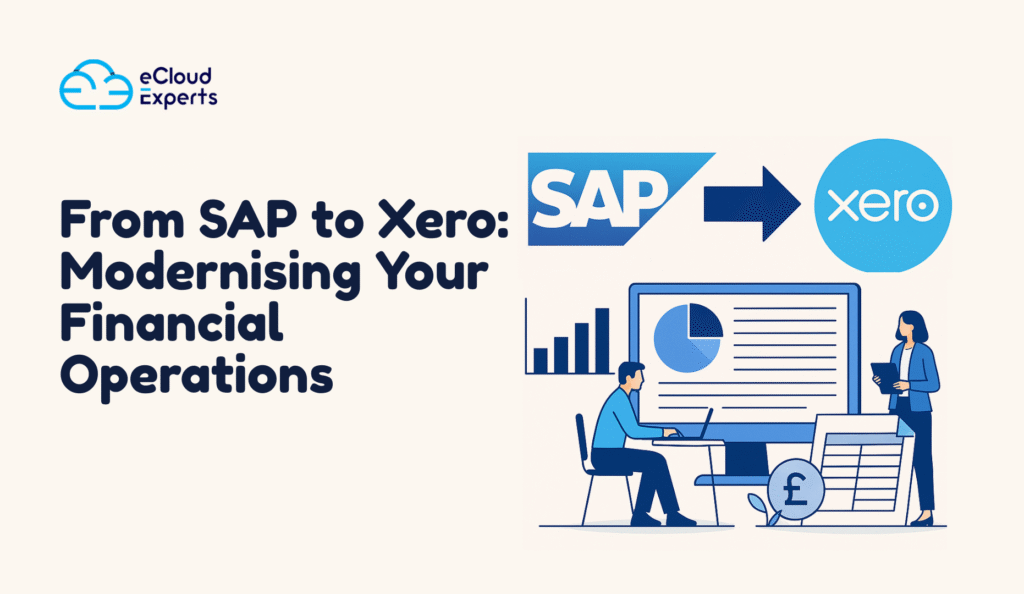
Modern finance teams expect tools that feel fast, flexible, and comfortable to use. Many companies built their foundations on heavy systems that once felt essential. Today those systems feel less suited to the pace of modern business. This is why interest in SAP to Xero migration has increased across almost every industry. Leaders want clarity. They want control. They want tools that help the team instead of slowing them down. SAP remains a strong platform for large enterprises. Even so, many firms that once relied on it now want something lighter. This shift is pushing many companies to consider SAP to Xero migration as a serious and positive step. The move to Xero is not only about getting new software. This blog will guide you through the reasons behind this move, the signs that your organisation is ready, the process involved, the challenges you might face, and the long term benefits you can expect once your new Xero file is ready to use. What SAP Gives You and Where the Limits Begin to Show SAP is known for strength. It handles complex structures, multi site setups, and large volumes of data with ease. Many organisations rely on it because it offers deep control and detailed reporting. For companies with complex workflows, SAP fits the job well. SAP places a real weight on teams when the organisation no longer needs that level of depth. A simple update can take longer than expected. A new report often requires specialist help. Minor configuration changes might not happen without support from a developer. These challenges raise questions about whether the system still fits the goals of the business. Cost is another factor that pushes companies to reconsider their setup. Fees can rise over time. Maintenance takes planning. Custom development requires more investment. Companies begin to wonder if they are paying for features they no longer use. They explore alternatives that give them similar accuracy without the same operational weight. These issues do not mean SAP is a poor system. It simply means that the needs of modern mid sized businesses are shifting. Teams want speed, clarity, and a user friendly tool. This is where SAP to Xero migration becomes a strong option. Xero offers a lighter, faster experience without reducing the level of financial control that teams depend on each month. Why Xero Is Becoming a Preferred Choice for Modern Teams Xero gives businesses a clean, easy to follow layout. Finance teams appreciate how quickly they can navigate the system. The learning time is short. Staff members can pick up the essentials without long training sessions. One major reason companies choose Xero is real time visibility. Bank feeds update automatically. Transactions appear throughout the day. Reporting tools display instant updates. Managers can review performance at any time without waiting for manual exports. Collaboration becomes simpler. Team members can log in from any location. They can complete tasks at the same time without the system slowing down. Everyone sees the same information. This removes confusion, improves accuracy, and gives the team confidence in the numbers. Xero also supports a large library of connected apps. Many businesses use online shops, payment services, stock tools, and reporting systems. Xero connects with these tools naturally. This creates smooth data flow across the company. Teams spend less time entering numbers and more time understanding results. Cost control is another strong reason firms choose Xero. Monthly fees are clear. Updates happen without disruption. Maintenance is almost zero. Companies often notice real savings during their first year after switching from SAP. For all these reasons, Xero has become a preferred choice for firms planning a SAP to Xero migration. It gives businesses a modern system that fits their current goals and supports long term growth. Signs Your Business Is Ready for SAP to Xero Migration Every company reaches a moment when it begins to reconsider its system. If you notice any of the signs below, your team may be ready for SAP to Xero migration. Support Costs Keep Rising If every change requires a support ticket or external help, frustration grows. When the team feels blocked, they begin to lose confidence in the system. Rising support fees also place pressure on the budget. Reporting Takes Too Long Managers rely on fast reports. If reports are slow or require many manual steps, decision making slows down. Xero provides instant visibility which helps leaders react to changes quickly. Remote Access Feels Restrictive Modern companies need flexible access. If logging in from outside the office requires complex steps or fails too often, productivity drops. Xero gives simple online access from any location. Workflows Feel Heavy When a task needs several steps, accuracy and efficiency fall. Xero makes daily work simpler, helping teams stay focused. Team Members Feel Stuck If the finance team consistently complains that the system slows them down, it is time to consider change. Moving to Xero often brings a noticeable lift in team energy and comfort. What Data You Can Bring Across During SAP to Xero Migration A key question during planning is what information can move from SAP into Xero. The answer is that most core accounting data can be transferred successfully. Your customer and supplier lists transfer easily. Clean contact details help your team start fresh in Xero without disruption. Invoices and bills can also move into Xero. Most companies bring current year entries and selected past periods. This provides a clear financial picture without unnecessary history. Opening balances for all accounts can be imported. This includes bank accounts, trade accounts, assets, liabilities, and equity. When completed carefully, your Xero ledger matches SAP from the handover date. Bank transactions and bank history can also be included. Many companies import a full year of bank data to support reporting and reconciliation. Your chart of accounts can be recreated inside Xero. During the migration, many companies choose to simplify their chart. This improves reporting and helps the team adopt the new structure easily. Tracking groups, inventory items, and asset lists
Comparing Xero vs QuickBooks Online for SMEs: Which Fits Better in 2025?
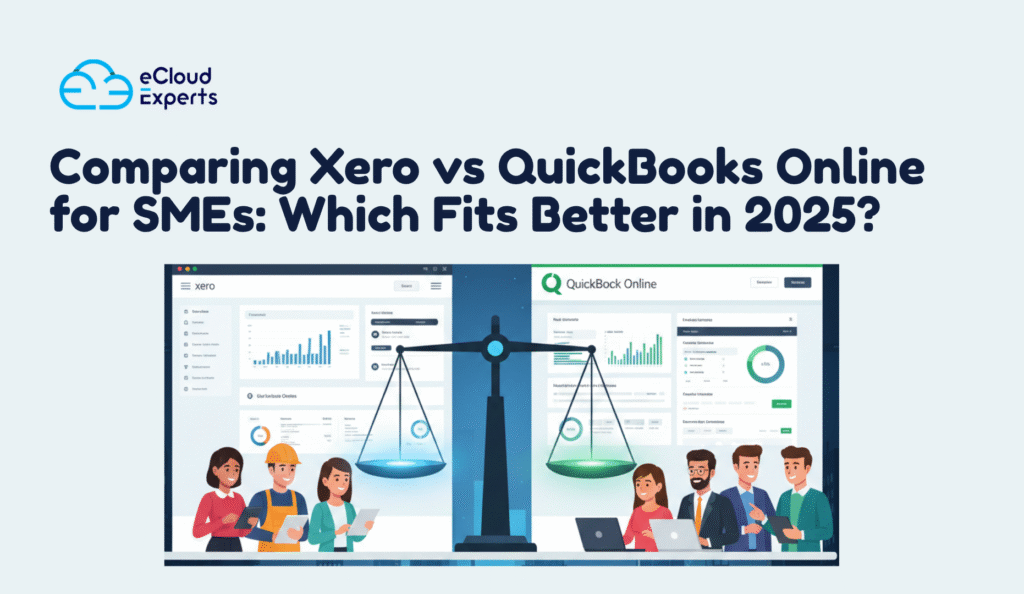
If you are running a small or medium business right now, you have probably noticed how fast accounting tools are changing. Many business owners are asking the same question. Which system will carry them through the next few years? This is where the topic of Xero vs QuickBooks Online becomes important. It is easy to feel unsure when choosing accounting software. You want something that fits your business today but also supports your growth in the future. You want a tool that feels simple but still gives you enough features to run your finances with confidence. The good news is that both Xero and QuickBooks Online have stepped up their game for 2025. In this guide, you will see how they compare in real life. You will learn what each platform does well, where it falls short, and which one might be the better choice for your team. What Small and Medium Businesses Need in 2025 When you compare Xero vs QuickBooks Online, it helps to look at what SMEs truly need today. Business life in 2025 is fast. Owners want more control, better clarity, and fewer surprises. Your accounting system should support that without adding stress. Most SMEs look for a few key things. Simple daily tasksYou want to send invoices, record bills, accept payments, and check your numbers without getting stuck inside the software. The best system feels natural to use even if you do not have an accounting background. Real time financial visibilityYou need to know what is happening with your money at any moment. Cash flow, overdue invoices, upcoming bills. These should be easy to see. Strong reportingGood reports help you make better decisions. You want clear profit reports, cash flow insights, and balance sheet information you can understand at a glance. Easy collaborationMost SME owners work with an accountant or bookkeeper. The software should let everyone work together without confusion or delays. Room to growAs your business expands, your accounting software should keep up. That includes more invoices, more transactions, and more connected apps. Now that you know what SMEs look for, the next section will show how Xero performs in these areas. How Xero Performs for SMEs in 2025 When people compare Xero vs QuickBooks Online, they often notice how Xero keeps things clean and easy to follow. Xero has become a favorite for many SMEs because it focuses on clarity. You can see what is happening in your business without digging through layers of menus. Easy daily workXero makes routine tasks feel light. Creating invoices, adding bills, matching bank transactions, and checking your numbers all feel smooth. The layout is clean and the steps are simple enough for anyone to learn. Strong bank feedsBusiness owners trust Xero because its bank feeds are reliable. Transactions come in quickly and match with a click. This saves time and reduces errors, which is a big deal for busy teams. Great for collaborationIf you work with an accountant or bookkeeper, Xero gives them instant access. Both sides can work together without sending files or waiting for updates. Everything stays in one place. Clear reportsXero reports are easy to read even if you are not trained in finance. Profit reports, cash flow summaries, and balance sheets are presented in a way that helps you understand your situation without confusion. Large app ecosystemXero connects with many business apps. This includes payment tools, inventory tools, ecommerce platforms, and project tools. You can build a setup that fits the way your business works. If you are the type of business owner who wants simplicity, clear numbers, and reliable tools, Xero often feels like a natural fit. How QuickBooks Online Performs for SMEs in 2025 When comparing Xero vs QuickBooks Online, many SME owners point to the strength of QuickBooks Online in certain areas. It remains one of the most recognized accounting tools in the world, and it continues to improve each year. Familiar layoutQuickBooks Online has a familiar feel for many business owners. Plenty of people have used it before, so getting started feels comfortable. The menu is clear and most tasks take only a few steps. Powerful features for growing teamsQuickBooks Online offers tools that work well for growing SMEs. These include class tracking, project tracking, and solid invoicing features. These tools help owners understand which parts of the business make money and which need attention. Good mobile appThe mobile app is one reason many choose QuickBooks Online. You can send invoices, take photos of receipts, and check cash flow from your phone. This helps business owners who move around a lot during the day. Trusted by accountantsPlenty of accountants know QuickBooks Online very well. This makes collaboration easy. Your accountant can log in, review your books, and clean up errors without waiting for files. Strong support for payrollIf you run payroll in the United States, QuickBooks Online offers built in payroll options. This is helpful for SMEs that want everything in one system. If you need payroll in another region, you can still connect third party apps. QuickBooks Online works well for SMEs that want familiar tools, strong mobile access, and features that support a growing team. Xero vs QuickBooks Online: Key Differences That Matter in 2025 When you place Xero vs QuickBooks Online side by side, a few clear differences start to stand out. These differences are important because they shape how each platform fits into the daily life of a small or medium business. Ease of useXero focuses on a clean layout and clear navigation. It feels calm and uncluttered. QuickBooks Online has more features on the screen, which can feel busy for some users but helpful for others who want everything visible. User roles and accessXero gives you unlimited users on all plans. This matters if you work with a team or outside advisors. QuickBooks Online places limits on how many users you can add based on your plan, which may add extra cost as your team grows. Inventory toolsXero includes simple inventory tools that