
Xero Setup Mistakes That Create Problems Later for Ecommerce Businesses
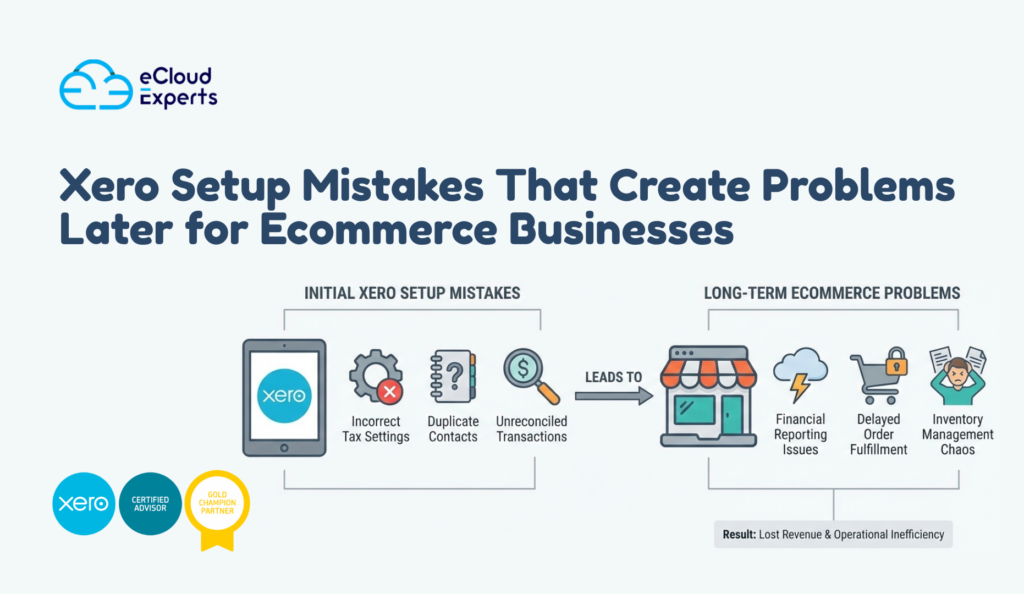
Xero often feels easy to set up for an ecommerce business because the early signals look positive. Payments start syncing from Shopify or payment gateways, daily sales appear in the bank feed, and the dashboard shows steady growth. For a new or growing online store, this creates a sense of confidence that everything is working as it should. However, ecommerce accounting is layered and unforgiving. Each sale passes through payment gateways, fees are deducted before money reaches the bank, refunds and chargebacks move in the opposite direction, and inventory costs sit quietly in the background. When Xero is set up without considering these moving parts, the system still runs, but it runs on assumptions rather than accuracy. Early Xero setup mistakes rarely cause immediate errors. Instead, they quietly affect how revenue, costs, stock values, and tax are recorded. Profit can appear higher than reality. Cash flow can feel unpredictable. Inventory reports may not reflect what is actually on hand. These issues usually surface months later when business owners rely on reports to decide how much stock to buy, how aggressively to spend on ads, or whether the business is truly profitable. Click Here to get Proper Setup By the time the problems become obvious, hundreds or thousands of transactions are already built on top of incorrect foundations. Fixing the setup at that stage is no longer a simple adjustment. It becomes a clean up exercise that costs time, money, and confidence. This is why careful Xero setup matters far more for ecommerce businesses than it first appears. Using a generic chart of accounts for ecommerce One of the most damaging Xero setup mistakes for ecommerce businesses is relying on the default chart of accounts without adapting it to how online sales actually work. Ecommerce stores do not earn money in a single straight line. Revenue flows through multiple sales channels, payment gateways deduct fees before funds arrive, refunds reverse part of the income, and shipping costs sit between sales and fulfilment. When all of this activity is forced into a handful of generic accounts, Xero still produces reports, but those reports no longer reflect reality. As trading volume grows, the impact becomes more serious. Sales figures can appear healthy while margins quietly shrink. Advertising costs may seem too high because they are not being measured against true net revenue. Product level performance becomes invisible, making it difficult to identify which items are driving profit and which are draining cash. Decision making turns into guesswork rather than analysis. Correcting a poorly structured chart of accounts later is rarely simple. Historical transactions often need to be reviewed and reclassified so reports can be trusted again. For ecommerce businesses with high order volumes, this process is time consuming and carries the risk of introducing new errors. This is why getting the chart of accounts right at the start is critical for any ecommerce business using Xero. Incorrect treatment of payment gateway fees Ecommerce businesses almost never receive the full value of a customer order into their bank account. Payment gateways such as Stripe PayPal and Shopify Payments deduct processing fees before releasing the remaining funds. One of the most common Xero setup mistakes is treating the net amount received as the full sales value and ignoring the deducted fees. When this happens revenue is overstated and gateway fees are buried inside bank activity instead of being recorded as a cost of doing business. On the surface reports can look healthy, but the underlying margins are weaker than they appear. Over time this creates confusion when advertising spend increases but profit does not follow. Business owners often feel cash pressure without understanding where the money is going. Incorrect fee treatment also damages cash flow forecasting. If fees are not tracked separately it becomes difficult to predict how much cash will actually arrive from future sales. Pricing decisions can be based on inflated margins that do not exist in reality. By the time the issue is noticed months of sales data are already affected, and fixing it often means rebuilding how income and fees were recorded from the start. This makes early and accurate setup essential for ecommerce businesses using Xero. Bank feeds connected without clearing accounts Many ecommerce businesses connect bank feeds as one of the first steps in Xero, often before proper clearing accounts are set up for payment gateways. At first this seems harmless because money appears in the bank and transactions reconcile quickly. However, without clearing accounts, deposits arrive in Xero with no clear connection to the original customer orders, fees, or refunds that created them. Over time this disconnect causes deeper problems. Refunds may appear as expenses rather than reductions in revenue, which inflates both sales and costs. Transfers between payment gateways and bank accounts create confusing movements that do not match sales reports. As transaction volume increases, reconciliation becomes less about accuracy and more about forcing balances to match. These issues grow quietly each month. Small differences are ignored until reports stop making sense altogether. Business owners begin to doubt profit figures, cash balances, and even inventory values because nothing ties together cleanly. In most cases, the root cause is not Xero itself but early Xero setup mistakes around clearing accounts that were never corrected. Fixing this later often requires unwinding months of reconciliations to restore trust in the numbers. No proper opening balance review Opening balances form the foundation of every report in Xero, which makes them especially critical for ecommerce businesses migrating from another system. Inventory values, stock quantities, customer credits, tax liabilities, and payment gateway balances all need to reflect reality on the first day of trading in Xero. If any of these figures are wrong at the start, every report built on top of them will be distorted. A common Xero setup mistake is accepting imported balances without proper verification. Data may transfer successfully, but successful import does not mean accurate data. When inventory quantities or values are incorrect, the cost of goods sold
Xero for Ecommerce Businesses What You Must Set Up First Before You Start Selling

Running an ecommerce business means dealing with constant movement of money across multiple systems at the same time. Orders come in every day from your online store. Payments are processed by platforms such as Shopify, Stripe, PayPal, or marketplaces. Fees are deducted quietly before you ever see the money. Payouts arrive later as grouped deposits rather than individual sales. Refunds, chargebacks, and disputes can happen days or weeks after the original sale. This is exactly why Xero for ecommerce must be set up properly before you start selling at scale. Ecommerce accounting is not just about recording income and expenses. It is about understanding timing differences, separating fees correctly, and making sure sales activity matches what eventually reaches your bank account. Without the right structure, the numbers may look fine on the surface while hiding real issues underneath. Many business owners open Xero, connect their store, and assume the software will handle everything automatically. At first, it appears to work. Sales show up. Bank balances update. Reports look reasonable. Over time, however, small issues begin to add up. Profit feels lower than expected even though sales are strong. VAT totals do not match platform reports. Cash flow looks healthy one week and unexpectedly tight the next. Confidence in the numbers starts to fade. These problems are rarely caused by Xero itself. They almost always come from rushed or incomplete setup at the beginning. Settings copied from another business, skipped testing, or misunderstood integrations slowly undermine accuracy. Getting the foundations right early protects your data, keeps reports reliable, and saves time, money, and stress as your ecommerce business grows. Why Proper Setup Matters for Xero for Ecommerce Ecommerce accounting is very different from traditional invoicing businesses. Customers pay instantly at checkout, but the money does not go straight into your bank account. Payment processors hold funds for a period, remove their fees, and then release payouts in batches. As a result, the date of the sale rarely matches the date the money appears in your bank, even though the sale has already taken place. If Xero for ecommerce is not configured to handle this timing difference, reconciliation quickly becomes confusing. Sales totals recorded in Xero do not line up with bank deposits. One payout may represent dozens or hundreds of individual orders. Clearing transactions takes longer than it should, and the process feels repetitive and frustrating. Over time, unreconciled items start to build up, and trust in the reports begins to drop. Fixing these issues months later is far more difficult than preventing them in the first place. Transactions start to blur together, especially during busy periods. Supporting documents such as payout reports and fee breakdowns become harder to locate. Decisions are delayed because the numbers no longer feel reliable enough to act on. A proper setup from the beginning keeps sales, fees, and payouts aligned, making reconciliation easier and growth far easier to manage. Chart of Accounts Setup for Ecommerce Businesses The chart of accounts controls how every transaction is recorded and how reports are built in Xero for ecommerce. It determines where sales, fees, costs, and adjustments appear. When this structure is poorly planned, reports lose their meaning even if every transaction is technically entered into the system. The numbers may look complete, but they do not explain what is actually happening in the business. Ecommerce businesses need far more detail than a single sales account can provide. Product sales, shipping income, discounts, refunds, and platform adjustments all behave differently and should be tracked separately. Without this separation, it becomes almost impossible to see which products are profitable, how much shipping really costs, or whether discounts are eating into margins. Profit and loss reports may show a bottom line, but they fail to explain why it looks the way it does. Payment processor fees also need careful handling. These fees reduce the amount that reaches your bank account, but they are still operating expenses, not lost revenue. When fees are recorded incorrectly, revenue appears lower than it truly is and costs are hidden from view. This distorts gross profit and makes performance harder to judge. Generic default accounts may feel quick to use at the start, but they limit visibility and almost always lead to reporting issues that require correction later. Tax and VAT Configuration You Must Get Right Tax setup is one of the most sensitive areas in Xero for ecommerce, and it is also one of the easiest places to make costly mistakes. Small configuration errors often go unnoticed at first, but they compound over time and usually surface when returns are due or reports are reviewed in detail. By that stage, correcting them is far more difficult. Different products and sales routes can attract different tax treatment. Some sales may be standard rated, others zero rated, and some may fall outside the scope of VAT altogether depending on customer location and applicable rules. Applying a single tax rate across all transactions might feel simpler, but it almost always leads to errors that only become visible during reporting or filing. VAT mistakes also commonly occur when platform fees are handled incorrectly or when cross border sales are assumed to follow local rules. Payment processors and marketplaces often apply their own tax logic, which does not always match how VAT should be recorded in Xero. Xero records exactly what it is told. If the setup is wrong, reports will be wrong with complete confidence. Proper tax configuration ensures that figures align with reality, reduces the risk of adjustments later, and makes ongoing compliance work far less stressful. Bank and Payment Gateway Connections Payment gateways sit between your customers and your bank account. They collect payments at checkout, remove processing fees, hold funds for a short period, and then release payouts in grouped amounts. A single payout may represent dozens or even hundreds of individual orders, spread across different dates and payment methods. Xero for ecommerce must be set up to reflect this exact flow of money. Stripe,
Signs Your Xero Accounts Need a Professional Clean Up

Most Xero problems do not begin with a dramatic failure or a single big mistake. They build slowly through everyday activity. A reconciliation is skipped because time is tight and it feels easier to come back to it later. A transaction is coded quickly without checking the account because the amount looks small. A balance looks odd, so a quick adjustment is made just to move forward. None of these actions feel serious at the time, but over weeks and months they quietly damage the accuracy of the accounts. This is when a Xero bookkeeping catch up becomes necessary. Many business owners keep operating while slowly losing confidence in their numbers. Sales still go out, suppliers still get paid, and tax deadlines are met, but something feels off. Reports do not match expectations. Cash flow feels tighter than it should. Profit looks healthy one month and confusing the next. The issue is not Xero itself. Xero can only report what exists inside it. If incorrect data sits in the system, every report built on that data will also be incorrect. As a result, planning, pricing, and cash flow decisions become educated guesses rather than informed choices. A proper Xero bookkeeping catch up is not a cosmetic exercise and it is not about making reports look tidy. It is a structured and careful process that reviews past activity, corrects errors at their source, and restores accuracy across the system. It brings clarity back to your numbers so you can trust what you are seeing. Understanding the warning signs early matters because small issues are far cheaper and easier to fix before they spread. Left too long, those same issues turn into complex clean ups that cost more time, more money, and far more stress. Your Bank Balances Do Not Match Reality When the bank balance shown in Xero does not match your real bank balance, it points to a fundamental problem in the records. Even a small difference means something has been recorded incorrectly, duplicated, or missed altogether. At first the gap may seem minor, but as new transactions are added on top of an existing error, the difference usually grows and becomes harder to explain. This situation often develops when reconciliations are rushed or forced through just to clear the screen. Transactions may be matched incorrectly, payments may be missed, or entries may be duplicated without being noticed. In some cases, the issue goes back to the very beginning, where opening balances were set up incorrectly during the initial Xero setup. Bank feed interruptions can also play a role, especially when disconnected feeds lead to manual entries that do not line up with later imported data. A professional Xero bookkeeping catch up reviews bank activity line by line against actual bank statements. It traces mismatches back to the point where they started and corrects them properly instead of covering them with adjustments. Once bank balances are accurate, reports become reliable again. Until that happens, Profit and Loss, Balance Sheet, and cash flow reports cannot be trusted to reflect the true position of the business. Your VAT Numbers Feel Wrong VAT problems are rarely obvious at first glance. They usually show up as uncertainty rather than clear errors. You may notice that VAT payable feels too high compared to your level of sales, or that a VAT refund is lower than expected without a clear reason. In other cases, transactions appear in VAT periods that do not match when the work was actually done or when invoices were raised. These small inconsistencies create doubt and make it hard to feel confident when submitting a return. These issues are often caused by incorrect VAT codes being applied to transactions, especially when standard, zero rated, and exempt items are mixed without clear rules. Problems also arise when VAT is adjusted manually without fully understanding the impact, or when historical transactions are edited after a return has already been filed. Once VAT errors exist in Xero, they do not stay isolated. They carry forward into future periods, distort VAT reports, and increase the risk of questions during reviews or audits. A Xero bookkeeping catch up reviews VAT settings, transaction history, and reporting logic in detail. It checks that VAT has been applied consistently, rates are correct, and past adjustments are properly supported. Fixing VAT early protects you from penalties, reduces stress at filing time, and avoids long and time consuming explanations later when the details are harder to trace. You Avoid Looking at Your Reports Reports should bring clarity and confidence. When they create anxiety or hesitation, something is wrong beneath the surface. Many business owners gradually stop reviewing their Profit and Loss or Balance Sheet reports because the figures do not feel believable. Others still look at the reports but quietly question their accuracy, unsure whether the numbers reflect what is actually happening in the business. This situation usually develops when expenses appear higher than expected, profits swing from month to month without a clear reason, or balances do not match real world understanding of cash, debt, or assets. In some cases, accounts appear in reports that were never meant to be used, or balances move between periods with no explanation. Over time, this uncertainty leads to decisions being delayed or made based on instinct rather than reliable data. A Xero bookkeeping catch up restores structure and logic to reporting by fixing the underlying data that feeds those reports. Once errors are corrected and accounts are properly aligned, reports become practical tools again. Confidence in your Profit and Loss and Balance Sheet is essential for budgeting, planning, and growth. Without that confidence, even good businesses end up operating in the dark. Old Transactions Keep Sitting Unreconciled Unreconciled transactions represent uncertainty in your accounts. When they sit untouched for weeks or months, the risk of error increases steadily. Details that once made sense become harder to remember, supporting documents may be misplaced, and matching transactions accurately becomes more difficult with time. What could
Excel to Xero When Spreadsheets Are Slowing Your Business Down

Excel has played a big role in helping many businesses get off the ground. It feels familiar, flexible, and easy to control. In the early days, spreadsheets give owners a sense of visibility because everything sits clearly in front of them. Owners can see income, expenses, and totals in one place and make changes instantly. That level of control feels reassuring when resources are limited and every decision feels personal. As the business grows, however, the demands placed on the spreadsheet increase quietly. Transactions rise, responsibilities expand, and decisions start to carry more weight. Excel does not adapt to this change. It stays the same while the business moves forward. This is usually when owners begin searching for Excel to Xero, not because Excel suddenly failed, but because it stopped supporting the reality of a growing business. Moving from Excel to Xero is rarely about loving new software. It is about removing friction, reducing risk, and getting back time and confidence. This article explains where spreadsheets fall short, what problems they create over time, and why Excel to Xero is often the point where business owners regain clarity and control. Why Excel Feels Right at the Start In the beginning, Excel feels like the perfect solution. It opens quickly, costs nothing extra, and requires no formal setup. Business owners can design spreadsheets to match exactly how they think, whether that means simple income tracking or more detailed expense breakdowns. There is comfort in knowing that every number can be edited manually. For freelancers, startups, and very small businesses, Excel can be sufficient for a short period. Transaction volumes are low, reporting needs are basic, and usually only one person is responsible for the numbers. Errors are easier to spot because activity is limited and memory fills in the gaps. At this stage, Excel feels helpful and efficient. The problem is that Excel rarely announces when it is no longer suitable. Businesses often continue using it out of habit, even when it is no longer supporting good decisions. That silent mismatch between business size and system capability is where problems begin. The Point Where Excel Starts Slowing You Down As operations expand, spreadsheets begin to demand far more attention than they should. What once felt quick and manageable slowly turns into a daily chore. Tasks that used to take a few minutes now stretch into hours because every new transaction adds another layer of detail. Each new customer means more rows to track, more formulas to maintain, and more chances for something to go wrong. Each new expense increases the complexity of categorising, checking, and reconciling figures. Over time, managing the spreadsheet becomes a job in itself rather than a support tool for running the business. Manual data entry becomes constant and mentally draining. Instead of focusing on customers or growth, business owners find themselves typing numbers, copying cells, and double checking work late into the evening. Multiple versions of the same file start to appear because there is fear of losing data or overwriting something important. One file is marked final, another final version two, and another final latest just in case. This version chaos creates confusion and makes collaboration almost impossible. As the spreadsheet grows, formulas become more complex and fragile. A small change in one cell can affect an entire report without warning. Reports that once felt clear start to look suspicious. Numbers do not quite add up, but it is hard to see why. Confidence in the data fades, and with it confidence in decision making. Many owners delay looking at reports or avoid them entirely because they no longer trust what they are seeing. Excel does not suddenly fail or show an error message saying it is no longer suitable. Instead, it quietly consumes time, energy, and focus. The business keeps moving, but the system struggles to keep up. By the time owners fully realise that Excel is slowing them down, the spreadsheet often feels too large and too complex to replace without professional help. That is usually the moment when Excel stops being a helpful starting tool and becomes a barrier to running the business properly. Excel Accounting Problems Most Businesses Ignore Many spreadsheet problems hide in plain sight and quietly grow over time. During Excel to Xero reviews, it is common to find transactions that are missing, duplicated, or recorded in the wrong period. A payment can appear twice when someone copies and pastes it incorrectly. An expense can fall into the wrong month when someone adjusts dates manually. Over time, these small issues distort reports and make it difficult to understand the true financial position of the business. Another common issue is that balances often fail to match bank statements. Owners may reconcile numbers informally by eye rather than through a structured process. When differences appear, they are sometimes adjusted manually without a clear explanation. This creates a cycle where the spreadsheet looks balanced on the surface but no longer reflects reality underneath. As months pass, the gap between spreadsheet figures and actual bank activity quietly widens. VAT is particularly vulnerable in spreadsheets because it relies heavily on formulas and manual judgement. VAT rates may change, but formulas remain the same. Some transactions get treated as standard rated when they should not, while others get excluded entirely. To meet deadlines, owners often make quick adjustments with little or no documentation to explain the reason. Over time, these inconsistencies pile up and create serious compliance risk. By the time the problem is fully recognised, fixing everything inside Excel feels risky and exhausting. Changing one formula could affect years of data. Correcting past errors might break current reports. This is when businesses feel stuck. They know the spreadsheet is unreliable, but the data inside it feels too important to abandon or rewrite from scratch. At this point, Excel to Xero becomes the safest way forward. Instead of patching over problems, the data can be reviewed, cleaned, and moved into a system designed to manage
Xero Bookkeeping Clean Up How to Fix Messy Accounts Properly
Messy Xero accounts are more common than most business owners admit. In many cases the problem does not start with a major mistake. It starts quietly. A missed bank reconciliation because things were busy. A VAT return filed in a rush. A few transactions were placed into suspense with the intention of fixing them later. Weeks turn into months and those small issues pile up. Over time the impact becomes impossible to ignore. Bank balances stop matching real accounts. VAT reports feel unreliable. Profit figures change depending on which report you run. At that point business owners stop trusting Xero and start second guessing every number. The software has not failed. The data has. A proper Xero bookkeeping clean up is not about cosmetic fixes or quick adjustments. It is a structured process designed to correct past errors, rebuild accurate records and restore confidence in your financial data. When done correctly it gives you clarity. You know where your business stands. and know what you owe. You know what you are earning. Most importantly you can make decisions without doubt. This guide walks through exactly how a Xero bookkeeping clean up should be done. It explains the causes of messy accounts, the risks of leaving them unfixed and the step by step process required to fix them properly. The goal is not just to clean things up once but to make sure the same problems do not return. If your Xero accounts feel confusing, stressful or unreliable you are in the right place. What a Xero bookkeeping clean up actually means A Xero bookkeeping clean up is a structured process designed to correct past errors fix broken balances and rebuild reliable financial records inside Xero. It is not routine data entry and it is not the same as keeping the books up to date each week or month. It focuses on fixing what has already gone wrong so the numbers can be trusted again. Regular bookkeeping records what happens day to day.A clean up corrects what should not have happened in the first place. This process usually starts with a deep review of historical data. That includes checking how transactions were posted, reviewing bank reconciliations that were missed or done incorrectly and identifying errors that have carried forward over time. It also involves fixing VAT mistakes, cleaning up the chart of accounts, removing duplicates and validating that reports reflect reality rather than assumptions. The goal of a Xero bookkeeping clean up is simple but critical. Every figure in Xero should match real world records. Bank balances should agree with statements. VAT totals should align with sales and purchases. Profit and loss reports should make sense when compared to how the business actually performed. When reports are wrong everything built on them is wrong too. Tax filings may be inaccurate. Pricing decisions may be based on false margins. Cash flow planning becomes guesswork. That is why a proper clean up is not optional once problems appear. It is the foundation for running the business with confidence again. Signs your Xero accounts are messy Most businesses do not realise they need a Xero bookkeeping clean up until the warning signs become impossible to ignore. Common red flags include Bank balance in Xero does not match the real bank balanceLarge numbers sitting in suspense or clearing accountsOld unreconciled transactions going back months or yearsVAT returns that do not align with sales recordsDuplicate invoices or missing billsProfit figures that change every time reports are run If any of these sound familiar your accounts are not broken forever but they do need attention. Why messy books happen in Xero Xero itself is not the problem. The issues usually come from how it is used. The most common causes include Self setup without proper guidanceUsing bank feeds without understanding reconciliation rulesApplying incorrect VAT codesMultiple people posting transactions differentlyData migrated from another system without checksTrying to fix errors without understanding the impact Xero is powerful but it assumes the user knows what they are doing. When knowledge gaps meet time pressure, mistakes multiply quickly. The real risks of ignoring messy Xero accounts Ignoring the problem rarely works. In fact it usually makes things worse. Here is what happens when messy books stay messy VAT returns are wrong and may need refilingCash flow looks healthy when it is notProfits appear higher or lower than realityAccountants spend more time fixing than advisingHMRC questions become harder to answerDecision making becomes guesswork In short, bad data leads to bad decisions. That is an expensive way to run a business. The proper Xero bookkeeping clean up process A successful Xero bookkeeping clean up follows a clear step by step process. Skipping steps is how problems return later. Step one review and diagnose The first step is not fixing anything. It is understanding what is broken. This includes Reviewing bank and control accountsIdentifying unreconciled transactionsChecking VAT settings and reportsReviewing opening balancesScanning for duplicate or missing entries Without a full diagnosis fixes become guesses. Guessing in accounting is never cheap. Step two reconcile banks and fix balances Bank reconciliation is the backbone of accurate bookkeeping. This step focuses on Matching Xero balances to real bank statementsCorrecting wrongly reconciled itemsRemoving duplicatesFixing opening balance errorsEnsuring all accounts reconcile to known figures If the bank does not reconcile nothing else can be trusted. This step often takes the longest and delivers the biggest relief. Step three correct VAT and tax settings VAT errors are common and costly. A proper clean up includes Reviewing VAT rates and tax settingsCorrecting mis coded transactionsFixing VAT control accountsRebuilding VAT reportsIdentifying returns that may need correction This is done carefully because changing historical VAT affects previously submitted returns. Accuracy matters more than speed here. Step four clean the chart of accounts and journals Over time charts of accounts grow messy. This step involves Removing unused or duplicate accountsReclassifying transactions to the correct accountsPosting adjustment journals where neededClearing suspense and clearing balances properly The goal is clarity. When reports are run the
QuickBooks to Xero Migration Checklist for Clean and Accurate Data
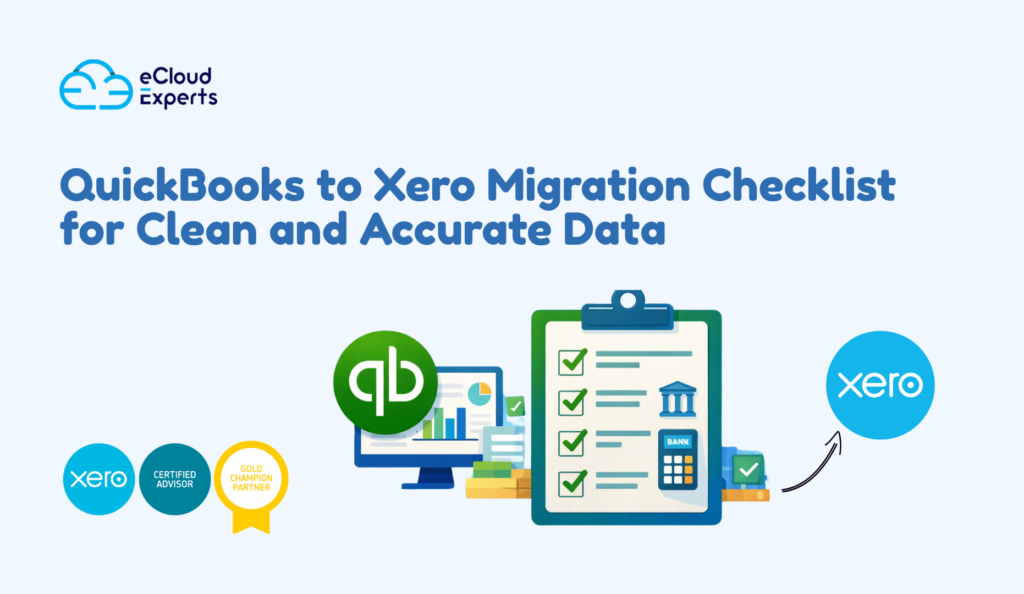
A QuickBooks to Xero migration is often sold as a technical task. In reality, it is a financial reset. When businesses move accounting systems, they are not just changing software. They are deciding how much they trust their numbers going forward. If the data entering Xero is inaccurate, incomplete, or poorly structured, the new system will expose those weaknesses immediately. Many businesses underestimate this shift. QuickBooks is flexible and forgiving. Errors can sit quietly for years without causing obvious damage. Xero works differently. It enforces structure and consistency. That strength becomes a weakness when messy data is migrated without preparation. This is why a proper QuickBooks to Xero migration checklist matters. This guide explains the full checklist in plain language so business owners and accountants can avoid costly mistakes and start with confidence. Why a Checklist Matters Before a QuickBooks to Xero Migration Most QuickBooks to Xero migration problems already exist before the migration begins. The move itself rarely creates errors. It reveals them. Old accounts remain active long after they are needed. Bank reconciliations are skipped during busy periods. VAT balances drift slightly each quarter. These issues feel manageable inside QuickBooks because reports still run and day to day operations continue. Xero removes that safety net. When data moves across, inconsistencies become visible. Reports stop lining up. Bank accounts refuse to reconcile. Users begin to question whether Xero is the problem, when in fact the problem is inherited data. A QuickBooks to Xero migration checklist forces accountability. It slows the process down at the right moment. It ensures that balances are reviewed, decisions are made deliberately, and data quality is addressed before it becomes a permanent problem in the new system. Without a checklist, businesses gamble with financial accuracy. With one, they protect it. What Goes Wrong Without a Proper Migration Checklist When a QuickBooks to Xero migration happens without structure, the same failures appear repeatedly. Trial balances fail to match even though totals appear close. Bank accounts show balances that cannot be reconciled to statements. Profit and loss reports inflate income or suppress expenses due to duplicated or misclassified transactions. VAT reports fail to match historical filings, creating compliance risk. These issues are rarely obvious on day one. They emerge over weeks and months as users attempt to reconcile accounts, file VAT returns, or rely on management reports. By the time the damage is clear, reversing the migration or cleaning the data becomes time consuming and expensive. A checklist does not eliminate work. It moves the work to the right stage. Fixing problems before migration is always faster than fixing them afterward. Preparing QuickBooks Before the Migration Begins The quality of a QuickBooks to Xero migration depends almost entirely on the condition of the QuickBooks file. This step should never be rushed. The chart of accounts must be reviewed with a critical eye. Many businesses accumulate unused accounts over time. Others create duplicate categories to solve short term reporting needs. These accounts clutter reports and confuse mappings during migration. Cleaning them before migration improves clarity and simplifies the move. Historical periods should be reviewed and locked. If prior years remain editable, balances can change after migration, causing reconciliation issues that are difficult to trace. Locking periods creates stability and confidence in historical numbers. Negative balances in receivables, payables, or inventory often indicate deeper problems such as misapplied payments or incorrect postings. These issues must be resolved before migration. Xero will not correct them automatically. Bank and credit card accounts must be fully reconciled to the chosen cut off date. This step alone determines whether opening balances in Xero will reconcile smoothly or create ongoing frustration. Choosing the Right Cut Off Date for the Migration The cut off date defines where QuickBooks stops and Xero begins. It should be chosen deliberately based on reporting needs and operational timing. A month- end is often the most practical option. It aligns with bank statements, VAT reporting, and management accounts. Quarter end or year end may be appropriate for some businesses, but these dates also come with heavier reporting pressure. Once the cut off date is chosen, posting in QuickBooks must stop. Any transactions entered after that point will break the logic of opening balances. Discipline at this stage prevents confusion later. A clean cut off date creates a clean start. Deciding What Data Should Move to Xero One of the most common mistakes in a QuickBooks to Xero migration is attempting to move everything. More data does not equal better accuracy. In many cases, it creates noise and risk. Xero needs only the data required to operate going forward. This includes the chart of accounts, contacts, unpaid invoices and bills, bank balances, VAT balances, and conversion balances. These elements establish continuity without dragging historical clutter into the new system. Fully paid historical transactions rarely add value in Xero. Reports provide better access to historical performance than raw transactional data. Leaving old data behind improves speed, clarity, and confidence. Migration is about continuity, not nostalgia. Designing a Xero Friendly Chart of Accounts Xero rewards simplicity. A bloated chart of accounts limits reporting clarity and increases the chance of posting errors. Migration is the ideal moment to redesign account structure. Similar expense categories can be grouped logically. Account names can be standardized. Correct account types can be assigned to support accurate reporting. VAT treatment must be reviewed carefully during this process. Incorrect VAT mappings are one of the fastest ways to break compliance reporting in Xero. Taking time here pays dividends long after migration day. A clean chart of accounts is the backbone of reliable reporting. Cleaning and Preparing Contacts and Open Transactions Contacts often carry hidden problems. Duplicate entries, inconsistent naming conventions, and outdated VAT details can all cause issues after migration. Before moving data, contacts should be reviewed and standardized. Only active customers and suppliers should be migrated. Inactive or historical contacts add clutter without value. Open invoices and bills must be reviewed carefully. Totals must match QuickBooks exactly. VAT
Sage to Xero Migration What Breaks If You Do It Wrong
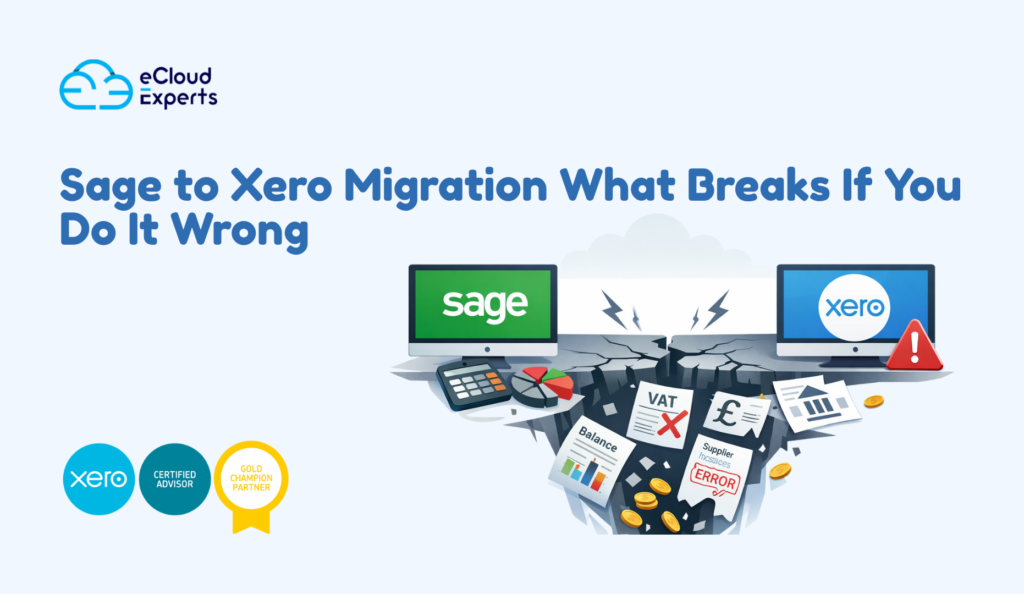
A Sage to Xero migration often looks fine at first glance. Balances appear close. Reports load. Banks connect. Then weeks later the problems begin. VAT totals do not match. Old invoices reopen. Bank reconciliations refuse to balance. Your accountant starts asking uncomfortable questions. This is the reality many businesses face after a Sage to Xero migration that was rushed or poorly planned. The dangerous part is this.Most migration mistakes are silent at the start. They only show up when you rely on the numbers. This guide explains exactly what breaks when a Sage to Xero migration is done wrong. More importantly it explains how to avoid these problems before they cost time money and trust in your accounts. Why Sage to Xero Migration Goes Wrong More Often Than People Expect On the surface Sage and Xero look similar.Both track sales purchases VAT and bank activity. Under the hood they work very differently. Sage allows more manual control in certain areas. Xero relies heavily on rules structure and automation. When data moves between them those differences matter. Here is why problems happen. First the chart of accounts rarely matches.Sage setups are often older and heavily customised. Xero expects a cleaner structure. If this is not redesigned properly reports become unreliable. Second VAT logic is not the same.Tax codes that look identical behave differently in reports. A wrong mapping can quietly damage VAT returns. Third, historical transactions behave differently.Sage tolerates certain legacy entries that Xero does not like. When these are imported without cleanup errors follow. Finally many migrations focus only on moving data not validating it.Data moves but no one checks whether it still makes sense. This is why Sage to Xero migration is not a simple export and import job. It is a conversion project that needs decisions not just tools. What Breaks First When Sage to Xero Migration Is Done Wrong When something goes wrong it usually shows up in predictable places. These are the first warning signs. Opening Balances Stop Matching This is the most common issue. After migration the trial balance in Xero does not match Sage.A suspense account appears with no explanation.Retained earnings looks too high or too low. This usually happens becauseIncorrect cutoff dates were usedHistorical journals were imported twiceControl accounts were handled incorrectly If opening balances are wrong everything built on top of them is wrong too. VAT Reports Stop Making Sense VAT problems are subtle but serious. Common symptoms includeVAT payable does not match SageOld VAT periods look differentFlat rate figures are incorrect This happens whenTax codes were mapped incorrectlyPartial VAT periods were migratedManual VAT adjustments were missed The risk here is compliance, not just reporting. Fixing VAT after migration often means manual corrections and explanations to HMRC. Customer and Supplier History Becomes Unreliable After a bad Sage to Xero migration businesses often seePaid invoices showing as unpaidDuplicate customers or suppliersIncorrect aged debt reports This creates confusion fast.Chasing customers who already paid damages trust.Paying suppliers twice damages cash flow. This usually traces back to poor handling of historical invoices and payments during migration. Bank Reconciliation Turns Into a Daily Fight Banks are where problems become impossible to ignore. Common issues includeDuplicate bank transactionsMissing opening balancesReconciliations that never reach zero Once bank reconciliation breaks, daily bookkeeping becomes stressful. Every new transaction adds uncertainty instead of clarity. Management Reports Lose Credibility This is the quiet killer. Profit looks higher than expected.Costs sit in strange categories.Comparisons with last year make no sense. At this point decision makers stop trusting reports.And when reports cannot be trusted the system stops being useful. The Hidden Damage That Appears Months After a Bad Sage to Xero Migration Some Sage to Xero migration problems are loud.Others wait patiently. These are the issues that surface later and cost the most. Year End Becomes Expensive and Stressful At year end your accountant expects clean numbers.Instead they find differences that cannot be explained quickly. Opening balances do not tie back.VAT control accounts look off.Old journals have no audit trail. What should be a routine process turns into detective work.Extra hours are billed. Deadlines get tight. All because the migration was never fully verified. Fixing Data After Migration Always Costs More Many businesses assume problems can be fixed later. That is technically true.It is also far more expensive. By the time issues are discoveredMore transactions have been addedReports have already been usedVAT may already be filed Correcting data now means rolling changes forward, not simply fixing the past. Decision Making Is Based on the Wrong Numbers This is the most dangerous outcome. If profit is overstated you may overspend.and costs are understated you may underprice, cash flow is wrong you may delay action too long. A Sage to Xero migration that damages reporting does not just affect accounts. It affects business decisions. The Most Common Sage to Xero Migration Mistakes These mistakes appear again and again. Avoiding them avoids most problems. Migrating Everything Without a Plan More data does not mean better data. Blindly importing years of history bringsOld errorsLegacy entriesBroken audit trails In many cases opening balances plus current year detail is the smarter option. Not Locking Sage Before Migration If Sage remains active during migration numbers will never match. Invoices get raised. Payments get applied.Now two systems disagree and no one knows why. Migration must happen from a locked and finalised dataset. Using the Default Xero Chart of Accounts Default charts are generic.Your business is not. Using them without review leads toPoor reportingMisclassified costsConfusing profit figures The chart of accounts should be designed not accepted. Incorrect VAT Code Mapping This single mistake causes most compliance issues. Similar looking VAT codes behave differently in Xero.One wrong mapping can distort multiple reports. VAT must be tested not assumed. Skipping Reconciliation Checks If you do not reconcile after migration you are guessing. Every migration should confirmTrial balance matches SageBank balances reconcileVAT totals align No checks means no confidence. No Formal Sign Off Process Without sign off everyone assumes someone else checked. Then problems appear later
Xero Migration Services Explained A Simple Guide for Business Owners

Switching accounting software can feel like moving house while still living in it. You want the new place ready, nothing lost, and no surprise mess when you open the boxes. That is exactly what Xero migration services are for. This guide explains what Xero migration services include, what moves over, what usually does not, what can go wrong, and how to plan the move so you trust your numbers on day one. What Xero migration services really mean Xero migration services are a structured way to move your finance setup from another system into Xero, with checks to make sure the new Xero file is accurate and usable. In plain terms, it is not just copying data. It is also about setting up Xero properly so your day to day work becomes easier after the move, not harder. A good migration service usually covers five areas. Xero itself supports importing common items such as contacts, bank statements, invoices and bills, and other items, but each import type has specific rules and file formats.l Who needs Xero migration services Some businesses can move to Xero on their own. Many cannot, or they try, then lose days fixing mistakes later. You are a strong candidate for Xero migration services if any of these are true. You have years of history and need reliable reportingYou have high invoice volume or many bills and supplier transactionsYou use inventory, projects, jobs, or multiple departmentsYou sell online and need clean integration linksYou have multiple bank accounts and payment processorsYou need accurate VAT or sales tax tracking and reportingYou have messy data, duplicate contacts, or unclear account codesYou want the move done once, correctly, without weeks of disruption If your accounts are already behind, migration is also the perfect time to catch up, clean up, and start fresh with confidence. The biggest mistake business owners make The biggest mistake is thinking migration is only about moving everything over. A smart migration is about moving the right things over. That usually means deciding what you truly need in Xero to run the business well, meet compliance needs, and keep reporting reliable. Most businesses do not need every old transaction inside Xero to operate well. Many do need correct opening balances, correct outstanding invoices and bills, clean contacts, and a chart of accounts that matches how the business really works today. What data can be moved into Xero Xero supports importing key data types, and your migration service chooses the best method for each one. Here are the common items migrated. Contacts Customers and suppliers, including names, emails, addresses, tax settings, and tracking details if needed. Xero supports importing contacts through templates. Chart of accounts Your income, cost, asset, and liability accounts. This is important because it controls reporting and how transactions are posted. Outstanding sales invoices and supplier bills These are usually imported so you can continue collecting and paying without losing visibility. Xero supports importing invoices and bills, and also customer invoices via CSV import. Bank transactions and bank statements Many migrations import bank statement lines to help with reconciliation or to rebuild recent activity. Xero supports importing bank statements. Opening balances in Xero In Xero these are called conversion balances, and they form the starting point for reporting going forward. Fixed assets If you track fixed assets, these can often be migrated, depending on your old system and how you want depreciation handled in Xero. Other items depending on setup Tracking categories, tax rates, products and services, and some historical transactions can be brought in, but how far you go depends on what you need. What usually does not migrate cleanly This part matters, because it is where bad migrations happen. Some things may not carry over in a perfect one to one way because each platform stores data differently. That is why planning and expectations are essential. Common examples include. A professional approach is to decide what stays archived in the old system and what must be active inside Xero. The conversion date and why it matters Your conversion date is the date your opening balances are set in Xero. Xero explains that the conversion date is usually the date you start using Xero, and that the only transactions you should enter in Xero dated before this date are invoices and bills that were unpaid when you converted. Xero also states the conversion date is always the first of a month. This matters because it drives what you import and how you test accuracy. For example, if you pick January 1, then your opening balances are as at December 31 in the old system, and you bring across any unpaid invoices and bills that were still open on that date. Conversion balances in simple language Conversion balances are your opening balances in Xero on the day you start. Xero describes them as the closing balances in your previous system as at the last day you used that system, and they become the starting point for your reports going forward. This is the backbone of a correct migration. If conversion balances are wrong, everything that follows is wrong, even if your imports look fine. The two main migration approaches Most Xero migrations fit into one of two models. Option one Start fresh with clean opening balances You migrate. You keep the old system as your archive for deep history and old reporting. This is the most common approach for small and mid size businesses because it is fast, clean, and easier to verify. Option two Bring more history into Xero You migrate the above plus more transaction history, sometimes a full financial year or more. This can be useful if you need in system history for detailed trend reporting, project margin tracking, or audit convenience. It takes more time and requires more validation. A good migration service helps you choose the right approach based on how you run the business, not based on what sounds impressive. The best cover points for a strong Xero migration
Xero Migration for Accountants Helping Clients Transition Smoothly
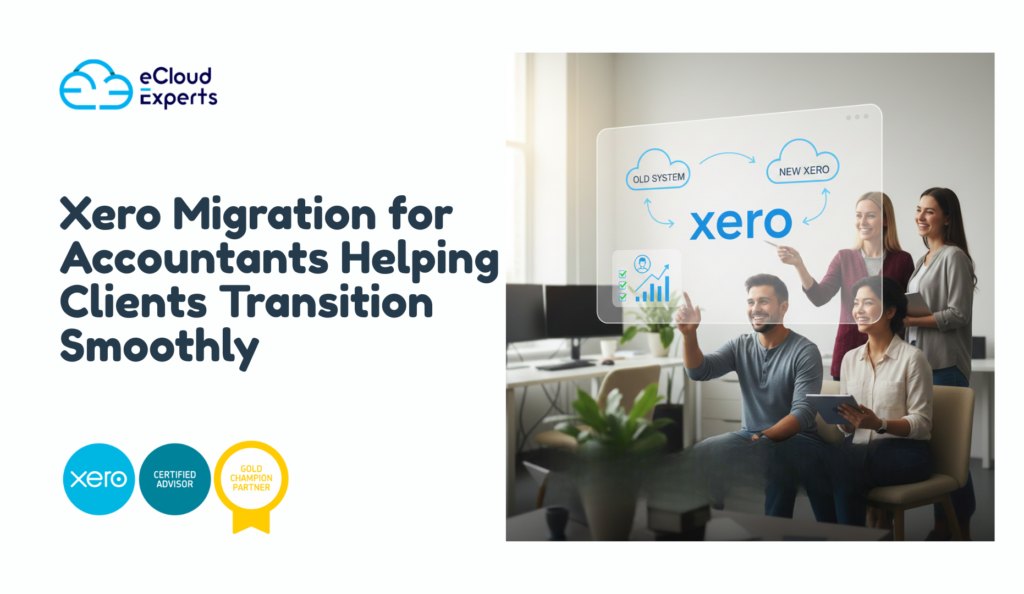
Xero migration for accountants is no longer optional. It has become a core responsibility for modern accounting firms. Business owners are under pressure. They want faster reports, better visibility and systems that work from anywhere. Many are stuck with outdated desktop software or complicated setups that slow them down. When they decide to change they look to one place for answers. Their accountant. This is where things can go right or very wrong. A smooth Xero migration builds trust, strengthens long term relationships and positions the accountant as a strategic partner. A poor migration creates confusion, stress and sometimes permanent damage to the client relationship. This expanded guide explains exactly how accountants can handle Xero migrations properly. It focuses on planning execution risk control and client success. No theory. Just real world guidance. Why Xero Migration for Accountants Is Growing So Fast The accounting industry has changed quickly. Clients now expect their accountant to guide technology decisions not just report numbers. Cloud accounting is no longer new. It is the standard. Common reasons clients request a Xero migration include • Leaving unsupported desktop software• Difficulty accessing data remotely• Poor quality financial reports• Heavy spreadsheet dependence• Business growth requiring better systems• Ecommerce or app integration needs• Ongoing bookkeeping errors Most clients underestimate how complex migration can be. They assume data can simply be moved across. Accountants know the reality is very different. This is why Xero migration for accountants requires structure, discipline and experience. Why Accountants Should Always Lead the Migration Process Letting clients manage their own migration is risky. Clients often • Export incorrect data• Miss key balances• Break VAT or tax logic• Duplicate contacts and invoices• Lose historical reporting accuracy Once these problems exist fixing them takes more time than doing the migration properly from the start. When accountants lead the process they control quality timing and validation. This protects both the client and the firm. Leading the migration also positions the accountant as a trusted advisor not just a service provider. When Should an Accountant Recommend Xero Migration Not every client needs to move immediately. A good recommendation is based on evidence not trends. Strong signals include • Current accounting software nearing end of life• Delays in monthly reporting• Multiple disconnected systems• Manual processes everywhere• Difficulty collaborating with teams• Plans to scale or raise funding If several of these issues exist a move to Xero usually makes sense. Understanding Client Expectations Before Migration Before touching any data accountants must manage expectations. Clients often expect • No downtime• No data loss• Immediate improvement• Minimal learning curve Accountants must explain • What will change• What will not move across• What training is required• When benefits will appear Clear communication early prevents frustration later. Xero Migration for Accountants A Structured Framework This framework reduces errors and protects client trust. Step 1 Full Review of the Existing System Never migrate without understanding the source. Accountants should review • Current accounting platform• Number of transactions• Open financial periods• VAT or sales tax setup• Multi currency requirements• Connected apps and integrations This review determines the complexity timeline and risk level. Skipping this step causes surprises later. Step 2 Data Clean Up Before Migration This is where accountants add the most value. Before migration ensure • Bank accounts are fully reconciled• Old periods are closed• Control accounts are cleared• VAT balances are correct• Charts of accounts are simplified Bad data does not improve inside Xero. It just becomes cleaner looking bad data. Clean input equals reliable output. Step 3 Designing the Xero Structure Xero setup should be intentional. Accountants must configure • Chart of accounts aligned to reporting needs• Financial year dates• VAT or tax rules• Tracking categories for analysis• User access permissions A well designed structure saves hours of future work. Step 4 Deciding What Data to Migrate Not all data deserves to move. Best practice usually includes • Opening balances• Outstanding invoices• Outstanding bills• Customer and supplier contacts• Fixed assets if required Historical transactions can remain in the old system with reports saved as reference. This approach keeps Xero fast, stable and easier to manage. Step 5 Executing the Migration Execution should be controlled not rushed. Migration methods may include • CSV imports• Approved migration tools• Manual journal entries Automation helps but accountants must always review results manually. Step 6 Validation and Reconciliation Validation protects credibility. After migration confirm • Trial balance matches exactly• VAT balances align• Aged receivables are correct• Aged payables are correct• Bank balances match reconciled figures If anything is off stop immediately and correct it. Never hand over unverified data. Step 7 Client Training and Adoption Even perfect data fails without proper training. Clients should understand • Daily transaction workflows• Bank reconciliation process• Invoicing and billing• Key reports to review Training should be short focused and practical. Confidence drives adoption. Why Xero Is Ideal for Accountants and Clients Xero is designed for collaboration. Benefits for accountants include • Real time access to client data• Clean structured reports• Easy collaboration with clients• Strong integration ecosystem• Scales with business growth Clients benefit from • Simple interface• Faster reporting• Better visibility• Fewer errors This reduces support pressure on accounting firms. Common Xero Migration Mistakes Accountants Must Avoid Even experienced firms make mistakes. Common errors include • Migrating unreconciled data• Using default charts without review• Ignoring VAT complexity• Migrating too much historical data• Skipping final validation Each mistake increases rework and risk. A careful process avoids these issues. Managing Complex Xero Migrations for Clients Some migrations need advanced planning. Examples include • Ecommerce businesses with large order volumes• Multi currency operations• Group companies• High transaction environments These migrations often require specialist support and manual checks. Trying to rush them increases risk significantly. Why Many Accountants Outsource Xero Migration Outsourcing is not a weakness. It is smart risk management. Accounting firms outsource because • Migration is time intensive• Errors damage trust• Staff time is limited• Advisory work is higher value Outsourcing allows accountants to stay focused on clients while specialists handle execution. How
Xero Training for Beginners Learn the Essentials in One Day

Starting with accounting software can feel intimidating. Screens full of numbers. New terms you have never used before. A quiet fear that one wrong click could mess everything up. If that sounds familiar you are exactly who this guide is for. Xero training for beginners is not about turning you into an accountant. It is about helping you understand what is happening in your business without stress or confusion. When you learn Xero the right way the software becomes a support system rather than a source of anxiety. This in depth guide shows how beginners can learn the core parts of Xero in one focused day. It follows a simple flow from setup to daily tasks to reports. No background knowledge required. No complex language. Just clear explanations that make sense. By the end you will understand how Xero works, how to use it daily and how to avoid mistakes that cause problems later. Why Xero Is Ideal for Beginners Xero was designed for people who are not accounting professionals. That design choice is the reason it has become so popular with small businesses worldwide. Here is why beginners usually find Xero easier than other systems. The layout is clean and visualTasks follow a logical orderMost actions are guidedHelp prompts are built inIt works well with banks and apps That said, software alone does not guarantee success. Without proper Xero training for beginners many users still feel lost. The difference comes from learning things in the right order. What Xero Training for Beginners Focuses On Beginners do not need to know everything. Trying to learn all features at once leads to frustration. Effective Xero training for beginners focuses on what matters most first. Understanding the dashboardSetting up the business correctlyHandling money coming inHandling money going outKeeping bank data accurateReading basic reports Once these are clear everything else becomes easier to learn later. Can You Really Learn Xero in One Day Yes you can if the training is focused and practical. A single day is enough to understand the foundations. You will not master advanced reporting or automation but you will know how to run your books day to day. One day of Xero training for beginners usually includes. Account setup and checksHands on invoicing practiceReal examples of expensesLive bank reconciliationReport walkthroughs That is enough to give you confidence and control. Morning Session Getting Set Up the Right Way Understanding the Xero Dashboard The dashboard is the first screen you see when you log in. Think of it as your financial snapshot. It shows. Bank balancesInvoices owed to youBills you need to payCash position Beginners often skip over the dashboard without understanding it. That is a missed opportunity. Xero training for beginners starts here because this screen answers daily questions like. Do I have enough cashWho owes me moneyWhat needs attention today Once you understand the dashboard you stop feeling blind. Business Settings That Must Be Correct Before entering any transactions you must check your settings. This step is often rushed and causes problems later. Key areas include. Business name and addressFinancial year start and endBase currencyTax settings If these are wrong your reports will be wrong. Fixing them later is possible but time consuming. Proper Xero training for beginners always covers this early so you start clean. Understanding the Chart of Accounts in Simple Terms The chart of accounts is a list of categories where money is recorded. Many beginners panic when they hear this term. There is no need to. Think of it as labeled boxes for money. Sales income goes in one boxOffice costs go in anotherRent goes in another Xero provides a default list that works well for most businesses. Training helps you understand what each category means and when to use it. You do not need to customize everything on day one. Mid Morning Session Money Coming In Creating Customers in Xero Before you send invoices you need customers in the system. You will learn how to. Add customer detailsSet payment termsSave contact information Good Xero training for beginners also explains why clean customer data matters. It helps with follow up reporting and tracking unpaid invoices. Creating and Sending Sales Invoices Invoicing is one of the most important daily tasks. In Xero you can. Create invoices quicklyReuse items and pricesApply tax automaticallySend invoices by email You will also learn the difference between draft approved and paid invoices. This part of Xero training for beginners directly affects cash flow. Clear invoices get paid faster. Tracking Payments From Customers Once invoices are sent you need to track payments. You will learn how to. Mark invoices as paidMatch payments from the bankSpot overdue invoices Understanding this avoids the common beginner mistake of thinking you are earning money when it has not been paid yet. Midday Session Money Going Out Recording Bills You Need to Pay Bills are different from expenses. Bills are money you owe but have not paid yet. Xero lets you. Enter supplier billsSet due datesTrack unpaid bills Xero training for beginners explains why recording bills early gives a clearer picture of future cash needs. Managing Everyday Expenses Expenses include things like. Office suppliesTravel costsSubscriptionsUtilities You will learn how to record these correctly and assign them to the right categories. Training also explains why mixing personal and business spending causes confusion and should be avoided. Uploading Receipts and Documents Xero allows you to attach files to transactions. You can upload. ReceiptsSupplier invoicesStatements This helps keep records organized and supports your accountant later. Beginners love this feature once they learn how simple it is. Afternoon Session Bank Feeds and Reconciliation Connecting Your Bank to Xero One of Xero’s biggest strengths is bank feeds. When connected Xero pulls transactions from your bank automatically. This saves time and reduces errors. Xero training for beginners shows how to connect feeds securely and what to do if a feed stops working. Understanding Bank Reconciliation Step by Step Bank reconciliation is often misunderstood. In reality it is a matching process. Xero shows