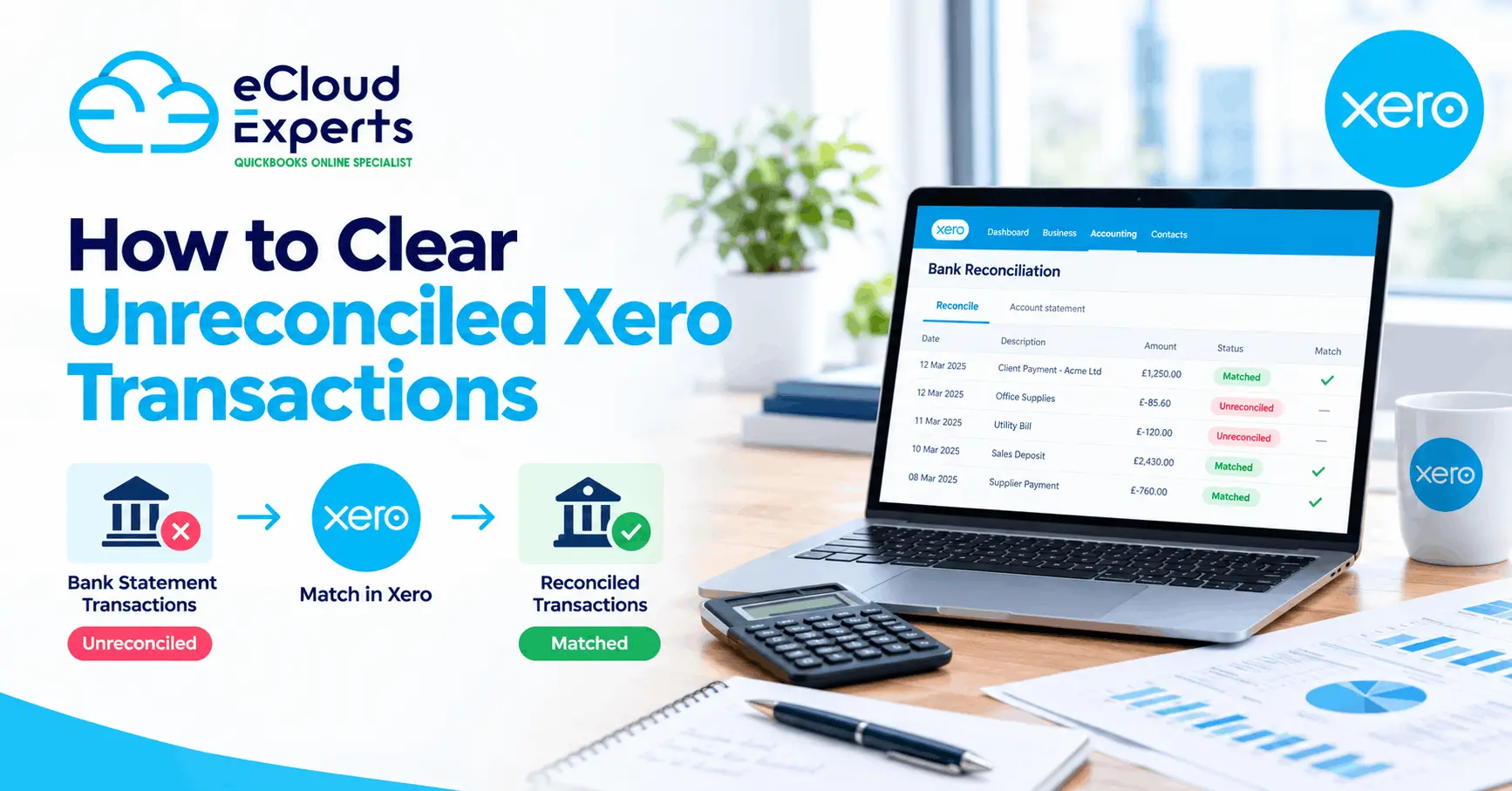
Running an ecommerce business involves more than accepting orders and receiving money. Sales can come through Shopify, Amazon, eBay, Etsy, WooCommerce and other platforms. Payments may then pass through Shopify Payments, PayPal, Stripe, Klarna or another payment provider before reaching your bank.
This creates a common accounting problem. The sales shown on your ecommerce platform rarely match the deposits appearing in your bank account.
This does not always mean money is missing. In most cases, the difference is caused by fees, refunds, timing, taxes or several transactions being grouped into one payout.
Effective ecommerce Xero reconciliation helps you explain every difference and keep your sales, fees, taxes and bank balances accurate.
Struggling to match your ecommerce sales with your Xero deposits? Book a free consultation with eCloud Experts and let our specialists find and correct the differences.
Why Ecommerce Sales and Bank Deposits Are Different
Your ecommerce platform normally reports the gross value of customer orders. Your bank normally receives the net amount released by the payment provider.
A simple example might look like this:
| Transaction | Amount |
| Gross customer sales | £10,000 |
| Refunds | £500 |
| Payment processing fees | £280 |
| Chargebacks | £100 |
| Net bank deposit | £9,120 |
The £9,120 deposit is correct, but it does not match the £10,000 sales figure.
If the full bank deposit is recorded as sales in Xero, revenue will be understated by £880. Refunds, fees and chargebacks will also be missing from the accounts.
That is why ecommerce accounting should not be based only on the money entering the bank.
1. Payment Processing Fees Are Deducted Before Payout
Payment providers usually charge a fee for processing each transaction. Some providers deduct these fees before sending the remaining money to your bank.
For example:
| Payout activity | Amount |
| Customer payments | £2,500 |
| Processing fees | £75 |
| Amount deposited | £2,425 |
Your ecommerce store reports £2,500 in sales, while the Xero bank feed shows a deposit of £2,425.
Both figures may be correct. The £75 difference should normally be recorded separately as a payment processing expense.
Recording only the bank deposit as sales would understate both your income and expenses.
2. Several Orders Can Be Combined Into One Deposit
Payment providers rarely send one bank deposit for every customer order. They often combine several orders into one daily, weekly or scheduled payout.
One deposit of £4,700 might include:
- Forty customer orders
- Two refunds
- Payment fees
- A previous payout adjustment
- A chargeback recovery
Trying to match the £4,700 directly against one sales invoice will not work. The deposit must be matched to the group of transactions included in that particular payout.
Good ecommerce Xero reconciliation connects each bank deposit to its supporting payout report.
3. Payout Dates Do Not Always Match Sales Dates
A customer may place an order on Friday, but the payment might not reach your bank until Tuesday.
The delay may be caused by:
- The provider’s settlement period
- Weekends
- Bank processing times
- Public holidays
- Security reviews
- The selected payout schedule
This timing difference becomes more noticeable at the end of a month or financial year.
For example, sales recorded on 30 September may appear in the bank on 2 October. The sales belong to September, even though the money arrived in October.
If you compare sales reports and bank deposits using only the same date range, the totals may appear incorrect.
4. Refunds Can Reduce Later Payouts
Refunds do not always reduce the payout connected to the original order. A refund may be deducted from a later payout.
Imagine that a customer placed an order in May and received a refund in June. The June bank deposit may be lower because it includes the refund for the May sale.
This can make current sales look lower than they really are if the refund is not recorded separately.
Refunds should normally be tracked against the correct sales period, payment provider and tax treatment.
5. Chargebacks Create Additional Differences
A chargeback happens when a customer disputes a payment through their bank or card provider.
The payment provider may deduct the following amounts from your available balance:
- The original transaction value
- A dispute fee
- Other processing charges
If the business wins the dispute, some or all of the money may be returned in a later payout.
Chargebacks can therefore affect more than one bank deposit. They should not simply be treated as a reduction in current sales without reviewing the supporting transaction.
6. VAT Can Make Sales Reports Confusing
Ecommerce reports may display figures in different ways. One report may show sales including VAT, while another shows sales excluding VAT.
You may also have separate amounts for:
- Shipping income
- Product sales
- Discounts
- VAT
- Marketplace fees
- Refunds
Comparing a gross sales report with a net bank deposit will produce an obvious difference.
The correct VAT treatment depends on where the business and customer are located, the type of goods or services sold and the applicable tax rules. Ecommerce businesses selling across different countries may need additional review.
If VAT is mapped incorrectly, the bank may still reconcile while the VAT return remains wrong. A green reconciliation button is helpful, but it is not an accounting qualification.
7. Discounts and Gift Cards Affect the Amount Collected
Discounts reduce the amount paid by the customer, but your sales reports may display the original product value and the discount separately.
Gift cards create another complication. Selling a gift card may create a liability rather than immediate product revenue. Revenue may be recognised when the customer uses the gift card, depending on the accounting treatment adopted.
If gift card sales and redemptions are both recorded as normal revenue, sales may be counted twice.
Your reconciliation process should distinguish between:
- Product revenue
- Discounts
- Gift card sales
- Gift card redemptions
- Unused gift card balances
8. Marketplace Fees May Be Taken From the Payout
Amazon, eBay, Etsy and similar marketplaces may deduct several charges before releasing money.
These can include:
- Selling fees
- Listing fees
- Advertising charges
- Fulfilment costs
- Storage charges
- Subscription charges
- Refund administration costs
- Other marketplace adjustments
A marketplace statement may therefore contain far more than sales and payment fees.
Posting the net deposit directly to sales hides these costs and understates revenue. It also makes it difficult to understand the true cost of selling through each marketplace.
9. Currency Conversion Can Change the Final Amount
International ecommerce businesses may accept payments in several currencies.
The amount paid by the customer can differ from the amount deposited because of:
- Currency conversion rates
- Foreign exchange fees
- Settlement currency rules
- Conversion timing
- Separate currency wallets
For example, a customer may pay 1,000 euros, but your payment provider may convert the money into pounds before settlement. The bank receives the converted amount after exchange charges.
The difference should be separated into the appropriate sales, fee and currency adjustment entries rather than posted as an unexplained bank difference.
10. Reserve Balances and Payment Holds Delay Funds
Some payment providers hold part of a merchant’s money as a reserve. This is more common for new businesses, businesses with high refund rates or businesses operating in higher risk sectors.
The sales may be valid and fully recorded, but part of the money remains with the payment provider.
A reserve balance is not normally an expense. It represents money that may still be due to your business. It should be tracked separately until it is released, used or adjusted.
11. Failed and Pending Payments May Appear in Reports
An order report does not always confirm that payment was successfully collected.
Orders may be:
- Pending
- Authorised but not captured
- Partially paid
- Failed
- Cancelled
- Marked for manual payment
If all orders are treated as completed sales, the ecommerce total may be higher than the payment provider balance and bank deposits.
The payment status of each order should be considered when reviewing differences.
12. Duplicate Data Can Enter Xero
Duplicate transactions often appear when more than one connection sends the same information into Xero.
For example, sales might enter Xero through:
- A Shopify connection
- A payment provider connection
- A manual sales invoice
- A bank feed
If the setup is not reviewed carefully, the same sale could be recorded more than once.
Deleting random transactions is risky because it may break previous reconciliations. The source and accounting purpose of each entry should be confirmed first.
The Correct Ecommerce Xero Reconciliation Process
Reliable ecommerce Xero reconciliation should follow the movement of money from the customer to the final bank deposit.
Step 1: Identify Every Sales and Payment Channel
Create a list of all ecommerce platforms, marketplaces and payment providers used by the business.
This may include Shopify, Amazon, eBay, Etsy, WooCommerce, Stripe, PayPal and Klarna.
Do not assume that every payment follows the same route. One online store may accept payments through several providers.
Step 2: Obtain the Payout Reports
Download or review the detailed payout report for each bank deposit.
The report should ideally show:
- Gross customer payments
- Refunds
- Processing fees
- Chargebacks
- Adjustments
- Reserves
- Currency conversions
- Net payout value
The payout identification number is particularly useful because it connects the platform activity with the deposit shown in the bank.
Step 3: Use a Clearing Account
A clearing account represents money collected by a payment provider but not yet deposited into your bank.
Sales are recorded into the clearing account. Fees, refunds and other adjustments are also recorded against it. When the provider sends the payout, the money moves from the clearing account to the bank account.
The basic flow is:
Customer sales → Payment clearing account → Bank deposit
The clearing account should return to the value still held by the payment provider. A large unexplained balance usually indicates missing, duplicated or incorrectly dated transactions.
Step 4: Record Gross Sales
Record the full value of sales rather than treating the net bank deposit as revenue.
Sales may need to be separated by:
- Product category
- Sales channel
- VAT rate
- Country
- Currency
- Shipping income
The level of detail should support the business’s reporting and tax requirements without making Xero unnecessarily complicated.
Step 5: Record Fees and Refunds Separately
Fees should be posted to suitable expense accounts. Refunds should normally reduce the relevant income category and use the correct VAT treatment.
This preserves the full picture:
Gross sales less refunds less fees equals the net amount available for payout.
Step 6: Match the Net Payout to the Bank Deposit
After the sales, fees, refunds and adjustments have been recorded, the net payout should equal the bank deposit.
Match using the payout identification number, amount and settlement date. Do not rely only on the order date.
Step 7: Review the Clearing Account
Compare the Xero clearing account balance with the amount still held by the payment provider.
Investigate differences such as:
- Missing payouts
- Duplicate sales
- Unrecorded refunds
- Incorrect fees
- Timing differences
- Foreign currency adjustments
- Reserve balances
This check is one of the most important parts of ecommerce Xero reconciliation.
A Practical Reconciliation Example
Suppose an online store records the following activity:
| Activity | Amount |
| Gross sales | £12,000 |
| Refunds | £700 |
| Payment fees | £360 |
| Chargebacks | £140 |
| Net payout | £10,800 |
The Xero entries should preserve each part of the activity.
The £12,000 should be recorded as gross sales. The £700 should be recorded as refunds. The £360 should be recorded as payment fees. The £140 should be recorded according to the nature of the chargeback.
The final £10,800 can then be matched to the bank deposit.
Recording only £10,800 as sales would understate revenue by £1,200 and hide important business costs.
Common Ecommerce Reconciliation Mistakes
Recording Every Bank Deposit as Sales
This usually understates gross sales because fees, refunds and other deductions have already been removed.
Matching Payouts Without Reviewing Their Contents
A payout may include transactions from different dates and several types of adjustments.
Ignoring Small Differences
Small daily differences can become significant over a full financial year.
Using One Account for Every Transaction
Combining sales, fees, refunds and taxes into one account makes financial reports less useful and errors more difficult to find.
Reconciling Only at Year End
Waiting until year end can leave hundreds or thousands of transactions to investigate. Monthly reconciliation is usually more manageable.
Assuming an Integration Is Always Correct
Accounting connections depend on correct settings. Tax rates, payment accounts, start dates and sales mappings should be checked before relying on the imported data.
How Often Should Ecommerce Accounts Be Reconciled?
The right frequency depends on transaction volume.
A small store may reconcile monthly. A growing store may need weekly reconciliation. A high volume business may need daily or automated payout reconciliation with regular checks.
At a minimum, the process should be completed before VAT returns, monthly reporting and year end accounts are prepared.
Signs That Your Ecommerce Reconciliation Needs Attention
You may need professional support if:
- Bank deposits are being recorded directly as sales
- The payment clearing account keeps increasing
- Xero sales do not match marketplace reports
- Refunds and chargebacks are missing
- VAT reports contain unexpected values
- Fees are not shown separately
- Several systems are importing duplicate transactions
- Old bank transactions remain unreconciled
- Foreign currency payouts create unexplained differences
- You cannot connect individual payouts to platform reports
These issues become harder to correct as transaction volumes increase.
How eCloud Experts Can Help
eCloud Experts can review your ecommerce sales flow, payment providers and Xero setup to identify why your sales do not match your bank deposits.
Our ecommerce accounting support can include:
- Reviewing sales and payment channels
- Checking existing Xero connections
- Setting up payment clearing accounts
- Mapping sales, VAT, fees and refunds
- Reconciling historical payouts
- Identifying duplicated or missing transactions
- Reviewing foreign currency activity
- Correcting ecommerce accounting records
- Setting up a repeatable monthly process
- Training your team to manage future reconciliation
The objective is not simply to make the bank balance match. It is to ensure your revenue, fees, refunds, VAT and payment balances are recorded correctly.
Frequently Asked Questions
Why do my Shopify sales not match my Xero bank deposits?
Shopify normally reports gross sales, while the bank receives a net payout after refunds, fees, chargebacks and other adjustments. Payout timing can also cause sales and deposits to fall into different reporting periods.
Should I record ecommerce bank deposits as sales in Xero?
Usually, no. The deposit may already have fees, refunds and adjustments deducted. Recording only the deposit as sales can understate both revenue and expenses.
What is an ecommerce clearing account in Xero?
A clearing account tracks money collected by an ecommerce platform or payment provider before it reaches your bank. It helps connect gross sales, fees, refunds and net payouts.
Why does my Xero clearing account have a balance?
The balance may represent pending payouts, reserves or timing differences. An incorrect balance may also be caused by missing fees, duplicate sales, refunds or incorrectly matched deposits.
Can ecommerce reconciliation be automated?
Many parts can be automated through suitable accounting connections. However, the setup and mappings must be checked carefully. Regular reviews are still required for refunds, chargebacks, currency differences and unusual adjustments.
How do payment processing fees appear in Xero?
Processing fees should normally be recorded as expenses rather than deducted from sales income. The exact account and VAT treatment depend on the provider and the nature of the fee.
How often should ecommerce sales be reconciled in Xero?
Most ecommerce businesses should complete reconciliation at least monthly. Businesses with high transaction volumes may need weekly or daily processing.
Can eCloud Experts correct historical ecommerce reconciliation errors?
Yes. We can review historical sales, payment reports, bank deposits and Xero records to identify missing, duplicated or incorrectly recorded transactions.
Final Thoughts
Your ecommerce sales and Xero bank deposits are not expected to match automatically. They represent different stages of the payment process.
Sales show what customers purchased. Bank deposits show what remained after payment fees, refunds, chargebacks, timing differences and other adjustments.
A proper ecommerce Xero reconciliation process connects these figures and explains every difference. This gives you more accurate accounts, clearer profit reporting and greater confidence when preparing VAT returns and year end records.
If your ecommerce payouts are difficult to reconcile, eCloud Experts can review your existing setup, correct historical issues and create a reliable process for future transactions.
Need Help Reconciling Your Ecommerce Sales in Xero?
If your Shopify, Amazon, eBay, Etsy, Stripe or PayPal sales do not match your Xero bank deposits, we can help. Our ecommerce accounting specialists will review your sales, fees, refunds, VAT, payment clearing accounts and payouts to identify the cause of each difference.
Contact eCloud Experts today to correct your ecommerce reconciliation and build a reliable process for future transactions.