Running a business with disconnected software can quickly become frustrating. One platform manages sales. Another stores customer data. Payroll sits somewhere else. Then someone manually copies numbers into accounting software every week.
That process wastes time and increases the risk of errors.
This is why more businesses are investing in Xero integrations. By connecting your business tools directly with Xero, you can automate repetitive tasks, improve reporting, and reduce manual work across your company.
Whether you run an ecommerce business, consultancy, agency, retail store, or service company, the right Xero integrations can help your systems work together more effectively.
In this guide, you will learn:
• What Xero integrations are
• Why businesses use them
• The most useful types of integrations
• How to connect apps to Xero
• Common mistakes to avoid
• The best Xero integrations for growing businesses
• How eCloud Experts help businesses set up and manage integrations
What Are Xero Integrations?
Xero integrations are connections between Xero and other business applications your company uses daily.
These integrations allow information to move automatically between systems without manual data entry.
For example:
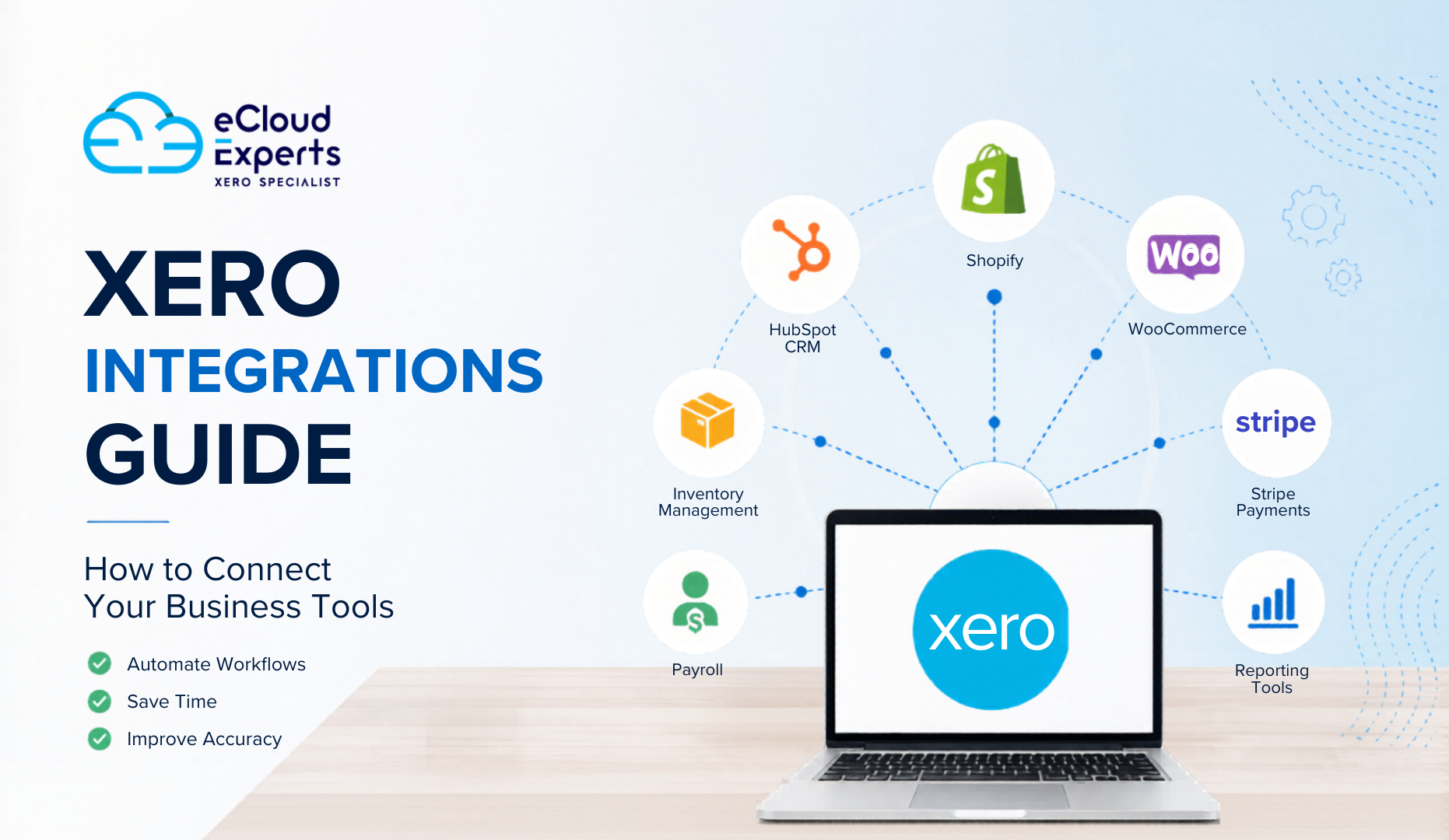
• Shopify sales can sync into Xero automatically
• Payroll software can update wage expenses in Xero
• Payment gateways can match transactions in real time
• CRM systems can connect invoices and customer records
• Inventory tools can update stock and purchase information
Instead of switching between disconnected systems, businesses can manage operations more efficiently through connected workflows.
Xero supports hundreds of integrations through the Xero App Store. Businesses can also use custom API connections for advanced automation needs.
Popular categories of Xero integrations include:
• Ecommerce platforms
• CRM systems
• Payroll software
• Inventory management tools
• Payment gateways
• Time tracking apps
• Reporting software
• Point of sale systems
Why Businesses Use Xero Integrations
As businesses grow, manual processes become harder to manage.
That is where Xero integrations create real value.
Save Time on Manual Data Entry
Without integrations, teams often:
• Export spreadsheets manually
• Re enter invoice information
• Copy customer records between systems
• Match transactions manually
This process takes hours every week.
When apps connect directly with Xero, information syncs automatically. Staff spend less time on repetitive admin work and more time on valuable business tasks.
Improve Financial Accuracy
Manual processes increase the chance of mistakes.
Duplicate entries, incorrect VAT figures, and missing transactions can create reporting problems that affect business decisions.
Xero integrations reduce these risks by allowing systems to exchange information automatically.
That leads to:
• More accurate bookkeeping
• Better reconciliation
• Cleaner financial reports
• Fewer duplicate records
Get Better Business Reporting
Disconnected systems often create reporting gaps.
For example:
• Sales data may not match accounting records
• Inventory figures may be outdated
• Payment reports may not align with invoices
Xero integrations help centralize financial information so businesses can generate clearer reports and make better decisions.
Reduce Admin Work
Business owners and finance teams already manage enough daily responsibilities.
Automating processes through Xero integrations reduces:
• Spreadsheet work
• Manual imports
• Duplicate tasks
• Data correction work
This helps businesses operate more efficiently without increasing administrative workload.
Types of Xero Integrations Businesses Commonly Use
Different businesses use different integrations depending on their operations.
Here are some of the most common categories.
Ecommerce Integrations
Ecommerce businesses rely heavily on Xero integrations to manage sales and accounting data.
Popular ecommerce integrations include:
• Shopify
• WooCommerce
• Amazon
• BigCommerce
• Etsy
These integrations can:
• Sync orders automatically
• Create invoices in Xero
• Track taxes and VAT
• Match payment transactions
• Update sales reports
For growing online stores, ecommerce Xero integrations can save many hours every month.
CRM Integrations
CRM systems manage customer relationships and sales activity.
Popular CRM integrations with Xero include:
• HubSpot
• Zoho CRM
• Salesforce
• Pipedrive
These Xero integrations help businesses:
• Connect invoices to customers
• Sync payment status
• Improve customer reporting
• Reduce duplicate data entry
Sales and finance teams can work from connected information instead of separate systems.
Payroll Integrations
Payroll processing involves sensitive financial information and regular reporting requirements.
Payroll integrations with Xero can:
• Sync payroll journals automatically
• Update employee expense records
• Track pension contributions
• Simplify payroll reconciliation
Popular payroll integrations include:
• Gusto
• Employment Hero
• Deputy
• KeyPay
Inventory Management Integrations
Inventory tracking becomes difficult when businesses grow.
Inventory Xero integrations help businesses:
• Monitor stock levels
• Track purchase orders
• Manage warehouse inventory
• Connect inventory costs with accounting records
Popular inventory tools include:
• Cin7
• DEAR Inventory
• Unleashed
• Katana
These Xero integrations are especially useful for wholesalers, manufacturers, and ecommerce brands.
Payment Gateway Integrations
Payment gateways handle online transactions.
Integrating them with Xero helps automate reconciliation and payment tracking.
Popular payment integrations include:
• Stripe
• PayPal
• Square
• GoCardless
These integrations can:
• Sync payment records automatically
• Match invoices faster
• Reduce reconciliation time
• Improve cash flow tracking
Time Tracking Integrations
Service businesses often use time tracking apps to bill clients accurately.
Popular Xero integrations include:
• Harvest
• WorkflowMax
• Clockify
• Deputy
These apps help businesses:
• Track billable hours
• Create invoices faster
• Improve project reporting
• Monitor staff productivity
How to Set Up Xero Integrations Step by Step
Setting up Xero integrations is usually straightforward. However, planning properly is important to avoid reporting issues later.
Step 1: Identify Your Business Needs
Before connecting apps, review your workflow carefully.
Ask questions like:
• Which tasks are currently manual?
• Where do errors happen most often?
• Which systems need to share data?
• What reporting problems exist today?
Not every app needs integration. Focus on systems that create the biggest operational impact.
Step 2: Choose Compatible Apps
Next, confirm that the app supports Xero integration.
You can check:
• The Xero App Store
• The software provider’s website
• API documentation
• Integration reviews
When reviewing Xero integrations, consider:
• Features
• Reliability
• Support quality
• Sync frequency
• Scalability
• Pricing
Cheap integrations sometimes create expensive accounting problems later.
Step 3: Connect the App to Xero
Most Xero integrations follow a similar setup process.
Typically, businesses:
- Log into Xero
- Authorize the third party app
- Select sync settings
- Map accounts and tax codes
- Configure automation rules
Some integrations are simple. Others require advanced configuration depending on the workflow.
Step 4: Test the Integration
Never assume the integration works perfectly immediately.
Before going live:
• Run test transactions
• Check tax mappings
• Verify invoice syncing
• Confirm reconciliation settings
• Review customer data syncing
Testing helps identify issues before they affect live financial data.
Step 5: Monitor and Maintain the Connection
Xero integrations are not always permanent once installed.
Businesses should regularly:
• Review sync logs
• Check failed transactions
• Update app permissions
• Confirm tax settings
• Monitor API connection status
Regular maintenance helps prevent hidden reporting errors.
Industries That Benefit Most From Xero Integrations
Almost every business can benefit from Xero integrations. However, some industries rely on them more heavily due to transaction volume and operational complexity.
Ecommerce Businesses
Online stores often process hundreds or thousands of transactions every month.
Xero integrations help ecommerce businesses:
• Sync orders automatically
• Track marketplace fees
• Monitor VAT liabilities
• Reconcile payment gateways faster
• Manage inventory more accurately
Without integrations, ecommerce accounting can become overwhelming very quickly.
Marketing Agencies
Agencies often use multiple systems for:
• Client management
• Time tracking
• Invoicing
• Expense management
Xero integrations help agencies automate invoicing and improve project profitability tracking.
Retail Businesses
Retail companies use Xero integrations to connect:
• Point of sale systems
• Inventory platforms
• Supplier management tools
• Ecommerce stores
This improves stock visibility and financial reporting.
Professional Service Firms
Consultancies, legal firms, and service businesses often integrate:
• CRM platforms
• Scheduling systems
• Time tracking software
• Billing tools
These Xero integrations help improve operational efficiency and client billing accuracy.
Signs Your Business Needs Xero Integrations
Many businesses wait too long before automating processes.
Here are common signs your business may need Xero integrations:
• Staff manually enter the same data repeatedly
• Reports from different systems do not match
• Reconciliation takes too long
• Ecommerce sales are difficult to track
• Customer data exists in multiple systems
• Invoice processing is slow
• Payroll reporting creates confusion
• Inventory figures are often inaccurate
If these problems sound familiar, proper Xero integrations could significantly improve your workflow.
Best Xero Integrations for Growing Businesses
The best Xero integrations depend on your business type and operational needs.
| Business Need | Recommended Xero Integrations |
|---|---|
| Ecommerce | Shopify, WooCommerce, Amazon |
| CRM | HubSpot, Zoho CRM, Salesforce |
| Payroll | Gusto, KeyPay, Employment Hero |
| Inventory | Cin7, Unleashed, DEAR Inventory |
| Payments | Stripe, PayPal, GoCardless |
| Reporting | Fathom, Syft Analytics |
| Time Tracking | Harvest, WorkflowMax |
Growing businesses often combine multiple Xero integrations to create a fully connected workflow.
Common Problems With Xero Integrations and How to Avoid Them
Xero integrations can improve efficiency significantly. However, poor setup can create financial confusion.
Here are common problems businesses face.
Incorrect Tax Mapping
VAT and sales tax errors are common when integrations are configured incorrectly.
Always verify:
• Tax rates
• VAT codes
• Regional tax settings
• Exempt transactions
Duplicate Transactions
Poor sync settings can create duplicate invoices or payments.
To avoid this:
• Review sync rules carefully
• Test workflows before launch
• Avoid overlapping integrations
Poor Chart of Accounts Mapping
Incorrect account mapping affects financial reports.
Businesses should:
• Review account categories carefully
• Match income and expense accounts properly
• Confirm reconciliation settings
Ignoring Maintenance
Even reliable Xero integrations need monitoring.
API updates, app changes, and expired permissions can break connections unexpectedly.
Regular reviews help maintain accurate reporting.
How Xero Integrations Support Business Growth
Business growth often creates operational pressure.
More customers, transactions, products, and staff usually mean more administrative work. Without automation, finance teams can quickly become overloaded.
Xero integrations help businesses scale more effectively by:
• Automating financial workflows
• Reducing admin workload
• Improving reporting speed
• Supporting multi channel sales
• Helping management make faster decisions
Connected systems allow businesses to focus more on growth instead of repetitive tasks.
Future Trends in Xero Integrations
Technology continues to change how businesses manage financial operations.
Future Xero integrations are expected to focus more on:
• AI powered automation
• Real time financial reporting
• Advanced ecommerce syncing
• Predictive cash flow forecasting
• Automated expense categorization
• Multi platform business management
Businesses that invest in connected systems early are often better prepared for future operational demands.
How eCloud Experts Help Businesses With Xero Integrations
Many businesses struggle with Xero integrations because every workflow is different.
At eCloud Experts, we help businesses:
• Identify the right integrations
• Configure Xero correctly
• Connect apps securely
• Map financial data properly
• Test workflows thoroughly
• Resolve integration errors
• Improve automation processes
We support integrations for:
• Ecommerce businesses
• Agencies
• Retail companies
• Service businesses
• Manufacturers
• Growing SMEs
Our team helps businesses create practical integration setups that improve reporting, automation, and operational efficiency.
Final Thoughts
Modern businesses rely on multiple software platforms every day. However, disconnected systems create unnecessary work, reporting issues, and operational delays.
That is why Xero integrations have become essential for growing businesses.
By connecting your accounting software with ecommerce tools, CRM systems, payroll apps, inventory platforms, and payment gateways, businesses can reduce admin work and improve financial visibility.
The key is choosing the right integrations and configuring them correctly from the beginning.
With proper setup and ongoing support, Xero integrations can help businesses save time, improve accuracy, and build more scalable operations.
If your business is planning to connect apps with Xero, eCloud Experts can help you choose, configure, and manage the right integration setup for your workflow.