A growing business should not need to spend hours each week matching the same supplier payments, subscription receipts and customer transactions. When you automate Xero reconciliations properly, the result is more than quicker bookkeeping. You create cleaner financial data, improve visibility of cashflow and give directors more confidence in the numbers they use to make decisions.
Automation is particularly valuable when transaction volumes rise faster than the finance team. Ecommerce businesses may be processing payment gateway settlements every day. Agencies can have recurring software costs and regular client retainers. Construction businesses need clear treatment of materials, subcontractors and CIS deductions. In each case, the aim is the same: reduce repetitive work without losing control.
What automated reconciliation in Xero really means
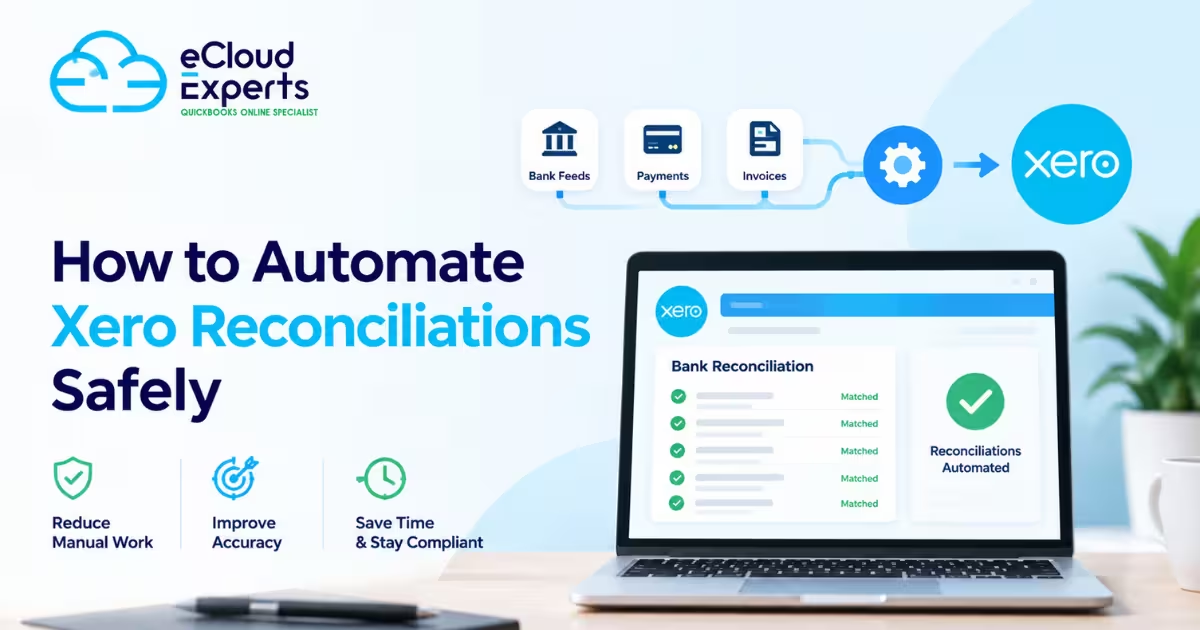
Bank reconciliation is the process of matching transactions on your bank statement to invoices, bills, transfers, expenses or other entries in Xero. A reconciled bank balance should reflect what has actually cleared through the account, while Xero records explain the purpose of each transaction.
Automation does not mean accepting every suggested match without checking it. It means setting up Xero so routine, predictable transactions are treated consistently, while exceptions are highlighted for review. Reliable bank feeds bring transactions into Xero regularly. Bank rules can code recurring payments. Invoice references and payment integrations can improve matching. The finance team then spends its time on the transactions that genuinely require judgement.
That distinction matters. A fast reconciliation process built on incorrect coding will produce fast but unreliable management reports. The right approach combines automation with clear approval points and regular review.
Start with accurate bank feeds and a clean chart of accounts
Your bank feed is the foundation. If transactions arrive late, are duplicated or cover only part of your banking activity, automation will not deliver the expected benefit. Connect every active business account used for trading, including savings accounts, foreign currency accounts, card accounts and payment platforms where appropriate.
Payment providers need particular attention. A card sale may be paid by a customer on one date, settled into your bank later and reduced by processing fees. Recording only the final banked amount can distort turnover, fees and debtor balances. Depending on the payment platform and transaction volume, a clearing account or a suitable Xero app may provide a more accurate process.
Before creating rules, review the chart of accounts. Similar expense codes, vague nominal names and inconsistent VAT rates make automation harder to trust. For example, recurring cloud software subscriptions should have a clear home in the accounts and the correct VAT treatment. The same applies to advertising spend, professional fees, travel and director expenses.
A well-organised chart of accounts is not an accounting nicety. It is what turns reconciled transactions into useful reporting.
Build bank rules for repeatable transactions
Bank rules are one of the most practical ways to automate Xero reconciliations. They tell Xero how to code transactions that follow a recognisable pattern, such as monthly software subscriptions, rent, insurance, loan repayments or regular bank charges.
The strongest rules use reliable information from the bank narrative, such as a supplier name or reference, rather than an amount alone. Amounts can change due to price rises, currency movements or partial payments. If a rule is too broad, it may capture transactions that look similar but should be treated differently.
For each rule, set the account, contact, tax rate and tracking category where relevant. If your business reports by department, project, location or revenue stream, tracking should be designed into the rule from the outset. Otherwise, routine transactions may be reconciled quickly but leave gaps in your management reporting.
Use rules for genuinely routine activity, not for transactions that require context. A regular software licence is a good candidate. A transfer labelled vaguely from a director, a substantial one-off supplier payment or a customer payment with no reference is not. Those need review before reconciliation.
Review rules after the first few uses
A rule should not be treated as permanent simply because it worked once. Check newly created rules closely during the first month, then review them periodically. Supplier names change, services are cancelled and VAT treatment can vary.
This is especially relevant for mixed-use costs. A mobile phone bill, home office expense or vehicle payment may require a judgement on business use. Automating the wrong treatment repeatedly creates a larger correction job later, particularly at VAT return or year-end.
Match invoices and bills before creating new transactions
Where possible, keep your sales and purchase ledgers current before you reconcile. If invoices are raised promptly and supplier bills are entered consistently, Xero can suggest matches when the money moves through the bank. This protects the accuracy of aged debtors and creditors, rather than recording a new spend or receipt directly from the bank screen.
For a service business, this can reveal late-paying customers quickly. For an ecommerce business, it may mean matching settlement data rather than trying to reconcile hundreds of individual sales to a single bank deposit. For property businesses, it can support a clearer split between rental income, agent deductions, repairs and finance costs.
The trade-off is discipline. Automation works best when there is a defined process for raising invoices, capturing bills and submitting expenses. If documents are held in inboxes or spreadsheets for weeks, the bank reconciliation screen becomes a place to guess what happened. That is not a process that scales.
Use connected apps carefully, not automatically
Xero can sit at the centre of a connected finance process. Receipt capture tools can reduce manual data entry. Payment platforms can pass settlement information into the accounts. Ecommerce, payroll, expense and stock systems can reduce the need to rekey data.
However, an integration should solve a specific operational problem. Adding apps simply because they are available can create duplicate entries, unclear ownership and a difficult reconciliation trail. Before implementing an app, establish what data it will send to Xero, how frequently it will sync, whether it creates invoices or summary journals, and who will investigate errors.
The right integration often depends on volume and complexity. A small consultancy with a modest number of bills may need only bank feeds, bank rules and good document capture. A multichannel retailer may need a more specialised settlement and inventory workflow. Both can automate effectively, but they should not use the same design.
Keep controls around automated Xero reconciliations
Automation should reduce risk, not conceal it. Reconciliations need a regular review cadence, even where most items are matched automatically. A weekly review suits many growing businesses because it keeps cashflow information current and prevents a month-end backlog. High-volume businesses may need daily attention, while low-transaction businesses may be comfortable with a structured monthly process.
A useful review includes checking unreconciled items, unusually old transactions, duplicate payments, unexpected bank charges and transfers between accounts. Directors should also understand whether the bank balance is being confused with available cash. VAT liabilities, payroll, loan repayments and supplier commitments can all affect the real cash position.
Lock dates once VAT returns or management accounts are finalised, and restrict who can amend historical transactions. If changes are necessary, record why they were made and assess whether prior reports need to be updated. These controls are essential when bookkeeping is shared between internal staff, an outsourced provider and a business owner.
Watch for the exceptions that need human judgement
Some transactions should always slow the process down. These include director loans, tax payments, finance agreements, asset purchases, intercompany transfers, refunds, foreign currency movements and payments with unclear descriptions. They may be routine in frequency, but their accounting treatment can have wider consequences.
For example, a loan repayment may need splitting between capital and interest. A purchase of equipment may be a fixed asset rather than an ordinary expense. A payment to HMRC may relate to VAT, PAYE, corporation tax or a payment plan. Bank rules cannot replace an informed review of these items.
Turn reconciled data into real business insight
The value of reconciliation becomes visible after the matching is done. Current, accurately coded data supports cashflow forecasting, profitability review, VAT planning and timely management reporting. It helps a director see whether revenue is growing profitably, whether overheads are rising too quickly and whether customers are paying within agreed terms.
That is why the goal should not be to reconcile the bank as quickly as possible. The goal is to build a reliable finance routine that gives the business a clearer view of its position, without the overhead of constant manual processing. eCloud Experts approaches Xero automation as part of that wider finance process, connecting day-to-day accuracy to better commercial decisions.
Start with the repetitive transactions that are easiest to verify, keep a close eye on the exceptions and refine the workflow as your business changes. Done well, automated reconciliation leaves you with less time managing finances and more time building your business.