
When Does It Make Sense to Replace NetSuite with Xero?
Choosing accounting software is a significant business decision. The right platform should support accurate financial reporting, efficient workflows, appropriate controls, and the organization’s long-term operating model. However, as a business changes, the system that once met its needs may no longer be the most practical option. For some organizations, NetSuite provides essential enterprise-level functionality. For others, its complexity, cost, and administrative requirements may become disproportionate to the value they receive. In these circumstances, replacing NetSuite with Xero may be worth considering. But a migration should not be based solely on the desire for a simpler interface or lower subscription costs. Xero and NetSuite serve different business requirements, and moving between them requires a careful assessment of functionality, data, reporting, integrations, and future growth. The central question is not whether Xero is universally better than NetSuite. It is whether Xero can support your business requirements more efficiently and sustainably than your current system. This guide explains when replacing NetSuite with Xero may make sense, when it may not, and how to evaluate and plan the transition. Why Businesses Consider Replacing NetSuite with Xero Businesses typically consider an accounting software migration when their current platform no longer aligns with their operational needs. The reasons can be financial, organizational, technical, or strategic. Common reasons for considering a NetSuite replacement include: These factors do not automatically mean that Xero is the right replacement. They indicate that the business should reassess whether its current accounting environment remains appropriate. A successful migration begins with understanding the underlying business problem—not selecting a new platform first. When Does It Make Sense to Replace NetSuite with Xero? There is no universal revenue threshold, employee count, or transaction volume that determines whether replacing NetSuite with Xero is appropriate. The decision depends on the complexity of the business, the functionality it actually uses, and the requirements it must continue to support. The following situations may justify a detailed evaluation. 1. Your Business No Longer Needs Enterprise-Level Complexity NetSuite is designed to support a broad range of business processes, including financial management, multi-entity operations, inventory, procurement, order management, and other enterprise functions. However, not every business requires all of these capabilities. A company may have adopted NetSuite during a period of expansion, restructuring, or operational complexity. Over time, its circumstances may have changed. It may now operate with fewer entities, simpler transactions, a smaller finance team, or a more focused service offering. When a business uses only a fraction of its current platform, the additional complexity may create unnecessary work. For example, a company that primarily needs: may not require the full breadth of an enterprise resource planning system. In such cases, replacing NetSuite with Xero may provide an opportunity to align the accounting environment with the business’s actual requirements. The important consideration is whether the organization can operate effectively without the advanced functionality it currently has. Removing unused features is not a problem; removing functionality that supports critical processes is. 2. The Total Cost of Operating NetSuite Has Become Disproportionate Software costs should be assessed in the context of the value the system provides. The cost of maintaining NetSuite may include more than licensing or subscription fees. Businesses should also consider: If the business is paying for functionality it rarely uses, the total cost of ownership may no longer align with its needs. Replacing NetSuite with Xero may reduce certain operating costs, but the potential savings should be calculated carefully. A migration also requires investment in: The correct comparison is therefore not simply the subscription price of NetSuite versus Xero. It is the total cost of ownership and operational value of each system. A lower-cost platform is only beneficial if it continues to support accurate accounting, reliable reporting, and essential business processes. 3. Your Finance Team Needs a More Efficient Day-to-Day Workflow Accounting software should help finance professionals complete routine tasks accurately and consistently. When a system introduces unnecessary complexity into everyday work, it can affect productivity and reporting timelines. A business may begin evaluating Xero when its finance team finds that routine activities require more steps, administration, or technical knowledge than necessary. Examples may include: Xero may be worth considering when the business needs a more straightforward accounting environment for its current operations. However, ease of use should be evaluated alongside functionality. A system that is simple to navigate but cannot support the organization’s reporting, control, or integration requirements may create different problems. The objective is not simply to make accounting software easier to use. It is to create a workflow that is efficient, controlled, and appropriate for the business. 4. Your Reporting Requirements Are Relatively Straightforward Financial reporting requirements are one of the most important factors in a NetSuite-to-Xero migration. NetSuite can support complex reporting structures, including multi-entity reporting, consolidated financial statements, detailed classifications, and advanced management reporting. If your business primarily requires standard accounting reports, Xero may be capable of supporting many of its needs through its core functionality and connected applications. Typical reporting requirements may include: However, businesses should not assume that every report currently produced in NetSuite will transfer directly to Xero. Before migrating, create an inventory of the reports your organization uses. For each report, identify: This approach helps distinguish essential reporting requirements from reports that exist only because the current system makes them available. 5. Your Business Structure Has Become Simpler A business’s legal and operational structure can change significantly over time. An organization may reduce the number of entities it operates, consolidate financial activities, simplify ownership arrangements, or move away from complex operational models. If NetSuite was originally implemented to support a more complicated structure, the system may now provide capabilities that are no longer necessary. Replacing NetSuite with Xero may be worth evaluating when the business has: The key is to assess whether the simplified structure can be supported effectively in the proposed Xero environment. Businesses should also consider whether the current structure is genuinely stable. A migration that works for today’s organization may become restrictive if the company expects significant
Pegasus Opera 3 Data Conversion to Xero: What Businesses Need to Know
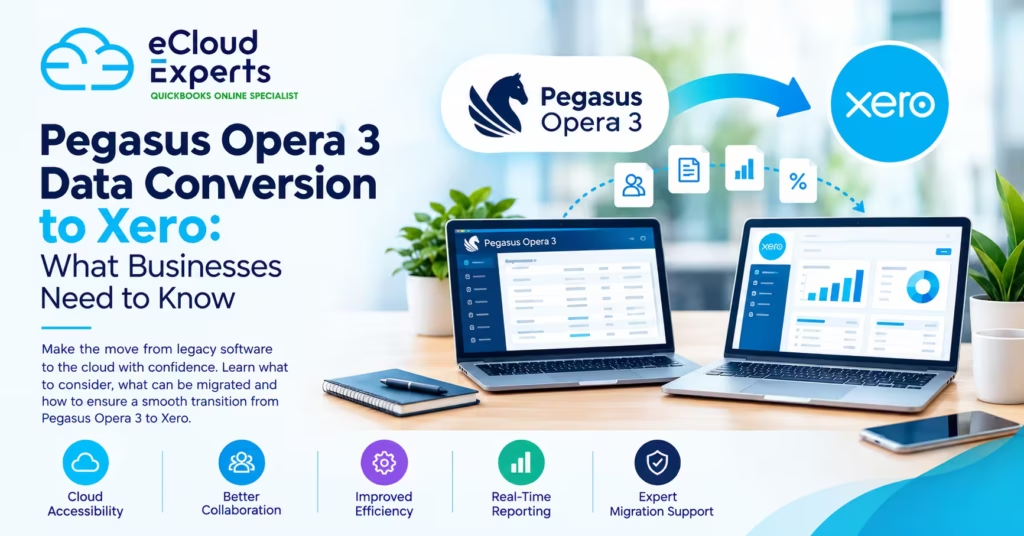
Moving from a long-established accounting system to a modern cloud platform can give your business greater flexibility, accessibility and efficiency. For businesses currently using Pegasus Opera 3, migrating to Xero can be an important step towards modernising their accounting processes. However, Pegasus Opera 3 data conversion is not simply a matter of exporting information from one system and importing it into another. Opera 3 and Xero have different structures, features and ways of handling financial information. Without careful planning, businesses can encounter issues with account mapping, historical transactions, opening balances, VAT records and reconciliations. A well-planned conversion can make the transition significantly smoother while helping you preserve the financial information your business needs. In this guide, we explain what businesses should know before converting Pegasus Opera 3 data to Xero, what information may be migrated, the challenges to consider and how to prepare for a successful transition. Why Are Businesses Moving From Pegasus Opera 3 to Xero? Pegasus Opera 3 has been used by many businesses for accounting, payroll, stock and other business management processes. However, as businesses become more digitally connected, they may require greater flexibility than a traditional desktop accounting system provides. Xero is a cloud-based accounting platform designed to make financial information accessible from virtually anywhere with an internet connection. Businesses may consider moving from Opera 3 to Xero because they want: The right migration strategy depends on the business, its existing Opera 3 setup and the type of financial information that needs to be retained. What Is Pegasus Opera 3 Data Conversion? Pegasus Opera 3 data conversion is the process of taking relevant accounting information from Opera 3, preparing and transforming it where necessary, and moving it into a format and structure that can be used within Xero. The process can involve several stages, including: It is important to understand that there may not be a direct one-to-one equivalent for every Opera 3 record in Xero. This is why migration should be treated as a data conversion and accounting project, rather than simply a file transfer. What Data Can Be Migrated From Pegasus Opera 3 to Xero? The exact migration scope depends on the business’s requirements, the quality of the existing data and the way the information is structured. Potentially relevant information can include: Data Key Consideration Chart of accounts May need mapping to Xero’s account structure Customer records May require cleaning and formatting Supplier records Should be reviewed before migration Invoices Migration approach depends on historical requirements Bills May require preparation before conversion Payments Should be checked against outstanding balances Bank transactions May require separate treatment Opening balances Must be accurate for reliable reporting VAT information Requires careful validation Historical transactions Migration scope should be defined in advance Not every business needs to move every historical record. For some companies, transferring years of detailed transactions into Xero may be unnecessary. Others may require more extensive historical information for reporting, operational or compliance reasons. The first step should therefore be deciding what needs to be moved and why. Understanding Account Mapping During an Opera 3 to Xero Migration One of the most important parts of the conversion process is account mapping. Your existing Opera 3 chart of accounts may use nominal codes, account names and structures that do not correspond exactly with your Xero setup. For example, one Opera 3 account may need to be mapped to an appropriate Xero account, while several legacy accounts may need to be reviewed before deciding how they should appear in the new system. Poor account mapping can affect: The objective should not simply be to reproduce the old system exactly. Instead, the migration should create a clean and logical accounting structure in Xero while preserving the financial information the business actually needs. How Much Historical Data Should You Move? One of the biggest decisions during Pegasus Opera 3 data conversion is deciding how much historical data should be transferred. There are generally two broad approaches. Full or Extensive Historical Migration The business transfers a substantial amount of historical accounting information into Xero. This may be useful when the company needs detailed historical information readily available in the new system. However, moving large volumes of historical data can increase the complexity of the project and may require additional preparation and validation. Opening Balances With Historical Records Retained Separately Another option is to establish accurate opening balances in Xero while retaining older records in the previous system or another appropriate archive. This can be a practical approach when the business needs historical records for reference but does not need every old transaction inside Xero. The best approach depends on factors such as reporting requirements, tax records, audit considerations and how the business uses historical financial information. Why Data Cleaning Matters Before Conversion Migrating inaccurate or unnecessary data can create problems in the new accounting system. Before beginning the conversion, businesses should consider reviewing: Data cleaning can make the conversion more efficient and can help prevent old problems from being carried into Xero. However, financial records should not simply be deleted because they appear old or unnecessary. Businesses should consider their accounting, tax, record-keeping and reporting requirements before making changes. The Importance of Opening Balances Opening balances are one of the most critical parts of an accounting system migration. If your Xero opening balances are incorrect, the problem can affect your financial reporting from the first day of using the new system. Important balances may include: After the conversion, the opening figures should be compared against the final figures from Opera 3 and supporting financial records. A successful migration is not complete simply because the data appears inside Xero. The numbers need to make sense and reconcile. What Happens to VAT Data? VAT information requires particular attention when moving from one accounting system to another. Businesses need to consider their VAT reporting requirements and determine which VAT information needs to be available in Xero. The migration process should account for: The exact treatment will depend on the business’s circumstances and the
7 Lessons from Real Sage 200 to Xero Migration Projects
Moving from Sage 200 to Xero can simplify daily accounting. It can also improve access, reporting, and collaboration. However, migration involves more than transferring figures. Sage 200 and Xero organise financial data differently. Some records can move directly. Others need mapping, restructuring, or a new working process. These seven Sage 200 migration lessons explain what businesses should check before starting. They cover planning, data preparation, testing, reconciliation, training, and ongoing support. Why Sage 200 Migrations Need Careful Planning Sage 200 often supports detailed finance operations. A business may have several companies, departments, currencies, warehouses, and connected systems. Xero offers a simpler cloud accounting platform. However, it does not reproduce every Sage 200 feature in the same way. Planning helps the migration team answer important questions: A rushed migration can cause missing records, incorrect balances, and confused users. A planned migration creates a clearer and safer route into Xero. Lesson 1: Define the Migration Scope Before Extracting Data The first lesson is simple. Decide exactly what needs to move before extracting any records. Some businesses only require opening balances and unpaid invoices. Others need several years of detailed transactions. The migration scope should confirm: Moving unnecessary history can increase cost and complexity. Moving too little can reduce reporting value. The correct scope depends on business needs. It should never be based on assumptions. Opening Balances or Full History? This is one of the first decisions to make. An opening balance migration brings the financial position into Xero from an agreed date. It normally includes the trial balance, outstanding invoices, outstanding bills, and bank balances. A full historical migration brings detailed transactions into Xero. This may include invoices, bills, payments, journals, and bank transactions. Full history offers stronger comparison and reporting. However, it also requires more preparation and testing. Businesses should consider: The best option is the one that supports future work without adding unnecessary complexity. Lesson 2: Clean Sage 200 Data Before Migration Poor source data does not improve when moved into Xero. It simply becomes poor data in a new system. Before migration, review Sage 200 for common issues. These may include: Cleaning the source data reduces mapping errors. It also prevents unnecessary records from entering Xero. Not every historical issue needs correction. Some old records may remain in Sage 200 for reference. The migration scope should clearly state what will be cleaned, transferred, or archived. Why Data Quality Affects the Project Cost Migration cost is not only based on the number of years. A single year of poor data may require more work than five years of clean data. The migration team may need to investigate balances, correct records, or rebuild missing links. The following issues can increase the work required: A data review before quoting can produce a more reliable project price. Lesson 3: Account Mapping Needs Human Review Sage 200 and Xero use different account structures. Account names alone are not enough for accurate mapping. Each account should be reviewed for: For example, two accounts may have similar names but support different reports. Automatic mapping may place them in the wrong Xero category. A structured mapping document should be prepared before importing data. It should show each Sage 200 account and its destination in Xero. This is one of the most important Sage 200 migration lessons. Incorrect mapping can affect the balance sheet, profit and loss report, and tax calculations. Should the Chart of Accounts Be Simplified? Migration provides a useful opportunity to review the chart of accounts. Many Sage 200 organisations have old accounts that are no longer used. Some may have been created for previous departments, products, or reporting requirements. A simplified chart of accounts can make Xero easier to use. However, accounts should not be removed without checking their balances and historical purpose. The review should identify: The final structure should remain practical without losing important reporting detail. Lesson 4: Recreate the Reporting Structure Carefully Many Sage 200 businesses use departments, cost centres, or custom reporting codes. Xero uses tracking categories for additional reporting. However, these structures are not always equal. Before migration, identify the reports management uses regularly. Then decide how those reporting needs will work inside Xero. Questions to consider include: Trying to copy every old code may create an unnecessarily complex Xero setup. The goal is not to rebuild Sage 200 inside Xero. The goal is to create a practical structure that supports future reporting. Review Reports Before Building Xero Ask the finance team to provide copies of their main reports. These may include: The migration team can then confirm which reports Xero can produce directly. Any gaps can be discussed before the migration begins. Lesson 5: Historical Data Must Be Tested in Stages Importing all historical data at once creates unnecessary risk. A staged migration makes errors easier to find and correct. A safer process usually includes: Large data volumes may need to be processed in controlled batches. This gives the migration team time to check errors before moving forward. Testing takes time. However, it is much faster than correcting thousands of transactions after launch. What Should a Test Migration Include? The test should represent the real Sage 200 data. It should include examples of: Testing only simple transactions can create a false sense of security. Complex examples should also be reviewed. Lesson 6: Reconciliation Matters More Than Import Completion A migration is not complete because an import tool shows a success message. The figures must match the agreed Sage 200 source reports. This process is called reconciliation. Key checks should include: The migration team should save the original Sage 200 reports. These provide evidence for the final comparison. Small differences should not be ignored. Every difference needs a clear reason and an agreed treatment. Use a Clear Reconciliation Date All comparison reports must use the same date. If one report ends on 31 March and another ends on 1 April, the figures may differ because of normal transactions. The reconciliation pack should record: This creates a clear record
Xero Migration Audit Checklist: What to Check Before You Trust Your Numbers
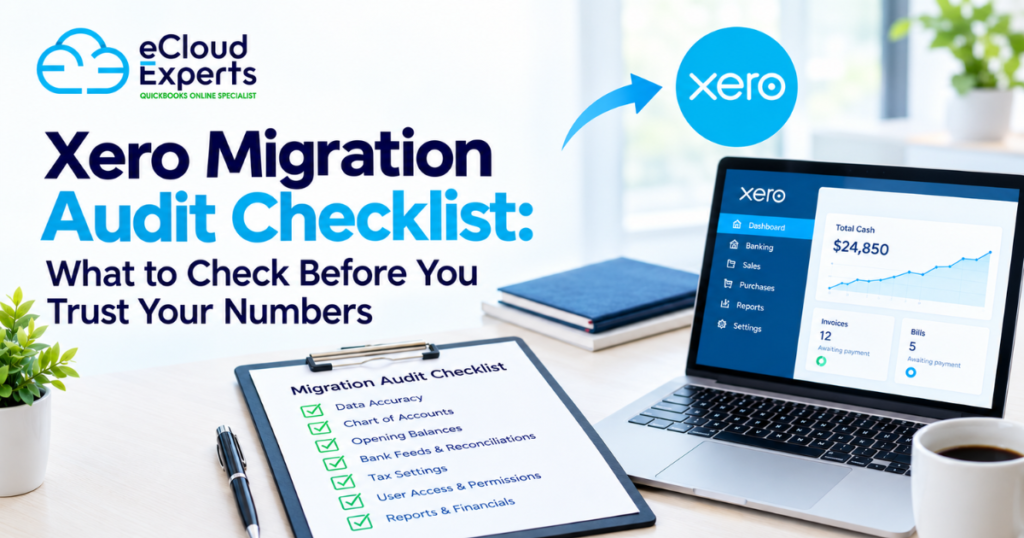
Migrating your accounts to Xero can make your finance operation faster, more connected and easier to manage. But moving data from one accounting system to another does not automatically mean that your new Xero file is accurate. A migration can look successful on the surface while still containing missing transactions, incorrect opening balances, duplicated data, unreconciled accounts or VAT errors. That is why a Xero migration audit checklist is so important. Before you rely on your Xero reports for management decisions, VAT returns, cash-flow planning or year-end accounts, you need to establish whether the migrated data is complete, accurate and properly reconciled. In this guide, we explain what to check after a Xero migration, the most common migration issues to look for, and how to determine whether your Xero accounts can be trusted. What Is a Xero Migration Audit? A Xero migration audit is a structured review of your Xero accounting data after moving from another accounting system or financial platform. The purpose is not simply to check whether data has transferred. It is to determine whether the information in Xero agrees with your source system, supporting records and bank balances. A proper post-migration review can include: The exact checks required depend on the source accounting system, the migration method, the amount of historical data transferred and the requirements of the business. The important point is simple: Data being visible in Xero does not necessarily mean the data is correct. Why Should You Audit Your Xero Data After Migration? A migration usually involves extracting data from one system, transforming or mapping it, and importing it into another. Every stage creates opportunities for errors. For example, an account in your old system may have been mapped to the wrong Xero account. Historical transactions may not have been transferred. Opening balances may have been entered incorrectly. VAT codes may have changed. Bank transactions may have been duplicated. Some errors are obvious. Others only become apparent when you compare reports. This is why businesses should not wait until year-end to discover that their migrated accounts contain problems. A post-migration audit gives you an opportunity to identify and correct issues while the migration is still fresh and the source data is available. It can also help you: Think of it as a quality-control stage between “the migration is complete” and “we can trust the numbers.” Xero Migration Audit Checklist Use the following checklist as a practical starting point for reviewing your migrated Xero accounts. 1. Check the Opening Balances Opening balances are one of the most important areas to review after a migration. Your Xero opening balances should agree with the closing balances from the previous accounting system for the same migration date. Pay particular attention to: Do not simply check the total balance sheet. Review individual accounts where possible. If the previous system showed a bank balance of £25,000 at the migration date but Xero starts with £23,500, you need to understand why. An unexplained opening-balance difference can affect every report produced after the migration. Internal link suggestion: Link “opening balances” to your Xero migration service or a dedicated guide explaining how opening balances are handled during accounting software migration. 2. Verify Your Bank Account Balances Bank accounts are often one of the easiest places to identify migration problems. Compare the balances in Xero with: The balance should make sense at the exact point where the migration took place. Also check whether transactions immediately before or after the migration date have been handled correctly. A common problem is a gap or overlap between the source system and Xero. For example, if transactions from 1 January to 31 December were imported but the opening balance was also calculated using those transactions, the account could effectively include the same activity twice. 3. Review Bank Reconciliations Having transactions in a bank account is not the same as having a reconciled bank account. Review the reconciliation status of each bank account in Xero. Look for: If you have a large backlog of unreconciled transactions after migration, do not simply mark everything as reconciled to make the account appear clean. Investigate the underlying differences first. A bank reconciliation should provide evidence that the accounting records agree with the actual bank activity. 4. Check the Chart of Accounts The chart of accounts determines how transactions are classified and how your financial reports are presented. During a migration, account mappings may not always transfer exactly as expected. Review whether: You should also check whether the Xero chart of accounts still supports the way your business wants to report its finances. Migration is often an opportunity to clean up an unnecessarily complicated chart of accounts, but changes should be made carefully so that historical reporting remains understandable. Internal link suggestion: Add an internal link to your finance transformation or Xero setup service when discussing chart-of-accounts optimisation. 5. Compare Accounts Receivable If your business sells on credit, accounts receivable needs careful attention. Compare outstanding customer balances in Xero against the previous accounting system. Check: The total accounts receivable balance in Xero should be explainable in relation to the source system. Do not overlook individual customer accounts. A total balance can appear correct even when individual customer balances are wrong. That can create problems for credit control and customer statements later. 6. Review Accounts Payable Perform the same exercise for supplier balances. Compare your Xero accounts payable balance with the previous system and supporting records. Review: If supplier balances do not agree, identify whether the difference comes from missing transactions, duplicated transactions, payment allocation or opening balances. 7. Verify VAT and Tax Data VAT deserves particular attention after a migration. Incorrect VAT codes or historical VAT treatment can affect both accounting reports and tax returns. Review: If you are migrating during an active VAT period, establish exactly how transactions have been treated on either side of the migration cut-off. Do not assume that a VAT return being accepted means the underlying accounting data is necessarily correct. If you identify a historical VAT
Xero Payroll Support in Newcastle: Common Issues and Practical Solutions
Running payroll accurately is one of the most important responsibilities for any employer. Employees expect to be paid correctly and on time, while businesses need to make sure PAYE, National Insurance, workplace pensions and payroll reporting are handled properly. For Newcastle businesses using Xero, payroll software can simplify many of these responsibilities. Xero Payroll can automate calculations, generate payslips, manage pension contributions and support Real Time Information (RTI) submissions to HMRC. However, having payroll software does not automatically mean every payroll process will run smoothly. Incorrect employee information, payroll configuration problems, failed submissions, pension errors and reconciliation issues can all create unnecessary stress. This is where professional Xero payroll support in Newcastle can make a difference. At eCloud Experts, we help businesses make better use of their accounting systems by providing practical support with Xero setup, payroll, migration, bookkeeping and finance processes. Whether you are dealing with a specific payroll problem or want someone to review your entire Xero setup, the right support can help you maintain accurate records and reduce the administrative burden. In this guide, we look at some of the most common Xero Payroll problems businesses experience and explain practical ways to resolve them. What Is Xero Payroll? Xero Payroll is a cloud-based payroll solution integrated with Xero accounting software. It is designed to help businesses calculate employee pay, deductions, pensions and other payroll information while keeping payroll and accounting data connected. Xero states that its UK payroll software is HMRC-recognised and can support RTI submissions, automated calculations, workplace pensions, payslips and multiple pay frequencies. For a small or growing business, having payroll and accounting information connected can reduce duplicate data entry and make financial reporting easier. However, the quality of the output still depends on how the system has been configured and how accurately employee and payroll information is maintained. A payroll system can automate calculations, but it cannot compensate for incorrect information entered into the system. That is why proper setup, regular reviews and appropriate Xero payroll support are important. Why Is Accurate Payroll So Important for Newcastle Businesses? Payroll is more than simply paying employees. UK employers have responsibilities relating to PAYE, National Insurance, RTI reporting, workplace pensions, statutory payments and payroll records. HMRC requires employers to report employee pay and deductions through the appropriate payroll submissions, including the Full Payment Submission (FPS) on or before payday, subject to applicable exceptions. An error can therefore affect more than an employee’s payslip. For example, a payroll mistake could result in: For Newcastle business owners already managing customers, staff, sales and finances, spending hours trying to diagnose payroll problems is rarely the best use of their time. Professional Xero payroll support in Newcastle can give you access to someone who understands both the software and the accounting processes surrounding it. Common Xero Payroll Issues Businesses Experience 1. Incorrect Employee Information One of the simplest causes of payroll errors is incorrect or incomplete employee information. Payroll calculations depend on accurate employee records. If information such as an employee’s tax code, pay rate, working pattern, start date or other relevant details is incorrect, the resulting payroll calculation may also be incorrect. This is particularly important when: Practical solution Start by reviewing the employee’s record in Xero and checking the information against your current payroll documentation. Do not simply change figures to make a particular pay run look correct. Identify why the calculation is different and correct the underlying information. If the problem involves previous payroll periods or HMRC submissions, it may be better to have an experienced payroll professional review the situation before making corrections. 2. Payroll Pay Run Errors A pay run brings together multiple pieces of information, including employee pay, deductions, leave and other payroll items. If something has been configured incorrectly, the pay run may produce unexpected figures. Common examples include: Xero supports different payroll frequencies, including weekly, fortnightly, four-weekly and monthly pay schedules. Businesses with different employee groups may also need more than one pay calendar. Practical solution Before finalising a pay run, review the payroll details rather than assuming the software has calculated everything correctly. Compare unusual changes against the previous pay period. For example, if an employee normally receives £2,500 but the current pay run shows £3,400, investigate the reason before approving it. A simple payroll review process can catch many errors before employees are paid. 3. PAYE and RTI Submission Problems Real Time Information, commonly known as RTI, is an important part of UK payroll reporting. Employers generally need to submit payroll information to HMRC through an FPS on or before payday, subject to specific exceptions. Xero supports RTI submissions directly from its payroll system. However, a submission can still require attention if information is incomplete, incorrect or configured improperly. Potential problems include: Practical solution If an RTI submission is rejected or appears incorrect, do not simply continue processing future payroll without investigating the cause. Review the error message, check the relevant employee and payroll information, and determine whether a correction is required. If you are unsure how to correct a historical payroll submission, professional Xero payroll support can help you assess the issue before making further changes. 4. Incorrect Tax or National Insurance Calculations Tax and National Insurance calculations can become confusing when employee circumstances change. For example, an employee may have: Xero Payroll can automate many payroll calculations, but the underlying employee information and payroll configuration still need to be accurate. Practical solution When a tax or National Insurance figure looks unusual, compare it with the employee’s previous payroll periods and check the information driving the calculation. Do not manually override figures simply because they look unexpected. Payroll calculations can vary for legitimate reasons, and changing a figure without understanding the underlying calculation can create a larger problem. If the figures remain unclear, get professional advice rather than repeatedly adjusting the payroll. 5. Workplace Pension Problems Workplace pensions are another area where payroll mistakes can create additional administrative work. Eligible employees may need to be automatically enrolled into
Remote Xero Support in Liverpool: How It Works and What You Can Get Help With
Running your accounts through Xero can make day-to-day finance management much easier. You can reconcile transactions, send invoices, track expenses, manage bills and access financial information from almost anywhere. But even with a cloud accounting platform like Xero, problems can still arise. A bank feed may stop working. Transactions may be incorrectly reconciled. VAT figures may need reviewing. Your reports may not look right. An old Xero file may contain months of unreconciled transactions. Or you may simply need an experienced Xero professional to help you configure the system correctly. That is where remote Xero support in Liverpool can make a difference. Instead of waiting for someone to visit your office, remote support allows an experienced Xero specialist to work with you online, identify problems, provide guidance and help keep your accounting system accurate and efficient. For Liverpool businesses, remote Xero support can be a practical option whether you are a small business owner, landlord, online seller, professional services firm or growing company. In this guide, we explain how remote Xero support works, what you can get help with, when you may need it and how eCloud Experts can support your business. What Is Remote Xero Support? Remote Xero support is professional assistance provided online rather than through an on-site visit. A Xero specialist can work with you remotely to review your accounting setup, investigate issues, help correct problems and provide ongoing guidance. Depending on your requirements, support can cover anything from a one-off Xero issue to a more comprehensive review, cleanup or ongoing accounting support arrangement. For example, you might need help with: Remote support is particularly useful because Xero is cloud-based. Your accounting data can be accessed securely without requiring a specialist to be physically present at your Liverpool office. Internal link suggestion: Link the phrase Xero accounting services to your relevant Ecloud Experts service page. How Does Remote Xero Support Work in Liverpool? One of the main advantages of remote Xero support is simplicity. You do not necessarily need to arrange an office visit or spend time explaining where everything is physically located. Your Xero account is online, which means an experienced specialist can work with you remotely. A typical support process may look like this. 1. Discuss the problem The first step is understanding what you need help with. You might already know the issue. For example, your bank reconciliation does not balance, or your Xero reports are showing unexpected figures. In other cases, you may simply know that something does not look right. An initial discussion helps identify the problem and determine the appropriate level of support. 2. Review your Xero setup The next step is reviewing the relevant areas of your Xero account. This could include your: The objective is not simply to fix one visible issue. A good Xero support review should also consider whether there are underlying problems that could create further issues later. 3. Identify and resolve issues Once the problem has been identified, the specialist can work through the required corrections. Depending on the situation, this could involve correcting transaction coding, resolving reconciliation problems, reviewing bank feeds or cleaning up historical accounting data. 4. Explain what has changed Good support should not leave you wondering what happened to your accounts. Your Xero specialist should explain the work completed and, where appropriate, provide guidance on how to avoid similar problems in the future. 5. Provide ongoing support if required Some businesses only need occasional assistance. Others benefit from ongoing remote Xero support, particularly when they do not have a dedicated in-house finance team. This flexible approach means you can access specialist support when you need it without necessarily committing to a full-time employee. What Can Remote Xero Support Help With? Remote Xero support can cover a wide range of accounting and bookkeeping issues. Here are some of the most common areas where businesses seek assistance. Xero Setup and Configuration Getting your Xero account configured correctly from the beginning is important. Your accounting software should reflect the way your business operates. If the initial configuration is not appropriate, problems can appear later in your bookkeeping and reporting. Support may include reviewing: A properly configured Xero account can provide a stronger foundation for accurate bookkeeping and financial reporting. Internal link suggestion: Link Xero setup and configuration to your Xero setup service page. Bank Reconciliation Problems Bank reconciliation is one of the areas where Xero users commonly need assistance. Your Xero bank balance and actual bank balance should be properly reconciled. If transactions have been duplicated, incorrectly coded, left unreconciled or entered incorrectly, your financial information may become unreliable. Remote Xero support can help investigate reconciliation issues and work through historical transactions. For businesses with a large backlog, a structured Xero cleanup may be more appropriate than simply fixing individual transactions. Xero Cleanup and Bookkeeping Backlogs A business can quickly fall behind with its bookkeeping. Perhaps several months of transactions have not been reconciled. Maybe a previous bookkeeper left a backlog. Or the business has grown quickly and the finance function has struggled to keep up. Whatever the reason, an untidy Xero file can make it difficult to trust your numbers. A remote Xero specialist can review the file, identify outstanding issues and work through the backlog systematically. A cleanup may involve: The objective is to bring your Xero account into a cleaner and more reliable state. Internal link suggestion: Link Xero cleanup to your dedicated Xero cleanup or bookkeeping cleanup page. Bank Feed Support Bank feeds are designed to reduce manual data entry, but problems can still occur. A bank connection may stop importing transactions, transactions may be duplicated, or the imported information may require investigation. Remote Xero support can help you understand what is happening and determine the appropriate solution. If bank feed problems have created a reconciliation backlog, the support may also need to address the resulting accounting discrepancies. VAT and Tax-Related Bookkeeping Support VAT records need to be accurate and properly supported. If transactions have been incorrectly coded or
Remote Xero Support in Bristol: How It Works and What to Expect

Managing business accounts can become difficult when Xero does not work as expected. A bank balance may not match. VAT figures may look incorrect. Reports may not show the information you need. You might also be using Xero every day without taking full advantage of its features. The good news is that you do not need to wait for an accountant or Xero specialist to visit your office. With remote Xero support in Bristol, you can receive expert help online from wherever you work. Remote support allows a Xero expert to review your organisation, identify the cause of a problem, explain the solution and help you correct it. This can save time and reduce disruption to your business. In this guide, we explain how remote Xero support works, what services are available and what Bristol businesses should expect from a professional support provider. What Is Remote Xero Support? Remote Xero support is professional accounting software assistance delivered online. Instead of visiting your office, a Xero specialist communicates with you through a video call, telephone call, email or secure screen sharing session. When access to your Xero organisation is required, you can invite the specialist as a user with suitable permissions. This means you do not need to share your password. The specialist can then review your setup, investigate the issue and guide you through the solution. Depending on the agreed service, they may also make approved corrections directly within Xero. Remote support can help with both technical and accounting related problems. It can also be used for training, system reviews, bookkeeping corrections and ongoing guidance. Why Bristol Businesses Choose Remote Xero Support Bristol has a diverse business community that includes consultants, creative agencies, construction firms, retailers, charities, property businesses and growing technology companies. Each business may use Xero differently. Some businesses only need occasional support when a problem appears. Others require regular help with bookkeeping, VAT, payroll or financial reporting. Remote support gives Bristol businesses access to a wider range of Xero knowledge without being limited to local office visits. Sessions can often be arranged faster because travel is not required. It can also be more practical for businesses with remote employees, several locations or directors who work from different places. The main benefits include faster access to support, less disruption, flexible appointment times and the ability to solve problems from your normal workplace. How Remote Xero Support in Bristol Works A professional support process should be clear from the beginning. You should know what information is needed, what the specialist will review and what the expected outcome will be. 1. You Explain the Problem The process normally begins with a short enquiry or consultation. You explain what is going wrong, when the issue started and what you need help achieving. You may be asked to provide screenshots, report names, error messages or examples of transactions. Clear information helps the specialist understand the likely scope of the work. Do not worry if you cannot explain the accounting problem in technical language. A good Xero specialist should ask simple questions and help define the issue. 2. The Specialist Reviews Your Requirements The specialist will decide whether the issue can be solved during a support session or whether a deeper review is required. A simple problem may only need a short online meeting. More complex issues, such as incorrect VAT returns, unreconciled bank accounts or historical bookkeeping errors, may require a structured review. The specialist should explain the likely work before making significant changes. 3. You Provide Secure Access If the specialist needs to review your Xero organisation, you can invite them as a separate user. Their access should match the work they need to complete. You should never need to send your own Xero password. For some problems, screen sharing may be enough. You remain in control of your computer while the specialist guides you through each step. 4. The Problem Is Investigated The specialist reviews the relevant settings, transactions, reports and account balances. The aim is to find the cause of the issue rather than only treating the visible symptom. For example, an incorrect report may be caused by poor account mapping, duplicate transactions, an incorrect report date or a bookkeeping mistake from an earlier period. A proper investigation reduces the chance of the same problem returning. 5. The Solution Is Explained and Applied Once the cause has been identified, the specialist explains what needs to change. Any material corrections should be agreed with you before they are completed. Depending on the service, the specialist may apply the correction or show you how to do it yourself. A good support session should leave you with a clear understanding of the problem and its solution. 6. The Results Are Checked The work should be reviewed after the changes are made. This may include checking account balances, reconciliation reports, VAT reports or financial statements. Testing is an important part of the process. A correction is not complete simply because an error message has disappeared. 7. You Receive Follow Up Guidance After the session, you may receive a summary of the work, recommended next steps or instructions for avoiding the problem in the future. If further work is required, the provider should explain the scope and expected cost clearly. What Can a Remote Xero Specialist Help With? Remote Xero support can cover a wide range of tasks. The right service will depend on how your business uses Xero and what has gone wrong. Xero Setup and Configuration A specialist can review or configure your organisation settings, financial year, invoice options, tax rates, user permissions and other essential areas. A correct setup gives your business a stronger accounting foundation. Small setup mistakes can affect reports, VAT figures and daily bookkeeping. Chart of Accounts Your chart of accounts controls how income, costs, assets and liabilities are recorded. A remote specialist can review the structure, remove unnecessary duplication and help make your reports easier to understand. They can also advise on creating suitable account codes
How Much Does Xero Support Cost in Glasgow in 2026?

Running a business in Glasgow involves more than sending invoices and checking the bank balance. Your financial records must remain accurate, your VAT returns must be prepared correctly, and your team needs reliable information when making decisions. Xero can make these tasks easier. However, the software still needs to be set up and used correctly. When errors appear or the business becomes more complex, professional support may be necessary. The Xero support cost Glasgow businesses can expect in 2026 generally ranges from £49 to £150 per hour. Monthly support may cost between £100 and £1,000 or more, depending on the work included and the size of the business. These figures are market estimates rather than fixed prices. Your final cost will depend on the condition of your Xero account, the number of transactions and the level of support required. Need reliable Xero support in Glasgow? Contact eCloud Experts today for a clear, tailored quote. Quick Answer: What Does Xero Support Cost in Glasgow? Typical Xero support prices in Glasgow during 2026 may fall within these ranges: Published UK providers currently advertise Xero assistance from around £49 per hour and training from £85 per hour. Another specialist provider lists tailored Xero training from £99 plus VAT per hour. A Glasgow accountancy firm publishes bookkeeping charges of £35 per hour and monthly business packages from £150 to £850. These examples show why support prices can vary significantly. The Bookkeeping Department, FlowFin, MacGregor Scott Accountants Xero Support Cost and Xero Subscription Cost Are Different It is important to separate the Xero subscription from professional Xero support. Your subscription pays for access to the software. Professional support pays for an expert to help you configure, manage, review or correct your accounting system. As of September 2026, Xero lists its standard UK monthly prices before VAT as: Temporary discounts may be available for new customers. Additional charges can also apply for payroll, projects, expenses, payments and optional features. Always check the current plan details before subscribing because Xero can change its prices. Xero UK pricing plans Paying for a Xero plan does not normally include a dedicated consultant who will manage your bookkeeping, review your VAT records or repair accounting errors. What Types of Xero Support Can You Buy? The phrase Xero support covers several different services. Understanding what you need will help you compare quotations properly. 1. Basic Xero Help Basic support is suitable when you have a specific question or a small technical problem. It may include help with: This type of assistance is usually charged by the hour. It is often the most affordable option when the issue is limited and clearly defined. 2. Xero Setup A proper setup gives your business a reliable starting point. A specialist may configure: A simple setup may cost a few hundred pounds. A more complicated setup involving several bank accounts, departments, currencies or connected apps will cost more. Cheap setup work can become expensive if VAT rates, account codes or opening balances are entered incorrectly. A tidy looking dashboard does not prove the accounts are correct. 3. Xero Training Training is useful for business owners, finance staff and bookkeepers who want to use Xero correctly without depending on outside help for every task. Training may cover: Individual training often costs more per person than a group session. However, it can focus directly on your business and the problems your team faces. The best training uses practical examples that relate to your actual processes. Watching someone click through a generic demonstration for three hours is rarely money well spent. 4. Xero Health Check A Xero health check reviews the condition of your accounting records. The specialist may examine: A basic health check may start at around £175. A full review of a busy or complicated account may cost considerably more. Before purchasing a health check, ask whether the price includes corrections. Some providers only supply a report. The work needed to fix the identified problems may be quoted separately. 5. Xero Cleanup and Error Correction Cleanup work is usually more expensive than ordinary support because the specialist must first investigate what went wrong. Common problems include: The cost depends on how far back the problems go and how many transactions must be reviewed. A provider should normally inspect the account before offering a fixed price. Quoting major cleanup work without reviewing the data is guesswork wearing a tie. 6. Monthly Xero Support Monthly support is suitable for businesses that need regular help rather than a single session. A monthly package may include: The monthly Xero support cost Glasgow businesses pay may begin at around £100 for limited assistance. It can rise above £1,000 when the service includes regular bookkeeping, management reports, VAT work, payroll or finance management. Check exactly what is included. A package advertised as unlimited support may still limit response times, meeting hours or the types of questions covered. 7. Xero Implementation Implementation is more detailed than basic setup. It is designed around how the business operates. It may include: Implementation costs depend on the number of users, entities, departments, apps and reporting requirements. A small business may need a relatively simple project. A group with several companies and connected systems will require more planning and testing. 8. Migration to Xero Moving information from Sage, QuickBooks, NetSuite, Pegasus Opera, Odoo or another system is normally priced as a separate project. The cost can be affected by: A low price may cover only opening balances. It may not include detailed historical transactions. Ask whether the quotation covers transaction level history, outstanding invoices, bank transactions, VAT records, attachments and validation. The cheapest quotation may simply include far less work. What Affects Xero Support Cost in Glasgow? Several factors determine the final cost. Business Size A sole trader with one bank account will usually need less support than a company with several departments, payment platforms and hundreds of monthly transactions. Transaction Volume More invoices, bills, payments and bank entries require more time to review or correct.
Common Xero Problems Edinburgh Businesses Face and How to Fix Them

Xero can make accounting easier, but only when the system is set up and maintained correctly. A small mistake in a bank rule, VAT rate, invoice, or opening balance can affect reports across the entire business. Many Edinburgh businesses start using Xero with limited training. Others move data from Sage, QuickBooks, spreadsheets, or another accounting system without checking the final balances. The problems may not become clear until a VAT return is due, the accountant reviews the year end figures, or the business owner notices that the bank balance does not look right. If you need Xero help Edinburgh, the first step is to understand what has gone wrong. This guide explains the most common Xero problems, what causes them, and how they can be corrected. Why Xero Problems Should Not Be Ignored A Xero problem may look small at first. However, accounting records are connected. One incorrect transaction can affect several areas, including: For example, a duplicated bank transaction can increase an expense twice. An invoice entered with the wrong VAT rate can affect both sales and VAT. A payment applied to the wrong invoice can make one customer appear overdue while another appears to have paid too much. Regular checks can prevent these issues from growing into expensive correction work. 1. Bank Feed Transactions Are Missing Bank feeds bring transactions from your bank account into Xero. Sometimes the feed stops working, transactions arrive late, or a section of activity is missing. This may happen because: How to fix it Start by comparing the Xero bank account with the official bank statements. Check the opening date, closing date, and transaction count. If transactions are missing, reconnect the bank feed where appropriate. You may also need to import the missing activity using a bank statement file. Do not import the same period without checking what is already in Xero. Otherwise, you may create duplicate transactions. Xero recommends regular bank reconciliation because it helps businesses find missing entries, duplicated transactions, bank charges, and other differences earlier. Read Xero’s bank reconciliation guidance. 2. The Xero Bank Balance Does Not Match the Actual Bank A common reason businesses request Xero help Edinburgh is that the balance shown in Xero does not match the balance on the bank statement. This can happen when: How to fix it Compare the Xero statement balance with the official bank statement balance for the same date. Next, review the bank reconciliation report and any unreconciled items. Work backwards from the most recent date on which the balances matched. Avoid adding a manual adjustment just to make the numbers agree. That may hide the original error rather than correct it. If the difference covers several months or years, a full bank reconciliation review may be needed. 3. Duplicate Transactions Appear in Xero Duplicate transactions often appear after a bank statement is imported more than once. They can also occur when users create manual payments and later reconcile the imported bank activity as a new transaction. Duplicates may increase income, expenses, VAT, customer balances, or supplier balances incorrectly. How to fix it Review transactions with the same: Before deleting anything, confirm which entry is correct and whether either transaction is linked to an invoice, bill, payment, or VAT return. Deleting the wrong entry can create a second problem. If the transaction has already been included in a submitted VAT return, professional advice may be needed before making changes. 4. Bank Rules Are Posting Transactions Incorrectly Bank rules can save time by suggesting how regular transactions should be recorded. However, a poorly designed rule can repeatedly send transactions to the wrong account or apply the wrong VAT rate. For example, a broad rule based on one word may capture several unrelated payments. How to fix it Review each active bank rule and check: Edit or remove rules that create inaccurate entries. Then review the transactions previously created by those rules. A bank rule is useful only when it produces the correct accounting result. Fast mistakes are still mistakes, just with better time management. 5. Customer Invoices Show as Unpaid After Payment A customer may have paid an invoice, but Xero may still show it as outstanding. This often happens when: How to fix it Open the customer account and review the invoice, payment, and bank transaction. If the payment was recorded as new income, remove or correct that entry and match the bank receipt with the proper invoice. If several invoices were paid together, allocate the total across the relevant invoices. Also check for small differences caused by bank charges, discounts, refunds, or currency movements. 6. Supplier Bills Remain Outstanding After Payment The same problem can affect supplier bills. Xero may show an unpaid bill even though the supplier has received the money. This can make the business appear to owe more than it actually does. How to fix it Review the supplier account and locate the bank payment. Confirm whether the payment was matched to the bill or recorded as a separate expense. If it was recorded separately, correct the transaction and apply it to the appropriate bill. Check the supplier statement as additional evidence, especially when several bills were paid together. 7. VAT Figures Look Incorrect Incorrect VAT figures are a serious concern because they may affect the amount reported to HMRC. Common causes include: How to fix it Review the VAT return details before submission. Compare the figures with sales reports, purchase reports, and previous VAT periods. Check large and unusual transactions individually. Confirm that sales, expenses, imports, exports, and reverse charge transactions have received the correct treatment. Do not change a submitted VAT period without understanding how Xero will treat the correction. Speak with a qualified accountant or VAT adviser when the issue affects a filed return. Businesses seeking Xero help Edinburgh should provide copies of submitted returns, VAT reports, source invoices, and relevant correspondence. This makes it easier to identify where the difference started. 8. The Chart of Accounts Is Confusing The chart of accounts
How Much Does Xero Support Cost in Birmingham in 2026?

Running your accounts through Xero can save time and give you a clearer view of your business finances. However, setting up the software correctly and dealing with accounting problems often requires professional help. The Xero support cost Birmingham businesses pay in 2026 depends on the type of assistance required. A simple software question may cost less than £100, while a complete Xero cleanup or advanced system setup may cost several thousand pounds. This guide explains the typical costs, the available support options and what Birmingham businesses should check before choosing a provider. What Is the Average Xero Support Cost in Birmingham? Professional Xero support in Birmingham may cost between £40 and £150 per hour. However, many providers offer fixed prices for clearly defined projects or monthly packages for ongoing support. The following figures provide a practical starting point: Type of Xero support Estimated cost in 2026 Basic telephone or online support £40 to £90 per hour Advanced Xero assistance £75 to £150 per hour One to one Xero training £250 to £600 Basic Xero setup £300 to £750 Advanced Xero setup £750 to £2,500 Xero cleanup and correction £500 to £3,000 or more Xero migration support £750 to £5,000 or more Monthly Xero support package £100 to £750 per month Outsourced bookkeeping with Xero £200 to £2,000 or more per month These are general market estimates, not fixed prices. The final Xero support cost Birmingham businesses receive should be based on their transaction volume, current records, number of users and the amount of work involved. Xero Support Cost and Xero Subscription Cost Are Different It is important to separate the software subscription from professional support. Your Xero subscription pays for access to the accounting platform. Professional support pays for the knowledge and time of the person who helps you configure, manage or correct the system. As of September 2026, the regular UK prices shown by Xero are: Xero plan Regular monthly price excluding VAT Ignite £18 Grow £39 Comprehensive £55 Ultimate £70 Xero may offer introductory discounts to eligible new customers. Additions such as extra payroll employees, project users, expenses users, payments and CIS returns can increase the monthly cost. Prices and offers may change, so businesses should check the official Xero UK pricing page before subscribing. These subscription charges do not normally cover bookkeeping, account corrections, customised training or advice from an independent Xero specialist. What Types of Xero Support Can You Buy? The cost depends heavily on what you expect the provider to do. Asking for “Xero support” without describing the problem can lead to a vague and unreliable quote. Basic Xero Help Basic support can cover everyday questions such as: This type of help may be charged by the hour. It is suitable when the Xero organisation is already set up correctly and the business only needs occasional guidance. Typical cost: £40 to £90 per hour. Xero Setup Support A proper Xero setup involves more than opening an account. The provider may need to configure: A small business with straightforward requirements may pay between £300 and £750. A larger business with multiple departments, currencies, users or connected applications may pay between £750 and £2,500 or more. Xero Training Training can help business owners and finance teams use Xero correctly from the beginning. The price will depend on the training format, number of attendees and subjects covered. Basic training is usually cheaper than advanced training involving payroll, projects, VAT, reporting or month end controls. Typical prices may include: Training format Estimated cost Short online session £100 to £250 One to one training £250 to £600 Group training £500 to £1,500 Custom team programme Based on requirements Cheap training is not always good value. A generic demonstration may explain where the buttons are, but it may not show your team how to manage your actual accounting process. Xero Cleanup and Correction A Xero organisation can become unreliable when transactions are duplicated, bank accounts are not reconciled or incorrect VAT codes are used. Common cleanup work includes: A limited cleanup may cost around £500. A complex correction project covering several years could cost £3,000 or more. The provider should first review the file and explain which problems relate to Xero configuration, bookkeeping mistakes or an earlier migration. Otherwise, the quote is little more than an educated guess wearing a tie. Xero Migration Support Businesses moving from Sage, QuickBooks, NetSuite, Odoo, Zoho Books or another accounting system may need specialist migration support. Migration costs depend on: A simple opening balance migration may cost from £750. A detailed historical migration involving large transaction volumes, several entities or complex reporting may cost £5,000 or considerably more. A lower quote may include only conversion balances. It should not be compared directly with a quote that includes detailed transaction history, reconciliation and post migration checks. Monthly Xero Support Ongoing support can be useful when a business needs regular assistance but does not require a full internal finance team. A monthly package might include: Monthly support can range from approximately £100 to £750. Packages that include bookkeeping, payroll, management accounts or VAT preparation may cost substantially more. What Affects Xero Support Cost in Birmingham? Several practical factors determine the final price. Transaction Volume A company processing 50 transactions per month requires less work than one processing 5,000. Providers may ask for the number of sales invoices, purchase bills, bank transactions and payroll employees before preparing a quote. Condition of Your Xero Records Well organised records reduce review and correction time. Missing documents, duplicate entries and unreconciled accounts increase the work required. If the provider must first investigate what happened before fixing it, the initial review may be charged separately. Complexity of the Business Support usually costs more when the business has: Complexity matters more than company size alone. A small international ecommerce company can create more accounting work than a larger but straightforward consultancy. Number of Xero Users More users can mean more training, access configuration and ongoing questions. Providers may also need to design