Xero vs Sage Which Accounting Software Makes More Sense for Growing Businesses

Choosing accounting software is one of those decisions that feels simple at first but quietly shapes your business for years. It controls how you track money, how clearly you understand profits, and how confidently you plan growth. Many businesses rush this step because both tools look capable on the surface. That is why the Xero vs Sage comparison matters so much. Both platforms are trusted and widely used. Both are recommended by accountants. Yet they are built with very different users in mind. One focuses on simplicity and visibility. The other focuses on structure and control. When businesses choose the wrong fit, the result is not just frustration. It often leads to messy records, unclear reports, and costly fixes later. This guide explains Xero vs Sage in clear and simple language. No technical talk. No sales hype. Just real differences that help you decide which accounting software actually makes sense for how your business works today and how it may grow tomorrow. What Is Xero Xero is a cloud based accounting platform designed mainly for small and medium sized businesses. It focuses on giving business owners a clear picture of their finances without requiring deep accounting knowledge. The layout is clean, the navigation is simple, and most users can start using it confidently in a short time. Xero works especially well for businesses that want to stay involved in their own finances. Invoices, bank transactions, and reports are easy to find and understand. Automation handles many repetitive tasks, which reduces manual work and errors. Because everything updates in real time, business owners always know where they stand financially. Xero is popular with startups, service businesses, ecommerce companies, and teams that work remotely. Its design encourages regular use rather than avoiding the accounts until month end. What Is Sage Sage is one of the oldest and most established names in accounting software. It offers several products, including cloud and desktop options, designed to support a wide range of business sizes and industries. In most comparisons with Xero, Sage Business Cloud and Sage 50 are the usual reference points. Sage focuses on structure, detailed control, and traditional accounting processes. It is often chosen by businesses with more complex needs, such as stock management or detailed reporting requirements. The system offers powerful tools but expects users to understand accounting principles or receive training. Many manufacturing, wholesale, and product based businesses choose Sage because it handles complexity well. While it can feel heavier to use at first, it offers depth that some growing businesses need as operations become more detailed. Xero vs Sage Ease of Use Ease of use is one of the biggest differences in the Xero vs Sage comparison. Xero is built for everyday users. The dashboard shows key figures clearly, such as cash balance, invoices owed, and bills to pay. Tasks follow a logical flow, which helps users feel confident even without accounting experience. Sage takes a more traditional approach. Screens often contain more options and settings, which can feel overwhelming at first. While this structure supports accuracy and control, it usually requires training before users feel comfortable moving quickly through tasks. For small teams or owners managing their own accounts, Xero generally feels easier and less intimidating. For businesses with trained finance staff, Sage can be efficient once properly set up. Xero vs Sage Features Compared When comparing features, it becomes clear that Xero and Sage prioritise different things. Xero focuses on speed, automation, and clarity. Invoicing is simple, reminders can be automated, and payments are easy to track. Bank feeds update frequently, and reconciliation is fast, which encourages regular financial checks. Sage offers strong invoicing too, but with more structure and control. This suits businesses that require specific invoice layouts or approval processes. Bank feeds are available, though setup and matching may feel slower depending on the version used. Inventory management is an area where Sage stands out. It provides more detailed stock tracking, costing, and reporting tools. Xero includes basic inventory features, which work well for simple product tracking but may struggle with complex stock requirements. Multi currency support is available in both systems, though Xero tends to present this information in a clearer and more accessible way for everyday users. Xero vs Sage Pricing Comparison Pricing is often a deciding factor, but it is important to look beyond the headline numbers. Xero uses a monthly subscription model with clear tiers. As you move up plans, more features become available. Costs are predictable, which helps businesses budget confidently. Sage pricing can vary more depending on the product and setup. Some versions charge per user, while others require additional features to be added separately. Desktop options may involve higher setup costs and ongoing maintenance. Hidden costs often appear in training time, additional users, or required add ons. For many growing businesses, Xero offers a clearer and more predictable pricing path, while Sage may suit those willing to invest more in structure and setup. Xero vs Sage for Small Businesses Small businesses usually want clarity, control, and low administrative effort. Xero fits this need well because it allows owners to stay involved without feeling overwhelmed. Reports are easy to understand, and daily tasks do not require specialist knowledge. Sage works better for small businesses with specific operational needs, such as managing stock or maintaining strict internal controls. If a business already has a bookkeeper or finance staff, Sage can support more complex processes from an early stage. In simple terms, Xero suits businesses that want simplicity and visibility. Sage suits businesses that need structure and are comfortable with more detailed systems. Xero vs Sage for Accountants and Advisors Accountant collaboration is an important part of the Xero vs Sage decision. Xero is designed to make this relationship smooth. Accountants can log in at any time, review data in real time, and make adjustments without interrupting daily operations. Sage also supports accountant access, but the experience can vary depending on whether the business uses a cloud or desktop version. Desktop
Xero Migration Mistakes That Cost Businesses Time and Money

Xero migration mistakes usually begin with good intentions. A growing business wants better visibility, cleaner reports, and stronger control over cash flow. As transactions increase, the old system starts to feel restrictive. Xero appears to be the logical next step because accountants recommend it widely and many businesses trust it. However, many companies rush the move or follow poor advice. What starts as a smart upgrade quickly turns into weeks of confusion, broken reports, and wasted money. Xero itself is not the problem. The way businesses handle the migration causes the damage. Many owners believe moving to Xero only involves exporting data and importing it into a new system. In reality, the process is far more complex. Every invoice, bill, payment, journal, tax setting, and account structure directly shapes how future reports behave. When teams handle even small details incorrectly, the effects spread across the entire system. Moving to Xero does more than change software. It resets the financial foundation of the business. Every number you bring across supports future decisions. Profit reports influence pricing and hiring. Cash flow reports guide spending and investment. VAT and tax reports determine compliance and penalties. When balances are wrong, reports become unreliable. When teams map tax codes incorrectly, they put compliance at risk. These issues go far beyond appearance. They directly affect how confidently business owners run their companies. Timing creates the biggest risk. Many Xero migration mistakes do not appear straight away. The system opens. Invoices send successfully. Bank feeds connect. Reports load without errors. Everything seems fine at first. Months later, issues begin to surface. A VAT return fails to match expectations. Profit appears unusually high or low. Cash flow forecasts stop making sense. By then, decision makers have already relied on inaccurate numbers. The same patterns show up repeatedly across different industries. Many businesses attempt the migration themselves to save money. Others follow generic online guides that overlook real world accounting complexity. Some assume that easy to use software guarantees an easy migration. In many cases, the system works on a technical level, but the financial data fails to tell the truth. The real cost of Xero migration mistakes extends far beyond the initial migration fee. Teams lose time fixing issues that should never have existed. Accountants spend hours untangling data months after the switch. Stress builds as business owners lose trust in their reports and start questioning the numbers. The most damaging result is hesitation. When confidence in financial data disappears, every decision slows down and feels riskier. This guide breaks down the most common Xero migration mistakes in plain language. It explains what goes wrong, why it happens, and how those mistakes affect everyday business decisions. More importantly, it shows how to avoid these problems before they cost time, money, and confidence in your financial data. Why Xero Migrations Go Wrong in the First Place Xero itself is not the problem. Most Xero migration mistakes happen because the move is treated as a technical task instead of a financial one. Software can move data but it cannot judge whether that data makes sense. Poor planning is one of the biggest causes. Many businesses start without deciding what data should move, what should stay and how reporting should look after the switch. Without a plan every decision becomes reactive and errors multiply. Another issue is underestimating complexity. Years of transactions, custom accounts, legacy VAT rules and half used apps do not move cleanly by default. When this complexity is ignored Xero data migration issues appear quickly. DIY migrations also create risk. Online tutorials focus on button clicks not balance validation or reporting accuracy. They rarely explain what happens when something goes wrong. Finally many businesses rely on advice from people who are not migration specialists. General accountants and IT support often mean well but Xero migration problems require specific experience to spot risks early. When these factors combine, Xero migration mistakes become almost inevitable. Xero Migration Mistake 1 Starting Without a Clear Migration Plan This is where most Xero migration mistakes begin. Businesses jump in without answering basic questions. What data is moving. What reports matter most. When should Xero go live. Without a clear plan the migration becomes guesswork. Choosing the wrong conversion date breaks comparisons. Migrating too much data slows performance. Migrating too little removes reporting context. A proper plan defines scope timelines responsibilities and validation steps before any data moves. When this step is skipped, delays extra costs and frustration follow. Xero Migration Mistake 2 Migrating Bad or Incomplete Data Many Xero migration mistakes come from moving problems instead of fixing them. Old systems often contain duplicate contacts, unused accounts and unreconciled balances. Migrating this data does not clean it. It locks the problems into the new system. The result is confusing reports. Profit figures feel wrong. Aged receivables do not match reality. Bank balances refuse to reconcile. These Xero data migration issues can take months to fix. Cleaning data before migration saves time reduces risk and builds trust in the numbers from day one. Xero Migration Mistake 3 Incorrect Opening Balances This is one of the most expensive Xero migration mistakes. Opening balances are the foundation of your new Xero file. If they are wrong everything that follows is unreliable. Common issues include missing journals, incorrect retained earnings and wrong VAT balances. These errors affect profit tax and cash flow reporting. Many businesses only notice when filings do not match expectations. Professional migrations always reconcile opening balances back to the old system. This step is essential. Xero Migration Mistake 4 Losing Historical Data That Still Matters Some businesses migrate everything. Others migrate almost nothing. Both approaches can cause problems. Migrating full history without planning can clutter reports and slow performance. Migrating too little removes context needed for trend analysis audits and tax reviews. Xero migration mistakes happen when businesses fail to decide what historical data still adds value. A balanced approach keeps critical information while avoiding unnecessary noise. Xero Migration Mistake 5 Mapping Errors
What Happens During a Professional Xero Migration

Switching accounting software often looks like a simple technical change. In reality, it is a financial decision that can quietly affect reporting, compliance, and confidence for years. That is exactly why a professional Xero migration exists. When businesses rush the move, the damage is rarely obvious on day one. The dashboard loads, invoices appear, and the bank feeds connect. Then the real test begins. VAT returns need to be filed. Month-end reports need to match the old system. The accountant asks for reconciliations. This is where small mistakes become big problems. A professional Xero migration protects the accuracy of your numbers while you change systems. It is not only about getting data into Xero. It is about making sure the data makes sense once it is there. That includes making sure opening balances are correct, VAT treatment is consistent, contacts are clean, and historical transactions do not distort reports. In other words, it protects the financial story behind your business, so your reports still tell the truth after the switch. It also reduces disruption. During a professional Xero migration, the process is planned around how your business runs day to day. Sales invoices still need to go out. Bills still need to be paid. Bank transactions still need to be matched. Without a structured plan, teams end up duplicating work across two systems, missing transactions, or making rushed decisions that cause long-term reporting issues. Most importantly, a professional Xero migration is built on validation. Professionals do not rely on “it looks right.” They compare trial balances, check VAT codes, confirm bank positions, and verify key reports before the system goes live. This is what stops silent errors from sitting in your books for months. It also means you can hand over Xero to your accountant, investors, or finance team with confidence, knowing the numbers are reliable. This guide explains what actually happens during a professional Xero migration, step by step. You will see how the process is planned, how data is cleaned, what gets migrated, how r esults are checked, and what support looks like after go-live. By the end, you will know exactly what you are paying for and why professional help often costs less than fixing a failed DIY migration. If you plan to move to Xero, start with a professional migration review before touching any data. That single step can save weeks of clean-up work later. What a Professional Xero Migration Really Means Many people assume migration is simply about transferring data from one system to another. That assumption is the root cause of most failed setups. A professional Xero migration is not a technical export and import exercise. It is a structured financial process that examines how your data was created, how your team has used it over time, and how it must behave once it moves into Xero. Accounting platforms may look similar on the surface, but they store, calculate, and report data in very different ways. During a professional Xero migration, specialists track how transactions move through your current system, from the moment you raise an invoice to how it affects reports, VAT, and balances. They look at posting logic, tax treatment, rounding rules, and historical adjustments that may not be obvious at first glance. This step is critical because moving data without understanding its behaviour almost always leads to distorted reports, incorrect balances, and VAT figures that appear correct but are technically wrong. Another key difference is control and accountability. A professional Xero migration includes checks at every stage, not just a final review. Data is validated as it is prepared, again after it is migrated, and once more before the system goes live. Trial balances are compared, tax codes are tested, and reports are reviewed against the old system. Nothing relies on assumptions, visual checks, or “close enough” comparisons. A professional Xero migration also involves decision-making, not blind copying. Specialists decide which historical data adds value and which data creates noise. They assess whether certain legacy transactions should be migrated, summarised, or left behind to protect reporting clarity. This ensures Xero starts as a clean, usable system rather than a replica of old problems in a new interface. If reliable reporting matters to your business, this is not an area where shortcuts pay off. A professional Xero migration exists to make sure your numbers remain accurate, your reports stay meaningful, and your confidence in the system is justified from day one. When a Business Should Choose a Professional Xero Migration Not every business faces the same level of risk when switching accounting software, but many underestimate how quickly small issues can turn into serious problems. A professional Xero migration becomes essential when financial accuracy directly affects decisions, compliance, or future growth. Minor balance differences or misplaced tax codes can quietly undermine reports and lead to costly corrections months later. Businesses with several years of historical data face even greater risk. The more history you carry, the more likely old adjustments, manual entries, or legacy errors will behave differently once you move them into Xero. A professional Xero migration helps teams identify which historical data adds value and which creates confusion, ensuring reports stay clear and reliable after the switch. VAT obligations also raise the stakes.Businesses often miss incorrect VAT treatment until they prepare returns or an accountant or authority reviews them. A professional Xero migration aligns tax codes, rates, and historical VAT figures correctly from the start, reducing the risk of rework, penalties, and uncomfortable conversations later. The same applies to businesses with multiple users or departments relying on financial information. When different people depend on reports for pricing, budgeting, or cash flow planning, even small inaccuracies can lead to poor decisions. A professional Xero migration protects the integrity of shared data so everyone is working from the same, reliable numbers. Growth plans add another layer of risk. Businesses preparing to scale, apply for funding, bring in investors, or face an audit cannot afford uncertainty in their books. A professional Xero
Xero for Small Businesses Is It the Right Fit

Running a small business means juggling sales, customers, cash flow, suppliers, and compliance at the same time. Every decision affects time and money. Accounting software should reduce pressure and bring clarity, not create more work. Yet many small business owners start with tools that feel right early on but slowly become a barrier as the business grows. What once handled basic invoicing and expenses can start to feel limiting. Reports may not show the full picture. Cash flow becomes harder to track. Simple questions like how much profit you are making or who still owes you money take longer to answer. This is often the point where business owners begin to look for a better system. Xero for small businesses often comes up during this search. Accountants recommend it because it supports accurate reporting and collaboration. Business owners hear about it from peers who want better control over their numbers. However, popularity alone does not make it the right choice for every business. Software that works well for one company may cause frustration for another if the fit is wrong. This guide explains Xero for small businesses in plain language. It looks beyond marketing claims and focuses on real day to day use. You will learn what Xero does well, where it may not suit certain businesses, and what signs to look for when deciding if it fits how your business actually operates today. Thinking about upgrading your accounting software. Let eCloud Experts help you decide if Xero is the right fit for your business today. What Is Xero and Why Small Businesses Consider It Xero is cloud based accounting software built for small and growing businesses that want better control over their finances. Because it runs entirely online, there is no software to install, update, or maintain. You log in through a browser and your financial data is always available, whether you are in the office or working remotely. Small businesses consider Xero because it focuses on the core accounting tasks they deal with every day. It handles invoicing, bills, expenses, bank transactions, and financial reports in one place. This removes the need for spreadsheets or separate tools that do not talk to each other. For many owners, that alone reduces confusion and saves time. Another key reason Xero for small businesses is widely adopted is collaboration. Xero allows business owners, accountants, and bookkeepers to work in the same system at the same time. There is no need to send files back and forth or worry about using outdated information. This leads to faster support, cleaner records, and better advice. Visibility also plays a big role. Xero shows real time data, including cash balances, unpaid invoices, upcoming bills, and spending trends. Instead of waiting for month end reports, business owners can check their position whenever they need to. This helps with planning, budgeting, and avoiding cash flow surprises. Xero also connects with many tools small businesses already rely on, such as payment gateways, ecommerce platforms, and payroll providers. These connections reduce manual data entry and help keep records accurate. When accounting software reflects how a business actually operates, it becomes a support system rather than a burden. For many small businesses, Xero represents a step away from reactive bookkeeping and toward clearer financial control. How Xero for Small Businesses Works Day to Day Daily use is where accounting software either earns its place or becomes another source of frustration. Xero for small businesses is designed around the routine tasks that owners and small teams handle every week, not just year end reporting. Invoicing is one of the most commonly used features. You can create professional invoices, send them directly to customers, and track their status. Xero shows when an invoice has been sent, viewed, and paid. This makes it easier to follow up on late payments and manage cash flow. Recurring invoices are especially useful for businesses that bill clients on a regular schedule, as they remove repetitive work. Bank feeds play a major role in keeping records accurate. Xero connects securely to your bank and imports transactions automatically. Instead of entering figures manually, you simply match transactions to invoices, bills, or expenses. This keeps your accounts up to date and reduces the risk of errors caused by manual entry. Expense tracking helps ensure business costs are not missed. Receipts can be uploaded and assigned to the correct accounts. This is useful for owners and team members who incur expenses during day to day operations. Keeping expenses organised also makes reporting and reviews much easier. Reporting updates in real time. Profit and loss, balance sheet, and cash flow reports are always available based on the latest data. You do not need to wait until the end of the month to see how the business is performing. This allows small business owners to spot issues early and make informed decisions before problems grow. When used properly, Xero becomes part of the daily workflow rather than a task that gets ignored until the last minute. Key Benefits of Xero for Small Businesses The biggest benefit of Xero for small businesses is clarity. You can see the financial position of your business at any time, not just when reports are prepared. Cash balances, unpaid invoices, and upcoming bills are visible in one place, which makes planning easier and reduces guesswork. Collaboration is another major advantage. Xero allows your accountant or bookkeeper to work in the same system at the same time as you. There is no need to send files or wait for updates. This leads to quicker answers, better advice, and fewer mistakes caused by outdated information. Automation saves time and reduces manual work. Bank feeds import transactions automatically, while rules can be set up to categorise regular expenses. Integrations with other business tools also reduce the need for duplicate data entry. As a result, small business owners spend less time on bookkeeping and more time focusing on growth. Xero is also built to grow with your business. As transaction
Zoho Books to Xero Migration When and Why It Makes Sense

Zoho Books to Xero migration often begins as a slow realisation rather than a sudden decision. Zoho Books is a solid starting point for many small businesses because it is affordable, quick to set up, and easy to learn. In the early days, it usually does the job well by handling basic invoicing, expenses, and bank transactions without much effort. For startups and very small teams, this simplicity can feel like a perfect fit. Over time, however, business activity increases and financial needs become more demanding. Transaction volumes grow, multiple payment methods are introduced, and reporting requirements become more detailed. At this stage, Zoho Books can start to feel restrictive. Reports may require manual adjustments to answer simple questions, and accountants often need data exported into spreadsheets to get a clear picture. What once felt simple begins to feel limiting. As advisors and internal teams spend more time working around the system rather than within it, frustration builds. Business owners start to question whether Zoho Books still reflects how the business actually operates day to day. A Zoho Books to Xero migration is rarely about dissatisfaction alone. It is a practical response to growth. The goal is not to change software for novelty but to move to a platform that delivers clearer reporting, stronger controls, better collaboration with accountants, and a foundation that supports long term growth with confidence. If this situation feels familiar, a quick review of your current setup can help you decide whether a Zoho Books to Xero migration is the right next step before limitations start affecting decisions. When Zoho Books Works Well Here is an expanded and enriched version of that section, keeping it fully in paragraph format and aligned with the rest of the blog. Zoho Books works best for small businesses with simple requirements and predictable financial activity. It is well suited to companies with low transaction volumes, one or two bank accounts, and basic reporting needs. For businesses issuing a limited number of invoices each month and tracking straightforward expenses, Zoho Books can feel efficient and easy to manage without specialist accounting knowledge. Businesses operating in a single country with clear and stable tax rules often find Zoho Books sufficient during the early stages. The system handles core accounting tasks reliably when there are no complex tax scenarios, multi currency transactions, or advanced reporting requirements. In this phase, a Zoho Books to Xero migration is usually not urgent because the software still supports daily operations without friction or heavy manual work. Most limitations do not appear immediately. They surface gradually as the business grows, transaction volumes increase, and decision making becomes more data driven. What works well at the beginning may start to feel restrictive later. This is why many businesses remain comfortable with Zoho Books for years before reaching a point where a Zoho Books to Xero migration becomes a practical next step rather than an immediate necessity. Signs You Have Outgrown Zoho Books Here is an expanded version of that section, keeping the same paragraph structure and tone while adding more practical detail. Growth has a way of exposing limitations that were easy to ignore earlier. Many businesses begin considering a Zoho Books to Xero migration after facing the same frustrations repeatedly. Reports that once seemed acceptable now require manual adjustments to answer basic questions. Profit figures need explaining, cash flow reports feel unclear, and management decisions start relying on spreadsheets rather than the accounting system itself. As transaction volumes increase, everyday tasks take longer. Bank reconciliations become more time consuming, especially when multiple payment methods or platforms are involved. Advisors and accountants often struggle to get a clear, complete picture without exporting data for further analysis. This creates delays and increases the risk of error. When workarounds become part of normal operations, it is usually a clear sign that Zoho Books is no longer supporting the business effectively and is beginning to hold growth back rather than enable it. Why Xero Becomes the Better Choice Here is an expanded and refined version of that section, keeping everything in paragraph format and consistent with the rest of the blog. Xero supports growing businesses that need clearer insight and stronger control as operations become more complex. One of the main reasons companies choose a Zoho Books to Xero migration is the improved visibility it provides across financial data. Xero reports are easier to read, more flexible, and better suited for regular review. Business owners can understand performance without relying on manual calculations or external spreadsheets. Xero also stands out for its wider ecosystem of integrations. As businesses expand into ecommerce, subscription billing, inventory management, or advanced reporting, Xero connects smoothly with a broad range of specialist tools. This reduces manual work and keeps data flowing consistently across systems. Accountants often prefer Xero because collaboration is more efficient, access controls are clearer, and audit trails are easy to follow. Rather than simply recording transactions, Xero helps businesses interpret their numbers, spot trends early, and make decisions with confidence backed by reliable data. When a Zoho Books to Xero Migration Makes Sense Timing plays an important role in a successful Zoho Books to Xero migration. The ideal moment to switch is usually at a clean break, such as the start of a new financial year or immediately after a busy trading period has been closed and reconciled. Moving at these points reduces complexity, limits historical corrections, and makes opening balances easier to validate in the new system. A Zoho Books to Xero migration also makes sense before introducing additional complexity into the business. This includes adding new sales channels, expanding into multiple currencies, launching new entities, or increasing transaction volume significantly. As a business grows, the need for accurate and timely reporting becomes critical for cash flow planning, pricing decisions, and strategic direction. Waiting too long often increases both cost and risk, as reporting issues and manual workarounds build on top of each other. Migrating earlier allows the business to grow on
Xero Setup Mistakes That Create Problems Later for Ecommerce Businesses

Xero often feels easy to set up for an ecommerce business because the early signals look positive. Payments start syncing from Shopify or payment gateways, daily sales appear in the bank feed, and the dashboard shows steady growth. For a new or growing online store, this creates a sense of confidence that everything is working as it should. However, ecommerce accounting is layered and unforgiving. Each sale passes through payment gateways, fees are deducted before money reaches the bank, refunds and chargebacks move in the opposite direction, and inventory costs sit quietly in the background. When Xero is set up without considering these moving parts, the system still runs, but it runs on assumptions rather than accuracy. Early Xero setup mistakes rarely cause immediate errors. Instead, they quietly affect how revenue, costs, stock values, and tax are recorded. Profit can appear higher than reality. Cash flow can feel unpredictable. Inventory reports may not reflect what is actually on hand. These issues usually surface months later when business owners rely on reports to decide how much stock to buy, how aggressively to spend on ads, or whether the business is truly profitable. Click Here to get Proper Setup By the time the problems become obvious, hundreds or thousands of transactions are already built on top of incorrect foundations. Fixing the setup at that stage is no longer a simple adjustment. It becomes a clean up exercise that costs time, money, and confidence. This is why careful Xero setup matters far more for ecommerce businesses than it first appears. Using a generic chart of accounts for ecommerce One of the most damaging Xero setup mistakes for ecommerce businesses is relying on the default chart of accounts without adapting it to how online sales actually work. Ecommerce stores do not earn money in a single straight line. Revenue flows through multiple sales channels, payment gateways deduct fees before funds arrive, refunds reverse part of the income, and shipping costs sit between sales and fulfilment. When all of this activity is forced into a handful of generic accounts, Xero still produces reports, but those reports no longer reflect reality. As trading volume grows, the impact becomes more serious. Sales figures can appear healthy while margins quietly shrink. Advertising costs may seem too high because they are not being measured against true net revenue. Product level performance becomes invisible, making it difficult to identify which items are driving profit and which are draining cash. Decision making turns into guesswork rather than analysis. Correcting a poorly structured chart of accounts later is rarely simple. Historical transactions often need to be reviewed and reclassified so reports can be trusted again. For ecommerce businesses with high order volumes, this process is time consuming and carries the risk of introducing new errors. This is why getting the chart of accounts right at the start is critical for any ecommerce business using Xero. Incorrect treatment of payment gateway fees Ecommerce businesses almost never receive the full value of a customer order into their bank account. Payment gateways such as Stripe PayPal and Shopify Payments deduct processing fees before releasing the remaining funds. One of the most common Xero setup mistakes is treating the net amount received as the full sales value and ignoring the deducted fees. When this happens revenue is overstated and gateway fees are buried inside bank activity instead of being recorded as a cost of doing business. On the surface reports can look healthy, but the underlying margins are weaker than they appear. Over time this creates confusion when advertising spend increases but profit does not follow. Business owners often feel cash pressure without understanding where the money is going. Incorrect fee treatment also damages cash flow forecasting. If fees are not tracked separately it becomes difficult to predict how much cash will actually arrive from future sales. Pricing decisions can be based on inflated margins that do not exist in reality. By the time the issue is noticed months of sales data are already affected, and fixing it often means rebuilding how income and fees were recorded from the start. This makes early and accurate setup essential for ecommerce businesses using Xero. Bank feeds connected without clearing accounts Many ecommerce businesses connect bank feeds as one of the first steps in Xero, often before proper clearing accounts are set up for payment gateways. At first this seems harmless because money appears in the bank and transactions reconcile quickly. However, without clearing accounts, deposits arrive in Xero with no clear connection to the original customer orders, fees, or refunds that created them. Over time this disconnect causes deeper problems. Refunds may appear as expenses rather than reductions in revenue, which inflates both sales and costs. Transfers between payment gateways and bank accounts create confusing movements that do not match sales reports. As transaction volume increases, reconciliation becomes less about accuracy and more about forcing balances to match. These issues grow quietly each month. Small differences are ignored until reports stop making sense altogether. Business owners begin to doubt profit figures, cash balances, and even inventory values because nothing ties together cleanly. In most cases, the root cause is not Xero itself but early Xero setup mistakes around clearing accounts that were never corrected. Fixing this later often requires unwinding months of reconciliations to restore trust in the numbers. No proper opening balance review Opening balances form the foundation of every report in Xero, which makes them especially critical for ecommerce businesses migrating from another system. Inventory values, stock quantities, customer credits, tax liabilities, and payment gateway balances all need to reflect reality on the first day of trading in Xero. If any of these figures are wrong at the start, every report built on top of them will be distorted. A common Xero setup mistake is accepting imported balances without proper verification. Data may transfer successfully, but successful import does not mean accurate data. When inventory quantities or values are incorrect, the cost of goods sold
How Much Does a Xero Migration Cost What Businesses Really Pay

Cost is usually the first thing business owners want to understand before switching accounting software. This matters even more when time and cash flow are tight. The Xero migration cost can feel confusing because prices vary widely between providers. Costs can also differ between businesses of a similar size. Some companies pay very little and feel comfortable at first, while others invest more upfront to protect accuracy and reporting. Both approaches exist in the market, which is why the pricing can appear inconsistent. The reality is that there is no standard price because no two accounting systems are in the same condition. The Xero migration cost depends on several factors. These include how complex the records are and how clean the data is. It also depends on how much history needs to be moved and whether VAT or other compliance rules apply. A business with tidy accounts and limited activity will usually cost less to migrate. A business with years of unreconciled transactions and reporting issues will cost more. Many business owners assume a migration is simply an export and import process. That assumption is where unexpected costs often begin. Problems caused by rushed or incomplete migrations usually surface later when reports do not align, VAT figures look wrong, or bank balances cannot be trusted. At that point, fixing mistakes takes more time and money than doing the migration properly in the first place. This guide explains what businesses really pay for a Xero migration. It shows why costs differ and what drives prices up or down. More importantly, it helps you spot realistic pricing and avoid hidden costs. It also explains how to choose a migration approach that supports reliable reporting from day one. What Is Included in a Xero Migration Cost The Xero migration cost covers much more than transferring figures from one system into Xero. A proper migration starts with a review of the existing accounting data to understand how the business has been recording income, expenses, VAT, and balances. This review helps identify errors, gaps, or inconsistencies that could affect accuracy after the move. Without this step, incorrect data is simply carried into the new system. The migration cost also includes setting up Xero correctly based on how the business actually operates. This involves configuring the chart of accounts, bank accounts, tax settings, and reporting structure so the system reflects real business activity. Opening balances are then imported carefully, rather than blindly copied, to ensure they match the closing position of the old system. Testing is another important part of the Xero migration cost. Transactions are checked, reports are reviewed, and balances are verified to confirm everything works as expected. VAT or tax reports must make sense, bank balances must reconcile, and profit figures must be believable. When these steps are skipped, the price may look lower at first, but problems usually appear later. At that point, business owners often lose trust in their reports and face additional costs to fix issues that could have been prevented. Typical Xero Migration Cost Ranges There is no single price that applies to every business because no two accounting systems are in the same condition. However, most Xero migration projects fall into predictable cost ranges once the level of complexity is understood. These ranges are shaped by transaction volume, tax requirements, and how much historical data needs to be moved. Small and simple businesses usually pay less because their records are easier to review and transfer. This often applies to freelancers or service based businesses. They usually have one bank account and limited transactions. VAT is often simple or not required. When data is clean and history is short, the migration is quicker. Less checking is needed, which keeps the Xero migration cost lower. Growing businesses tend to fall into a mid range cost because their records require more careful handling. VAT is usually involved, there may be multiple bank accounts or payment methods, and more than one year of history often needs to be considered. Extra time is spent reviewing balances, testing reports, and confirming VAT treatment, all of which increases the overall Xero migration cost. Complex businesses usually face the highest costs because accuracy requires significantly more work. Large transaction volumes increase the time needed to check data. Ecommerce integrations and payroll history add further complexity. Poorly maintained records also slow the process. In these cases, a higher Xero migration cost reflects the extra effort required to ensure the numbers are reliable. The work is about accuracy and usability, not just moving data from one system to another. What Drives the Xero Migration Cost Up The biggest factor affecting the Xero migration cost is the condition of the data. Business size matters far less. A small business with messy records can take longer to migrate than a larger business with clean accounts. When data is disorganised, more time is needed to understand what is correct. More time is also needed to fix issues before anything is moved into Xero. High transaction volumes increase the Xero migration cost because each account and balance requires more testing. More transactions mean more opportunities for errors, so extra time is spent checking totals and ensuring reports match the original system. Complicated VAT setups also add to the cost, as VAT codes and historical treatment must be reviewed carefully to avoid compliance issues later. Unreconciled bank accounts are another major factor. When accounts do not reconcile, time is spent tracing missing or duplicated transactions to bring balances back into line. Migrating several years of history also adds work compared to importing opening balances only, as older data must be reviewed and validated. In addition, some accounting systems export data poorly, which increases manual checking and correction. Each of these issues adds time to the process, and the more time required to ensure accuracy, the higher the Xero migration cost becomes. Cheap Xero Migrations and the Real Risk Very low priced Xero migrations often depend on shortcuts that reduce the amount of
Xero for Ecommerce Businesses What You Must Set Up First Before You Start Selling

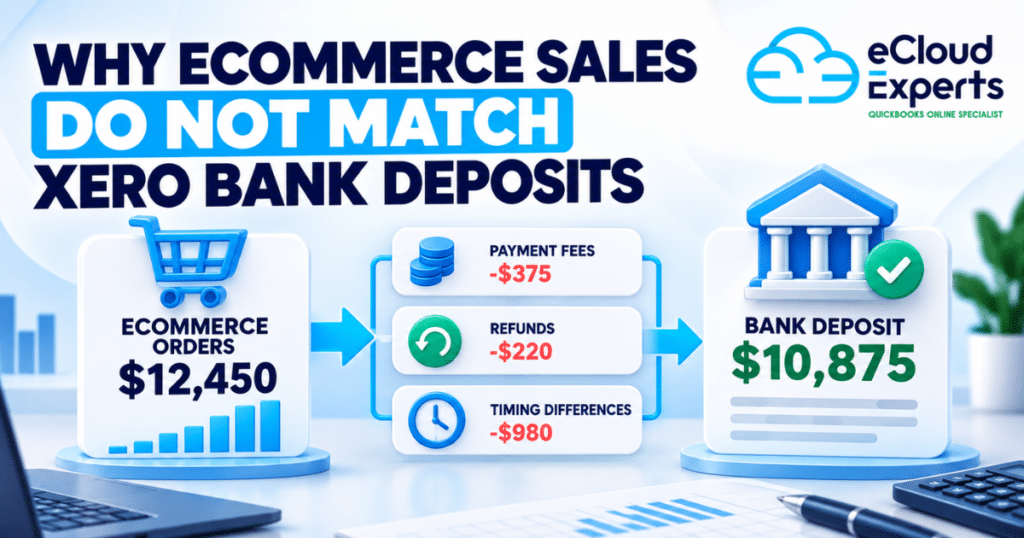
Running an ecommerce business means dealing with constant movement of money across multiple systems at the same time. Orders come in every day from your online store. Payments are processed by platforms such as Shopify, Stripe, PayPal, or marketplaces. Fees are deducted quietly before you ever see the money. Payouts arrive later as grouped deposits rather than individual sales. Refunds, chargebacks, and disputes can happen days or weeks after the original sale. This is exactly why Xero for ecommerce must be set up properly before you start selling at scale. Ecommerce accounting is not just about recording income and expenses. It is about understanding timing differences, separating fees correctly, and making sure sales activity matches what eventually reaches your bank account. Without the right structure, the numbers may look fine on the surface while hiding real issues underneath. Many business owners open Xero, connect their store, and assume the software will handle everything automatically. At first, it appears to work. Sales show up. Bank balances update. Reports look reasonable. Over time, however, small issues begin to add up. Profit feels lower than expected even though sales are strong. VAT totals do not match platform reports. Cash flow looks healthy one week and unexpectedly tight the next. Confidence in the numbers starts to fade. These problems are rarely caused by Xero itself. They almost always come from rushed or incomplete setup at the beginning. Settings copied from another business, skipped testing, or misunderstood integrations slowly undermine accuracy. Getting the foundations right early protects your data, keeps reports reliable, and saves time, money, and stress as your ecommerce business grows. Why Proper Setup Matters for Xero for Ecommerce Ecommerce accounting is very different from traditional invoicing businesses. Customers pay instantly at checkout, but the money does not go straight into your bank account. Payment processors hold funds for a period, remove their fees, and then release payouts in batches. As a result, the date of the sale rarely matches the date the money appears in your bank, even though the sale has already taken place. If Xero for ecommerce is not configured to handle this timing difference, reconciliation quickly becomes confusing. Sales totals recorded in Xero do not line up with bank deposits. One payout may represent dozens or hundreds of individual orders. Clearing transactions takes longer than it should, and the process feels repetitive and frustrating. Over time, unreconciled items start to build up, and trust in the reports begins to drop. Fixing these issues months later is far more difficult than preventing them in the first place. Transactions start to blur together, especially during busy periods. Supporting documents such as payout reports and fee breakdowns become harder to locate. Decisions are delayed because the numbers no longer feel reliable enough to act on. A proper setup from the beginning keeps sales, fees, and payouts aligned, making reconciliation easier and growth far easier to manage. Chart of Accounts Setup for Ecommerce Businesses The chart of accounts controls how every transaction is recorded and how reports are built in Xero for ecommerce. It determines where sales, fees, costs, and adjustments appear. When this structure is poorly planned, reports lose their meaning even if every transaction is technically entered into the system. The numbers may look complete, but they do not explain what is actually happening in the business. Ecommerce businesses need far more detail than a single sales account can provide. Product sales, shipping income, discounts, refunds, and platform adjustments all behave differently and should be tracked separately. Without this separation, it becomes almost impossible to see which products are profitable, how much shipping really costs, or whether discounts are eating into margins. Profit and loss reports may show a bottom line, but they fail to explain why it looks the way it does. Payment processor fees also need careful handling. These fees reduce the amount that reaches your bank account, but they are still operating expenses, not lost revenue. When fees are recorded incorrectly, revenue appears lower than it truly is and costs are hidden from view. This distorts gross profit and makes performance harder to judge. Generic default accounts may feel quick to use at the start, but they limit visibility and almost always lead to reporting issues that require correction later. Tax and VAT Configuration You Must Get Right Tax setup is one of the most sensitive areas in Xero for ecommerce, and it is also one of the easiest places to make costly mistakes. Small configuration errors often go unnoticed at first, but they compound over time and usually surface when returns are due or reports are reviewed in detail. By that stage, correcting them is far more difficult. Different products and sales routes can attract different tax treatment. Some sales may be standard rated, others zero rated, and some may fall outside the scope of VAT altogether depending on customer location and applicable rules. Applying a single tax rate across all transactions might feel simpler, but it almost always leads to errors that only become visible during reporting or filing. VAT mistakes also commonly occur when platform fees are handled incorrectly or when cross border sales are assumed to follow local rules. Payment processors and marketplaces often apply their own tax logic, which does not always match how VAT should be recorded in Xero. Xero records exactly what it is told. If the setup is wrong, reports will be wrong with complete confidence. Proper tax configuration ensures that figures align with reality, reduces the risk of adjustments later, and makes ongoing compliance work far less stressful. Bank and Payment Gateway Connections Payment gateways sit between your customers and your bank account. They collect payments at checkout, remove processing fees, hold funds for a short period, and then release payouts in grouped amounts. A single payout may represent dozens or even hundreds of individual orders, spread across different dates and payment methods. Xero for ecommerce must be set up to reflect this exact flow of money. Stripe,
Signs Your Xero Accounts Need a Professional Clean Up

Most Xero problems do not begin with a dramatic failure or a single big mistake. They build slowly through everyday activity. A reconciliation is skipped because time is tight and it feels easier to come back to it later. A transaction is coded quickly without checking the account because the amount looks small. A balance looks odd, so a quick adjustment is made just to move forward. None of these actions feel serious at the time, but over weeks and months they quietly damage the accuracy of the accounts. This is when a Xero bookkeeping catch up becomes necessary. Many business owners keep operating while slowly losing confidence in their numbers. Sales still go out, suppliers still get paid, and tax deadlines are met, but something feels off. Reports do not match expectations. Cash flow feels tighter than it should. Profit looks healthy one month and confusing the next. The issue is not Xero itself. Xero can only report what exists inside it. If incorrect data sits in the system, every report built on that data will also be incorrect. As a result, planning, pricing, and cash flow decisions become educated guesses rather than informed choices. A proper Xero bookkeeping catch up is not a cosmetic exercise and it is not about making reports look tidy. It is a structured and careful process that reviews past activity, corrects errors at their source, and restores accuracy across the system. It brings clarity back to your numbers so you can trust what you are seeing. Understanding the warning signs early matters because small issues are far cheaper and easier to fix before they spread. Left too long, those same issues turn into complex clean ups that cost more time, more money, and far more stress. Your Bank Balances Do Not Match Reality When the bank balance shown in Xero does not match your real bank balance, it points to a fundamental problem in the records. Even a small difference means something has been recorded incorrectly, duplicated, or missed altogether. At first the gap may seem minor, but as new transactions are added on top of an existing error, the difference usually grows and becomes harder to explain. This situation often develops when reconciliations are rushed or forced through just to clear the screen. Transactions may be matched incorrectly, payments may be missed, or entries may be duplicated without being noticed. In some cases, the issue goes back to the very beginning, where opening balances were set up incorrectly during the initial Xero setup. Bank feed interruptions can also play a role, especially when disconnected feeds lead to manual entries that do not line up with later imported data. A professional Xero bookkeeping catch up reviews bank activity line by line against actual bank statements. It traces mismatches back to the point where they started and corrects them properly instead of covering them with adjustments. Once bank balances are accurate, reports become reliable again. Until that happens, Profit and Loss, Balance Sheet, and cash flow reports cannot be trusted to reflect the true position of the business. Your VAT Numbers Feel Wrong VAT problems are rarely obvious at first glance. They usually show up as uncertainty rather than clear errors. You may notice that VAT payable feels too high compared to your level of sales, or that a VAT refund is lower than expected without a clear reason. In other cases, transactions appear in VAT periods that do not match when the work was actually done or when invoices were raised. These small inconsistencies create doubt and make it hard to feel confident when submitting a return. These issues are often caused by incorrect VAT codes being applied to transactions, especially when standard, zero rated, and exempt items are mixed without clear rules. Problems also arise when VAT is adjusted manually without fully understanding the impact, or when historical transactions are edited after a return has already been filed. Once VAT errors exist in Xero, they do not stay isolated. They carry forward into future periods, distort VAT reports, and increase the risk of questions during reviews or audits. A Xero bookkeeping catch up reviews VAT settings, transaction history, and reporting logic in detail. It checks that VAT has been applied consistently, rates are correct, and past adjustments are properly supported. Fixing VAT early protects you from penalties, reduces stress at filing time, and avoids long and time consuming explanations later when the details are harder to trace. You Avoid Looking at Your Reports Reports should bring clarity and confidence. When they create anxiety or hesitation, something is wrong beneath the surface. Many business owners gradually stop reviewing their Profit and Loss or Balance Sheet reports because the figures do not feel believable. Others still look at the reports but quietly question their accuracy, unsure whether the numbers reflect what is actually happening in the business. This situation usually develops when expenses appear higher than expected, profits swing from month to month without a clear reason, or balances do not match real world understanding of cash, debt, or assets. In some cases, accounts appear in reports that were never meant to be used, or balances move between periods with no explanation. Over time, this uncertainty leads to decisions being delayed or made based on instinct rather than reliable data. A Xero bookkeeping catch up restores structure and logic to reporting by fixing the underlying data that feeds those reports. Once errors are corrected and accounts are properly aligned, reports become practical tools again. Confidence in your Profit and Loss and Balance Sheet is essential for budgeting, planning, and growth. Without that confidence, even good businesses end up operating in the dark. Old Transactions Keep Sitting Unreconciled Unreconciled transactions represent uncertainty in your accounts. When they sit untouched for weeks or months, the risk of error increases steadily. Details that once made sense become harder to remember, supporting documents may be misplaced, and matching transactions accurately becomes more difficult with time. What could
MYOB to Xero Migration Common Risks and How to Avoid Them

MYOB to Xero migration often looks simple at first glance. Many business owners believe it is nothing more than exporting data from MYOB and importing it into Xero. That assumption is usually the starting point for long term problems. Migration issues rarely appear on day one. In most cases, everything looks fine at first. The dashboard loads. Bank feeds connect. Invoices can be raised. The problems show up later when reports do not match what the business expects, bank balances cannot be explained, or VAT figures suddenly look wrong. By that stage, the business is already working in Xero and fixing mistakes becomes slow, stressful, and expensive. The real risk is not switching software. The real risk is carrying out a MYOB to Xero migration without proper planning, structure, and validation. Accounting data is connected. One small error can affect multiple reports. A wrong opening balance can distort profit figures. An incorrect tax code can cause compliance issues months later. Many businesses only realise something is wrong when an accountant reviews the numbers, a VAT return is due, or a funding decision depends on accurate reports. At that point, trust in the system drops. Time is wasted double checking figures instead of running the business. A MYOB to Xero migration should not just move data. It should protect accuracy, history, and confidence in the numbers. That requires understanding where risks usually occur and how to control them before they cause damage. This blog explains the most common risks involved in a MYOB to Xero migration and how to avoid them in a practical way. The goal is simple. Move once. Move cleanly. Start using Xero with reports you can rely on and numbers you can trust from day one. Why Businesses Move From MYOB to Xero Many businesses start with MYOB because it meets their needs in the early stages. Over time those needs change. As transaction volumes increase, MYOB can feel restrictive. Reporting may require more manual work. Remote access can be limited. Collaboration with accountants or advisors often feels slower than it should. Xero appeals to growing businesses because it offers clearer visibility and better flexibility. Real time access allows everyone to see the same data at the same time. Bank feeds are more reliable. Reports are easier to understand and adapt. Integrations with modern tools are stronger and easier to maintain. A MYOB to Xero migration is usually driven by growth rather than frustration alone. The business needs better insight and stronger control. That is why getting the migration right matters. The quality of the move directly affects how useful Xero will be going forward. Understanding the Real Risks of MYOB to Xero Migration A MYOB to Xero migration is not a simple copy task. The two systems store data differently. Charts of accounts are structured differently. Tax handling works differently. The biggest mistake businesses make is assuming software will handle everything correctly on its own. Most migration problems do not cause system failure. They create doubt. Business owners stop trusting reports. Accountants spend extra time checking numbers. Decisions are delayed because confidence in the data is lost. These risks are common but they are avoidable when understood early. Risk 01 – Incomplete or Missing Data One of the most common MYOB to Xero migration risks is incomplete data transfer. This often happens when businesses rush or focus only on balances instead of full detail. Data that is often missed includes unpaid invoices, outstanding bills, historical transactions needed for comparison, accruals, prepayments, and correct opening balances. Sometimes contacts are imported without links to transactions. In other cases tax information is lost. Missing data creates gaps. Reports lose meaning. Comparisons become unreliable. VAT figures may no longer tie back to history. To avoid this risk, the scope of the migration must be clearly defined before starting. Key reports from MYOB should be saved as reference points. Opening balances must be checked line by line in Xero. Nothing should be assumed correct without verification. Risk 02 – Incorrect Account Mapping Incorrect account mapping is one of the quietest but most damaging MYOB to Xero migration risks. MYOB accounts do not always align neatly with Xero accounts. If mapping is wrong, data ends up in the wrong place. This leads to expenses appearing in incorrect categories, income being misclassified, and balance sheet accounts behaving unexpectedly. At first everything may look fine. Over time reports become confusing and unreliable. Once live transactions start posting to the wrong accounts, fixing the structure becomes much harder. The safest approach is to review and clean the chart of accounts before migration. Every MYOB account should have a clear destination in Xero. After import, reports must be reviewed to confirm totals and classifications match expectations. Risk 03 – VAT and Tax Errors VAT errors are among the most serious outcomes of a poorly handled MYOB to Xero migration. Tax codes do not always transfer cleanly. Some transactions lose their tax treatment while others pick up the wrong rate. Common issues include standard rated items becoming zero rated, VAT being applied where it should not be, or historical VAT reports no longer matching submitted returns. These problems often remain hidden until a VAT return is due. At that point the business is forced to investigate past data under pressure. Avoiding this risk requires careful review of tax codes before and after migration. VAT reports from MYOB should be saved and compared with Xero reports for the same periods. Any differences must be identified and resolved early. Risk 04 – Duplicate or Corrupt Transactions Duplicate transactions are another frequent MYOB to Xero migration issue. They usually occur when imports are repeated or when bank feeds are connected before balances are confirmed. Duplicates inflate income or expenses and disrupt bank reconciliations. Corrupt transactions can break links between contacts and balances, spreading confusion across reports. To prevent this risk, data imports should be done once and in the correct order. Bank feeds should only be connected after balances