
How Much Does Xero Support Cost in London in 2026?
Running a business in London is expensive. Paying for the wrong Xero support makes it even more expensive. The Xero support cost in London usually depends on your problem. A short training session may cost less than fixing years of incorrect accounts. Most London businesses can expect to pay between £75 and £175 plus VAT per hour for professional Xero support in 2026. Monthly support packages may start near £150 plus VAT. Larger packages can exceed £1,000 plus VAT per month. These figures are general market estimates. Your actual quote will depend on the work required. This guide explains the main pricing models. It also shows which costs to expect before choosing a provider. Quick Answer: What Does Xero Support Cost in London? Here is a simple guide to typical costs during 2026. Type of Xero support Typical cost Basic remote support £75 to £125 per hour Advanced Xero support £100 to £175 per hour One time Xero health check £250 to £750 Xero error correction £300 to £2,000 or more Monthly support package £150 to £1,000 or more Xero setup assistance £300 to £1,500 Xero training £99 to £175 per hour Full Xero implementation £1,000 to £10,000 or more Xero migration support Based on data volume and years These prices normally exclude VAT. A published UK example charges £99 plus VAT per hour for tailored Xero training. This includes beginner, advanced, and bespoke sessions. FlowFin Xero training The final price depends on several factors. These include your account condition, business size, and support level. Xero Subscription Cost and Xero Support Cost Are Different This causes confusion for many businesses. Your Xero subscription pays for access to the software. It does not include ongoing bookkeeping or accounting advice. Xero provides online product assistance through Xero Central. However, that support does not manage your accounts. Xero normally will not complete tasks such as: • Correcting bookkeeping errors• Reconciling historical transactions• Reviewing VAT records• Fixing payroll settings• Preparing management reports• Training your staff• Cleaning duplicated transactions• Correcting a failed migration• Connecting business applications• Reviewing your chart of accounts These services require a Xero accountant, bookkeeper, consultant, or migration specialist. Xero subscription prices also vary by plan. Current standard UK plans range from Ignite to Ultimate. Prices and features can change. Xero UK pricing Always separate these two costs when preparing your budget. Common Xero Support Pricing Models Xero specialists usually charge in one of four ways. 1. Hourly Xero Support Hourly support works well for a clear problem. You might need help with: • A bank reconciliation issue• An incorrect invoice• A reporting question• A VAT code problem• A payroll setting• A user permission issue• A short training session The typical London rate is around £75 to £175 plus VAT per hour. Simple bookkeeping support may sit near the lower end. Specialist accounting work may cost more. Hourly support can become expensive when the problem is unclear. The specialist may need time to investigate first. Ask whether the investigation time is chargeable. Also request an estimated time before work begins. 2. Fixed Fee Support A fixed fee gives you a known project cost. This works well for defined tasks such as: • A Xero health check• A new Xero setup• Payroll configuration• VAT correction• Report setup• App connection• Data cleanup• Staff training A fixed fee may range from £250 to several thousand pounds. The provider should explain what the price includes. They should also list anything outside the scope. A cheap fixed quote can be risky. It may only cover the visible problem. The cause of the problem might remain untouched. 3. Monthly Xero Support Monthly support gives your business regular access to a specialist. Packages may include: • Email support• Scheduled calls• Monthly bookkeeping reviews• Bank reconciliation checks• VAT support• Reporting guidance• Payroll assistance• Xero training• Account health checks Basic packages may begin near £150 plus VAT per month. Growing businesses may pay between £300 and £1,000 plus VAT monthly. Complex organisations may pay much more. Monthly support suits businesses with regular questions. It can also reduce accounting errors. 4. Project Based Support Project pricing is common for larger Xero work. Examples include: • Accounting software migration• Xero implementation• Historical data correction• Multi currency setup• Payroll migration• Ecommerce integration• Group reporting setup• Finance process redesign The provider reviews the project before giving a quote. A small project may cost several hundred pounds. A complex implementation can cost several thousand pounds. What Affects Xero Support Cost in London? The same Xero problem can have different costs. Here are the main pricing factors. Your Account Condition A clean account takes less time to review. A messy account may contain: • Duplicate transactions• Unreconciled payments• Incorrect opening balances• Wrong tax rates• Missing invoices• Suspense account balances• Incorrect bank rules• Old unpaid invoices• Misclassified payments The specialist must identify each issue. They must then test the correction. That investigation increases the cost. Number of Transactions A business with 100 monthly transactions needs less work. A business with 10,000 transactions needs deeper checks. It may also require specialist software. Transaction volume often affects cleanup and migration pricing. Number of Financial Years Historical work is normally priced by period. Correcting one financial year costs less than reviewing six years. Older data may also contain unresolved problems. These problems can affect later balances. Number of Xero Organisations Some businesses operate several companies. Each Xero organisation needs separate checks and settings. Group reporting creates additional work. Request one quote covering every organisation. VAT Complexity VAT problems can carry serious risks. The specialist may need to review: • VAT schemes• Filed returns• Tax rates• VAT control accounts• Late claims• Reverse charge treatment• Overseas transactions• Making Tax Digital records VAT correction may require more than basic Xero knowledge. Payroll Requirements Payroll support depends on employee numbers and pay arrangements. The cost may increase when you have: • Multiple pay calendars• Workplace pensions• Benefits• Statutory payments• Previous payroll errors• Incorrect opening balances• Leavers and starters• Construction Industry Scheme requirements Payroll mistakes
Can Xero Replace Your ERP System? What to Check Before You Decide
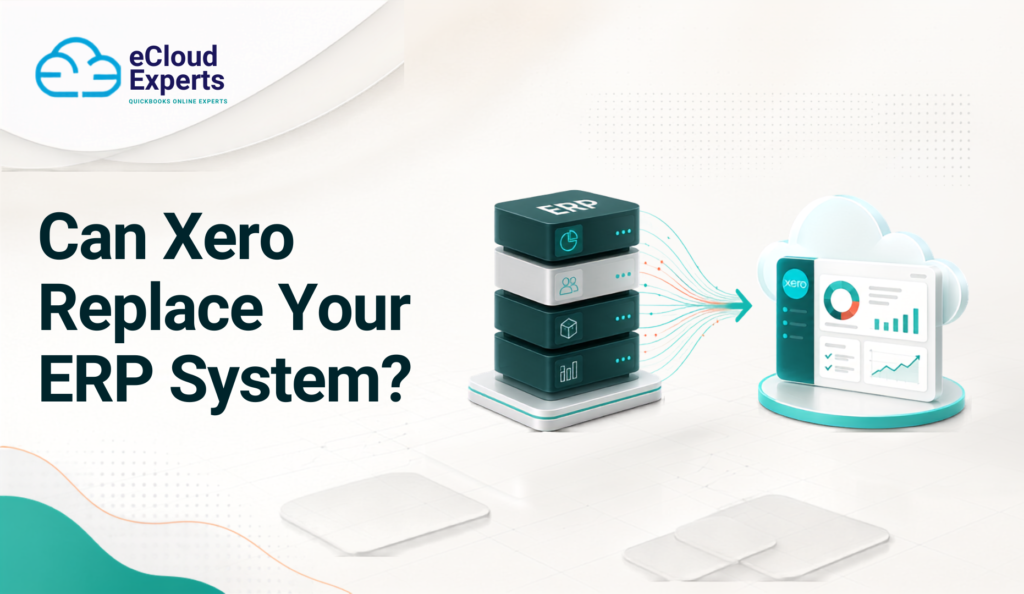
Businesses often invest in an ERP system because they need one platform to manage finance, stock, purchasing, sales, projects, manufacturing and reporting. Over time, however, that system can become expensive, difficult to maintain and frustrating for everyday users. Support fees may increase. Reporting may depend on one specialist. Staff may create spreadsheets because the ERP reports are difficult to use. Simple changes can take weeks. In some cases, the business is paying for hundreds of functions while using only a small number of them. This naturally raises an important question: Can Xero replace ERP software? The honest answer is yes for some businesses, but not for every business. Xero can replace an ERP system when the company mainly needs accounting, invoicing, purchasing, VAT, bank reconciliation and standard reporting. It can also work as the financial centre of a larger system when connected to suitable inventory, ecommerce, project management, approval and reporting applications. However, Xero is not a complete ERP platform. A business with complex manufacturing, warehouse, supply chain, consolidation or operational requirements may still need specialist applications or a full ERP system. The decision should be based on how your business actually works, not simply on software price or popularity. What Is an ERP System? ERP stands for Enterprise Resource Planning. An ERP system combines several business functions within one platform and database. Depending on the software, an ERP system may manage: • Financial accounting • Sales orders • Customer invoices • Supplier bills • Purchasing • Inventory • Warehouses • Manufacturing • Production planning • Supply chains • Customer relationships • Projects • Job costing • Human resources • Payroll • Fixed assets • Group reporting • Business intelligence • Approval processes The main purpose of an ERP system is to help different departments work with connected information. For example, a confirmed sales order might reduce available stock, create a production requirement, update expected revenue and generate a delivery instruction. All of these steps may happen within the same system. That level of connection can be useful, but it also creates complexity. Implementing and maintaining an ERP platform often requires specialist knowledge, formal processes and a significant budget. What Is Xero? Xero is cloud accounting software created for small and growing businesses. It focuses mainly on bookkeeping, financial control and collaboration between businesses and their advisers. Xero includes functions for: • Sales invoices • Supplier bills • Quotes • Purchase orders • Bank feeds • Bank reconciliation • VAT returns • Expense claims • Payroll • Fixed assets • Basic stock tracking • Project tracking • Financial reporting • Contact management • Multiple currencies on suitable plans • Online document storage • Cash flow visibility Xero can also connect with more than 1,000 business applications. These connections can add inventory, ecommerce, customer management, project management, reporting and approval functions. This makes Xero flexible, but connected apps do not automatically turn Xero into a complete ERP platform. The overall system must still be planned, tested and controlled. What Is the Main Difference Between Xero and ERP Software? Xero is primarily an accounting platform. An ERP system is designed to manage finance and wider business operations. The difference becomes clearer when you look at how each system is normally used. Xero focuses on: • Bookkeeping • Financial reporting • VAT • Banking • Invoicing • Bills • Expenses • Basic projects • Basic stock ERP software may also manage: • Production • Warehouses • Supply chains • Material planning • Customer orders • Group consolidation • Complex procurement • Detailed approvals • Industry specific operations Moving from an ERP system to Xero is therefore not simply an accounting software migration. It can affect departments, staff responsibilities, business controls and reporting. Before moving, you must identify every process connected to your current ERP system. Can Xero Replace ERP Software? Xero can replace an ERP system when the business uses the ERP mainly for finance and does not rely heavily on advanced operational functions. It may be suitable when your business: • Has straightforward accounting processes • Operates one company or a small group • Has simple stock requirements • Does not manufacture complex products • Uses standard financial reports • Has manageable transaction volumes • Can use connected apps for specialist tasks • Wants easier access for staff and advisers • Wants to reduce system administration • Does not need complex warehouse management • Does not depend on advanced production planning • Has simple approval requirements However, Xero alone may not be suitable when the business has complex operational needs. The better question is: “Can Xero and the proposed connected applications support every important process our business needs?” This question forces you to consider the complete system instead of looking only at the accounting software. When Xero Could Be a Good ERP Alternative 1. You Mainly Use Your ERP for Accounting Some businesses purchase an ERP system for ambitious growth plans but end up using only its finance functions. Staff may use the platform for: • Invoices • Bills • Bank transactions • VAT returns • Purchase orders • Journals • Standard financial reports If most advanced ERP functions are unused, Xero may provide the features the business needs with less complexity. However, confirm this with every department. The finance team may not know that purchasing, operations or sales staff rely on specific ERP features. A function that appears unused may still support an important report, integration or control. 2. Your Business Provides Services Service businesses often have fewer operational requirements than manufacturers, distributors or retailers. A consultancy, agency, professional practice or technology company may mainly need: • Customer invoicing • Supplier bills • Expenses • Project costs • Time recording • Bank reconciliation • VAT reporting • Management accounts Xero may cover many of these requirements directly. A project management or time recording app can provide additional functions when needed. Service businesses should still test project profitability, deferred income, work in progress and revenue recognition processes before moving. 3. Your
How to Validate Your Data After an ERP to Xero Migration
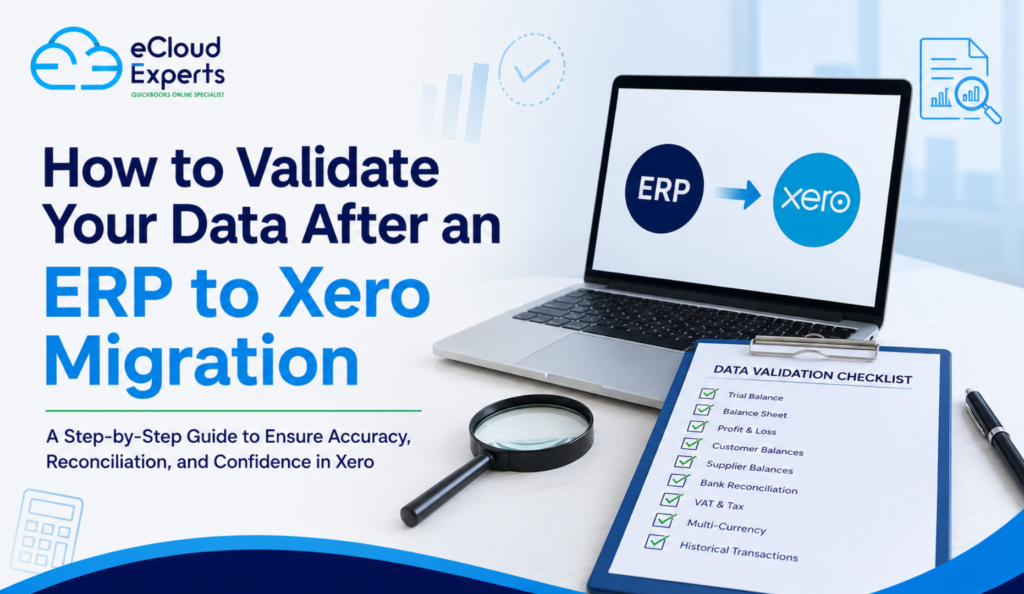
Moving from an ERP system to Xero can simplify accounting, improve access to financial information, and give your team a more flexible cloud based finance system. But completing the migration does not automatically mean the job is finished. The next important stage is validation. ERP to Xero data validation is the process of checking that the financial information moved into Xero is complete, accurate, and consistent with the records held in your previous ERP system. A migration can appear successful while still containing problems. An incorrect opening balance, missing invoice, duplicated transaction, or foreign currency difference may not be immediately obvious. These issues can affect reporting, VAT returns, customer balances, supplier payments, and management decisions later. This guide explains what you should validate after an ERP to Xero migration and how to identify problems before you start relying on Xero as your main accounting system. What Is ERP to Xero Data Validation? ERP to Xero data validation means comparing the information in Xero with the source ERP system and confirming that the migrated records agree. The objective is not simply to confirm that data exists in Xero. You need to establish that the right data has arrived, the values are correct, and the accounting position remains consistent. Depending on the scope of your migration, validation may include: The exact checks required will depend on how much history you migrated and how your previous ERP system was structured. Why Is Data Validation Important After an ERP to Xero Migration? ERP systems and Xero can handle accounting information differently. Your old ERP may have used a more complex chart of accounts, multiple departments, custom fields, different tax codes, several currencies, or specialised transaction structures. During migration, that information often needs to be transformed so that it works correctly within Xero. That creates opportunities for differences to occur. For example, a migration might successfully transfer 10,000 invoices, but that does not prove that every invoice has the correct date, value, tax treatment, currency, payment status, and account allocation. Proper validation helps you identify these differences before they become part of your day to day accounting. 1. Start With the Migration Scope Before checking individual figures, confirm what the migration was actually supposed to include. This sounds simple, but it is an important step. If your migration agreement covered opening balances plus two years of transaction history, you should not expect records from five years ago to appear in Xero. Create a clear list of what should have been migrated. Check the agreed: This gives you a baseline for the rest of the validation process. 2. Compare the Trial Balance The trial balance is one of the most important reports to check following an ERP to Xero migration. Run a trial balance from the old ERP system at the agreed migration date. Then run the equivalent report in Xero. Compare the account balances carefully. The total debit and credit figures should agree, but do not stop there. Individual account balances also need to be reviewed. Pay particular attention to: A balanced trial balance does not necessarily mean everything is correct. Transactions can be posted to the wrong accounts while the overall debit and credit totals still balance. 3. Validate the Balance Sheet Next, compare the Balance Sheet in Xero with the final Balance Sheet from your ERP system for the same reporting date. Look at each major balance individually. For example, if your previous ERP shows £80,000 in trade receivables, Xero should reflect the corresponding position based on the agreed migration scope. Investigate unexplained differences rather than assuming they are normal migration adjustments. Particular attention should be given to: Where an account has been mapped differently in Xero, document that mapping so you understand why the presentation may differ even when the underlying financial position is correct. 4. Compare the Profit and Loss Report If historical transactions were migrated, compare your Profit and Loss report between the ERP and Xero. Use identical reporting periods. Check major income and expense categories and then investigate any significant differences. Possible causes can include: If several ERP accounts were consolidated into one Xero account, compare the combined values rather than expecting a direct account by account match. 5. Reconcile Customer Balances Your total accounts receivable balance may agree while individual customer accounts are still wrong. That is why customer level validation matters. Compare the aged receivables report from the ERP with the corresponding Xero report at the migration date. Check that outstanding invoices have the correct: Pay particular attention to partially paid invoices and credit notes. These can be more complicated to reconstruct than fully unpaid invoices. 6. Reconcile Supplier Balances Perform the same process for accounts payable. Compare the aged payables report from the old ERP with Xero. Check outstanding supplier bills, payments, and credit notes. The total supplier balance should reconcile, but individual supplier positions should also make sense. Incorrect supplier balances can create practical problems quickly because your finance team may use Xero to decide which suppliers need to be paid. 7. Check Bank Balances and Reconciliation Bank accounts require more than a quick balance comparison. Compare the closing balance from the ERP with the appropriate position in Xero at the migration date. Then check whether outstanding bank transactions have been treated correctly. Depending on the migration approach, you may need to review: Be particularly careful when activating Xero bank feeds after migration. The feed may import transactions that were already included in the migrated history, creating duplicates if the cutover date is not handled properly. 8. Validate VAT and Tax Information Tax errors can be much more serious than cosmetic reporting differences. Review the VAT position transferred into Xero and compare it with the previous system. Check: If your business operates under a particular VAT scheme, make sure Xero has been configured appropriately before processing new transactions. Historical data and future VAT reporting should also be considered separately. Migrated historical transactions should not accidentally appear in a future VAT return when they have
Spain Are World Champions: What Great BusinessesCan Learn About Long-Term Investment, Preparation,and Building the Right Foundation

How Spain’s World Cup win mirrors the case for long-term investment in finance systems — and what a well-planned ERP to Xero migration actually looks like. Spain are world champions once again. It’s tempting to focus only on the final whistle. The trophy lift, the celebrations, and the headlines naturally attract the most attention. Yet those moments represent only a small part of the story. Spain won the World Cup because of decisions made years earlier. Coaches, leaders, and administrators invested in academies, training grounds, and long term planning. Those decisions, not any single match, laid the foundation for success. Spanish football didn’t get here by chance. For years, it has invested in youth development, technical excellence, and a clear, consistent playing philosophy. It didn’t build a winning team overnight. It built a system — one that reliably produces world-class talent, tournament after tournament, generation after generation. Businesses face exactly the same challenge, whether they realise it or not. And finance teams, in particular, have a lot to learn from how champions are actually built. This isn’t really an article about football. It’s an article about why the businesses that win — the ones with the fastest month-end close, the clearest reporting, the strongest cash flow, and the calmest finance teams — are rarely the ones working the hardest. They’re the ones working with better systems, built well in advance of when they’re needed. Success Is Never a Single Decision There’s a myth in business that transformation happens in one dramatic moment: the big hire, the big client win, the big software switch. In reality, sustainable success is built from thousands of small, correct decisions made consistently over a long period of time. Spain’s route to the World Cup didn’t hinge on one moment of brilliance. Years of investment in coaching pathways, a clear playing philosophy across every age group, and a culture that valued technical excellence over shortcuts laid the foundation for success. Every pass in the final reflected more than a decade of preparation that most people never saw. Growing businesses work the same way. There is rarely one decision that transforms a company overnight. Instead, success comes from consistently improving every part of the business — including the parts that don’t get much attention until something goes wrong. For finance teams, one of the most overlooked opportunities for this kind of quiet, compounding improvement is the finance system itself. Why “It Still Works” Isn’t a Strategy Many companies delay upgrading their finance systems for a simple reason: the current one still “works.” Invoices go out. Payroll gets processed. The accounts eventually close. Nothing is on fire, so why touch it? But just as Spanish football continually evolved rather than resting on past success, growing businesses need systems that support where they’re heading — not just where they’ve been. An ERP system may have served your business brilliantly for years. But as an organisation grows, the demands on its finance function change, often faster than anyone notices in the moment. Complexity creeps in gradually, and then all at once: None of these arrive as a single crisis. They accumulate. A finance team that was comfortably keeping pace two years ago can suddenly find itself permanently behind, firefighting instead of forecasting — not because anyone did anything wrong, but because the system underneath them never evolved to match the business growing on top of it. This is usually the point at which businesses start looking seriously at Xero, the cloud accounting platform designed to scale with growing organisations. What Legacy Systems Actually Cost You It’s worth being specific about what “the current system still works” actually means in practice, because it rarely means what it sounds like. Many businesses are running legacy ERP systems that have become expensive to maintain, difficult to customize, and increasingly mismatched to their current needs. The system technically functions. But underneath that surface-level functionality, a familiar set of problems tends to build up: None of these show up as a single dramatic failure. They show up as a slow tax on the business — a few extra hours here, a delayed decision there, a report nobody quite trusts. Over time, that tax compounds, in exactly the same way good habits compound in the other direction. What Modern Cloud Accounting Actually Changes Modern cloud accounting has changed what’s realistically possible for finance teams, and the gap between legacy ERP and a modern platform like Xero is now substantial. By migrating from ERP to Xero, businesses typically gain: The benefits extend well beyond the accounting function itself. Businesses that make this move consistently report: Migration Is an Opportunity, Not Just an Upgrade It’s worth being clear about something: migrating from an ERP to Xero isn’t simply changing software. Treated properly, it’s an opportunity to simplify processes, improve visibility, automate manual tasks, and free up a finance team’s time to focus on strategic work rather than administrative firefighting. That distinction matters. A migration done badly just moves the same problems onto a new platform with a nicer interface. A migration done well uses the transition as a genuine reset point — a chance to ask which processes actually still make sense, which reports people actually use, and which approval chains exist for good reason versus historical accident At eCloud Experts, a Xero Gold Champion Partner, ERP to Xero Migration isn’t just about importing data from one system to another. We review your existing finance processes, simplify them where possible, and build your new Xero environment to support long-term growth instead of copying old habits into a new system. Talk to our migration experts today. Because moving systems should improve your business — not just relocate it. Experience Across Every Legacy System We’ve helped businesses migrate from a wide range of legacy ERP and accounting platforms, including: And many more besides. That range matters, because every legacy system carries its own quirks, its own historical workarounds, and its own data structures that need careful handling during ERP
How to Plan a Successful Xero Implementation from Start to Finish
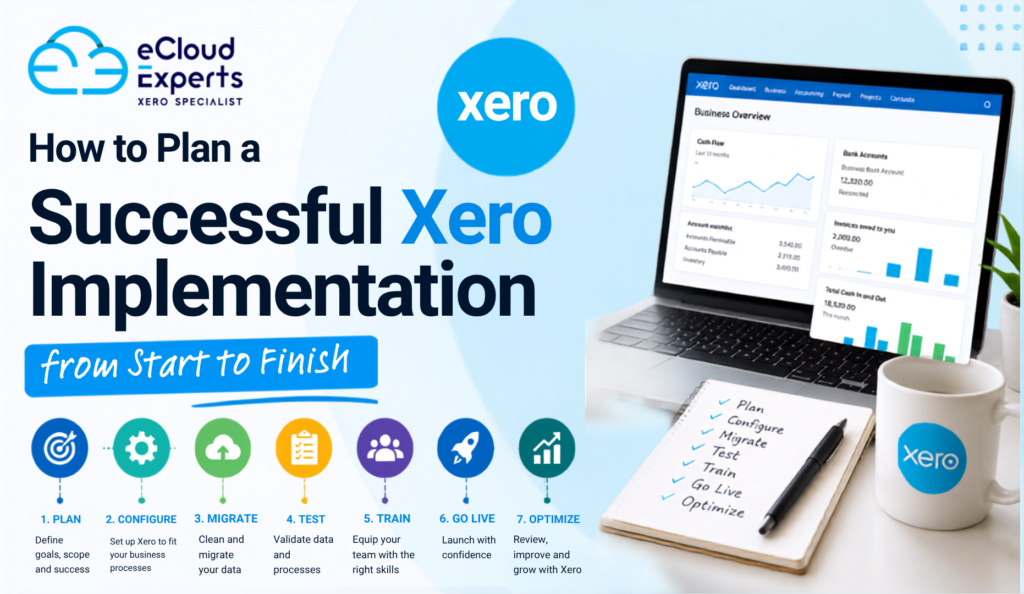
Implementing new accounting software is a significant step for any business. While Xero is known for its user-friendly interface and powerful cloud accounting features, a successful Xero implementation involves much more than simply creating an account and importing your data. A well-planned implementation ensures your financial records remain accurate, your team adapts quickly, and your business continues operating with minimal disruption. Without proper planning, businesses may encounter issues such as incorrect opening balances, duplicate records, reporting errors, or workflow inefficiencies that take time to resolve. Whether you’re moving from Sage, QuickBooks, NetSuite, Zoho Books, spreadsheets, or another accounting system, taking a structured approach will help you get the most from your investment. In this guide, we’ll walk you through every stage of a successful Xero implementation, from planning and preparation to testing, training, and ongoing support. What Is Xero Implementation? Xero implementation is the complete process of setting up Xero so it works effectively for your business. It includes much more than migrating financial data from one system to another. A successful implementation involves reviewing your current accounting processes, preparing and cleaning financial data, configuring Xero, importing records, connecting business applications, testing workflows, training users, and monitoring the system after it goes live. The objective is to create a reliable accounting environment that supports accurate reporting, efficient day-to-day operations, and long-term business growth. Every business has different requirements, so no two implementations are exactly the same. A small business with simple bookkeeping needs will have a different implementation process from a growing company managing inventory, payroll, multiple departments, or international transactions. Why a Well-Planned Xero Implementation Matters Many implementation problems occur because businesses rush the process or underestimate the amount of preparation required. Planning your implementation carefully offers several benefits, including: Instead of simply replacing your accounting software, implementation gives you an opportunity to improve your accounting processes and remove inefficiencies that may have built up over time. Signs Your Business Is Ready for Xero If you’re unsure whether it’s the right time to move to Xero, consider whether any of these situations apply to your business. Recognising these signs early allows you to plan your implementation before accounting issues begin affecting business performance. Benefits of Implementing Xero Businesses choose Xero because it helps simplify financial management while providing access to real-time information. Some of the biggest benefits include: Cloud-Based Access Access your accounts securely from anywhere with an internet connection. Real-Time Financial Reporting View up-to-date financial reports without waiting until month-end. Automated Bank Feeds Reduce manual bookkeeping by importing transactions directly from your bank. Improved Collaboration Multiple users can work in Xero at the same time with role-based permissions. Faster Invoicing Create professional invoices quickly and track payments more efficiently. Integration with Business Apps Connect Xero with hundreds of business applications including payroll, CRM, inventory management, payment platforms, and eCommerce solutions. Set Clear Objectives Before You Begin Every successful Xero implementation starts with a clear understanding of what you want to achieve. Ask yourself: Defining your objectives helps shape the entire implementation project and keeps everyone focused on the same outcomes. Build the Right Implementation Team A successful implementation often involves several people across the business. Team Member Responsibilities Business Owner Approves project decisions and objectives Finance Manager Reviews accounting requirements Accountant Validates financial accuracy Bookkeeper Reviews daily transaction processes IT Support Assists with integrations and access Department Managers Confirm operational workflows Xero Implementation Partner Plans, configures, migrates, tests, and supports the implementation Clear communication throughout the project helps avoid misunderstandings and delays. Review Your Existing Accounting System Before moving to Xero, take time to review your current accounting records. Areas to examine include: Many businesses discover duplicate contacts, unused accounts, or incorrect VAT codes during this review. Cleaning your data before implementation improves reporting accuracy after migration. Decide What Data Should Be Migrated Not every business needs to import years of accounting history. Common migration options include: Opening Balances Only Suitable for businesses beginning a new financial year or those with straightforward reporting requirements. Current Financial Year Provides detailed reporting while keeping implementation relatively simple. Full Historical Transactions Recommended for businesses requiring historical reporting, audits, management analysis, or long-term financial comparisons. Choosing the right migration scope helps balance reporting requirements with implementation time and cost. Prepare Your Financial Data Preparing your financial records is one of the most important parts of any Xero implementation. Before migration, review: Your reports should balance before any data is imported into Xero. Correcting problems beforehand is much easier than resolving them after implementation. Create a Realistic Implementation Timeline Having a structured timeline keeps the project organised and helps avoid unnecessary delays. A typical implementation may look like this: Phase Main Activities Discovery Review current system, define goals, gather requirements Planning Clean data, prepare reports, confirm migration scope Configuration Set up Xero settings, users, VAT, accounts, branding Migration Import financial data and validate records Testing Review reports, workflows, integrations, and permissions Go Live Begin using Xero for daily operations Support Monitor performance and provide additional training Larger organisations may require additional planning depending on complexity. Configure Xero Correctly Proper configuration helps ensure your accounting system supports your business processes from day one. Important setup areas include: Taking time to configure these settings properly reduces the need for future adjustments. Connect Your Business Applications One of Xero’s greatest strengths is its ability to integrate with other software. Popular integrations include: These integrations reduce manual work and improve efficiency across your business. Import Your Financial Data Carefully Importing data should always be completed in stages. Typical data includes: After each import, compare totals against your previous accounting system to ensure accuracy. Protect Your Financial Data During Implementation Financial information is one of your business’s most valuable assets. During implementation, you should: Strong security practices help protect your financial information throughout the project. Test Everything Before Going Live Testing helps identify issues before your team starts using Xero every day. Test areas include: Fixing issues during testing is far easier than correcting live accounting records.
Pressure Creates Diamonds: What England’s World Cup Journey Can Teach Businesses About Performing Under Pressure

Every four years, England embarks on a journey that captures the attention of an entire nation. Pubs fill long before kick-off, workplaces become quieter as employees glance at live scores, and conversations that would normally revolve around business or current affairs suddenly become centred on football. Hope returns with every tournament, and millions of supporters begin to believe that this could finally be England’s moment. For the players, however, the experience is very different. Pulling on the England shirt means carrying more than just personal ambition. It means representing generations of supporters, living up to decades of expectation and performing under the constant scrutiny of one of the world’s most demanding football audiences. Every pass is analysed, every tactical decision debated and every result examined from every possible angle. Very few national teams operate under that level of pressure. Yet despite the expectation, England continues to produce leaders who are prepared to step forward when the stakes are highest. Players such as Harry Kane, Jude Bellingham, Declan Rice and Bukayo Saka understand that pressure is not something to fear. It is simply part of competing at the highest level. Business leaders experience something remarkably similar. While the setting may be different, the emotions are often the same. A Finance Director presenting year-end results to the board, a CEO leading an acquisition, a business owner preparing for external investment or a finance team migrating to a new accounting system all face moments where decisions matter, mistakes are costly and confidence becomes essential. Pressure is not reserved for football stadiums. It exists in every ambitious organisation. The question is never whether pressure will arrive. The real question is whether your business will be ready when it does. Pressure Doesn’t Create Problems—It Reveals Them One of the biggest misconceptions in both football and business is that pressure creates mistakes. In reality, pressure usually exposes weaknesses that already exist. If a football team struggles to keep possession under pressure, the problem did not begin in the knockout stages of the World Cup. It began months earlier on the training ground. Likewise, if a business struggles to produce accurate management reports during an audit or cannot obtain reliable financial information during a period of rapid growth, the underlying issue almost certainly existed long before the pressure arrived. Pressure simply removes the opportunity to hide those weaknesses. This is something we see regularly at eCloud Experts. Businesses rarely decide to modernise their finance systems because everything is running perfectly. More often, growth has highlighted limitations that were previously manageable. Reporting takes longer than it should. Multiple spreadsheets are required to reconcile information. Teams spend more time searching for data than analysing it. Leaders begin making important decisions without having complete confidence in the numbers they are reviewing. The business has not suddenly become inefficient. It has simply reached a point where its existing systems can no longer support its ambitions. That is why finance transformation should never be viewed as a reactive exercise. The strongest organisations invest in better systems before they become absolutely necessary, ensuring they remain confident even when the pressure increases. England’s Success Begins Long Before Kick-Off Supporters only see ninety minutes of football, but international success is built over thousands of hours long before the referee blows the opening whistle. England’s coaching staff analyse opponents in extraordinary detail. Sports scientists monitor physical performance. Analysts review passing patterns, pressing intensity and defensive organisation. Every training session has a clear purpose, and every player understands exactly what is expected of them. None of this guarantees victory. What it does guarantee is preparation. Elite teams understand that preparation gives them the best possible chance of performing when the pressure is greatest. The same philosophy applies to successful businesses. Organisations do not suddenly become efficient during an audit. They do not magically improve financial reporting when investors request additional information, nor do they instantly develop better cash flow visibility during periods of uncertainty. Those capabilities are built over time through disciplined processes, reliable systems and a commitment to continuous improvement. Companies that invest in Cloud Accounting, Finance Transformation and modern reporting tools are not simply upgrading their software. They are creating an environment in which better decisions become possible because accurate information is always available when it matters most. Preparation may not eliminate pressure. But it changes the way organisations respond to it. Leadership Is More Than Scoring Goals When Harry Kane is discussed, the conversation naturally begins with goals. As England’s all-time leading goalscorer, his record speaks for itself. Yet focusing solely on statistics overlooks the qualities that have made him one of the country’s most respected leaders. Kane’s influence extends far beyond the penalty area. He remains composed during difficult moments, accepts responsibility when expectations are highest and consistently leads by example rather than emotion. His calmness under pressure provides confidence for the players around him, allowing the team to remain focused even when momentum shifts. The strongest business leaders demonstrate many of the same characteristics. Great CEOs and Finance Directors do not create panic when challenges arise. Instead, they provide clarity, communicate with confidence and make decisions based on reliable information rather than uncertainty. Their leadership creates stability for everyone around them, enabling teams to remain productive when circumstances become more demanding. That confidence is rarely accidental. It is built on preparation, supported by accurate financial data and strengthened by systems that leaders know they can trust. Strong Foundations Create Confident Organisations England’s recent progress at major tournaments has not been built solely on individual brilliance. While talented players often attract the headlines, their performances are supported by a well-organised team, clear tactical principles and an environment where everyone understands their role. Businesses should aspire to build the same type of foundation. Too many organisations continue to rely on disconnected spreadsheets, outdated accounting software and manual processes that consume valuable time while increasing the risk of errors. Those methods may be sufficient during the early stages of growth, but they become increasingly
How to Export Sage 200 Data Before Migration: A Complete Step by Step Guide
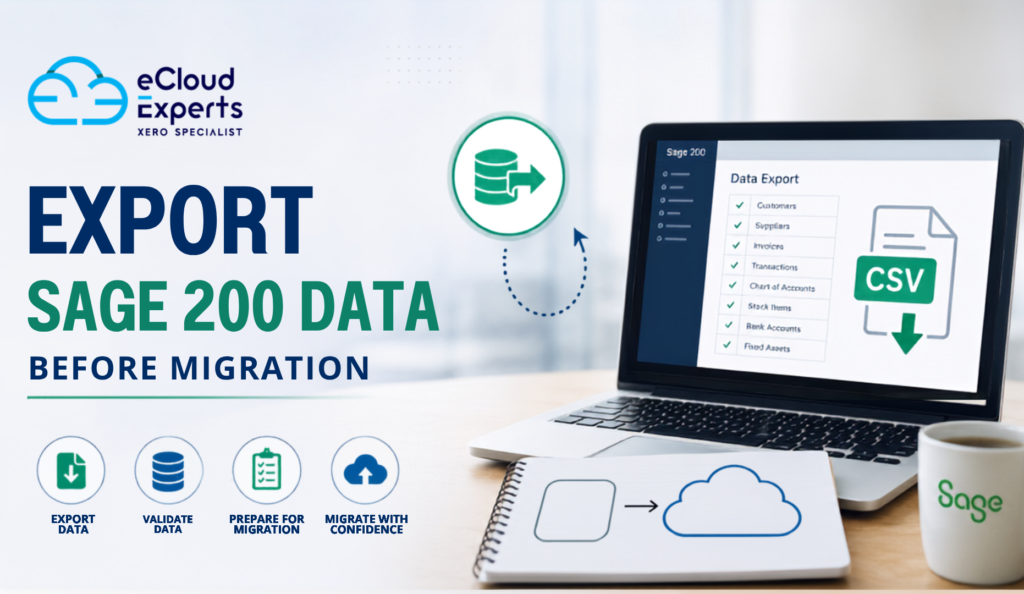
Migrating from Sage 200 to a modern cloud accounting system is a significant step for any business. Whether you are moving to Xero, QuickBooks Online, or another accounting platform, the quality of your migration depends largely on the quality of the data you transfer. Before any migration can begin, you need to export your Sage 200 data correctly. This process involves much more than downloading a few reports. You must identify which records need to be moved, ensure the data is accurate, and verify that your financial information is complete before importing it into your new system. An incomplete or inaccurate export can result in missing transactions, incorrect opening balances, reporting issues, and unnecessary delays. By taking the time to prepare your data properly, you can reduce migration risks and make the transition much smoother. This guide explains everything you need to know about exporting Sage 200 data before migration, including what to export, how to prepare your records, common mistakes to avoid, and why working with experienced migration specialists can save both time and money. Why Exporting Sage 200 Data Is an Essential Step Every accounting migration begins with data. If the information leaving Sage 200 is incomplete or inaccurate, those same issues will appear in your new accounting software. Exporting your data correctly helps you: A well prepared export provides a solid foundation for your new accounting system and helps ensure the migration is completed successfully. Why Businesses Migrate from Sage 200 Many businesses decide to move away from Sage 200 because their accounting needs have changed. Cloud accounting platforms often provide greater flexibility, easier collaboration, and lower ongoing maintenance costs. Common reasons include: Whatever the reason for migrating, exporting your data correctly is one of the most important parts of the project. When Is the Best Time to Export Sage 200 Data? Timing plays an important role in any migration. Many businesses choose to export their data: Choosing the right time helps minimise disruption and makes financial verification much easier. Prepare Your Sage 200 Data Before Exporting Before creating any export files, spend time reviewing your existing records. Preparation often includes: Remove Duplicate Records Duplicate customers, suppliers, and products can create unnecessary confusion after migration. Review your database carefully and merge or remove duplicates wherever possible. Archive Old Records Inactive customers, discontinued products, and old suppliers may no longer be required. Removing unnecessary information reduces migration complexity and improves system performance. Complete Bank Reconciliations Every bank account should be fully reconciled before exporting. This ensures opening balances match your bank statements after migration. Check Outstanding Transactions Review: Resolving these items beforehand reduces reconciliation work later. Review VAT Records Ensure: This helps maintain accurate tax reporting after migration. What Data Should You Export from Sage 200? A professional migration normally includes several categories of financial and operational data. Chart of Accounts The chart of accounts provides the structure for your financial reporting. Export includes: Customer Information Customer records preserve your sales history and receivables. Typical exports include: Supplier Information Supplier records are equally important. Export includes: Sales Transactions Depending on the migration scope, businesses may export: Purchase Transactions These include: Bank Accounts Exporting bank information helps ensure reconciliation remains accurate. Data may include: VAT Information For UK businesses, VAT is one of the most important areas. Export typically includes: Inventory Inventory businesses usually migrate: Fixed Assets Where applicable, export: Historical Transactions Businesses generally choose one of three options: Your migration specialist can recommend the most suitable approach. How to Export Sage 200 Data Although menu options may vary slightly depending on your Sage 200 version, the overall workflow is similar. Step 1: Back Up Your Sage 200 Database Before exporting anything, create a complete backup of your Sage 200 system. This provides a recovery point if unexpected issues occur. Step 2: Decide What Will Be Migrated Not every business needs every record. Your migration plan should define: Step 3: Generate Export Files Use Sage 200 reporting tools or export utilities to create: These formats can normally be imported into cloud accounting software after appropriate mapping. Step 4: Review the Export Files Check for: Step 5: Validate Financial Reports Before migration begins, compare exported data against Sage reports. Verify: Everything should match before importing into the new system. Common Mistakes When Exporting Sage 200 Data Even experienced users can overlook important details. Exporting Without Cleaning Data Poor quality data leads to poor quality migrations. Always clean your records first. Forgetting Historical Data Businesses sometimes export only current balances, only to realise later they need historical reporting. Plan your reporting requirements in advance. Ignoring Data Validation Always compare exported reports against Sage before migration begins. Incorrect File Formatting Changes to CSV formatting can cause import failures. Avoid editing exported files unless necessary. Missing Custom Fields Some businesses use custom fields that require separate mapping. Review these before migration. Best Practices for Exporting Sage 200 Data Following best practices can significantly improve migration success. These simple steps reduce risk and help ensure a smooth transition. Benefits of Professional Migration Support Although exporting data yourself is possible, professional migration specialists bring valuable experience. They can: This expertise helps reduce downtime and improves confidence throughout the migration. Why Choose eCloud Experts? Migrating accounting systems requires careful planning, technical expertise, and financial accuracy. At eCloud Experts, we have helped businesses across the UK and internationally move from Sage 200 to modern cloud accounting platforms. Our migration service includes: We work closely with every client to ensure their financial data is transferred accurately, allowing them to move to their new accounting system with confidence. Frequently Asked Questions Can I export all my Sage 200 data? Yes. Sage 200 allows you to export financial records, customer and supplier data, invoices, bank transactions, VAT information, inventory, and many other types of business data, depending on your version and configuration. Which export format is best for migration? CSV is the most commonly used format because it is compatible with many accounting systems and migration tools. Excel and
What Brazil’s Attacking Football Can Teach Businesses About Sustainable Growth

“Football is joy.” That’s how many people describe Brazil’s style of play. For decades, Brazil has inspired millions with a philosophy built on creativity, confidence and fearless attacking football. Whether you think of Pelé lifting the Jules Rimet Trophy, Ronaldo Nazário dazzling defenders, Ronaldinho playing with a smile, Kaká gliding through midfield, Neymar producing moments of magic or Vinícius Júnior electrifying the world’s biggest stages, one thing has always remained the same. Brazil doesn’t simply play football. Brazil creates an identity. That identity has delivered five FIFA World Cup titles, produced some of the greatest players in history and inspired generations of football fans around the globe. But here’s something many people overlook. Brazil’s success has never been built on talent alone. Behind every breathtaking goal is meticulous preparation. Behind every famous victory are years of coaching, analysis, discipline and continuous improvement. That’s exactly how successful businesses grow. Many organisations believe growth comes from winning more customers. In reality, sustainable growth comes from building stronger foundations. More sales without stronger systems often lead to more problems. Just as Brazil builds attacks from a solid defensive structure, successful businesses build growth on reliable financial systems. At eCloud Experts, we’ve seen this first-hand. Businesses that invest in modern Cloud Accounting, Finance Transformation and Accounting Software Migration consistently outperform those relying on outdated accounting software, disconnected spreadsheets and manual processes. Technology alone doesn’t create success. The right systems, supported by the right people, do. Brazil Doesn’t Attack Without a Plan To many football supporters, Brazil’s football appears completely natural. A quick passing move. An unexpected dribble. A perfectly timed through ball. A spectacular finish. It looks effortless. But anyone who has played football knows those moments don’t happen by accident. They’re the result of thousands of hours of preparation. Every player understands where they should be. Every movement has a purpose. Business growth follows exactly the same principle. Many companies focus heavily on sales and marketing but neglect the finance systems supporting the business. Initially, growth feels exciting. Revenue increases. New customers arrive. Operations expand. Then problems begin to appear. Growth without strong financial foundations creates unnecessary pressure. That’s why businesses should invest in scalable Cloud Accounting Solutions before growth becomes difficult to manage. Lessons From Brazil’s Greatest Players Every generation has produced Brazilian legends. Pelé demonstrated vision and leadership. Zico showed technical excellence. Ronaldo Nazário combined intelligence with incredible finishing ability. Ronaldinho proved creativity could change games. Kaká inspired through elegance and consistency. Neymar brought flair to a new generation. Today, Vinícius Júnior continues Brazil’s tradition of fearless attacking football. Although every player has a different style, they all share several characteristics. The same characteristics define successful businesses. Markets evolve. Technology changes. Customer expectations increase. Businesses that refuse to adapt eventually fall behind. Those willing to innovate continue growing. Finance leaders should adopt the same mindset. Modern accounting isn’t simply about recording transactions. It’s about creating information that helps leaders make better decisions through accurate Management Reporting and meaningful financial insights. Preparation Creates Confidence Watch Brazil play in a major tournament. Their players rarely panic in possession. Why? Because preparation builds confidence. When you’ve practised something thousands of times, decision-making becomes faster. Businesses experience exactly the same benefit. Companies with accurate financial reporting don’t guess. They know. They know their profitability. They know their cash position. They know which departments are performing well. They know where improvements are needed. Confidence comes from reliable information. Without it, every major decision carries greater risk. That’s one of the biggest reasons organisations invest in Finance Transformation projects—to replace uncertainty with confidence. Growth Is More Than Increasing Revenue Many people define growth as higher sales. That’s only part of the story. Real business growth means: Revenue without financial control isn’t sustainable. Brazil understands this in football. Beautiful attacking football only succeeds because every player understands their responsibilities. Business works exactly the same way. Sales. Operations. Finance. Marketing. Customer service. Leadership. Every department must work together. When finance provides accurate, real-time information, every other team performs better. That’s why finance should never be viewed as a back-office function. It should be viewed as one of the most important competitive advantages a business can have. At eCloud Experts, we help businesses unlock that advantage through Finance Transformation, Cloud Accounting and Accounting Software Migration. Every World-Class Team Uses Data Football has changed dramatically over the last two decades. While Brazil will always be known for its flair and attacking football, today’s success is driven by far more than individual brilliance. Modern football is powered by data. Every sprint is tracked. Every pass is analysed. Every shot is measured. Every player’s workload is monitored to reduce injuries and maximise performance. Managers and coaching staff use advanced analytics to identify strengths, expose weaknesses and make better tactical decisions. The world’s biggest clubs and international teams invest millions in performance analysis because they understand one simple truth: Better information leads to better decisions. Business leaders should adopt exactly the same philosophy. Instead of relying on assumptions, organisations should rely on accurate financial information to guide every important decision. That’s why businesses increasingly invest in Finance Transformation—giving leadership teams access to reliable data instead of outdated reports. From Match Statistics to Financial Reporting Imagine Brazil’s coaching staff preparing for a World Cup match without knowing: It would be almost impossible to compete against the world’s best teams. Now consider your own business. Could you answer these questions today? If those answers aren’t immediately available, your business could be making important decisions with incomplete information. Modern Management Reporting provides the visibility every leadership team needs to make confident decisions. Technology Wins Championships Brazil has always embraced innovation. Today’s players train using GPS technology, video analysis, sports science and AI-driven performance insights. Technology hasn’t replaced coaching. It has made coaching more effective. The same applies to finance. Modern organisations are replacing manual processes with intelligent automation, allowing finance professionals to spend less time entering data and more time delivering valuable business insights. Cloud technology
Sage 200 Migration Cost: What UK Businesses Should Expect in 2026
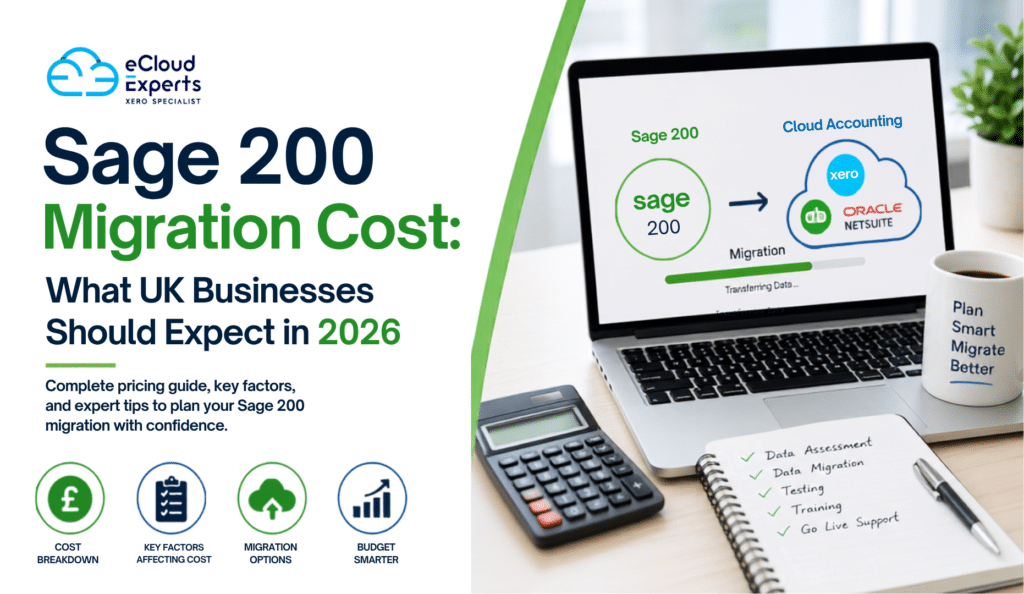
Many UK businesses are reviewing their accounting systems in 2026. Rising software costs, changing business needs, and the demand for better cloud access are encouraging companies to move away from older systems and adopt modern accounting platforms. The answer depends on several factors, including the size of your business, the complexity of your data, and the accounting platform you are moving to. While some migrations can be completed for a few thousand pounds, larger projects involving multiple departments, integrations, and years of historical data can require a more significant investment. Understanding Sage 200 migration cost before starting a project helps businesses budget effectively, avoid surprises, and choose the right migration partner. In this guide, we will explore the factors that influence Sage 200 migration cost, typical price ranges in the UK, hidden expenses to consider, and practical ways to reduce costs while ensuring a successful migration. Thinking about moving from Sage 200? Understanding the true Sage 200 migration cost is the first step toward a successful transition. Get a tailored migration estimate from eCloud Experts and discover how much your business could save with the right cloud accounting solution. Why UK Businesses Are Moving Away from Sage 200 Sage 200 has served businesses well for many years. It offers strong accounting functionality and business management tools. However, the business software landscape has changed significantly. Many companies now prefer cloud accounting platforms because they provide greater flexibility and accessibility. Common reasons businesses move away from Sage 200 include: As businesses explore cloud alternatives, researching Sage 200 migration cost becomes an important part of the decision making process. What Is a Sage 200 Migration? A Sage 200 migration involves transferring financial and operational data from Sage 200 to another accounting or ERP system. Depending on business requirements, this may include: A professional migration also includes planning, validation, testing, and support to ensure data accuracy. Understanding what is included helps businesses evaluate the true Sage 200 migration cost rather than comparing quotes based only on data transfer. Average Sage 200 Migration Cost in 2026 Every project is unique, but most UK businesses fall into one of three categories. Basic Migration Typical cost: £1,500 to £3,500 Usually includes: This option is often suitable for small businesses with straightforward accounting requirements. Standard Migration Typical cost: £3,500 to £8,000 Usually includes: Many growing businesses fall into this category. Advanced Migration Typical cost: £8,000 to £20,000 or more Usually includes: These projects often involve larger organizations with sophisticated accounting processes. The Biggest Factors Affecting Sage 200 Migration Cost Not all migrations are created equal. Several key factors directly influence pricing. Volume of Historical Data One of the largest drivers of Sage 200 migration cost is the amount of historical data being transferred. For example: The more historical data you need, the more time migration specialists must spend extracting, cleaning, validating, and importing records. Transaction Complexity Businesses with thousands of transactions generally face higher migration costs. Complex transactions may include: Each additional layer of complexity increases project effort and affects overall Sage 200 migration cost. Chart of Accounts Structure Many Sage 200 users have customized charts of accounts over the years. Migration specialists must: A complicated account structure can significantly increase migration time. Inventory Requirements Inventory migration often requires additional work. Businesses may need to migrate: Companies with large inventories should expect inventory requirements to increase Sage 200 migration cost. Number of Users Larger teams often require: These additional services contribute to the overall project budget. How Integrations Affect Cost Many businesses use Sage 200 alongside other software. Common integrations include: When migrating to a new platform, these integrations may need to be rebuilt or reconfigured. This often represents a significant portion of total Sage 200 migration cost. For some businesses, integration work can cost as much as the migration itself. Sage 200 to Xero Migration Cost Xero remains one of the most popular destinations for Sage 200 users. Businesses are attracted by: Typical pricing includes: Business Size Typical Cost Small Business £1,500 to £4,000 Medium Business £4,000 to £8,000 Complex Business £8,000 to £15,000+ The final Sage 200 migration cost depends on data volume and customization requirements. Sage 200 to QuickBooks Online Migration Cost QuickBooks Online is another popular option. Businesses often choose it because of: Typical migration costs include: Again, the exact Sage 200 migration cost depends on project scope. Sage 200 to NetSuite Migration Cost Some organizations require a more advanced ERP solution. NetSuite offers: Because implementations are more extensive, costs are generally higher. Typical ranges include: Businesses should view these projects as strategic investments rather than simple software migrations. Hidden Costs Businesses Often Miss When estimating Sage 200 migration cost, many businesses focus only on migration fees. However, several additional costs may arise. Staff Training Employees need time to learn the new system. Training costs may include: Without training, users may struggle to adopt the new platform effectively. Data Cleanup Many Sage 200 systems contain outdated information. Examples include: Cleaning this data improves migration quality but can add additional costs. Custom Reports Custom reports rarely transfer automatically. Businesses may need to recreate: This work can increase overall Sage 200 migration cost. Downtime Planning Some migrations require planned downtime. Businesses may need to allocate resources to: Proper planning helps reduce disruption. How to Reduce Sage 200 Migration Cost The good news is that businesses can take several steps to control migration expenses. Remove Unnecessary Data Not every record needs to be migrated. Removing unnecessary data reduces project complexity. Focus on: Define Clear Objectives Many migration projects become expensive because requirements change during implementation. Create a detailed migration plan before work begins. Identify: A clear scope helps control Sage 200 migration cost. Archive Historical Data Some businesses choose to archive older records instead of migrating everything. This approach often reduces costs significantly. Choose an Experienced Migration Partner Experienced specialists can identify issues early and avoid costly mistakes. While their fees may be higher initially, they often save money overall through efficiency and accuracy. Why the
Why Small and Mid Sized Businesses Choose Xero Over Traditional ERP Systems
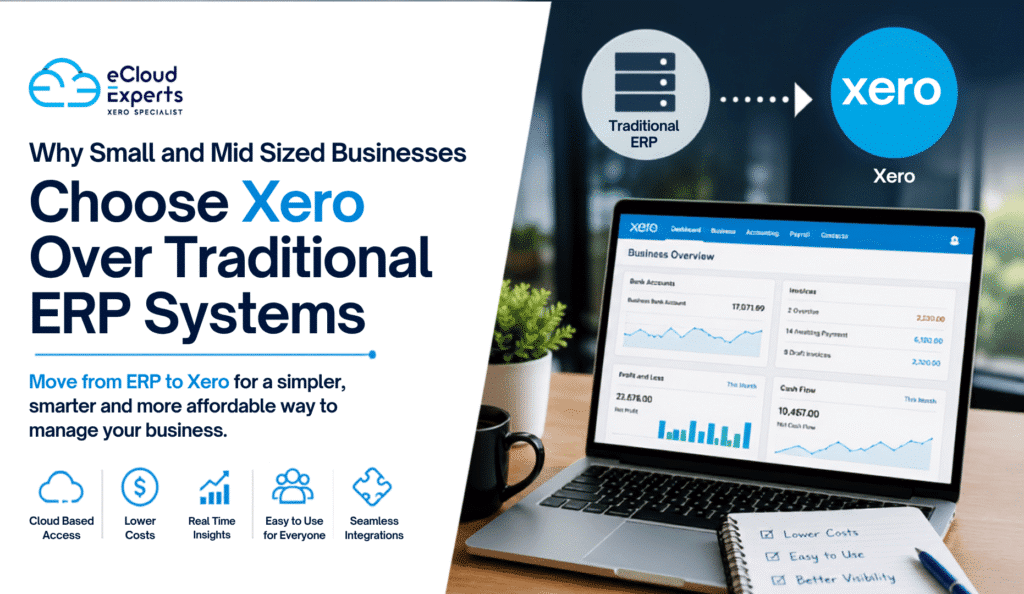
Running a business today is very different from how it was ten years ago. Companies need real time financial information, remote access, faster reporting, and systems that support growth without creating unnecessary complexity. For many small and mid sized businesses, traditional ERP systems once seemed like the obvious choice. They offered extensive functionality and enterprise level features. However, as technology has evolved, many businesses have started questioning whether they truly need large, expensive ERP platforms. As a result, more organizations are deciding to move from ERP to Xero. They are discovering that cloud accounting software can provide the tools they need without the high costs, long implementation times, and complicated processes associated with traditional ERP systems. In this guide, we will explore why businesses are making the decision to move from ERP to Xero, what benefits they gain, and how a successful migration can support future growth. Understanding Traditional ERP Systems Enterprise Resource Planning systems, commonly known as ERP systems, are designed to manage multiple business functions within a single platform. These systems often include: Popular ERP platforms include: While these systems offer powerful functionality, they can also become expensive and difficult to manage, especially for growing small and mid sized businesses. Why Businesses Decide to Move from ERP to Xero Many business owners initially invest in ERP software because they expect it to support future growth. However, after several years, they often discover that: This is where the decision to move from ERP to Xero begins to make sense. Rather than paying for features they rarely use, businesses can focus on a simpler, cloud based solution that delivers what they actually need. Lower Software Costs One of the biggest reasons companies choose to move from ERP to Xero is cost reduction. Traditional ERP systems often involve: These expenses can quickly add up. Xero operates on a subscription model that offers predictable monthly pricing. Businesses know exactly what they are paying each month without worrying about large upgrade bills or infrastructure costs. For many companies, the savings achieved after they move from ERP to Xero can be substantial. Easier to Use Many ERP systems were designed for large organizations with dedicated finance departments. As a result, they often include: For smaller businesses, this complexity can create frustration. Xero focuses on simplicity. Its clean interface allows users to: without extensive training. This ease of use is a major reason businesses continue to move from ERP to Xero. Faster Access to Financial Information Business owners need accurate financial information quickly. Traditional ERP systems can sometimes require: Xero provides real time dashboards that display: This immediate visibility helps management make faster decisions. Companies that move from ERP to Xero often report significant improvements in financial transparency. Cloud Based Accessibility The modern workforce is increasingly mobile. Employees work from: Traditional ERP systems may require: Xero is fully cloud based. Users can securely access financial data from virtually anywhere with an internet connection. This flexibility is another reason organizations choose to move from ERP to Xero. Reduced IT Requirements Maintaining ERP infrastructure can become a significant burden. Businesses may need: With Xero, these responsibilities are greatly reduced. The platform handles: As a result, companies that move from ERP to Xero often reduce both IT costs and administrative workload. Faster Implementation ERP implementations can take months or even years. Common challenges include: In contrast, Xero deployments are generally much faster. After businesses move from ERP to Xero, they can often begin using the platform within weeks rather than months. This faster implementation allows organizations to focus on running their business rather than managing software projects. Better Integration with Modern Business Apps Today’s businesses rely on specialized software for different functions. Examples include: Xero integrates with hundreds of business applications. Popular integrations include: Businesses that move from ERP to Xero often discover that these integrations improve efficiency and reduce manual work. Improved Collaboration with Accountants Accountants and bookkeepers increasingly prefer cloud based systems. Traditional ERP environments can create challenges when external advisors need access. With Xero: This improved collaboration is another factor encouraging businesses to move from ERP to Xero. Scalability Without Complexity Many organizations worry that moving away from ERP systems may limit growth. In reality, Xero supports thousands of growing businesses worldwide. As businesses expand, they can add: This allows companies to scale without maintaining an overly complex ERP environment. That is why many growing organizations continue to move from ERP to Xero even as revenue increases. Better User Adoption A software system only delivers value if employees actually use it. ERP platforms often suffer from: Xero’s intuitive design helps employees become productive more quickly. Higher adoption rates mean businesses gain greater value from their accounting software investment. This is another practical reason businesses decide to move from ERP to Xero. Common ERP Systems Businesses Replace with Xero Organizations frequently migrate from: NetSuite to Xero Companies seeking lower costs and simpler accounting workflows often move away from NetSuite. Sage ERP to Xero Many businesses want a modern cloud platform with easier access and reporting. Microsoft Dynamics to Xero Smaller organizations sometimes find Dynamics more complex than necessary for their needs. Acumatica to Xero Businesses looking to simplify operations often choose Xero as a more user friendly alternative. SAP Business One to Xero Growing companies may decide that SAP’s extensive functionality exceeds their current requirements. Key Considerations Before You Move from ERP to Xero Before starting a migration project, businesses should evaluate: Historical Data Requirements Determine how many years of data need to be migrated. Chart of Accounts Structure Review account codes and reporting requirements. Customer and Supplier Records Ensure contact information is clean and accurate. Open Transactions Identify outstanding invoices, bills, and balances. Reporting Needs Confirm that required reports can be recreated within Xero. Integration Requirements Review all connected applications before migration. Proper planning helps ensure a successful transition. How eCloud Experts Helps Businesses Move from ERP to Xero At eCloud Experts, we help businesses safely move from ERP to Xero with minimal disruption.