You might already be using QuickBooks. Or maybe you are just getting started and trying to choose the right version.
Either way, you are facing a common problem.
You are stuck between QuickBooks Online vs Desktop, and the differences are not always easy to understand at first.
At a glance, they look similar. They both handle invoices, expenses, reports, and day to day accounting. But once you start using them, the experience is very different.
One gives you flexibility and access from anywhere.
The other gives you more control and deeper features on a local system.
That is where the confusion begins.
Many business owners pick one without fully understanding how it will affect their daily work. Then a few months later, they run into problems like limited access, missing features, or tools that do not connect properly.
And fixing that later is not always simple.
It can mean redoing your setup, cleaning up data, or even migrating your entire system.
That is why this decision matters more than it seems.
Choosing between QuickBooks Online vs Desktop is not just about software. It is about how you manage your business finances every day.
- How easily you can access your data
- How your team or accountant works with you
- How your system grows as your business grows
- How much time you spend on manual work
Get it right, and your accounting becomes smoother and easier to manage.
Get it wrong, and it can slow you down without you even noticing at first.
So in this guide, we will break down QuickBooks Online vs Desktop in a clear and practical way.
No technical jargon. No complicated explanations.
Just simple insights so you can confidently choose the version that actually fits your business today and in the future.
Quick Overview of QuickBooks Online vs Desktop
Before we go deeper, let’s simplify this in the easiest way possible.
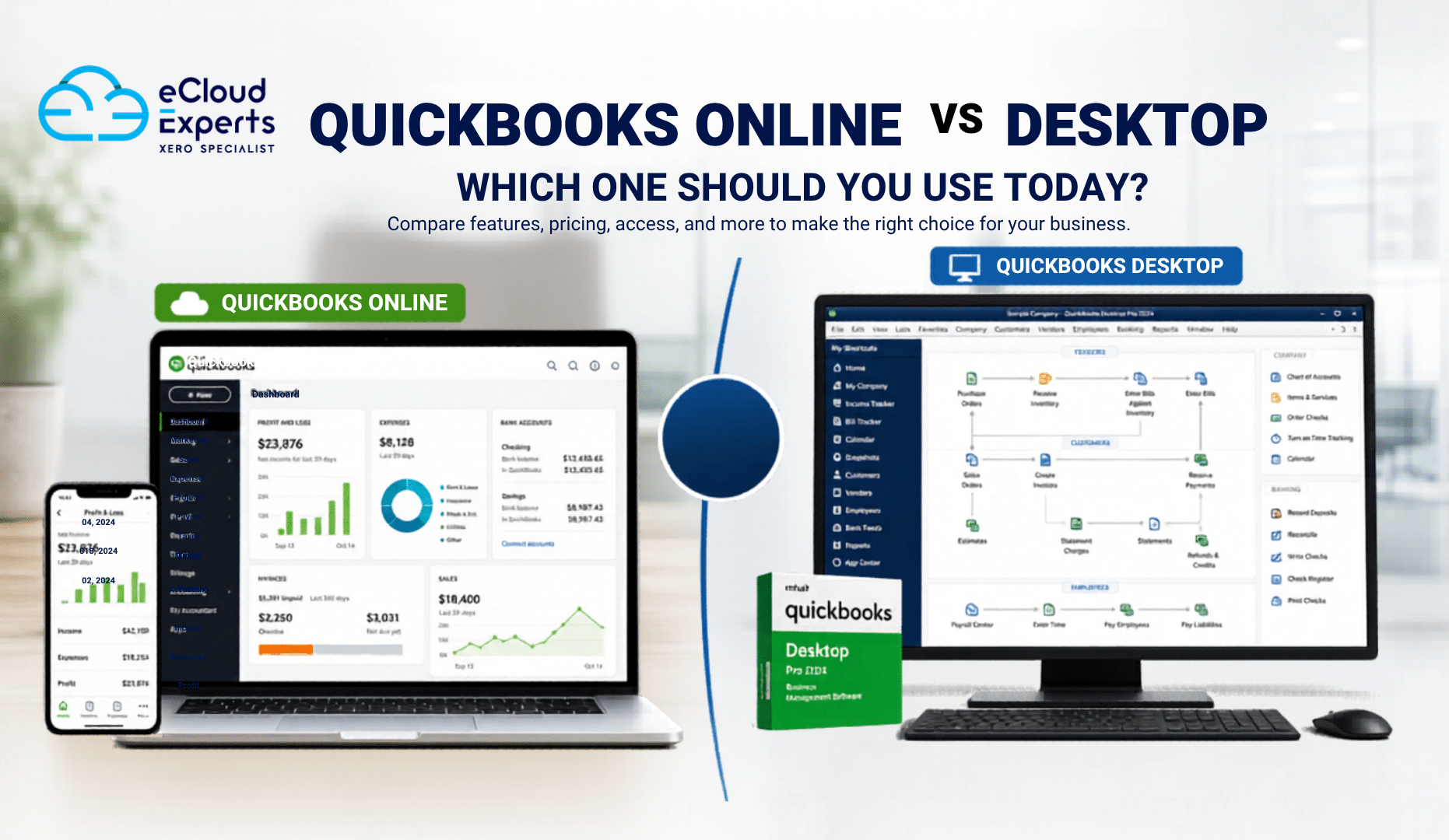
At the core, the difference between QuickBooks Online vs Desktop comes down to how and where you use the software.
- QuickBooks Online runs in your browser. You log in using the internet and access your accounts from anywhere
- QuickBooks Desktop is installed on a specific computer. Your data is stored locally on that system
That one difference may sound small, but it changes how you work every single day.
With QuickBooks Online, your business is not tied to one place. You can check reports, send invoices, or review expenses whether you are in the office, at home, or on the move.
With QuickBooks Desktop, everything stays on one machine unless you set up hosting or remote access. This gives you more control, but less flexibility.
So when comparing QuickBooks Online vs Desktop, you are really deciding how you want to run your business operations.
- Do you want freedom and accessibility so you can work from anywhere
- Or do you prefer full control on a local system with more advanced features
There is no one size fits all answer here.
What matters is how your business works today and how you expect it to grow over time.
As we go further, you will see how this core difference affects everything from pricing and features to teamwork and long term scalability.
Key Differences Between QuickBooks Online vs Desktop
Instead of guessing, let’s break it down clearly.
| Feature | QuickBooks Online | QuickBooks Desktop |
| Access | Anywhere with internet | One computer or hosted setup |
| Setup | Quick and simple | More technical setup |
| Updates | Automatic | Manual updates |
| Backup | Cloud based automatic | Manual or paid backup |
| Users | Easy multi user access | Limited and costly |
| Speed | Depends on internet | Faster locally |
| Integrations | Strong ecosystem | Limited options |
| Reporting | Standard reports | Advanced customization |
| Security | Cloud level security | Depends on local system |
This table explains most of the QuickBooks Online vs Desktop confusion.
QuickBooks Online Benefits
Now let’s talk about why so many businesses are switching.
Access anytime, anywhere
This is the biggest advantage.
You can check your accounts from your office, home, or even your phone.
For business owners who travel or manage remote teams, this is a game changer.
Real time collaboration
Your accountant does not need files.
They log in and see everything instantly.
This removes delays, confusion, and version issues.
Automatic backups
If your laptop crashes, your data is still safe.
No manual backup. No panic.
App integrations
You can connect tools like:
- Shopify
- PayPal
- Stripe
- CRM systems
This reduces manual work.
Always up to date
You never worry about updates.
New features appear automatically.
When comparing QuickBooks Online vs Desktop, these benefits clearly show why Online fits modern businesses better.
QuickBooks Desktop Features and Strengths
Now let’s be fair. Desktop still has strong advantages.
Advanced reporting
If you need detailed reports with custom filters, Desktop does more.
This matters for businesses with complex finances.
Industry specific versions
Desktop offers tailored solutions like:
- Construction
- Manufacturing
- Wholesale
These include features that Online may not fully match.
Inventory management
Desktop handles inventory better.
You get deeper tracking and more control.
Offline access
No internet? No problem.
You can still work on your system.
Performance speed
Desktop can feel faster because it runs locally.
So in the QuickBooks Online vs Desktop comparison, Desktop is still powerful for certain use cases.
QuickBooks Online vs Desktop Pricing Comparison
Now let’s talk about money. This often decides everything.
QuickBooks Online pricing
- Monthly subscription
- Different plans based on features
- Includes updates and backups
Good for cash flow since you pay gradually.
QuickBooks Desktop pricing
- Higher upfront cost
- Annual renewal for latest versions
- Extra cost for support and hosting
Looks cheaper at first, but costs can add up.
When comparing QuickBooks Online vs Desktop, Online is predictable, while Desktop can have hidden costs.
Real World Example to Make It Clear
Let’s make this simple.
Case 1 Small business owner
Runs an online store. Works from different locations.
Best choice: QuickBooks Online
Why:
- Needs remote access
- Uses ecommerce tools
- Works with a remote accountant
Case 2 Manufacturing company
Handles complex inventory and costing.
Best choice: QuickBooks Desktop
Why:
- Needs advanced inventory tracking
- Requires detailed reporting
This is how you should think about QuickBooks Online vs Desktop in real life.
Which One Is Better for Your Business
Let’s break it down further.
Choose QuickBooks Online if:
- You want flexibility
- You work remotely
- You use multiple apps
- You want automation
Choose QuickBooks Desktop if:
- You need advanced reports
- You manage complex inventory
- You prefer offline control
For most businesses today, QuickBooks Online vs Desktop is no longer a close fight. Online is leading.
Is QuickBooks Desktop Being Phased Out
Let’s be honest here. This is one of the biggest concerns people have when comparing QuickBooks Online vs Desktop.
QuickBooks Desktop is not fully gone. You can still buy and use it. Many businesses still rely on it every day.
But the direction from Intuit is very clear.
They are focusing more on QuickBooks Online.
Over the past few years, most new features, updates, and improvements have been released in the Online version first. Desktop updates are slower and mostly focused on maintenance rather than innovation.
In fact, Intuit has already made some big changes:
- Certain older Desktop versions are no longer supported
- New sales of some Desktop products have been limited in specific regions
- More users are being encouraged to move to subscription based Desktop plans
- Strong push towards cloud based solutions like QuickBooks Online
This does not mean Desktop will disappear overnight.
But it does mean one thing.
It is no longer the main focus.
When you compare QuickBooks Online vs Desktop, you are not just choosing based on features today. You are also choosing based on where the software is heading in the future.
If you plan to grow your business, adopt new tools, or work more flexibly, this shift matters.
Choosing a platform that continues to evolve can save you from switching again later.
So while QuickBooks Desktop is still useful today, QuickBooks Online is clearly where things are moving.
When Should You Switch from Desktop to Online
This is where many businesses hesitate.
But here are clear signs you should move.
- You struggle with remote access
- You rely on emailing files
- Your team is growing
- You want automation
- You use third party tools
If you tick even two or three of these, switching makes sense.
Challenges When Moving from Desktop to Online
Let’s not pretend it is always easy.
There are challenges like:
- Data migration errors
- Missing historical data
- Setup issues
- Chart of accounts mismatch
This is why many businesses get stuck.
And this is where expert help matters.
Common Mistakes When Choosing Between QuickBooks Online vs Desktop
Here are mistakes that cost businesses time and money.
Choosing based on price only
Cheap today can be expensive tomorrow.
Ignoring future needs
Your business will grow. Your software should support that.
Not understanding features
Many people choose without knowing what they actually need.
DIY migration without experience
This often leads to messy books.
Avoid these mistakes when deciding QuickBooks Online vs Desktop.
Final Verdict QuickBooks Online vs Desktop
Let’s keep it simple.
- QuickBooks Online wins for flexibility, ease, and modern business needs
- QuickBooks Desktop wins for complexity and deep control
But the trend is clear.
More businesses are moving to Online every year.
So if you are thinking long term, Online is usually the smarter choice.
Need Help Moving to QuickBooks Online
Switching systems is not just clicking a button.
It involves:
- Data transfer
- Accuracy checks
- System setup
- Testing
One small mistake can create big problems later.
At eCloud Experts, we help businesses move from Desktop to Online safely and correctly.
We make sure:
- Your data is accurate
- Nothing is lost
- Your system is ready to use
If you are still unsure about QuickBooks Online vs Desktop, we can guide you based on your business needs.