
Migrating from Sage Intacct to QuickBooks Online Advanced: A Simplified Global Accounting Experience
Sage Intacct is known for its advanced features and detailed reporting tools. Many global businesses adopt it early on, expecting long-term control and flexibility. But as operations grow, Sage Intacct can begin to feel more like a barrier than a solution. Teams face delays in reporting, increasing costs, and complicated interfaces that slow everything down. This is why more companies are choosing a Sage Intacct to QuickBooks Online Advanced migration. QuickBooks Advanced gives growing businesses a simpler way to handle global accounting, without losing the tools that matter most. QuickBooks Online Advanced is designed with real teams in mind. It offers multi-entity support, strong user permissions, and real-time collaboration across locations. Unlike Sage Intacct, it doesn’t require constant support or lengthy training. Your finance team can take control of the platform without depending on IT. Reporting in QuickBooks is fast, clear, and easy to customize. You can monitor performance across different regions or departments in just a few clicks. And with class and location tracking, audit logs, and integrated automation, you’re covered from day one. If you’re planning to migrate from Sage Intacct, you’re likely looking for something that saves time and improves visibility. This blog will help you decide if QuickBooks Online Advanced is the right fit. We’ll explain: A successful Sage Intacct to QuickBooks Online Advanced migration isn’t just about moving systems it’s about building a better way to manage your business. And we’re here to help make that happen. Why Many Global Companies Are Leaving Sage Intacct Sage Intacct has served thousands of businesses over the years, but it’s not the right fit for every growing company. In fact, many finance teams now say the software slows them down. Instead of helping teams work faster, it creates extra steps and complications. One of the most common concerns is cost. From licensing to user limits and add-ons, the total price often surprises business owners. You may start with one cost, but over time, it grows without clear value. Another issue is complexity. Sage Intacct’s menus, permissions, and reporting tools take time to learn. For smaller or mid-sized global teams, it often feels like using an ERP system that was built for much larger enterprises. Reporting can also be a pain point. Many businesses say they need IT or external help just to build the reports they need. That slows decision-making and adds to overhead. Integrations are another challenge. While Sage Intacct does connect with some third-party tools, setup often requires technical help. For companies that use tools like Shopify, Dext, or Wise, this can create delays and errors. If these problems sound familiar, a Sage Intacct to QuickBooks Online Advanced migration could be your next move. More teams are looking for Sage Intacct alternatives that are faster to use, easier to manage, and better suited to their business model. Choosing the right system isn’t just about features. It’s about how much time, money, and energy your team spends to get results. That’s why many companies are now planning their own Sage Intacct to QuickBooks Online Advanced migration — and seeing real improvements. What Makes QuickBooks Online Advanced a Better Fit When growing businesses decide to leave Sage Intacct, they often want more control, not more complexity. That’s where QuickBooks Online Advanced makes a difference. It gives teams the power to manage finances across countries, currencies, and locations—without the heavy setup or support Sage Intacct often requires. One of the biggest advantages is usability. The layout is clean, and most tasks can be handled by in-house teams without outside help. From running reports to adjusting user roles, it’s designed to save time. QuickBooks also supports multi-entity and multi-currency needs out of the box. For companies with teams across regions, this is key. That’s why more teams are considering a Sage Intacct to QuickBooks Online Advanced migration as a step toward faster, simpler operations. The platform also improves visibility. With smart dashboards, role-based access, and live data, finance teams can track performance across departments in minutes—not hours. No waiting on IT, no complex exports. It connects easily with tools like Dext, Wise, Gusto, and Shopify. This reduces manual entry, cuts down on errors, and keeps your systems in sync. If you’re managing international finances, you’ll want software that adjusts as you grow. QuickBooks Online Advanced for global businesses offers that flexibility and more. That’s why many finance leaders now view a Sage Intacct to QuickBooks Online Advanced migration as not just a system change, but a smart business move. It helps them cut costs, improve speed, and reduce stress. For any team that wants clearer data and better tools, a Sage Intacct to QuickBooks Online Advanced migration could be the right next step. Key Benefits of Migrating from Sage Intacct to QuickBooks Online Advanced A Sage Intacct to QuickBooks Online Advanced migration isn’t just about replacing one accounting system with another. It’s about choosing tools that make your finance work easier, faster, and more accurate. For many global businesses, QuickBooks delivers exactly that. One of the biggest advantages is cost. With QuickBooks Online Advanced, you only pay for what you use. There are no expensive modules, hidden charges, or extra fees for support. You get more value for your money—and fewer billing surprises. QuickBooks also improves team efficiency. Day-to-day tasks like invoicing, reconciliations, and approvals can be completed faster. This is thanks to built-in automation and a layout that’s easy to follow. You won’t need to spend weeks on training or rely on external help for small updates. A proper QuickBooks Advanced setup gives you better reporting tools. You can track performance by class, location, or department—without building custom reports from scratch. Plus, dashboards give you a clear snapshot of your financial health at any time. Security is stronger, too. You can limit access by role, log every action, and manage multiple users across different entities—all from one central login. This is ideal for finance teams spread across countries or departments. With the right partner, a Sage Intacct to
Why Migrate to QuickBooks Online in 2025: The Future of Cloud Accounting
Still relying on outdated desktop accounting software in 2025? You’re not alone but you might be falling behind. Many UK businesses are asking the same question right now: is it finally time to switch to the cloud? And if so, is QuickBooks Online the right fit? The shift to digital isn’t a trend anymore it’s a necessity. With rising demands for remote access, automation, real-time reporting, and Making Tax Digital (MTD) compliance, small businesses need more than spreadsheets and old-school tools. That’s where a QuickBooks Online migration in 2025 becomes more than a tech upgrade it’s a smart business move. In this guide, we’ll explore why so many UK companies are planning their QuickBooks Online migration 2025, what they gain from making the switch, and how to do it right. Whether you’re a sole trader or managing a growing team, this post will help you understand what’s ahead and how to prepare for it. The Digital Shift in UK Accounting Let’s face it UK accounting has changed faster in the last five years than in the last fifty. From Making Tax Digital to hybrid working, the push for smarter, faster financial systems is now the norm. Spreadsheets and desktop software are no longer enough. Businesses need tools that work from anywhere, update in real-time, and integrate with everything from bank feeds to eCommerce platforms. That’s exactly why the interest in QuickBooks Online migration 2025 is growing. It’s not just about moving data—it’s about moving forward with confidence. In 2025, over 60% of UK SMEs are expected to use cloud-based accounting platforms. Why? Because the benefits are hard to ignore: With the future of cloud accounting in the UK leaning heavily on flexibility and automation, staying on desktop software puts your business at a disadvantage. In fact, a growing number of firms are budgeting specifically for a QuickBooks Online migration 2025 as part of their digital strategy not just for compliance, but for long-term efficiency and growth. The bottom line? The tools you use to manage your finances should evolve just as fast as your business does. And in 2025, that evolution points directly to the cloud. What Makes QuickBooks Online Stand Out in 2025 Not all cloud software is created equal. And in 2025, QuickBooks Online continues to raise the bar. Whether you’re a startup, freelancer, or growing company, you need accounting tools that are fast, flexible, and built for real-time business. That’s why so many UK companies are prioritising a QuickBooks Online migration 2025 as part of their digital finance transformation. So, what’s driving this shift? 1. Remote Access from Anywhere QuickBooks Online runs in your browser or mobile app, giving you full access to your finances 24/7. Working from home or abroad? You’re never locked out of your books. 2. Built-In Automation Recurring invoices, auto-categorised expenses, smart reconciliation—manual tasks get handled in seconds. It’s no surprise that automation is a top reason for many businesses choosing QuickBooks Online migration 2025. 3. Real-Time Reports No more waiting for end-of-month summaries. QuickBooks Online gives you instant visibility into profit, cash flow, VAT liabilities, and more. 4. Easy Integration with 700+ Apps Whether you use Shopify, PayPal, Dext, or your CRM, QuickBooks connects your tools. This seamless integration is a game-changer for businesses that need one system, not ten. 5. HMRC & MTD-Ready QuickBooks Online is fully compliant with Making Tax Digital. That means less paperwork, faster submissions, and fewer surprises at tax time. It’s this rich feature set—paired with an intuitive interface—that makes QuickBooks Online migration 2025 a strategic decision, not just a tech upgrade. 8 Reasons to Migrate to QuickBooks Online in 2025 Is your accounting software helping your business grow—or holding it back? For many small business owners in the UK, 2025 is the year to reassess. Outdated desktop programs and disconnected tools no longer fit today’s fast-moving, tech-driven environment. That’s why more businesses are committing to a QuickBooks Online migration 2025 not just to modernise, but to unlock real improvements in time, accuracy, and control. Here are eight compelling reasons to consider making the switch this year: 1. Access Your Accounts Anywhere Work from the office, your home, or even abroad. QuickBooks Online is cloud-based, which means your books are always within reach. Remote teams? No problem. Many businesses planning a QuickBooks Online migration 2025 cite flexibility as their number one priority. 2. Automate Manual Tasks Recurring invoices, bank feeds, expense categorisation—QuickBooks Online handles these automatically. This frees up time and reduces costly errors. 3. Get Real-Time Financial Clarity No more chasing down spreadsheets or waiting for reports. You’ll always know your cash flow, profits, and VAT status—updated instantly. 4. Be Ready for Making Tax Digital QuickBooks Online is MTD-compliant and approved by HMRC. Tax submissions become easier, faster, and far less stressful. Compliance is one of the top reasons driving QuickBooks Online migration 2025 for UK SMEs. 5. Connect Your Favourite Tools Over 700 apps—from ecommerce to payroll work with QuickBooks Online. You can build a finance stack that fits your business, not the other way around. If app integration matters to you, a QuickBooks Online migration 2025 makes a lot of sense. 6. User-Friendly for Business Owners You don’t need to be an accountant. The dashboard is clear, and daily tasks are simple to complete. It’s ideal for business owners who want control without complexity. 7. Scale as You Grow QuickBooks Online grows with your business. Add users, assign roles, and collaborate with your accountant without needing extra tools or licenses. Scalability is often overlooked—but it’s one of the long-term benefits of a well-managed QuickBooks Online migration 2025. 8. Stay Ahead of the Curve Technology evolves fast. By completing your QuickBooks Online migration 2025, you ensure your accounting system is built for future changes—whether that’s new tax rules, digital reporting, or team growth. A move to the cloud isn’t just about features it’s about building a better foundation for your business. And in 2025, that foundation increasingly starts with QuickBooks Online. Comparing QuickBooks Online
Feature Face-Off: Xero vs Zoho Books for UAE Startups & SMEs
If you’re running a business in the UAE, you’ve probably heard of Xero and Zoho Books. Both are popular cloud accounting tools. But which one is right for your business? That’s the big question many startup founders and small business owners are asking in 2025. Choosing between Zoho Books vs Xero UAE isn’t just about features. It’s about finding the right fit for your business needs, your budget, and your long-term goals. Maybe you need better support for UAE VAT rules. Maybe your team works remotely and needs a simple dashboard. Or maybe you’re growing fast and need powerful tools to handle your numbers. This blog takes a close look at Zoho Books vs Xero UAE, based on what actually matters to businesses here. We’ll compare how they handle VAT, pricing, daily use, support, and more. You’ll get straight answers—no fluff, no tech speak. By the end, you’ll know which platform can help you manage your finances. You’ll also see how to stay compliant and grow confidently in the UAE. UAE VAT Compliance Getting Your Tax Right Matters If you’re running a business in the UAE, you already know how important VAT compliance is. Since VAT started in 2018, businesses need to keep accurate records. They must calculate taxes correctly and file returns with the Federal Tax Authority (FTA) on time. That’s why VAT features are a big deal when comparing Zoho Books vs Xero UAE. Let’s break it down. Zoho Books has a clear advantage here. It comes with built-in VAT support made for the UAE. You can set up VAT rates, tag transactions, and generate FTA-approved reports right from your account. It also creates the FTA Audit File, which is something you must submit during a tax review or audit. With Zoho Books, you don’t need extra tools to stay VAT-compliant in the UAE. Xero, on the other hand, doesn’t include full UAE VAT filing out of the box. It does help you track VAT on invoices, bills, and reports—but that’s not enough. To file VAT returns or generate an audit file, you’ll need to connect Xero to a third-party add-on that’s approved for UAE filing. That means extra setup steps, extra costs, and extra care to make sure everything works correctly. So when it comes to VAT, Zoho Books vs Xero UAE is not a close fight. Zoho Books wins for having everything built in and ready for local rules. That said, some UAE businesses still prefer Xero for other reasons—especially when they use outside help or have more complex needs. But if VAT compliance is your top priority and you want a simple solution, Zoho Books might be the better pick here. Pricing and Packages What Will It Cost You? When you’re running a small business or startup in the UAE, cost matters. You want software that does the job without burning a hole in your budget. That’s why price is a big factor when comparing Zoho Books vs Xero UAE. Let’s look at what you get and what you pay. Zoho Books offers a range of pricing plans, including a free version for very small businesses. If your business makes less than AED 187,500 in revenue, the free plan might be enough. Even the paid plans start low, and you can upgrade as your business grows. This is one of the reasons Zoho Books is so popular with UAE startups. Now let’s talk about Xero. Unlike Zoho, Xero doesn’t offer a free plan. But it does have strong features across all its paid plans. The lowest-tier plan works well for freelancers or businesses that don’t send many invoices. As you move up, you get more tools like bulk reconciling, project tracking, and multi-currency support. The challenge? In the Zoho Books vs Xero UAE battle, Xero’s pricing can look higher at first. But many UAE businesses still choose Xero because of its better integrations and ease of use. For some, that extra value is worth the higher cost. Also, remember that Zoho Books includes VAT features in all plans, while Xero may require a paid add-on for full VAT filing in the UAE. That can raise your total cost over time. So, which is more affordable? If you’re just starting and want to keep costs down, Zoho Books may be the smarter pick. But if you want a tool that grows with your business, Xero might be the better long-term choice. When comparing Zoho Books vs Xero UAE, think beyond the monthly fee. Consider what you need—now and in the future. Ease of Use Which One Feels Simpler Day to Day? You can have the best software in the world, but if it’s confusing to use, your team won’t use it well. That’s why ease of use is a huge part of this Zoho Books vs Xero UAE comparison. Let’s start with Xero. Many users love Xero for its clean, modern dashboard. When you log in, you’ll see your bank balances, cash flow charts, invoices, and bills everything you need in one place. It’s designed for non-accountants. Even if you’re new to bookkeeping, Xero makes it easy to understand what’s going on. The menus are simple. You can search for any page. And if you make a mistake, it’s easy to go back and fix it. That’s why many UAE business owners feel confident using Xero on their own or with a small team. Now, what about Zoho Books? It also has a neat interface, and the layout is quite user-friendly. But some people say it feels more “technical” at times. That’s because it’s part of a bigger platform Zoho One which has dozens of apps. This can be good if you already use Zoho CRM, Zoho Projects, or Zoho Mail. But it can also be a bit overwhelming for beginners. When it comes to training and support, both platforms offer guides, videos, and online help. But with Xero, you also get a large UAE-based advisor network that can walk you through the software. That’s
Xero for eCommerce: The Ultimate 2025 Guide for Online Sellers
Selling online is exciting — but managing your books across platforms, currencies, and payment gateways? That’s where things get messy. If you’re struggling to keep up with your sales data, tax reporting, or inventory reconciliation, Xero for eCommerce may be the solution you didn’t know you needed. In 2025, online businesses are turning to Xero for eCommerce to take control of their finances, automate tedious tasks, and unlock real-time visibility across their entire operation. Whether you sell on Shopify, Amazon, WooCommerce, or all three, Xero helps you stay compliant, profitable, and ready to scale. In this ultimate guide, we’ll explore how Xero for eCommerce works, which platforms and tools it integrates with, and how eCloud Experts can help you set it up the right way — so you can focus less on paperwork, and more on growing your store. Why Use Xero for eCommerce in 2025? As eCommerce businesses grow, so do the challenges — managing multiple platforms, reconciling payments across Stripe, PayPal, and Amazon, and staying compliant with ever-changing tax laws. Manual bookkeeping simply can’t keep up. That’s why more online sellers are switching to Xero for eCommerce in 2025. Unlike traditional accounting software, Xero is designed for digital businesses. It offers cloud-based access, real-time syncing with your sales channels, and powerful automation that reduces errors and saves hours of admin each week. With Xero for eCommerce, you can: Whether you’re a solo seller or running a growing team, Xero helps you stay organised, compliant, and financially in control — without the stress. eCommerce Platforms That Integrate with Xero One of the biggest advantages of using Xero for eCommerce is how easily it connects with the platforms you already sell on. Instead of manually copying over sales data or reconciling transactions line-by-line, integrations pull everything into Xero automatically — saving you time and improving accuracy. Here’s how it works with some of the most popular eCommerce platforms: Shopify + Xero Automatically sync orders, refunds, shipping fees, and taxes. With tools like A2X or Synder, Shopify sellers can automate payout mapping and VAT breakdowns, keeping their books clean and audit-ready. Amazon + Xero Selling through Amazon FBA or seller central? Xero integrations can import settlement reports, split out fees, and manage complex multi-currency sales. It’s a must-have for serious Amazon sellers. WooCommerce + Xero WooCommerce store owners can connect directly to Xero to automate invoices, payments, and even stock tracking. This integration helps maintain accurate real-time records as orders come in. Etsy + Xero Turn creative sales into clean accounting data. Syncing Etsy with Xero ensures platform fees, refunds, and payments are accurately recorded without the spreadsheet headaches. BigCommerce + Xero For larger businesses, BigCommerce offers powerful multi-channel capabilities — and with Xero integration, you can manage it all with clarity and control. When it comes to multi-platform selling, Xero for eCommerce provides the flexibility to grow across marketplaces while keeping your financials in perfect sync. Automating Your Accounting with Xero Manual data entry is one of the biggest time-wasters in online retail. If you’re downloading reports from Shopify or Amazon, calculating fees, and then manually entering figures into your accounts, you’re not just burning time — you’re increasing the risk of costly mistakes. That’s where Xero for eCommerce shines. By integrating Xero with automation tools like A2X, Synder, and Link My Books, you can set up a financial workflow that runs in the background while you focus on your customers and products. A2X Perfect for Amazon and Shopify sellers, A2X automatically imports and organises your settlement data — breaking down sales, refunds, fees, and taxes with precision. It also maps transactions to the correct Xero accounts, making your monthly bookkeeping faster and more accurate. Synder Need to handle high-volume sales through Stripe, PayPal, or Square? Synder syncs every transaction — including multi-currency payments — into Xero in real time. It’s ideal for eCommerce businesses that rely on multiple payment gateways. Link My Books For UK-based sellers looking to simplify VAT, Link My Books is a must. It integrates directly with Amazon, eBay, Shopify, and Etsy, automatically calculating and posting VAT-ready summaries to Xero. Say goodbye to VAT confusion and spreadsheet stress. With Xero for eCommerce, automation isn’t an add-on — it’s a core advantage. These tools help ensure your books are always accurate, up to date, and ready for tax time without the usual headaches. If you’re serious about scaling your store, automation is essential — and it starts with the right setup in Xero for eCommerce. Tax Compliance Made Easy Tax compliance is one of the most complex — and critical — parts of running an online business. With multiple sales channels, currencies, and customer locations, keeping up with VAT or sales tax rules can quickly become overwhelming. Fortunately, Xero for eCommerce is built with compliance in mind. Whether you’re a UK business needing Making Tax Digital (MTD) compliance or an international seller dealing with EU VAT (OSS/IOSS) or US sales tax rules, Xero helps you stay on the right side of the law — without the stress. UK VAT and MTD Xero is HMRC-recognised for digital VAT filing. Combined with integrations like Link My Books and Synder, you can automate VAT calculations by platform and category — ensuring clean, audit-ready records. EU VAT (OSS & IOSS) Selling to EU customers? Tools that connect with Xero for eCommerce can help you track distance selling thresholds, apply the correct VAT rates, and submit OSS reports with confidence. US Sales Tax For US-based sellers, sales tax can vary by state, product type, and sales channel. Xero integrates with add-ons that support accurate sales tax mapping, reporting, and liability tracking. With Xero for eCommerce, your tax setup evolves as you grow. Whether you’re expanding into new markets or handling cross-border sales, the system adapts to your needs — so you stay compliant and confident every step of the way. Real-Time Reporting and Analytics in Xero Subtitle: Know your numbers — instantly and accurately — across every sales channel In eCommerce,
Top 10 Challenges When Migrating from MYOB Advanced to Xero and How to Overcome Them
MYOB Advanced to Xero migration is becoming one of the most talked-about transitions in the accounting world—and for good reason. Finance teams across industries are choosing to ditch their legacy MYOB Advanced setup in favour of Xero’s flexibility, ease of use, and real-time insights. For many, the switch is more than just a tech upgrade—it’s a strategic move that reduces admin workload and empowers smarter decision-making. But let’s be honest: a MYOB Advanced to Xero migration isn’t as simple as clicking a few buttons. Done wrong, it can create confusion, break reports, and delay operations. Done right, however, it sets your business up for scalable growth with modern cloud accounting tools at your fingertips. That’s why this blog lays out the 10 biggest challenges businesses face during a MYOB Advanced to Xero migration—and how you can avoid each one like a pro. By the end, you’ll walk away with practical steps, expert insights, and a clear path forward. 1. Multicurrency Errors in Your MYOB Advanced to Xero Migration One of the most common issues during a MYOB Advanced to Xero migration is handling multicurrency data. If your business deals in more than one currency, accuracy becomes critical. What Can Go Wrong These errors can affect your balance sheet, confuse reports, and impact your ability to stay compliant. How to Address It A proper setup ensures that your foreign currency records stay accurate and reliable after the move. 2. Group Structure Conflicts During Your MYOB Advanced to Xero Migration Businesses operating as a group of companies often face extra hurdles during a MYOB Advanced to Xero migration. MYOB Advanced allows for intercompany journals and shared ledgers, but Xero doesn’t manage multi-entity accounting natively. Where Problems Arise Without a clear plan, the migration can lead to data duplication, reporting gaps, and inconsistent records across entities. How to Solve It For group structures, careful preparation before the transition ensures clean and consistent records after the move. 3. Chart of Accounts Mapping Conflicts in MYOB Advanced to Xero Migration MYOB Advanced often includes complex, highly customized charts of accounts. During a MYOB Advanced to Xero migration, direct mapping isn’t always possible. Common Issues What to Do 4. Historical Data Loss During MYOB Advanced to Xero Migration A major concern during a MYOB Advanced to Xero migration is how much historical data can be transferred especially for businesses needing full financial history. Where It Goes Wrong How to Get It Right 5. Cost Centre and Departmental Tracking Gaps MYOB Advanced uses dimensions for reporting by department or cost centre. During a MYOB Advanced to Xero migration, this structure doesn’t transfer automatically. Typical Challenges Recommended Fixes 6. Payroll Migration Errors Payroll is one of the most sensitive parts of a MYOB Advanced to Xero migration. Transferring data incorrectly can create payroll compliance issues and employee frustration. Common Pitfalls Best Practices 7. Broken App Integrations After Migration Apps integrated with MYOB Advanced (CRM, inventory, or HR systems) won’t automatically connect to Xero. The Problem How to Adapt 8. Data Validation Oversights A MYOB Advanced to Xero migration is only as good as the data you validate. Skipping this step can lead to months of errors. What Goes Wrong Smart Fixes 9. Staff Confusion and Resistance Post-Migration Your accounting software may be new, but your team isn’t—yet. A MYOB Advanced to Xero migration requires people to learn a completely different platform. The Impact The Solution 10. Post-Migration Adjustments and Missed Clean-Up After migration, many businesses assume they’re done. But without review, lingering setup errors in Xero can cause ongoing issues. Risks Include What to Check Best Practices to Strengthen Your MYOB Advanced to Xero Migration Migrating your accounting system isn’t just about transferring data—it’s about building a cleaner, faster, and more efficient financial setup for your business. If you’re planning a MYOB Advanced to Xero migration, these best practices can help avoid stress and ensure a successful transition: These steps won’t just protect your data—they’ll help you get the most out of Xero right from day one. Conclusion: Make Your Move to Xero with Confidence A successful MYOB Advanced to Xero migration isn’t just about switching platforms. It’s about transforming how your business manages its finances. Yes, there are risks. Yes, there are challenges. But with the right plan, the right tools, and the right expertise, those challenges become manageable—and even beneficial. Whether you’re dealing with multicurrency transactions, payroll complexities, or multiple entities, Xero offers a flexible, modern solution. But it needs to be set up correctly to deliver those benefits. Need Expert Help with Your MYOB Advanced to Xero Migration? We’ve helped hundreds of businesses make the move from MYOB Advanced to Xero with: Don’t leave your migration to chance. Let our certified team handle it for you.Book your free discovery call nowRequest a tailored migration quote
Xero + Inventory Apps (Unleashed, Cin7 Core, Dear Inventory): What’s Best for You?
Keeping tabs on your stock shouldn’t feel like a full-time job but for many growing businesses, it quickly becomes one. If you’ve outgrown Xero’s built-in stock features or are expanding into ecommerce, wholesale, or manufacturing, it’s time to explore Xero inventory management on a more advanced level. When you pair Xero with powerful inventory apps like Unleashed, Cin7 Core, or Dear Inventory, you unlock features that can change the way you run your business. But which one’s right for you? That’s exactly what we’re here to break down. Why Smart Inventory Management Matters for Xero Users The more products you handle, the harder it becomes to rely on spreadsheets or basic tracking tools. Stockouts, over-ordering, and delayed fulfilment can hurt profits and your reputation. Xero offers some great starting tools, but if your operations involve multiple locations, thousands of SKUs, or multi-channel sales, you’ll want more than just basic functionality. That’s where integrating Xero inventory management apps becomes essential. The right Xero inventory management tool can help reduce operational headaches and give you real-time visibility over every unit you sell. What Xero Can and Can’t Do on Its Own Xero’s native inventory lets you: That’s good for small businesses with simple needs. But here’s what Xero doesn’t cover: As your business evolves, you’ll find yourself needing tools that can scale and adapt. That’s where integrating a third-party Xero inventory management app becomes essential. With smart Xero inventory management, you’re no longer stuck trying to make basic tools work for complex needs. Exploring the Best Inventory Apps That Work with Xero Let’s dive into the heavy-hitters Unleashed, Cin7 Core, and Dear Inventory and explore how they extend your Xero inventory management capabilities. Unleashed Inventory + Xero: For Wholesalers and Manufacturers If you manage large quantities of stock, buy in bulk, or manufacture products, Unleashed is a serious contender. It’s built to track your inventory in real time from the warehouse floor to the sales ledger. Key Features: Unleashed Inventory Xero setup is straightforward. You connect the two systems, and Unleashed automatically syncs sales and purchase data into Xero, ensuring your accounting stays accurate. If you’re looking to expand your Xero inventory management system for wholesale or B2B, Unleashed is a top option. Cin7 Core (formerly Dear Systems) + Xero: The Ecommerce Powerhouse If you’re selling across platforms like Shopify, Amazon, Etsy, and eBay, Cin7 Core is designed with you in mind. It connects inventory, sales, purchasing, and fulfilment into a single streamlined system and integrates beautifully with Xero. Key Features: The Cin7 Core Xero integration ensures financial data flows automatically sales invoices, purchase orders, COGS, and stock adjustments are all kept in sync. Xero inventory management for ecommerce gets a major upgrade when paired with Cin7 Core, reducing fulfilment errors and improving customer experience. Dear Inventory and Xero: Still in the Picture? You might still see references to Dear Systems Inventory and Xero in forums or older blogs. That’s because Cin7 acquired Dear and rebranded it to Cin7 Core so they’re now the same system under a new name. If you’re currently using Dear, the good news is you’re already on track. Everything now runs through the Cin7 Core interface with continued support. It still functions as a robust Xero inventory management option, especially for those focused on legacy workflows. Xero Inventory Add-Ons: Choosing the Right One for You Here’s a simplified breakdown to help you compare features across the board: Feature Xero Native Unleashed Cin7 Core Real-time inventory tracking Basic ✔️ ✔️ Multiple warehouse support ❌ ✔️ ✔️ Barcode and batch tracking ❌ ✔️ ✔️ BOM / Production workflows ❌ ✔️ ✔️ Ecommerce integration ❌ Basic ✔️ Forecasting and analytics Basic Advanced Advanced Integration with shipping tools ❌ ✔️ ✔️ Inventory management for ecommerce ❌ ✔️ ✔️ Which Xero Inventory App is Right for Your Business Type? Choosing the right inventory app isn’t just about comparing features it’s about understanding which tool aligns with your workflows, customer demands, and long-term goals. Let’s break it down based on real-world business types: For Ecommerce Sellers: Cin7 Core Leads the Way Running an online store across multiple platforms means juggling sales, stock, fulfilment, and shipping all at once. If that sounds familiar, Cin7 Core is likely your best fit. It’s built with ecommerce businesses in mind, offering integrations with Shopify, WooCommerce, Amazon, Etsy, BigCommerce, and more. But integration is just the start. Cin7 Core automatically pulls orders from all your channels, matches them against available stock, and pushes updates to Xero in real-time. This means fewer stockouts, fewer oversells, and faster order processing—something your customers will thank you for. For businesses with high order volumes, multi-channel strategies, or complex pricing rules, Xero inventory management paired with Cin7 Core is a powerful combination that keeps everything in sync. For Wholesalers & Distributors: Unleashed Gives You Full Control Wholesale businesses deal with bulk orders, supplier lead times, purchase planning, and often razor-thin margins. You need precise visibility over what’s coming in, what’s going out, and what’s still sitting on your warehouse shelves. That’s where Unleashed shines. It offers real-time stock levels across multiple locations, detailed reporting on margins and sales trends, and advanced purchase order tools to help you reorder efficiently. With batch tracking, serial numbers, and expiry date management, Unleashed is also ideal for regulated industries like food and beverage, health, or chemicals. If you want Xero inventory management that gives you control over every product and pallet, Unleashed delivers. For Manufacturers: Choose Based on Assembly Needs Manufacturing comes with its own set of complexities—bill of materials, component tracking, assembly stages, and production cost control. Fortunately, both Unleashed and Cin7 Core offer strong manufacturing capabilities. The choice comes down to how you produce. If your workflows involve building products from multiple components and you need to track materials through every stage, Unleashed offers detailed BOMs, wastage tracking, and production reporting that manufacturers love. On the other hand, if your manufacturing is integrated with ecommerce (like print-on-demand or custom-built products sold online), Cin7 Core
Must-Have Xero Integrations for eCommerce: A2X, Synder, Link My Books & More
Running an eCommerce business means juggling dozens of platforms, marketplaces, payment gateways, and shipping tools each with its own reports, rules, and reconciliation quirks. That’s where the right Xero eCommerce integrations come into play. Instead of manually exporting reports from Shopify, tallying Amazon fees, or figuring out PayPal deposits, integrations help you bring everything into Xero accurately and efficiently. In this blog, we’ll cover the most trusted Xero eCommerce integrations, including A2X, Synder, and Link My Books. Whether you’re selling on Amazon, Etsy, Shopify, WooCommerce, or multiple marketplaces, these integrations help you gain better financial control while saving hours of manual bookkeeping. Why Xero Is Popular with eCommerce Businesses Xero is a cloud accounting software designed for growing businesses. Its flexibility, real-time reporting, and user-friendly interface make it ideal for eCommerce sellers. But it’s the power of Xero eCommerce integrations that truly unlocks its potential. With the right connections, Xero can automatically pull in your sales, fees, refunds, shipping costs, taxes, and payouts. You can stop chasing spreadsheets and start focusing on insights. Instead of entering sales from Amazon or Shopify manually, integrations post summarised, clean entries directly to your Xero account, keeping your records accurate and audit-ready. What Makes a Good Xero Integration for eCommerce? Not all integrations are created equal. When evaluating Xero eCommerce integrations, consider: Let’s explore some of the top Xero eCommerce integrations that meet these standards and are trusted by thousands of online sellers. 1. A2X: Gold Standard for Amazon & Shopify A2X is one of the most established Xero eCommerce integrations in the market, particularly known for handling Amazon and Shopify sales. It simplifies one of the trickiest parts of eCommerce accounting: reconciling payouts to orders and fees. Instead of syncing every individual order, A2X summarises sales by payout period. That means fewer transactions in Xero, but with the same level of detail you’d get manually—only automated and accurate. Key Features: Xero eCommerce integrations like A2X are ideal if you sell in high volumes and want reliable, clean bookkeeping without constant adjustments. 2. Link My Books: Built for UK & EU VAT If you’re based in the UK or EU, Link My Books is a standout among Xero eCommerce integrations. It’s specifically designed to manage VAT in compliance with HMRC and EU tax regulations—making it ideal for Amazon and eBay sellers in Europe. Link My Books automatically categorises your transactions by VAT rate, flags zero-rated exports, and prepares accurate accounting entries that match your payouts. It’s one of the few integrations that speaks the language of VAT correctly. Key Features: For eCommerce sellers concerned about getting VAT wrong, Xero eCommerce integrations like Link My Books are a safety net. 3. Synder: Multi-Payment Gateway Integration Synder is a robust choice if you need to sync payment data from platforms like PayPal, Stripe, or Square into Xero. Unlike A2X or Link My Books, Synder focuses on the payments side rather than sales marketplaces. It’s perfect for businesses that sell through multiple channels but get paid through a single gateway. You can sync every transaction or summarise them daily, and Synder matches payouts to your bank feed with precision. Key Features: Many online sellers use Synder alongside other Xero eCommerce integrations to complete the picture—sales through A2X or Link My Books, payments through Synder. 4. Shopify + Xero Direct Integration (via Xero App Store) Shopify has a direct connection with Xero through the app store, but it’s worth noting that this native integration is more basic than specialised tools like A2X. It does sync orders and customer data, but not in the same summarised, reconciliation-friendly format. Still, for small stores or those just starting out, it can be a helpful way to explore Xero eCommerce integrations without committing to paid tools immediately. Key Features: It may serve as a stepping stone before you adopt a more advanced integration. 5. WooCommerce + Xero (via WooCommerce Plugins) If you use WooCommerce, several plugins are available to connect to Xero. Options include plugins by WooCommerce itself, or third-party solutions like Automate.io or Zapier. However, none match the polish of A2X or Link My Books when it comes to reconciliation. WooCommerce sellers often combine Synder or A2X with a Woo plugin to cover sales and payments. Xero eCommerce integrations that work with WooCommerce tend to require more setup, but they give you control over mapping products, taxes, and payment methods. Benefits of Using the Right Xero Integrations for eCommerce Using the best Xero eCommerce integrations offers several key advantages for online sellers: 1. Accurate Financial Data No more guessing if Amazon deducted the right fees or trying to split sales by tax rate. Everything is posted properly into your Xero chart of accounts. 2. Time Savings Instead of spending hours manually entering orders or reconciling PayPal transactions, your accounting runs in the background. 3. Better Decision-Making With clean data in Xero, you can run profit and loss reports by marketplace, spot underperforming SKUs, and make smarter stock decisions. 4. Tax Compliance VAT, GST, and sales tax can be difficult in cross-border eCommerce. The right integration helps ensure you’re categorising everything correctly. 5. Audit Trail & Scalability As your business grows, investors and auditors will want to see a clean trail. These Xero eCommerce integrations help you build confidence from day one. Which Integration Is Right for You? Here’s a quick comparison of the top Xero eCommerce integrations mentioned: Tool Best For Key Marketplaces Tax Support Starting Price A2X High-volume Amazon/Shopify Amazon, Shopify Global From $19/month Link My Books UK/EU sellers focused on VAT Amazon, eBay UK, EU VAT From £13/month Synder Payment gateway sync PayPal, Stripe US, UK, Global From $48/month Shopify Native Small Shopify stores Shopify only Basic Free/Paid Woo Plugins WooCommerce flexibility WooCommerce Depends on plugin Varies Each of these Xero eCommerce integrations brings unique strengths depending on your business model, sales volume, and compliance needs. How to Get Started If you’re unsure where to start, begin by identifying your sales channels and how you receive payouts. Then
Unlock Your Financial Potential with a Certified Xero Accounting Course in the UK
Managing your business finances accurately and efficiently is essential for success. If you’re a UK-based small business owner, bookkeeper, or finance professional looking to master cloud accounting, a Xero Accounting Course offers the skills and confidence you need. In this guide, we’ll explain why Xero is the preferred accounting software, who can benefit most from professional training, what you will learn, and why eCloud Experts is your ideal partner for expert Xero training tailored to UK compliance and real-world business needs. What Is Xero Accounting Software and Why Is It Essential for UK Businesses? Xero is a cloud-based accounting platform designed to simplify bookkeeping, invoicing, payroll, VAT compliance, and financial reporting. Trusted by millions worldwide, Xero offers UK businesses: By mastering Xero, UK businesses can improve efficiency, reduce errors, and maintain compliance with HMRC regulations. Who Should Enroll in a Xero Accounting Course? Whether you’re new to accounting software or upgrading your skills, a Xero course is perfect for: What Will You Learn in a Professional Xero Accounting Course? A comprehensive course covers all aspects you need to confidently manage your accounts using Xero: 1. Xero Setup and Navigation 2. Organising Your Financial Records 3. Managing Sales and Invoices 4. Handling Purchases and Expenses 5. Bank Feeds and Reconciliation 6. Payroll and HMRC Compliance 7. VAT Management and Making Tax Digital (MTD) 8. Financial Reporting and Analysis 9. Real-World Business Applications 10. Automation and Efficiency Tools 11. Xero Certification Preparation How Does Learning Xero Benefit Your Business or Career? Gain Confidence and Control Over Your Finances With Xero expertise, you’ll understand cash flow, expenses, and profitability better—empowering smarter decisions. Save Time with Automation Cut down manual bookkeeping hours through automated bank reconciliation and invoicing. Stay Fully Compliant with HMRC Ensure your VAT submissions and payroll reporting meet UK legal requirements. Boost Your Employability or Freelance Profile Xero certification is a highly regarded qualification in the UK finance sector. Reduce Accounting Costs Manage more finance tasks internally, lowering dependence on external accountants. Why Choose eCloud Experts for Your Xero Accounting Course? Selecting the right training provider ensures you gain quality skills that translate into real business impact. Here’s why eCloud Experts is the preferred choice for UK learners: Certified Xero Advisors Deliver Expert Training Learn from professionals certified by Xero who bring deep accounting knowledge and practical UK business experience. UK-Specific Compliance Focus Our courses are tailored to UK tax laws, payroll, VAT, and Making Tax Digital (MTD) requirements. Hands-On, Practical Learning We use real-world UK business scenarios and interactive exercises to cement your knowledge. Flexible, Online Learning with Lifetime Access Learn anytime, anywhere, at your own pace. Plus, get lifetime access to all course materials and updates. Comprehensive Support and Community Get dedicated support via email and access to a peer community for questions, tips, and networking. Certification and Career Advancement Receive a certificate of completion and prep resources for official Xero certification exams. Bonus Resources and Templates Download invoice templates, checklists, and year-end accounting guides to streamline your workflow. How to Enroll in Our Xero Accounting Course Ready to unlock the full potential of Xero for your business or career? Enrolling is simple: Conclusion Mastering Xero accounting software is a smart investment for UK businesses and finance professionals. It improves accuracy, boosts efficiency, and helps you stay compliant with UK tax regulations. Partner with eCloud Experts, the trusted UK Xero training provider, and gain practical skills that drive success.
Migrating Payroll Data from Access Dimensions to QuickBooks Online: The Complete Guide
Payroll is the heartbeat of any business getting it right is essential for your employees, your compliance, and your peace of mind. If you’re considering payroll migration to QuickBooks Online from Access Dimensions, you’re not alone. Many organisations are leaving legacy payroll systems behind and embracing the efficiency and flexibility of cloud payroll platforms like QuickBooks Online (QBO). But payroll migration isn’t just about moving data. It’s about ensuring business continuity, protecting sensitive information, and setting up your company for future success. In this comprehensive guide, the payroll migration specialists at eCloud Experts walk you through everything you need to know about migrating payroll data from Access Dimensions to QuickBooks Online. Why Move from Access Dimensions to QuickBooks Online Payroll? Businesses outgrow legacy software for many reasons changing regulations, increased complexity, demand for remote access, or the need for seamless integrations. Access Dimensions has long been a staple for many UK organisations, but as business needs evolve, the limitations of desktop-based or on-premise solutions become clearer. QuickBooks Online Payroll offers: For many finance and HR teams, the question isn’t if they should migrate payroll data to QBO—it’s how to do it effectively. Challenges of Payroll Migration from Access Dimensions Payroll software migration is a critical business project, not just an IT task. Moving payroll data from Access Dimensions to QuickBooks Online involves: This is why partnering with migration experts, like eCloud Experts, reduces risks and ensures a smooth experience. How to Migrate Payroll from Access Dimensions to QuickBooks Online: Step-by-Step Migrating payroll data to QBO doesn’t have to be overwhelming. Below, we outline each stage in detail, covering both the practical steps and strategic considerations for a successful Access Dimensions payroll migration. Step 1: Project Planning and Scoping Every successful migration starts with a clear plan. Gather key stakeholders—HR, payroll, finance, and IT. Define your goals, timelines, and deliverables. Decide: A migration project manager or dedicated lead helps keep everything on track. Step 2: Data Audit and Cleanup Clean data leads to smooth migrations. Before you extract anything, conduct a thorough audit of your Access Dimensions payroll data: Pro tip: Fixing errors now saves major headaches later and reduces the chance of discrepancies after the move. Step 3: Export Payroll Data from Access Dimensions With your data clean, export payroll information from Access Dimensions. This usually involves generating CSV or Excel files for: Export all required pay periods (current year and previous years, depending on compliance needs). Tip: Consult Access Dimensions support documentation or work with your IT team to get the most accurate export. Step 4: Data Mapping for QBO Every payroll platform structures data differently. This step is crucial for accuracy. Data mapping errors are the #1 source of migration issues. Double-check everything, and, if possible, use automated migration tools or scripts to reduce manual input. Step 5: Import Data into QuickBooks Online With your data mapped and validated, you’re ready to import into QBO: At this stage: Step 6: Validation and Reconciliation Validation is where good migrations become great. This step ensures payroll continuity and compliance. This stage is vital for confidence, both for management and employees. No one wants payroll surprises. Step 7: Go Live and Post-Migration Support Once validated, switch to running live payroll in QBO. Announce the change to employees and provide training or FAQs for new employee self-service features. Post-migration, you should: A trusted migration partner will also offer post-migration support, helping with troubleshooting, questions, and compliance checks. Best Practices for Payroll Software Migration To ensure your migration is seamless, keep these best practices in mind: Common Mistakes and How to Avoid Them Avoid these pitfalls when you migrate payroll data to QBO: The right migration partner will guide you past these common traps. Why Trust eCloud Experts for Access Dimensions Payroll Migration? eCloud Experts is a leading UK provider of cloud accounting and payroll migration services. Our dedicated team has extensive experience helping businesses migrate payroll data to QBO from platforms like Access Dimensions, Sage, and more. We offer: Our proven methodology ensures your payroll migration is accurate, compliant, and stress-free, so you can focus on running your business. FAQs: Payroll Migration to QuickBooks Online Q: How long does payroll migration from Access Dimensions take? A: Timelines vary depending on data complexity and availability, but most migrations can be completed within 2–4 weeks, including parallel runs and validation. Q: Will I lose any historical payroll data? A: No. With careful planning and expert handling, all required historical payroll and statutory information can be migrated. Q: Can we migrate mid-year? A: Yes. Mid-year migrations are common and require precise YTD mapping, but are entirely achievable with the right support. Q: What about pensions and HMRC submissions? A: We ensure all pension schemes and statutory submissions (RTI) are correctly configured in QBO before go-live. Q: How do you protect our payroll data? A: eCloud Experts use encrypted transfers, secure systems, and strict access controls to guarantee the safety of your sensitive payroll information. Ready to Migrate? Speak to eCloud Experts Today Migrating payroll data from Access Dimensions to QuickBooks Online is a major step towards more efficient, reliable, and future-ready payroll management. With the right process and professional guidance, your migration can be smooth, secure, and pain-free. Contact eCloud Experts today for a free consultation or to discuss your specific payroll migration requirements. Our team is here to answer your questions and deliver a seamless transition to cloud payroll.
Top Add-ons to Use After Migrating to Xero
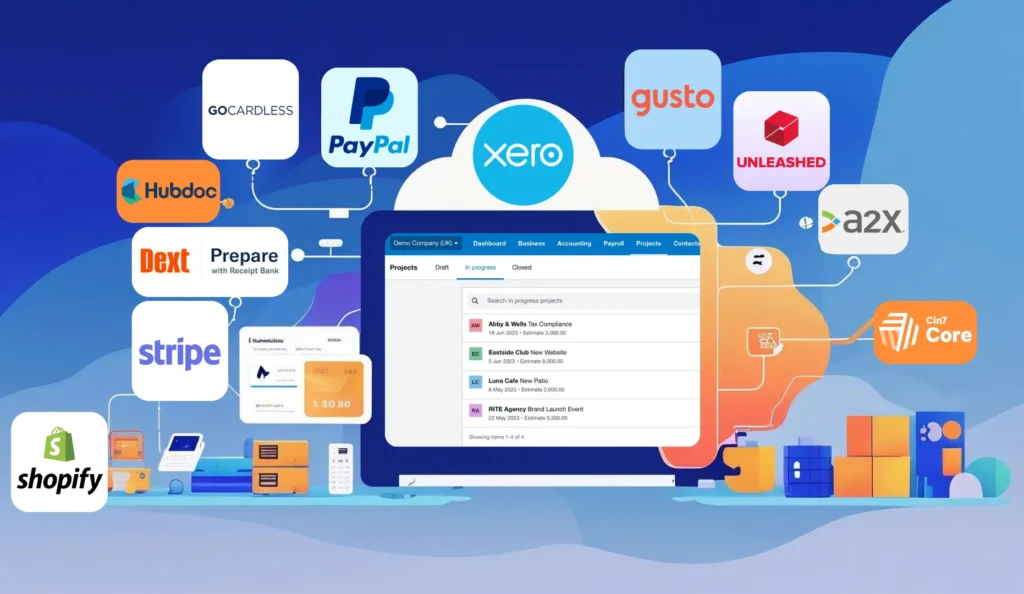
Migrating to Xero is a big step towards modernizing your accounting. But did you know the journey doesn’t end there? Xero’s real power shines when you extend it with the best Xero add-ons. Think of add-ons as apps for your accounting – they integrate with Xero to automate tasks, provide deeper insights, and tailor the system to your business needs. Xero’s ecosystem boasts over 1,000 third-party apps available in the Xero App Store. After moving onto Xero’s cloud accounting platform, choosing the right extensions can be transformative. Imagine cutting data entry by 80%, or getting invoices paid 4 times faster. These are not exaggerations – they’re the kinds of results businesses see by using the best Xero add-ons. For example, automating invoice reminders with an add-on can reduce average payment time from 25 days to just 6 days. Similarly, automating receipt capture can save companies 4-8 hours per week on bookkeeping, a 50-75% reduction in manual data entry time. Leveraging Xero integrations after migration isn’t just a nice-to-have; it’s essential for maximizing efficiency and accuracy. Hooks to Draw You In: What if your accounting software could chase overdue invoices for you? What if your inventory updated itself across every sales channel? After migrating to Xero, these scenarios can be reality. Below, we explore the recommended Xero add-ons post migration spanning invoicing, expenses, payroll, inventory, reporting, e-commerce and more – to supercharge your business. Each section highlights top integrations and how they help Accountants, Ecommerce and SMEs streamline operations. Let’s unlock Xero’s full potential with the best extensions available! Why Use Xero Add-Ons After Migration You might be wondering why add-ons are necessary now that you’ve switched to Xero. The truth is, migrating to Xero is the perfect time to seek extra efficiency by considering add-ons. Xero provides a solid foundation for cloud accounting tools, but it can’t possibly include every niche feature a growing business needs. That’s where third-party accounting software extensions come in. When you connect an add-on to Xero, it’s like adding new features to your smartphone. These tools handle specific tasks – from detailed inventory tracking to advanced reporting – far better than a one-size-fits-all system could. Some add-ons enhance the way a business handles tasks such as stock processing, invoicing, payments, expenses, debt chasing, or even linking to Amazon trading. By eliminating manual work and integrating your systems, they can save time, reduce errors, and even uncover new insights in your data. Consider that Xero’s app marketplace spans 18 categories and hundreds of solutions. The challenge is choosing the right ones for your needs. A thoughtful selection of Xero integrations can truly transform your workflows. In fact, businesses often find that implementing the best Xero add-ons delivers an impressive ROI – sometimes an average 7× to 10× return on cost through time savings and productivity gains. In short, the time just after migration is ideal to customize Xero to your business. You’ve got a clean slate, so adding the tools that address your specific pain points will ensure you fully capitalize on Xero’s capabilities. Pro tip: Start by identifying your biggest accounting or operational challenges (e.g. late payments, manual data entry, inventory stockouts). There’s likely a Xero add-on designed specifically to solve each one. In the sections below, we’ll cover top add-ons in key areas and how they benefit your business post-migration. Invoicing and Payment Collection Add-Ons Xero’s built-in invoicing is great for creating and emailing invoices. But once you’ve migrated, you might need extra help to get paid faster and manage receivables. This is where some of the best Xero add-ons truly shine. They can automate those tedious follow-ups on unpaid invoices and smooth out the payment process for your customers. Chaser – automated invoice chasing:Chaser is widely regarded as one of the best Xero add-ons for accounts receivable. It automatically sends polite, customized reminder emails to customers who haven’t paid, and tracks responses. By automating payment chasing, Chaser dramatically improves cash flow – it can speed up invoice payments by up to 4×, cutting average days to get paid from 25 down to 6. Instead of your team manually emailing and calling clients, Chaser handles it in the background, freeing you to focus on other tasks. The result is more timely payments and better visibility of who owes what. GoCardless – recurring payments made easy:GoCardless integrates with Xero to enable direct debit payments for your invoices. If you bill customers on a recurring basis (subscriptions, retainers, installment plans, etc.), GoCardless lets you automatically pull funds from their bank account on the due date. This add-on boasts a nearly 3× higher success rate than collecting via credit cards. No more chasing expired cards or late checks – payments are pulled on time, every time. GoCardless also syncs with Xero to mark invoices as paid and even handles foreign currency direct debits. It’s a fantastic Xero integration for improving payment reliability and cash flow. Stripe and PayPal – online invoice payments: While not “add-ons” in the app marketplace, Xero’s integrations with Stripe and PayPal deserve mention. Connecting these payment gateways allows you to add “Pay Now” buttons to your Xero invoices. Customers can pay instantly by credit card or PayPal, and the payment is recorded in Xero automatically. Offering convenient online payment options alongside automated reminders (via tools like Chaser) gives you a one-two punch for shrinking payment delays. Your clients will appreciate the ease of paying, and you’ll enjoy the improved cash flow. Why it matters:Invoicing and collecting money is the lifeblood of your business. By using the best Xero add-ons in this area, companies often see a major boost in cash flow. Faster payments mean better control over working capital and less time spent on collections. If cash flow is a concern, invoicing add-ons should be top of your post-migration list. Expense Management and Data Capture Add-Ons After moving to Xero, you’ll want to eliminate any remaining shoeboxes of receipts or manual data entry in your expense process. Xero’s accounting software has bank feeds