Money decisions depend on accurate numbers. But many businesses unknowingly damage their reports because of small bookkeeping errors inside QuickBooks. At first, these mistakes may seem harmless. Over time, though, they can create serious problems with cash flow, taxes, forecasting, and business planning.
That is why understanding common QuickBooks mistakes matters so much.
Many business owners trust their reports without checking if the data behind them is correct. Unfortunately, QuickBooks only works well when the information entered is accurate. Even one wrong setting can affect profit reports, VAT calculations, or bank balances.
In this guide, you will learn the most common QuickBooks mistakes that lead to unreliable financial reports and how to avoid them before they hurt your business.
Why Accurate Financial Reports Matter
Financial reports are not just paperwork. They help you understand how your business is performing.
Your reports affect:
• Tax filing
• Cash flow planning
• Business growth decisions
• Loan applications
• Investor confidence
• Payroll planning
• Budgeting
When reports contain errors, decisions become risky.
For example, you may think your business is profitable when it is actually losing money. Or you might underpay taxes because expenses were recorded incorrectly.
That is why avoiding QuickBooks mistakes should be a priority for every business owner.
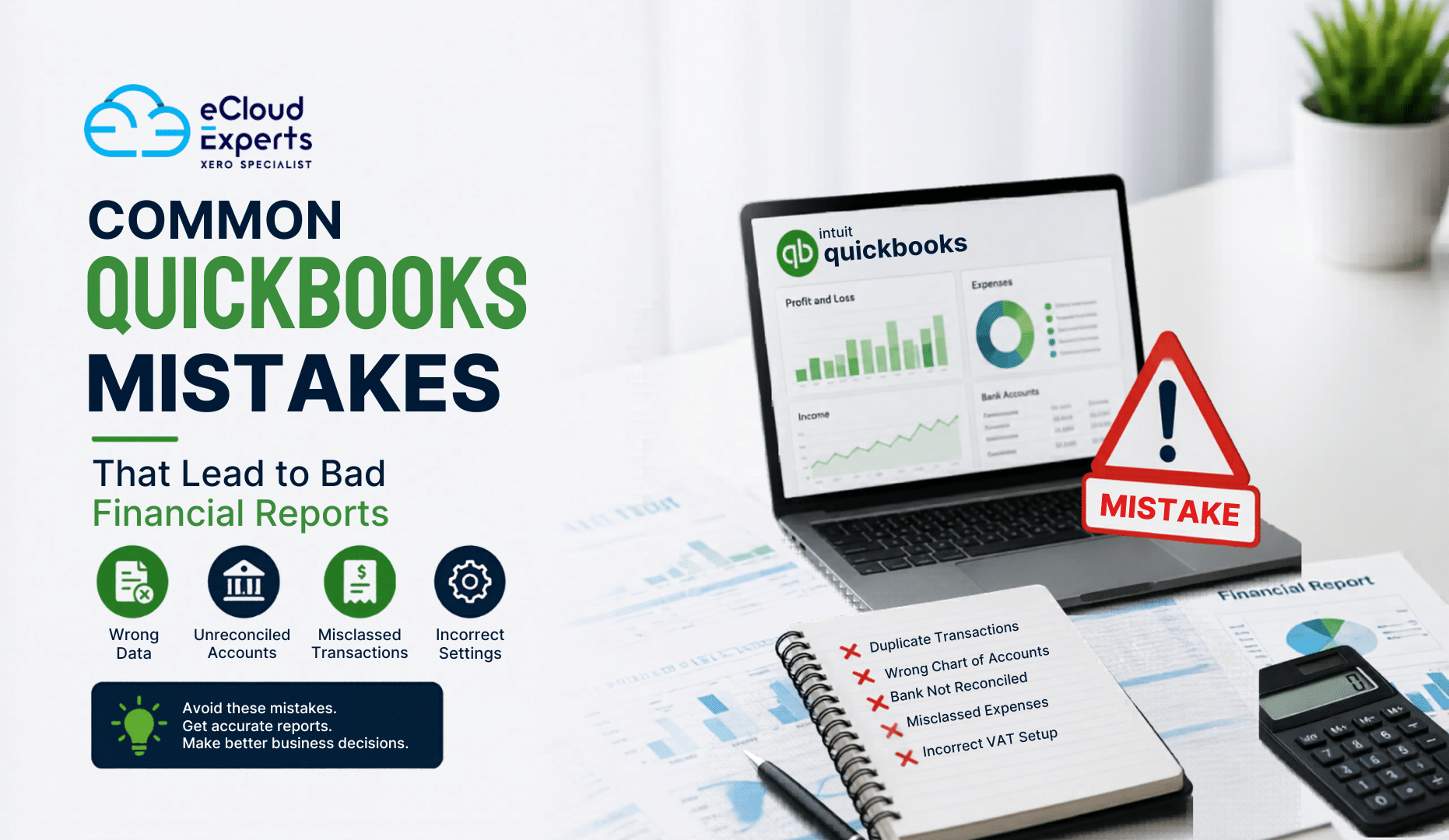
Using the Wrong Chart of Accounts
One of the biggest QuickBooks mistakes happens during setup.
The chart of accounts is the foundation of your bookkeeping system. If accounts are messy or poorly organized, your reports become confusing very quickly.
Many businesses:
• Create duplicate accounts
• Use unclear account names
• Put expenses in the wrong categories
• Mix personal and business transactions
As a result, profit and loss reports lose accuracy.
For example, software subscriptions may be recorded under office expenses one month and marketing costs the next. That inconsistency makes reporting unreliable.
A clean chart of accounts keeps your QuickBooks reports clear and useful.
Not Reconciling Bank Accounts Regularly
This is one of the most damaging QuickBooks mistakes.
Bank reconciliation means comparing QuickBooks transactions with actual bank statements. If you skip this process, errors stay hidden for months.
Businesses often forget to reconcile because they assume bank feeds are always correct. That is dangerous.
Common problems include:
• Missing transactions
• Duplicate transactions
• Incorrect amounts
• Uncleared payments
• Bank fees not recorded
Without reconciliation, your cash balance may look healthy while your real bank account tells a different story.
Monthly reconciliation helps catch errors before they become expensive problems.
Duplicating Transactions
Duplicate entries create inflated income and expenses.
This usually happens when businesses manually add transactions after QuickBooks already imported them from the bank feed.
For example:
• An invoice payment gets entered manually
• The bank feed imports the same payment again
• Income doubles incorrectly
The same issue happens with expenses and bills.
This type of QuickBooks mistake can completely distort financial reports.
Signs of duplicate transactions include:
• Income appearing unusually high
• Expense totals increasing unexpectedly
• Bank balances not matching
• Duplicate vendor payments
Regular reviews help spot these issues early.
Misclassifying Expenses
Expense categorization affects every financial report.
Unfortunately, many businesses guess categories without understanding accounting rules.
This leads to inaccurate:
• Profit reports
• Tax reports
• Expense summaries
• Department tracking
For example, recording equipment purchases as office supplies instead of fixed assets changes how profits appear.
Another common QuickBooks mistake is mixing owner drawings with business expenses.
When expenses are classified properly, reports become more reliable and easier to understand.
Ignoring Undeposited Funds
Undeposited Funds is one of the most misunderstood areas in QuickBooks.
Many users accidentally leave payments sitting there for months.
This creates confusion because:
• Payments appear received
• Bank balances do not match
• Customer balances become incorrect
For example, if you receive multiple payments and group them into one bank deposit, QuickBooks must handle that process correctly.
If not managed properly, reports become inaccurate very quickly.
Regularly checking the Undeposited Funds account prevents hidden reporting problems.
Failing to Review Bank Feed Rules
Bank rules save time. But incorrect rules create repeated errors.
This is one of the most overlooked QuickBooks mistakes.
Businesses often create automatic rules without testing them properly.
As a result:
• Transactions go into the wrong category
• VAT codes become incorrect
• Vendor names change unexpectedly
• Duplicate entries appear automatically
For example, a software payment may always get categorized as office supplies because of a bad rule setup.
Over time, these mistakes affect every report in the system.
Review bank rules regularly to make sure automation is helping instead of hurting.
Not Closing Previous Accounting Periods
Leaving old periods open creates serious risks.
Anyone can accidentally edit past transactions, which changes historical reports without warning.
This often happens when:
• Old invoices get deleted
• Prior expenses are edited
• VAT codes change after filing
• Reconciled transactions get modified
Suddenly, last year’s reports no longer match filed tax returns.
That can create major accounting headaches.
Closing periods after month end or year end helps protect report accuracy.
Incorrect VAT Setup
VAT mistakes are extremely common in QuickBooks.
Wrong VAT settings can lead to:
• Incorrect tax returns
• Overpaid VAT
• Underpaid VAT
• HMRC compliance issues
Some businesses apply VAT codes incorrectly to every transaction. Others forget to apply VAT completely.
Another major QuickBooks mistake is using the wrong VAT rate for international transactions.
Because VAT rules can be complex, proper setup matters from the start.
A quick VAT review inside QuickBooks can prevent large reporting errors later.
Forgetting to Match Transfers
Transfers between accounts must be matched properly.
Otherwise, QuickBooks may record them as income or expenses by mistake.
For example:
• Moving money from checking to savings
• Paying a credit card from a bank account
• Transferring funds between currencies
If these transactions are categorized incorrectly, reports become distorted.
This is one of those QuickBooks mistakes that quietly affects financial statements without obvious warning signs.
Matching transfers properly keeps balances accurate across all accounts.
Poor Invoice Management
Invoices directly affect revenue reports.
When invoice workflows are inconsistent, financial reports lose accuracy.
Common invoice problems include:
• Duplicate invoices
• Deleted invoices
• Incorrect dates
• Missing payments
• Unapplied credit notes
For example, deleting an old invoice instead of properly crediting it changes historical revenue reports.
That can create reporting gaps during audits or tax reviews.
Strong invoice management keeps income reporting reliable.
Mixing Cash and Accrual Accounting
Many businesses do not fully understand the difference between cash basis and accrual basis reporting.
This creates confusion when reviewing QuickBooks reports.
Cash basis records money when received or paid.
Accrual basis records income and expenses when earned or incurred.
Switching between both without understanding the differences is one of the most common QuickBooks mistakes.
A report may show profit on one basis and loss on another.
Understanding which reporting method your business uses is critical for accurate financial decisions.
Not Reviewing Financial Reports Monthly
Some businesses only check reports during tax season.
That is far too late.
Monthly reviews help identify problems early.
You should regularly review:
• Profit and loss reports
• Balance sheets
• Accounts receivable
• Accounts payable
• VAT summaries
• Cash flow reports
When businesses ignore reports for months, small QuickBooks mistakes become large financial problems.
Regular reviews help you stay in control of your numbers.
Allowing Too Many User Permissions
QuickBooks access should be controlled carefully.
Too many permissions increase the risk of accidental errors.
For example:
• Staff may delete transactions
• Reports may be edited
• Bank reconciliations may change
• Sensitive financial data may be exposed
Role based access helps reduce mistakes and protects financial data integrity.
Relying Too Much on Automation
Automation is helpful. But it should never replace human review.
QuickBooks automation can import transactions quickly, but it cannot always understand business context.
Businesses sometimes assume:
• Bank feeds are always accurate
• Rules always categorize correctly
• Imported data never needs review
That assumption creates reporting problems.
Even automated systems require regular checks.
The smartest businesses combine automation with proper financial oversight.
How to Prevent QuickBooks Reporting Problems
Avoiding QuickBooks mistakes starts with consistent habits.
Here are some practical ways to improve report accuracy:
Create Clear Processes
Document how transactions should be entered and reviewed.
Reconcile Every Month
Never skip reconciliation.
Review Reports Frequently
Monthly reviews catch issues early.
Train Staff Properly
Poor training leads to repeated mistakes.
Use Professional Support
Complex accounting setups often benefit from expert guidance.
Clean Up Old Data
Fix outdated or duplicate records regularly.
Limit User Access
Only allow necessary permissions.
Signs Your QuickBooks Reports May Be Wrong
Some warning signs should never be ignored.
Watch for:
• Negative bank balances unexpectedly
• Large uncategorized expenses
• Duplicate income entries
• VAT totals that look unusual
• Profit margins changing suddenly
• Reports not matching bank statements
• Missing invoices or payments
If you notice these issues, it may be time for a QuickBooks review or cleanup.
How eCloud Experts Help Businesses Fix QuickBooks Mistakes
Many businesses struggle with reporting issues because mistakes build up slowly over time.
At eCloud Experts, we help businesses:
• Review QuickBooks setups
• Clean inaccurate records
• Fix reconciliation issues
• Correct VAT errors
• Improve reporting accuracy
• Optimize bookkeeping workflows
• Train teams on proper QuickBooks usage
Accurate reports help businesses make smarter decisions with confidence.
Final Thoughts
Small QuickBooks mistakes can create very large reporting problems.
Most errors do not happen because businesses are careless. They happen because QuickBooks is powerful, and small setup issues can affect reports in ways many users do not realize.
The good news is that most mistakes are preventable.
Regular reviews, proper reconciliation, consistent bookkeeping habits, and expert support can keep your financial reports accurate and reliable.
When your reports are correct, your business decisions become stronger too.