Xero Accountant | Xero Migration | Xero Support | Xero Training | Crypto Accounting
+44 0203 488 6202
info@ecloud-experts.com

- Migrate Access Financials to Xero
Access Financials to Xero migration Service
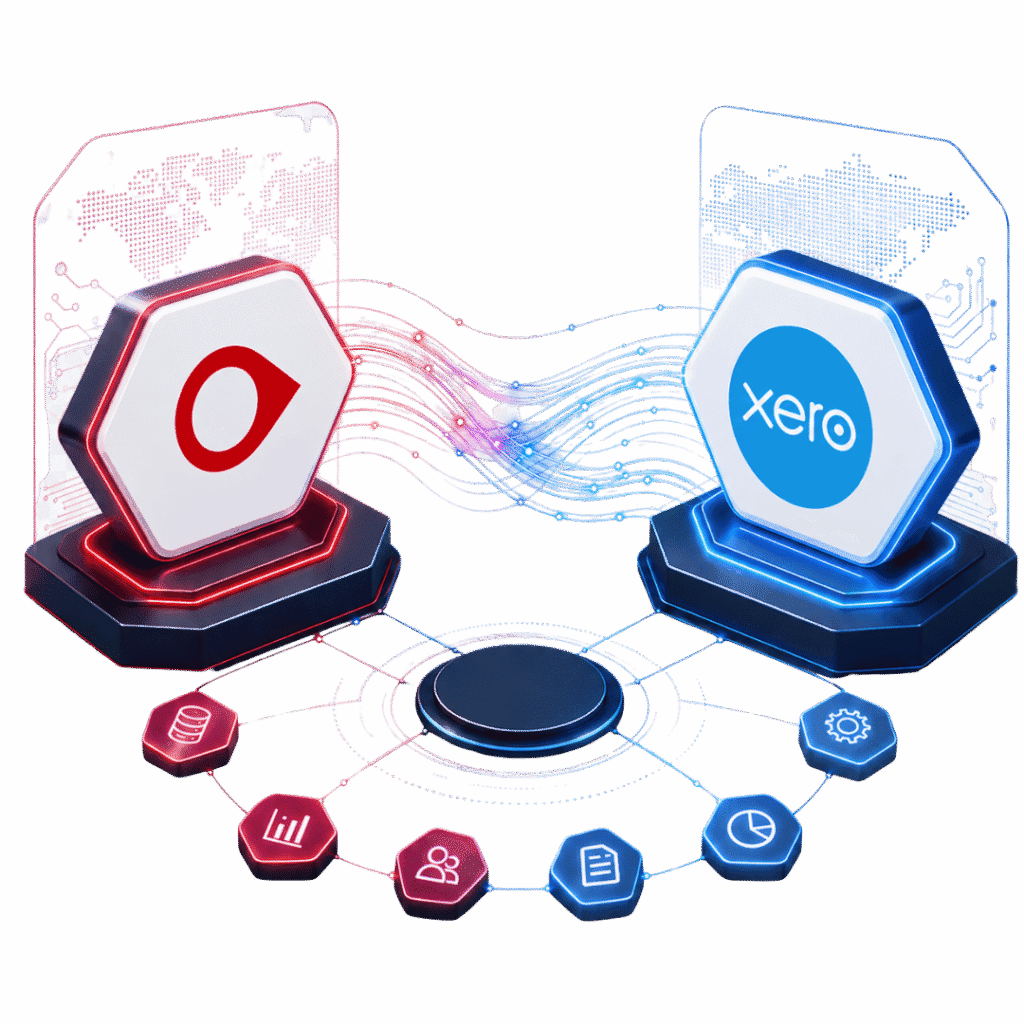
Access Financials to Xero Migration is easier with expert support from eCloud Experts. Transfer your chart of accounts, customer and supplier records, opening balances and agreed historical transactions while keeping your financial records accurate.
From planning and data conversion to reconciliation and Xero setup, we help businesses worldwide manage their accounting migration.

Xero Gold Champion Partner

Xero Migration Specialists

AAT Licensed Accountant
0
+
Businesses Supported
£
0
m+
Transactions Managed
4.9/5
Average Client Rating
0
+
Years’ Experience
Clients We Migrated into Xero



















What Our Client Says
Posted on Google 

MR. Makuri

eCloud Experts handled our Xero migration really well. Everything was transferred correctly, and they kept us updated throughout the process. Very helpful and easy to work with.
Posted on Google

ahmed rakin
We used eCloud Experts to migrate our accounts to Xero and the whole process was handled extremely well. They explained what needed to be done, transferred the data carefully and made sure everything was reconciled correctly before completion. The team clearly has strong Xero migration experience and was responsive whenever we had questions. I would highly recommend eCloud Experts to any business moving to Xero.
Posted on Google

Masum Ahmed
I contacted eCloud Experts because I needed help with crypto accounting and tax matters and wanted an accountant who actually understood cryptocurrency transactions. They were knowledgeable, patient and explained everything clearly. They helped organise the records and made a complicated situation much easier to manage. Highly recommended for anyone needing specialist crypto accounting support.
Posted on Google

Amolesh Chandra Paul
Ecloud Experts has been an exceptional partner in managing our accounting needs with Xero. Their deep expertise and hands-on support have made a significant difference in streamlining our financial processes.
From setup to ongoing assistance, their team has been responsive, knowledgeable, and efficient. They take the time to explain everything clearly, making Xero easy to use, even for beginners. Their proactive approach ensures that our accounts are always in order, allowing us to focus on growing our business.
If you're looking for reliable Xero experts, I highly recommend Ecloud Experts!
Posted on Google

Betty Kelly
Zakir and Aman worked really hard to get us moved from Netsuite to Xero. They were fantastic, supportive and worked fast and took the complication of a migration away for us. We highly recommend them to anyone wanting to move to Xero!
Posted on Google

Charlotte Pownall
Highly recommended. Utterly helpful, so informative, extremely quick to respond to a meeting/queries.
Posted on Google

Tom Wragg
Recently had Xero Experts training with Zakir - he was excellent and thorough throughout would highly recommend.
Posted on Google

abdur rokib
eCloud and their experts, notably Zakir, have been exceptional in facilitating our migration from Sage 50 to Xero. The intricate process of transferring multiple years of multi-currency data was executed with utmost precision and expertise. I wholeheartedly vouch for their services
Posted on Google

Laura Richard
eClound and Zakir in particular have been very helpful in assisting our migration from X3 to Xero. In particular teh complicated migration of several years of multi-currency data was handled very well.
I would not hesitate to recommend them.
Posted on Google

Liam H
Brilliant service. Zakir helped me with compiling and submitting a crypto tax return that I was struggling to do myself. There were many transactions across various activities which can be a bit overwhelming from an accounting perspective. Zakir was able to make sense of everything and submit to HMRC on my behalf, all for a reasonable price. If I need help in the future with another return, I will be coming back to eCloud.
Posted on Google

Stephen Pitt
Zakir, was very helpful and knowledgeable. Training was structured to exactly what I needed.
Posted on Google

Nikola Benn
Great basic training on Xero, very professional and knowledgable.
Thank you Zakir
Posted on Google

Craig Reid
We are a small charity and a limited company by guarantee so it was really important for us to get the right accountancy software. It was recommended for us to use Xero.
The Xero software training we had on Friday 4th November went really well and we would highly recommend it, and it helped to empower our understanding of all the features on Xero.
The trainer is also very patient and he helps you by working at your pace.
It’s a great software to start to process your accounts and it also saves loads of time. This will get you on the right track with the help of financial reports and many other great reports if you need them. Thank you again for all your time.
Janette Craig and Ruth at Dennyloanhead Community Hall
Posted on Google

Helen Zuman
Zakir was patient and knowledgeable. He helped me with my specific problems and also helped me understand Xero better. I appreciate his help!
Posted on Google

katie lyons
Extremely helpful - thanks Zakir!
Posted on Google

khyati Lathigra
I needed quick help with realised/unrealised gains and also some other accounting reports issues, Zakir was very much helpful! Even though he wasn't feeling well still decided to join in the meeting and help me out on every single questions I asked. I would highly recommend to anyone who is not familiarise with Xero, Zakir is definitely an expert and you will be 100% satisfy from the service he can offer.
Posted on Google

chris wood
Zak was very helpful when i got myself into a pickle, he managed to rectify the issue and tweaked a few other bits. I will definitely be using again
Posted on Google

Ollie Smedley
I needed a little help / assurance with my VAT set-up. Zak spent an hour checking things through and made some useful suggestions for other Xero features I could use as well.
Posted on Google

Galin Lowe
Zak is patient and thorough, I would highly recommend his services.
Posted on Google

Michael Postle
A truly value add training programme - thank you Zakir
Posted on Google

Carol Sullivan
The training with Zak was spot on. Luckily I had one to one, so I was able to ask lots of questions that were relevant to our business. Very impressed & stress free!
Posted on Google

Marion Browne
Very helpful and very knowledgeable about Xero. Would definitely recommend.
Posted on Google

Norma Martin
Zac has helped me so much with my training in Xero, I now understand the processes and the system so much better. Also very useful tips for shortcuts
Posted on Google

Drew Retford
Very helpful for anyone new to using Xero. Highly recommend!
Posted on Google

Sam Singleton
We are currently undergoing a Sage > Xero migration and have just completed the Basic training with Zakir. A very laid back 1-2-1 session with the department going through all the basics. A really good session and look forward to doing the Advanced training in a few weeks. I would definitely recommend using them!
Posted on Google

Russell Cassleton Elliott
Zakir was superb, as he led me through the Xero maze very effectively, as I am a complete novice at Xero. I cannot recommend Zakir and his service more. This is the best service for a beginner like me!
Posted on Google

Nazmul
We used Xero Experts for our migration from QuickBooks to Xero. They were excellent – kept me informed and were very helpful. I would highly recommend them, saved us a great deal of mine and effort. Would certainly use them again
Posted on Google

Steve Venton
I had a very obscure question that Zak help me with at very short notice, late one evening. Thank you.
Posted on Google

George Kain
I have worked with Zak on several different Xero support and training sessions, including the Xero set up and the Payroll Set Up Service. Always very knowledgable and professional and is always available for any follow up support that is required. Highly recommend.
Posted on Google

ANIL SURMELI
Happy to work with Zak. He is a complete expert on XERO. Highly recommend Xero Experts for anything you may need about Xero and migration.
Posted on Google

Sean Cheung
Zack was amazing very helpful and problems solved!
Posted on Google

Stephen Cogan
used xero expert 3 times, they helped me understand xero step by step in manageable 1 hour sessions. good value for money.
Posted on Google

Will A.Bliss
Zak helps us regularly with more complicated Xero issues we can't solve in house. He is professional and knowledgeable and we would recommend his services to anyone.
Posted on Google

Bluefish Vibe
Zak and his team have been incredibly helpful with our migration of Xero and I would highly recommend them.
Xero Experts is a great partner for our start-up company. They offer great value and support to cover our accounting needs. Our accountant Zak is always there to support us and answer all the beginner questions we have & their expertise with Xero makes everything faster and better!
Posted on Google

Hana Rassel
Fantastic service from the team at Xero Experts. Absolutely first class - very helpful and knowledgeable support from these Xero advisors
Posted on Google

Abu Rassel
It has been an absolute pleasure working with Zak. They have supported me greatly with getting to grips with Xero. A massive thank you from me!
Posted on Google

Warkan Hasan
I took complete Xero training (online live) with Xero Experts. I Enjoyed the comprehensive introduction to Xero Accounting Software, a good match of what I was expecting, well explained. I feel confident having to do payroll in Xero.
- Direct answer
Can Access Financials Be Migrated to Xero?
Yes. Access Financials to Xero migration is possible when the required accounting data can be extracted, converted and checked against the original records.
The migration may include the chart of accounts, customer and supplier details, invoices, bills, journals, bank transactions, opening balances and agreed historical records. The final scope depends on the available data and your business requirements.
Access Financials and Xero handle cost centres, multiple entities, budgets and approval processes differently. These differences need to be reviewed before the migration begins.
At eCloud Experts, we assess your existing records and reporting requirements before planning how the data will be organised in Xero.
After migration, we compare key financial balances, outstanding invoices, bills and other agreed records with the original Access Financials reports. Any differences are investigated and documented before handover.
Is Xero the Right Fit for Your Business?
Before moving to Xero, we review whether it can meet your accounting, reporting and business requirements. This includes checking multiple entities, currencies, budgets and approval processes so you understand what can be transferred and what may require another solution.
- The reporting question
What Happens to Your Dashboards and Financial Reports?
Access Financials offers dashboards and financial reporting tools for monitoring business performance. Depending on your setup, these may include budgets, cash flow, management reports and information from multiple entities.
Xero offers financial reports and budgeting features, but some advanced reporting requirements may need additional applications.
Before migrating, we review which reports your business uses and identify how they can be produced in Xero or a suitable connected application.
| Data Area | Typical Use | Common Xero Destination |
|---|---|---|
Real-Time Dashboards | Monitor key figures, income, expenses and business performance. | Xero reports or a connected reporting application. |
Budgeting & Forecasting | Compare budgets with actual results and prepare forecasts. | Xero budgeting tools where available, or a connected forecasting application. |
Multi-Entity P&L | Review financial results across several businesses. | Separate Xero organisations and an additional consolidation tool if required. |
Workflow Approvals | Manage approval steps for transactions and spending. | Supported Xero approval features or a connected approval application. |
Not every Access Financials report or approval process has a direct equivalent in Xero. We review these requirements with your finance team and agree how important reports and processes will be handled after the move.
- Why now
Why Businesses Move from Access Financials to Xero
Access Financials offers advanced accounting and financial reporting capabilities. However, some businesses find that their requirements change as they grow, restructure or simplify their operations.
Moving to Xero may be suitable when a business needs a different balance of accounting features, cost and everyday usability.
Easier Day-to-Day Accounting
Xero provides cloud-based tools for invoicing, bills, bank reconciliation and financial reporting. It can suit teams that no longer need the full range of advanced Access Financials features.
Accounting Software Costs
A move to Xero may reduce software costs for some businesses. The comparison should include Xero subscriptions, connected applications, reporting requirements and ongoing support.
Changing Business Structure
Businesses separating from a larger group may need their own accounting system. An Access Financials migration can help establish independent financial records in a new Xero organisation.
Access to Connected Applications
Xero integrates with a wide range of business applications, including tools for payments, expenses, inventory and reporting. Suitable integrations depend on your business needs.
- Migration fit
Is Your Business Ready to Migrate Access Financials to Xero?
Before migrating from Access Financials to Xero, it is important to check whether Xero meets your business needs.
Consider your company structure, reporting requirements, currencies, transaction volumes and the accounting features you use every day. A review before migration helps identify which records can be transferred and which processes may need a different approach.
When Xero May Be a Good Fit
- Your business needs a separate accounting system after leaving a larger group.
- Your reporting needs can be managed using Xero and suitable connected applications.
- You no longer need complex group consolidation within your accounting system.
- You want to review software costs and remove features your business rarely uses.
- Your business wants cloud accounting software supported by a broad network of accountants and applications.
When Additional Review Is Needed
- Your business requires regular financial consolidation across multiple entities.
- Detailed budgets, financial forecasts or scenario planning are essential.
- More than two tracking dimensions are needed for everyday reporting.
- Complex approval processes are used across departments or locations.
- Management, board or investor reports depend on specialised dashboards.
If your business still relies on these features, a detailed review is needed before switching. We assess your requirements and explain whether Xero is a suitable choice or whether additional tools may be required.
- Access Financials vs Xero
Access Financials vs Xero: Where Xero Can Be the Better Fit
Access Financials and Xero serve different accounting needs. Access Financials provides detailed financial management and reporting options, while Xero focuses on everyday accounting with access to a wide range of connected applications.
Xero may be a better choice when your business no longer needs certain advanced features. However, the right option depends on your company structure, reporting needs, location and total software costs.
| Business Need | Why Xero May Be a Better Fit | What to Check Before Switching |
|---|---|---|
| Multi-Entity Consolidation | Xero can manage accounts for separate organisations, with connected tools available for group reporting. | Check how many entities are involved and whether consolidated reports are required. |
| Budgeting & FP&A | Xero offers budgeting features, while connected applications can support more detailed financial planning. | Confirm the level of budgeting and forecasting your business needs. |
| Dashboards & Analytics | Xero provides financial reports and access to connected reporting applications. | Identify essential dashboards and confirm suitable alternatives. |
| Workflow & Approvals | Xero supports selected approval processes, with additional applications available for more complex needs. | Review existing approval steps and available Xero features. |
| Analysis Dimensions | Xero supports two active tracking categories for reporting across business areas. | Check how existing cost centres and reporting dimensions will be handled. |
| Ecosystem & Accountant Network | Xero has an established network of accountants and connected business applications. | Confirm the availability of suitable accountants and applications in your country. |
| Licensing & Cost | Xero may offer a lower-cost option when fewer advanced features are needed. | Compare subscription fees, additional applications and ongoing support costs. |
| Everyday Usability | Xero provides tools for invoicing, bills, bank reconciliation and financial reporting. | Confirm that the features your team needs are available in your region. |
Xero features, subscriptions and connected applications vary by country and plan. Check local availability and business requirements before switching.
- Migration scope
What's Included in an Access Financials to Xero Data Migration
An Access Financials to Xero data migration can include accounting records, customer and supplier details, transactions, opening balances and agreed historical data.
The final scope depends on the number of entities, available records, currencies, reporting requirements and the period you want to migrate.
| Data Area | Typical Treatment | Key Control |
|---|---|---|
|
☷
Chart of Accounts
|
Retained, combined or adjusted to fit Xero’s account structure. |
✓
Account mapping reviewed and approved before import.
|
|
▦
Entities
|
Each agreed entity is assessed and mapped to a suitable Xero organisation where required. |
✓
Entity-to-organisation mapping agreed in writing.
|
|
⌘
Cost Centres & Dimensions
|
Reviewed and mapped to supported Xero tracking categories or an agreed alternative. |
✓
Tracking category and dimension mapping approved by the finance team.
|
|
👥
Customers & Suppliers
|
Contact records, balances and payment terms reviewed and migrated. |
✓
Duplicate and inactive records reviewed before import.
|
|
⇄
Sales & Purchase Transactions
|
Invoices, bills, credit notes and payments transferred for the agreed period. |
✓
Accounts receivable and payable balances checked against the original records.
|
|
🏦
Bank & Cash Accounts
|
Agreed historical transactions and balances are migrated. Bank feed availability is checked separately. |
✓
Statement and ledger balances checked against available records.
|
|
✎
Manual Journals
|
Converted into supported Xero entries with the correct dates and descriptions. |
✓
Journal totals compared against the trial balance.
|
|
¤
Multicurrency & Intercompany
|
Currency balances and available exchange rate data reviewed. Intercompany transactions assessed separately. |
✓
Foreign currency balances and exchange rate treatment checked for each entity.
|
|
▥
Budgets & FP&A Data
|
Budget and forecast records reviewed for suitable import, reference or reporting options. |
✓
Transferred budget figures checked against agreed source reports.
|
|
◫
Dashboards, Workflow & Attachments
|
Dashboards and workflows reviewed for suitable alternatives. Attachment migration depends on available data and agreed scope. |
✓
Available replacements, transferred files and any limitations documented.
|
Where These Migrations Usually Get Complicated
Multi-Entity Consolidation
Each entity becomes its own Xero organisation; intercompany balances and any ongoing consolidated reporting requirement are reviewed separately, not assumed away.
Budget and FP&A to Data
Complex budgets, forecasts and planning models may need additional tools after migration. We review the available data and agree how important budget figures and reports will be retained or used in Xero.
Dashboard & Access Analytics Replacement
Each live dashboard is assessed against what it’s actually used for — board reporting, operational monitoring, or something rarely opened — before deciding its Xero-side replacement.
Workflow Approval Redesign
Existing approval processes are reviewed to determine whether they can be managed through Xero or a suitable connected application. The new setup depends on your business structure and approval requirements.
- Risk management
How We Protect Your Numbers During the Migration
A matching trial balance is the baseline. It isn’t the only thing we check before calling a migration done.
Written scope, entity and dimension-mapping treatment agreed in advance
Approved chart of accounts and tracking-category mapping register
Controlled trial migration for multi-entity or budget-heavy setups
Comparative trial-balance checks at the agreed conversion date
AR and AP reconciliation, including any intercompany balances
Cost centre and entity totals reconciled to the general ledger
Exception log for dashboards, workflows and unsupported customisations
Finance-team review and sign-off before go-live
Common Problems We Prevent
Access Financials migrations tend to go wrong when analysis dimensions are mapped inconsistently across transactions, budget figures are left unreconciled to the general ledger, intercompany eliminations are handled differently across the newly separated entities, or a board-level dashboard is dropped without anyone agreeing a replacement.
Reconciliation happens twice in practice: once on a trial migration using representative data, and once on final cut-over using your actual closing figures. The trial run exists to surface mapping problems while there’s still time to fix them.
Important: the final control pack depends on the agreed scope and the reports available from Access Financials. Any unresolved source-data issue is documented rather than silently forced into Xero.
- Controlled delivery
Our Access Financials to Xero Migration Process
Our Access Financials to Xero migration process covers everything from reviewing your existing accounts to checking the transferred data and preparing your team to use Xero. Each stage is planned around your business needs, available records and agreed migration date.
01
Discovery
Confirm entities, dimensions in use, reporting needs and go-live target.
02
Assessment
Review platform configuration, volumes, currencies and export options.
03
Scope
Agree the migration period, inclusions, exclusions and control reports.
04
Design
Design Xero organisations per entity, chart of accounts and tracking.
05
Extraction
Export agreed data, tested on a sample before anything live is touched.
06
Mapping
Convert records into the target model and finalise the mapping register.
07
Trial Run
Load representative data, test outputs, confirm decisions before final load.
08
Cut-Over
Process the agreed closing data and arrange available bank connections for the new Xero setup.
09
Reconciliation
Compare trial balances, AR, AP and dimension totals; document variances.
10
Handover
Train the team, agree an archive plan, support the first weeks live.
- Investment
Access Financials to Xero Migration Cost: What Affects Your Quote
The cost of an Access Financials to Xero migration depends on your accounting setup, the amount of data being transferred and the work required to check your records.
We review your requirements before preparing a fixed quote based on the agreed migration scope.
Number of Entities
Migrating multiple companies may require separate Xero organisations, additional account mapping and checks for intercompany balances. The number of entities affects the work involved.
Data Volume and History
The number of transactions and years of accounting history can affect migration costs. Moving opening balances only requires a different approach from transferring several years of financial records.
Reporting and Data Complexity
Cost centres, multiple currencies, budgets and reporting requirements may need additional work. We review these details before confirming the migration scope and price.
Share your accounting setup, the number of entities and the history you need to transfer. Get a migration quote based on your business requirements.
- Evidence & credentials
Evidence Behind Our Xero Migration Expertise
eCloud Experts provides Xero migration, accounting data conversion and reconciliation support for businesses with different financial systems and reporting needs.
Our published migration case studies include projects involving NetSuite, Sage 200 and SAP Business One. These examples show how our team has handled historical transactions, account mapping, opening balances and financial checks during migrations to Xero.
As a Xero Gold Champion Partner, eCloud Experts works with businesses, finance teams and accounting practices that need specialist help moving financial records into Xero.
We can discuss the requirements of your Access Financials migration during a discovery call and explain the checks involved before preparing a proposal.
Xero-certified advisers and migration specialists
Direct experience with multi-entity and FP&A platform migrations
Analysis-dimension and tracking-category redesign
Dashboard and workflow replacement planning
Documented reconciliation and control reporting on every project
Tailored Xero training and post-go-live support
Xero Migration Case Studies
See how businesses with complex accounting systems, multicurrency transactions and detailed reporting requirements have successfully moved to Xero while protecting their financial history and reporting structure.
NetSuite to Xero
Core Technology Systems
Core Technology Systems moved complex historical data from NetSuite to Xero while retaining multicurrency transactions, original exchange rates, departments and cost centres. The completed migration delivered reconciled balances and clearer financial reporting.
Sage 200 to Xero Migration Rescue
Plimsoll Publishing
After an earlier Sage 200 to Xero migration left inaccurate balances and missing financial data, Plimsoll Publishing needed a complete rebuild. The project corrected AP and AR, multicurrency transactions, journals, tracking categories and opening balances.
SAP Business One to Xero
Meta Maya Environmental
Meta Maya Environmental moved historical financial data from SAP Business One to Xero, including invoices, payments, bank transactions and supplier records. The migration preserved multicurrency information while improving reporting and reconciliation.
EXPLORE MORE XERO MIGRATIONS
More Platforms We Migrate to Xero
We migrate businesses to Xero from a wide range of accounting platforms, with careful data mapping, reconciliation and support throughout the move.
⌕








































Access Financials to Xero Migration FAQs
Find answers to common questions about Access Financials to Xero migration, including data transfer, cost centres, financial reporting, migration costs and support after moving to Xero.
Yes. Access Financials to Xero migration can include your chart of accounts, customer and supplier records, invoices, bills, opening balances and historical transactions. The data transferred depends on your existing records and agreed migration requirements.
You can transfer accounting data such as contacts, invoices, bills, bank transactions, journals and financial balances. Cost centres, multiple currencies and historical records may also be included after reviewing the available data.
Yes. Historical accounting records can be migrated where the data is available and suitable for Xero. The number of years transferred depends on your reporting needs, transaction volume and agreed migration scope.
Xero supports two active tracking categories per organisation. Your existing Access Financials cost centres and reporting dimensions must be reviewed to decide which can use Xero tracking and which need another reporting solution.
Yes. Financial records from multiple companies can be migrated into separate Xero organisations where appropriate. If you need consolidated financial reports, an additional reporting application may be required.
Invoices, bills and outstanding customer and supplier balances can be transferred as part of the agreed migration. These records are checked against the original accounts to identify differences before the migration is completed.
The migration timeline depends on the number of companies, transaction volume, historical records and reporting requirements. A review of your existing accounting data helps determine the work involved and an estimated completion date.
Migration costs depend on the number of entities, years of financial history and complexity of your accounting records. eCloud Experts reviews your requirements before providing a fixed quote based on the agreed work.
Access Financials dashboards and reports do not transfer directly into Xero. Your reporting needs are reviewed to identify which reports can be created in Xero and which may require a connected application.
Prepare your chart of accounts, trial balance, customer and supplier records, bank balances and relevant financial reports. You should also confirm the historical period you want to transfer, the number of companies involved and your preferred migration date.
- Plan your migration
Request Your Access Financials to Xero Migration Services Quote
Tell us your number of Access Financials entities, which analysis dimensions are in active use, budget and dashboard complexity, years of history and your target go-live date.