Tax codes are mapped by transaction type and region. Filed or locked periods, control balances and outstanding returns are considered before go-live. A migration does not replace jurisdiction-specific tax advice, so unusual treatments are escalated for approval.
Xero Accountant | Xero Migration | Xero Support | Xero Training | Crypto Accounting
+44 0203 488 6202
info@ecloud-experts.com

Xero Gold Champion Partner · Certified migration specialists
Xero Migration & Conversion Services
Our expert Xero Migration service handles everything, from data conversion to training & support. So your move is smooth, accurate, and on time.
Switching accounting systems is a big deal, and we get that. At eCloud Experts, we manage the entire migration to Xero for you, whether you’re coming from Sage, QuickBooks, NetSuite, MYOB, Microsoft Dynamics, FreeAgent, Excel, or something else entirely.

Xero Gold Champion Partner

Xero Migration Specialists

AAT Licensed Accountant
- Clear scope
- Fixed written price
- No obligation
What is it?
A managed transfer of agreed accounting data into Xero.
What moves?
Historical transactions, master data and control balances.
How is it checked?
Against agreed source-system control reports.
How long?
From a few working days to several weeks.
How is it priced?
A fixed quote after data and scope review.
Trusted by Businesses Worldwide









Accuracy first
Built for migration where accuracy matters
Your new Xero organisation must support reliable reporting, tax work, bank reconciliation and daily finance operations.
Full transactional history:
Agreed invoices, bills, credit notes, journals, payments and bank transactions.
Accounting control:
Comparative trial balance, aged receivables and aged payables checks.
Complex-data capability:
Multicurrency, base-currency change, multi-entity and tracking-category migration.
Operational handover:
live training and 30 days of post-migration support.
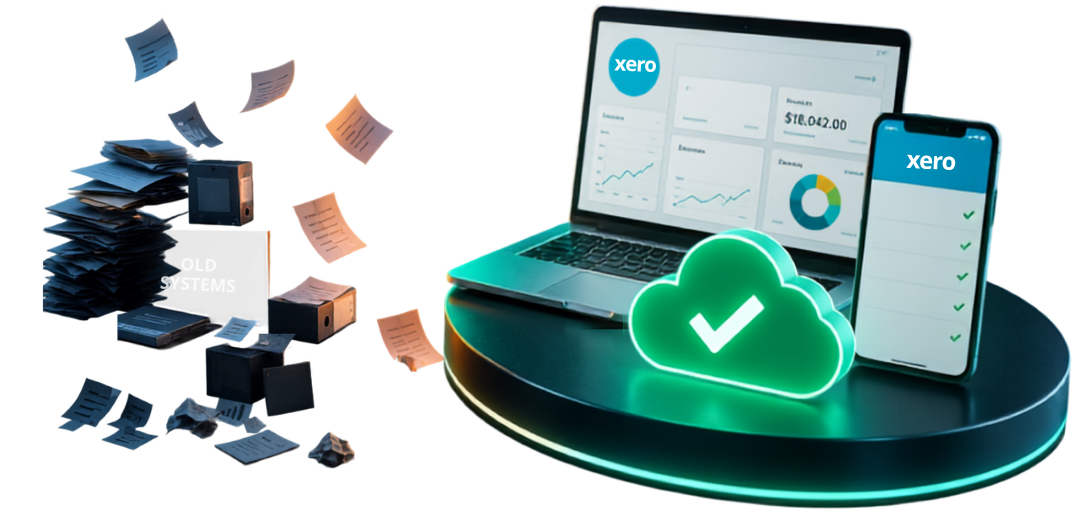
A complete migration
More than a basic data import
We agree the scope before work begins, preserve the detail your business needs and provide validation evidence before go-live.
Historical accounting
Sales invoices, credit notes, bills, payments, journals, bank transactions, contacts, accounts and opening balances.
Complex structures
Multicurrency, source exchange rates where available, departments, cost centres, tracking and multi-entity mapping.
Operational records
Payroll balances, fixed assets, inventory and transaction attachments where supported and included in scope.
Validation reports
Comparative trial balance, aged receivables, aged payables, sample testing and documented exceptions.
Configuration
Agreed chart of accounts, tax settings, users, tracking categories and relevant connected-app requirements.
Handover and support
Live finance-team training, completion summary, go-live help and 30 days of post-migration support.
Availability depends on the source system, data quality, Xero region, selected plan and agreed migration period.
Choose the right scope
Full history, comparative history or opening balances
The right Xero migration scope really comes down to your business — how your team reports, how often you actually dig into old records, and what needs to stay accessible for audits, tax, or day-to-day decisions.
Complete Historical Data Migration
Designed for businesses that need detailed transactions inside Xero rather than relying on a separate archive. We migrate the agreed years of invoices, bills, credit notes, payments, journals and bank transactions, subject to source quality and platform capability.
Best for: management reporting, customer and supplier history, audit support and teams that frequently investigate prior periods.
Comparative-period migration
Moves the current financial year and one or more comparative periods. Older records remain in a secured source-system archive or agreed export pack. This balances reporting continuity with a faster, simpler cut-over.
Best for: growing businesses that need meaningful comparisons but rarely open older transaction detail.
Opening-balance migration
Creates a clean Xero starting point using agreed balance-sheet and open-item positions. We still reconcile the opening trial balance, receivables, payables and relevant control accounts before handover.
Best for: new structures, low-use legacy history or businesses prepared to retain a compliant archive outside Xero.
The discovery review considers statutory retention needs, reporting frequency, source-system access, data quality, attachment volume and the cost of keeping the old platform available. We explain the trade-offs before you approve the scope.
Detailed data coverage
What can be migrated to Xero?
|
Data area
|
Typical records
|
Migration considerations
|
|---|---|---|
|
General ledger
|
Account codes, journals, transaction references and balances
|
Account mapping, journal logic, locked periods and source defects are reviewed before import.
|
|
Sales and receivables
|
Customers, invoices, credit notes, payments and outstanding balances
|
Open-item allocation, overpayments, payment-on-account treatment, tax and currency must remain consistent.
|
|
Purchases and payables
|
Suppliers, bills, credits, payments and outstanding balances
|
Supplier references, due dates, allocations, tax coding and attachments are assessed.
|
|
Bank and payment accounts
|
Bank transactions, cards, PayPal, Stripe and clearing accounts
|
Cut-off dates and reconciliation status are agreed to prevent duplication when live feeds begin.
|
|
Payroll
|
Employees, year-to-date balances, leave, pensions and payroll journals
|
Availability depends on country, source payroll, Xero plan and the agreed mid-year cut-over.
|
|
Dimensions
|
Departments, cost centres, projects, classes and locations
|
Structures are mapped to Xero tracking categories, projects, accounts or suitable reporting apps.
|
|
Assets and inventory
|
Asset registers, depreciation, stock items and opening quantities or values
|
A clear valuation date and future operating process are required before go-live.
|
|
Documents
|
Invoice, bill and transaction attachments
|
File format, volume, source accessibility and import-route limits determine what can be transferred.
|
Not every source field has a direct Xero equivalent. Where Xero uses a different structure, we recommend a practical mapping and document the approved treatment.
Our methodology
A Controlled 10-Stage Migration Process
The same accounting-led process supports a straightforward single-entity transfer or a complex global group.

01
Discover
Confirm systems, entities, currencies, history and reporting requirements.

02
Scope
Define inclusions, exclusions, responsibilities, timing and fixed price.

03
Back up
Secure the complete source-system position before work begins.

04
Extract
Export agreed transactions, balances and supporting records.

05
Transform
Map accounts, taxes, currencies, contacts and tracking to Xero.

06
Import
Load the agreed data into a controlled Xero environment.

07
Validate
Compare transaction totals and source-system control reports.

08
Review
Resolve agreed exceptions and obtain approval before go-live.

09
Go-live
Complete the final transfer and support the operational switch.

10
Train and support
Train your team and provide 30 days of agreed assistance.
Our proven Xero Migration Process follows a clear, 10-stage journey — starting with discovery and a secure data backup, right through to validation, testing, training, go-live, and support after you’re live. We manage every step carefully, so your migration feels accurate, reliable, and genuinely stress-free.
Migration risk
The Accounting Issues we control
Multicurrency
Source-currency values, exchange-rate treatment and realised or unrealised gains.
Bank reconciliation
Reconciled statement lines and payments planned to prevent duplicated work.
Tracking and tax
Departments, cost centres, VAT, GST or sales-tax codes mapped with platform limits in mind.
Audit evidence
Attachments, references, fixed assets and exceptions retained or documented where supported.
Complex and global migrations
Multicurrency, Multi-Entity, and Base-Currency Change
These projects require accounting judgement as well as data conversion. A simple home-currency import can destroy the detail needed to understand foreign balances and exchange differences.
We review the source base currency, transaction currencies, historical exchange rates, open foreign invoices and bills, bank accounts, manual journals and realised or unrealised gains. Source exchange rates are retained where they are available, reliable and supported by the agreed migration method. Any required conversion treatment is documented before import.
For groups, franchises and overseas operations, we design a consistent chart of accounts and tracking approach across each Xero organisation. This supports cleaner consolidation through Syft Analytics or another agreed reporting solution while preserving entity-level records.
When a Xero-to-Xero migration is required
Changing the organisation’s base currency
Moving the business to another Xero region
Splitting one Xero organisation into separate entities
Merging records from two or more Xero organisations
Rebuilding the tracking or reporting structure
Separating a division before sale or restructuring
Xero does not provide a simple switch for every structural change. We build a new organisation, convert the agreed history, reconcile the opening position and plan connected apps and bank feeds around the cut-over.
Cut-over control
Bank feeds, VAT, and payroll do not stop at migration

Bank-feed transition
We agree the last reconciled source date, the final imported transaction and the first live bank-feed date. This prevents the same activity appearing through both the migration and the feed. Bank-feed activation remains subject to the bank and Xero connection process.
VAT, GST and sales tax

Payroll cut-over
Mid-year payroll requires employee, year-to-date pay, tax, pension, leave and journal balances to align. Depending on the country and operating model, we can configure Xero Payroll or coordinate apps such as Gusto, BrightPay, Employment Hero, Deel or another agreed provider.
Planning and price
Clear timing, scope and acceptance
|
Migration profile
|
Indicative delivery time
|
Typical considerations
|
|---|---|---|
|
Straightforward single entity
|
From 1–2 working days
|
Clean source data, single currency and defined history.
|
|
Growing business
|
Approximately 3–5 working days
|
Several years of history, payroll, tracking or attachments.
|
|
Complex migration
|
From 5 working days to several weeks
|
Multiple entities, currencies, ERP data, inventory or extensive history.
|
What affects the price?
Entities and years of history
Transaction and attachment volume
Multicurrency and payroll
Inventory, assets and tracking
Source accessibility and data quality
Apps, reporting and training
Our acceptance criteria
Trial balance agrees, subject to documented exceptions
Aged receivables and payables agree
Control-account treatments are confirmed
Sample transactions are reviewed
Known source defects and platform limits are recorded
Data protection and continuity
A controlled migration with clear responsibilities
Financial data deserves a defined handling process. Access, transfer, review and deletion arrangements should be agreed as part of the project scope.

Controlled access
We request only the access needed to assess and deliver the migration. Read-only access or a secured backup is preferred during discovery where the source platform permits it.

Source backup
A complete source-system backup or agreed export set is retained before migration begins. This preserves the original position and supports investigation if a source issue appears later.

Trial environment
Where appropriate, data is loaded and reviewed before the operational switch. Users can check reports and workflows without disrupting the day-to-day source system.

Documented sign-off
Completion reports, control comparisons and approved exceptions establish what was delivered. Access can then be removed or adjusted under the agreed post-project process.
Final security, retention and privacy wording should match the signed engagement terms, privacy notice and the technical tools used for each project.
Platform comparison
How the source system changes the migration
|
Source platform
|
Typical complexity
|
Key migration focus
|
Relevant guide
|
|---|---|---|---|
|
Sage 50 or Sage Business Cloud
|
Small-business history, VAT, departments and payroll
|
Nominal mapping, tax, allocations and clean bank cut-off
|
|
|
Sage 200, 300, X3 or Intacct
|
Multicurrency, groups, cost centres and deeper ERP structures
|
Dimension mapping, journals, control accounts and consolidation
|
|
|
QuickBooks Desktop
|
Classes, jobs, inventory, payroll and historical allocations
|
Map classes and items to Xero’s available structures
|
|
|
NetSuite or Microsoft Dynamics
|
Multi-entity ERP, departments, projects, approvals and apps
|
Define which ERP detail belongs in Xero and which needs connected apps
|
|
|
SAP Business One, Odoo or Acumatica
|
Inventory, project, operational and financial modules
|
Separate accounting migration from future operational workflow
|
|
|
FreeAgent, Reviso or Exchequer
|
Platform-specific exports and varying transaction detail
|
Source extraction, tax mapping and reconciliation evidence
|
Connected expertise
Migration as part of a stronger finance system

ERP to Xero Migration
Controlled migration from NetSuite, Sage, Microsoft Dynamics and other ERP platforms.

Migration correction
Assessment, clean-up and reconciliation after a failed or incomplete conversion.

White-label delivery
End-to-end migration behind an accountancy firm’s brand while it retains the client relationship.
Worldwide Xero migration
UK-led delivery for international finance teams
eCloud Experts supports businesses in the UK, USA, Canada, Australia, the Middle East and other regions. Global delivery does not mean using the same template everywhere.
United Kingdom
VAT, Making Tax Digital, UK payroll, pensions and bank-feed cut-over may form part of the implementation plan.
United States and Canada
Sales-tax structures, external payroll, payment platforms and regional Xero availability require specific scoping.
Australia and New Zealand
GST, payroll, multicurrency and connected operational apps are considered against the relevant Xero organisation.
Middle East and global groups
Base currency, overseas entities, multicurrency, tax settings and consolidated reporting often drive the design.
eCloud Experts supports businesses in the UK, USA, Canada, Australia, the Middle East and other regions. Global delivery does not mean using the same template everywhere.
Migration service directory
Explore Xero migration by platform
Each source system has different extraction, mapping and reconciliation requirements. Use the relevant guide to see how we approach your migration.
⌕













































For accounting and bookkeeping firms
A specialist white-label Xero migration team
Expand your migration capacity without giving up the client relationship.
eCloud Experts can work behind your firm’s brand or collaborate as a named technical specialist. Your firm remains the primary adviser while our migration team handles the agreed assessment, extraction, conversion, validation and reconciliation work.
The service can include client-facing discovery, app implementation, tailored Xero training and post-go-live support. We define communication routes, branding, responsibilities and escalation points before the project starts.
White-label service options
Migration scoping and technical data review
Fixed-scope delivery for one client or a portfolio
Trial migration and comparative reporting
Client-facing or partner-led training
App setup and workflow recommendations
Migration correction and Xero health checks
Ongoing Xero support after handover
Case Studies
EXCHEQUER TO XERO MIGRATION
Richmond Athletic Association Ltd
Sports and athletics organisation
What we found
The organisation had outgrown Exchequer as its financial operations expanded. It needed better access to financial data, clearer reporting, improved tracking, and a cloud-based accounting system that could support its growing activities.
Outcome
eCloud Experts completed the Exchequer to Xero migration within 3 working days, transferring key financial data accurately. We configured Xero with tailored accounts, tracking, reports, and bank feeds, giving the finance team better visibility and control.
NETSUITE TO XERO MIGRATION
Core Technology Systems
Technology services
What we found
Complex multi-currency transactions, department and cost centre structures, historical reporting requirements, and the need to preserve original foreign exchange rates.
Outcome
eCloud Experts migrated historical data, preserved exchange rates, rebuilt tracking categories, and reconciled balances, delivering clearer reporting and faster month-end processes.
SAP BUSINESS ONE TO XERO MIGRATION
Meta Maya Environmental
Environmental consultancy
What we delivered
Complex multi-currency accounting, high system costs, difficult financial reporting, and limited integration with cloud-based business applications.
Outcome
eCloud Experts migrated MME’s multi-currency data to Xero, preserved historical transactions, configured reporting, and improved reconciliation, giving the finance team better visibility and control.
Frequently asked questions
Answers before you migrate
We agree the exact scope before work begins. Most core accounting records can be migrated, but availability depends on the source system, data quality, Xero region and import method. Where a source field has no direct Xero equivalent, we propose a mapping or archive approach for approval.
Yes. We assess source currencies, exchange-rate history, base currency, foreign bank accounts and open foreign-currency balances. Source exchange rates can be preserved where reliable data and the migration route support them.
Yes, where appropriate. We map them to Xero tracking categories, accounts, projects or a connected reporting solution. If the current dimensions exceed Xero’s limits, we recommend a structure that protects the reporting priorities agreed during discovery.
We can migrate up to 12 years of history where records are available and the scope is suitable. We recommend the most practical period after reviewing reporting needs, data quality, transaction volume, attachments, statutory retention and the cost of retaining the source archive.
Payroll migration is available for supported regions and systems. Mid-year work requires planning for employees, year-to-date pay and tax, pensions, leave and payroll journals. We may configure Xero Payroll or coordinate an agreed external payroll platform.
We compare agreed control reports, including the trial balance, aged receivables and aged payables. We also review samples for dates, tax, currencies, contacts, references, allocations and tracking, then document approved differences or source-data issues.
Often, yes. The answer depends on the source platform, file accessibility, attachment volume, formats and the available Xero import route. Attachment work is measured and priced separately where the volume is material.
Keep the source system or a complete compliant archive until the migration is accepted and applicable record-retention requirements are satisfied. We can define an export pack, but the business and its advisers remain responsible for statutory retention decisions.
We plan the migration to limit disruption. The source system can normally remain operational during assessment and trial work. A controlled transaction cut-off is then agreed for the final migration and operational switch.
We can support bank-feed planning and configure agreed apps such as Hubdoc, Dext, A2X, Link My Books, Unleashed, Cin7 Core, ApprovalMax, Syft or payroll platforms. Bank-feed activation and third-party approvals remain subject to each provider.
Yes. Our migration correction service assesses data, mapping, allocation and reconciliation issues, then repairs the agreed items and restores a reliable reporting position. We distinguish migration errors from defects already present in the source records.
Yes. We provide white-label Xero migration, support, app implementation and client-facing training while the accountancy firm retains its relationship and branding. The delivery and communication model is agreed before work starts.
Ready when you are
Never do it on your own again.
With eCloud Experts as your Xero migration specialists, every day stays business as usual while we handle the switch.